@wsl8297: 微软开源了一个更顺手的 VS Code 插件:AI Toolkit,把 Agent 应用开发从搭环境到评估上线,一口气打通。 一个界面就够:模型挑选、Playground 试跑、Agent 搭建、批量对比、指标评测,全都集成在一起。 Gi…
摘要
微软开源了 VS Code 插件 AI Toolkit,将模型选择、Playground、Agent 搭建、批量测试和评估集成在一个界面中,简化 AI Agent 开发流程。
查看缓存全文
缓存时间: 2026/05/16 19:21
微软开源了一个更顺手的 VS Code 插件:AI Toolkit,把 Agent 应用开发从搭环境到评估上线,一口气打通。
一个界面就够:模型挑选、Playground 试跑、Agent 搭建、批量对比、指标评测,全都集成在一起。
GitHub:https://github.com/microsoft/vscode-ai-toolkit…
核心能力一览:
- 模型目录:一站式浏览与接入,覆盖 GitHub、OpenAI、Anthropic 等多家提供商;
- 交互式 Playground:快速验证模型效果,支持多模态能力测试;
- Agent 构建器:用自然语言生成启动 prompt,并支持链式任务拆解;
- 批量运行:同一批 prompt 多模型并行跑,结果对比更直观;
- 内置评估:支持 F1、相关性等标准指标,评测更可量化;
- MCP 集成:连接外部工具,让 Agent 不止会说,还能真做。
安装方式:在 VS Code 插件市场搜索 “AI Toolkit for Visual Studio Code” 即可。
microsoft/vscode-ai-toolkit
Source: https://github.com/microsoft/vscode-ai-toolkit
AI Toolkit for Visual Studio Code
🤖 What is AI Toolkit
AI Toolkit is an extension pack for Visual Studio Code that makes AI agent development fast and delightful. It ships with the Microsoft Foundry extension built-in, giving you direct access to Microsoft Foundry resources—deploy models, manage agents, and more—without leaving VS Code.
With AI Toolkit you can:
- 🔍 Discover and evaluate models from a wide range of providers—Microsoft Foundry, Foundry Local, Anthropic, OpenAI, GitHub, Google, NVIDIA NIM—or run models locally with ONNX and Ollama.
- ⚡ Build, test, and deploy AI agents using a no-code Agent Builder for prompt agents, or write code-based hosted agents with full debugging, streaming visualization, and MCP tool integrations.
✨ Feature highlights
| Feature | Description | Screenshot |
|---|---|---|
| Model Catalog | Discover and access AI models from multiple sources including Microsoft Foundry, Foundry Local, GitHub, ONNX, Ollama, OpenAI, Anthropic, and Google. Compare models side-by-side and find the perfect fit for your use case. | 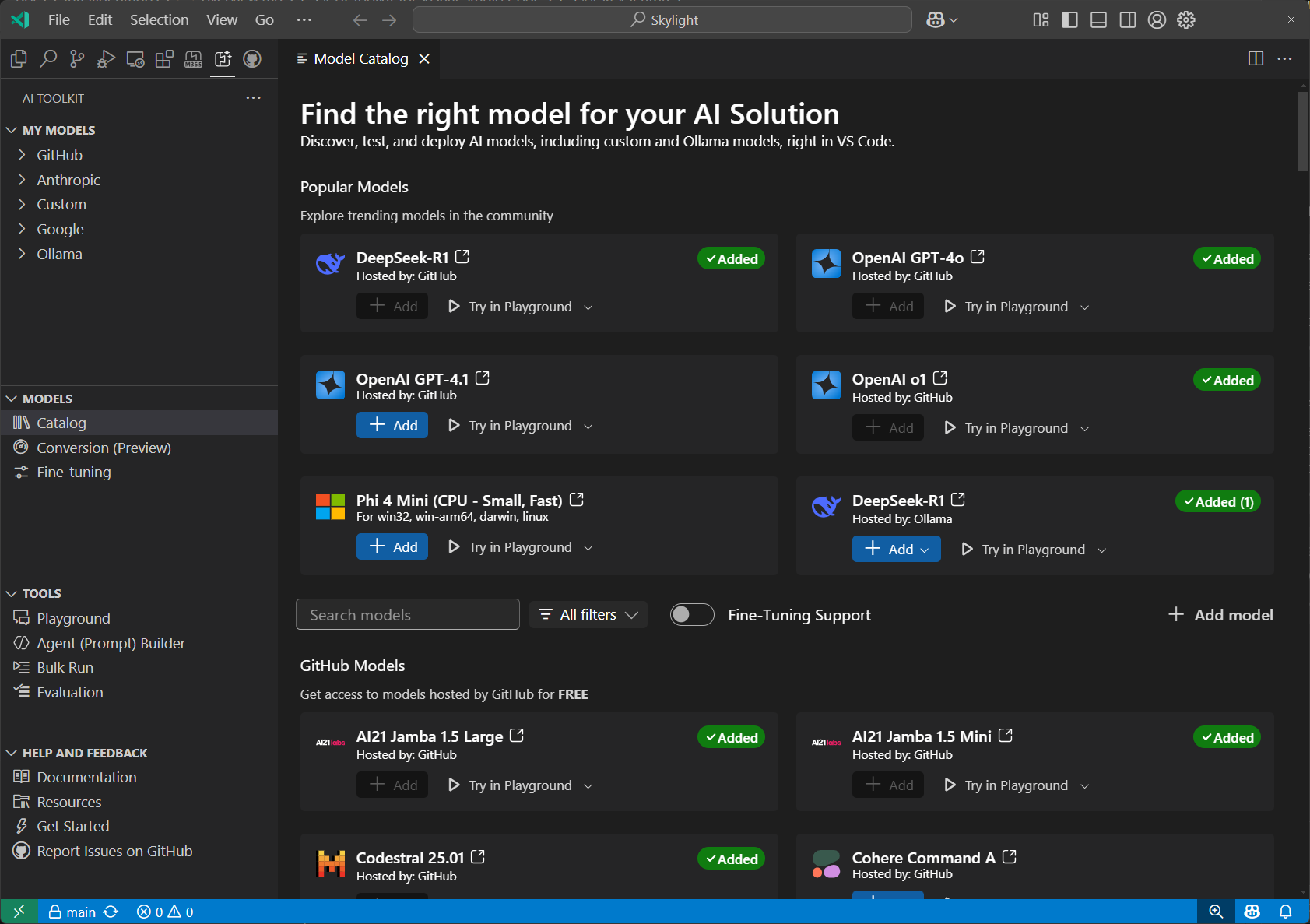 |
| Playground | Interactive chat environment for real-time model testing. Experiment with different prompts, parameters, and multi-modal inputs including images and attachments. | 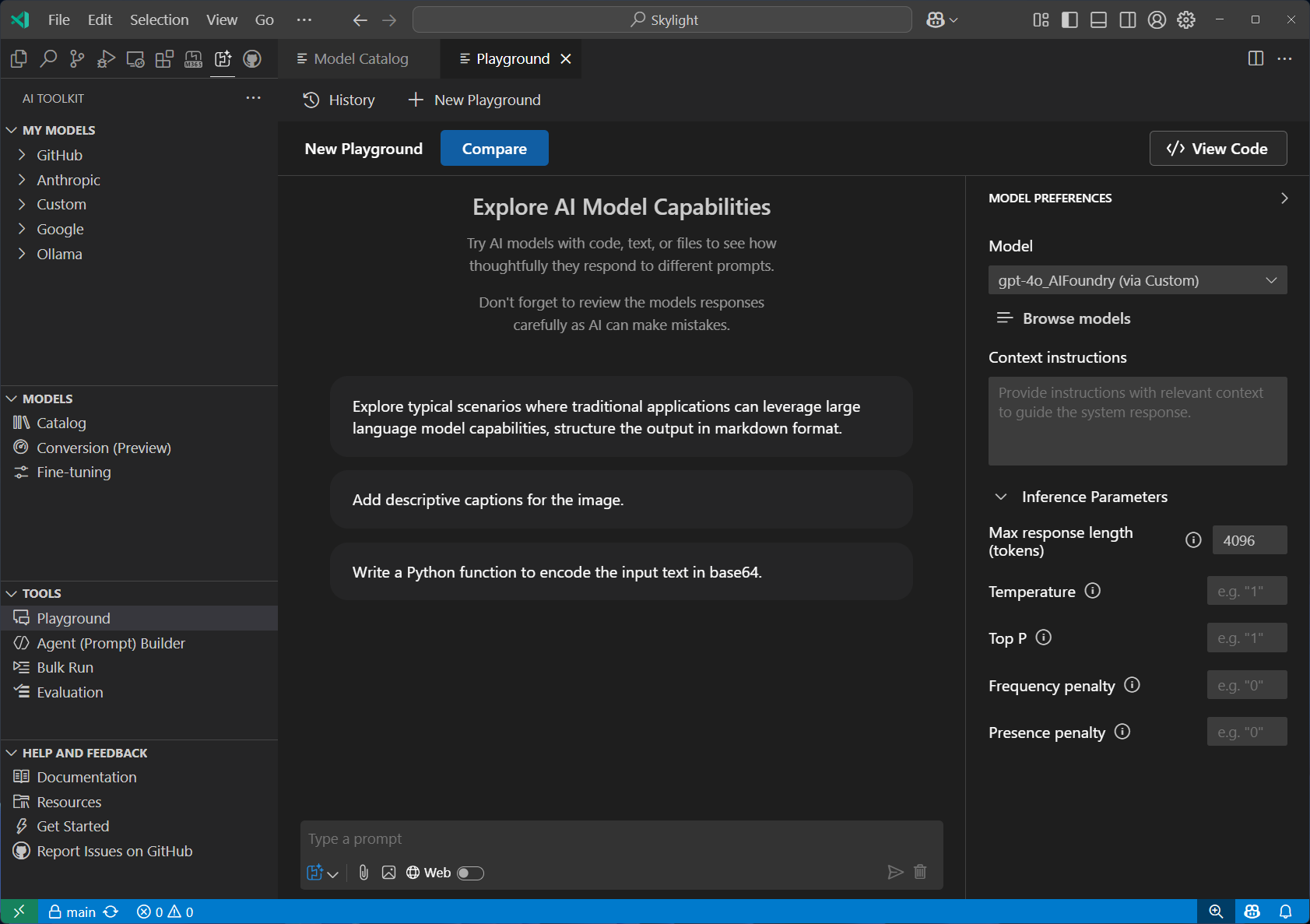 |
| Agent Builder | Streamlined prompt engineering and agent development workflow. Create sophisticated prompts, integrate MCP tools, and generate production-ready code with structured outputs. | 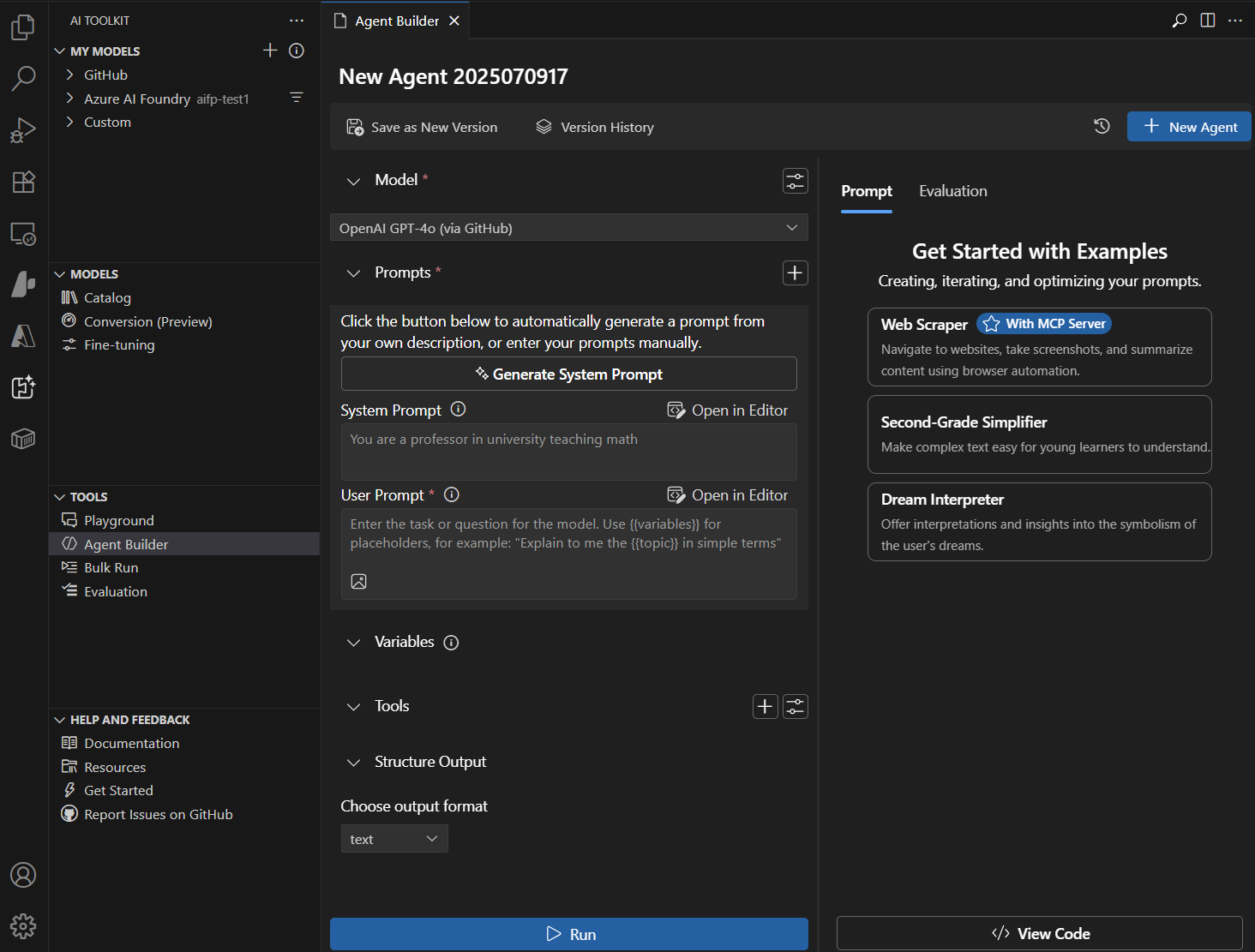 |
| Agent Inspector | Debug, visualize, and iterate on AI agents directly within VS Code. Press F5 to launch with full debugger support, view real-time streaming responses, and visualize multi-agent workflow execution with code navigation. | 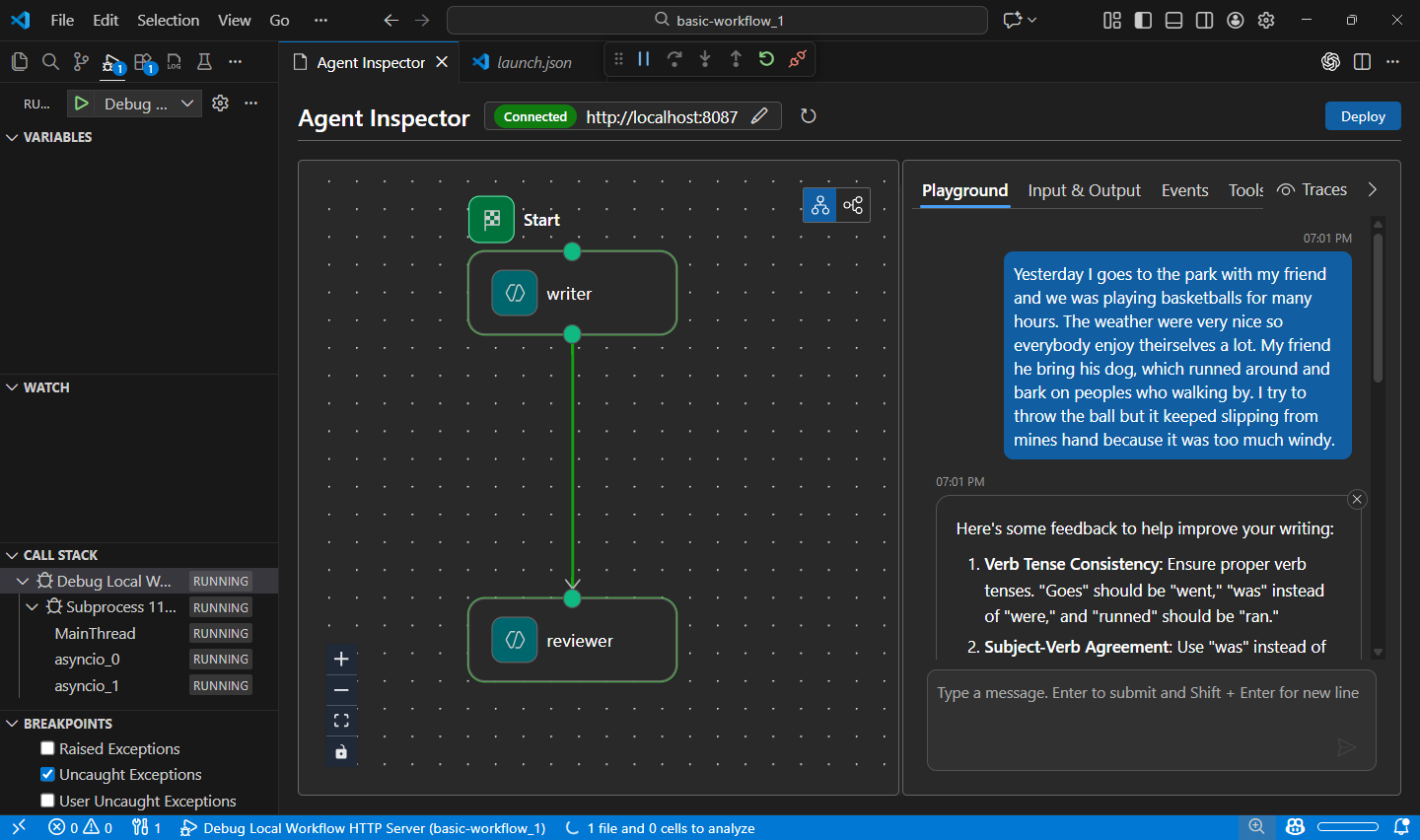 |
| Model Evaluation | Comprehensive model assessment using datasets and standard metrics. Measure performance with built-in evaluators (F1 score, relevance, similarity, coherence) or create custom evaluation criteria. | 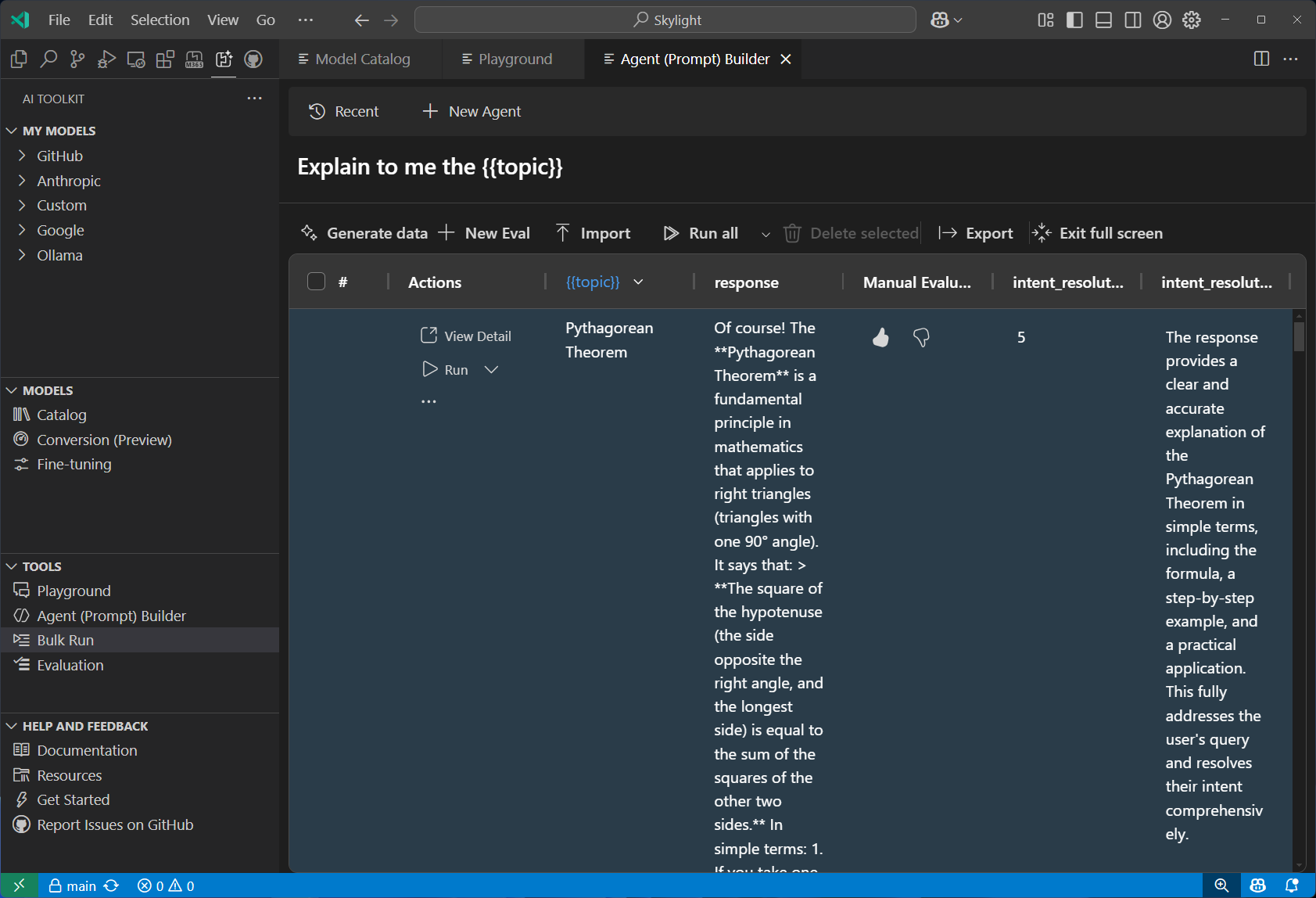 |
| Fine-tuning | Customize and adapt models for specific domains and requirements. Train models locally with GPU support or leverage Azure Container Apps for cloud-based fine-tuning. | 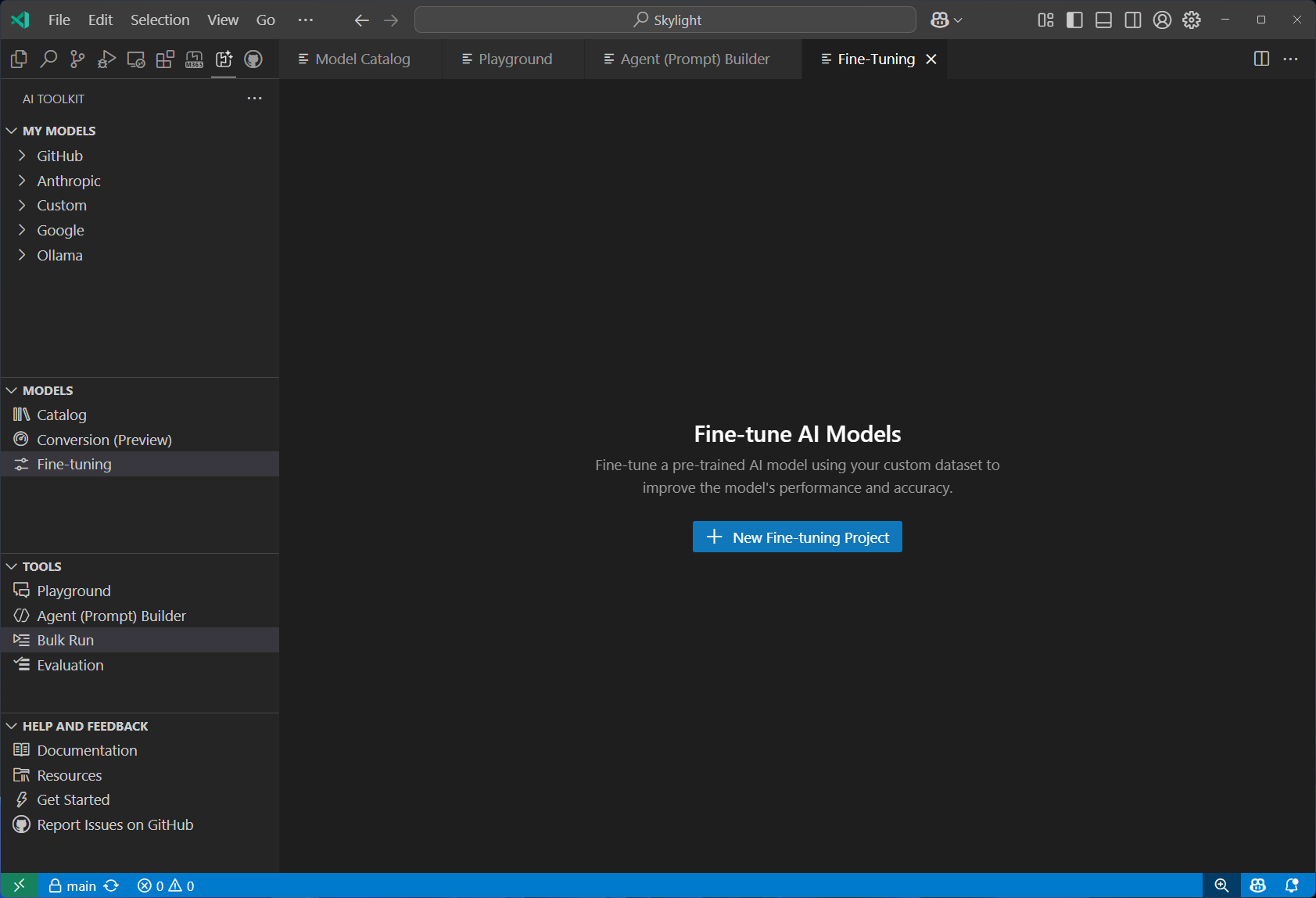 |
| Model Conversion | Convert, quantize, and optimize machine learning models for local deployment. Transform models from Hugging Face and other sources to run efficiently on Windows with CPU, GPU, or NPU acceleration. | 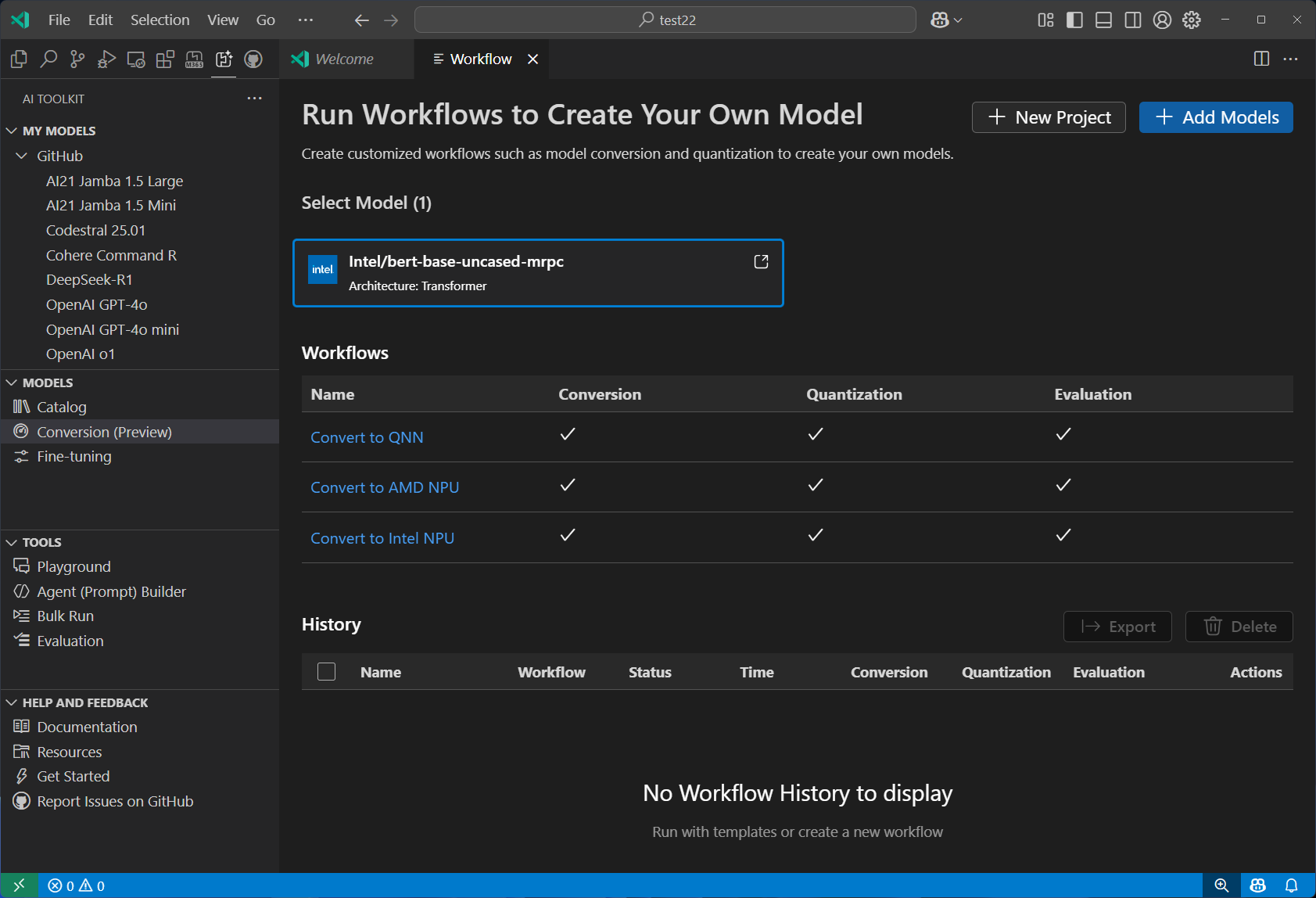 |
| Tracing | Monitor and analyze the performance of your AI applications. Collect and visualize trace data to gain insights into model behavior and performance. | 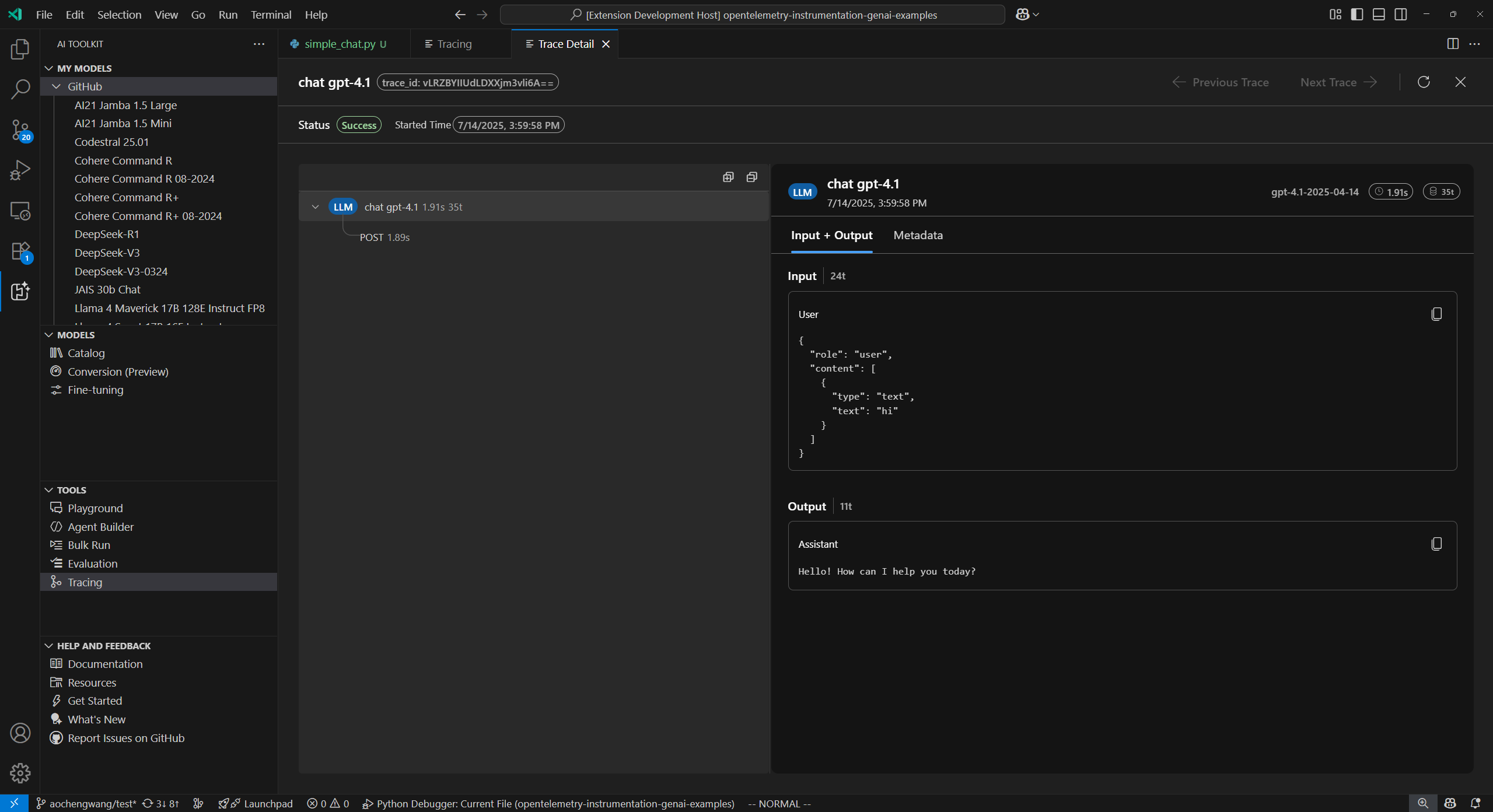 |
| Profiling (Windows ML) | Diagnose the CPU, GPU, NPU resource usages of the process, ONNX model on different execution providers, and Windows Machine Learning events. | 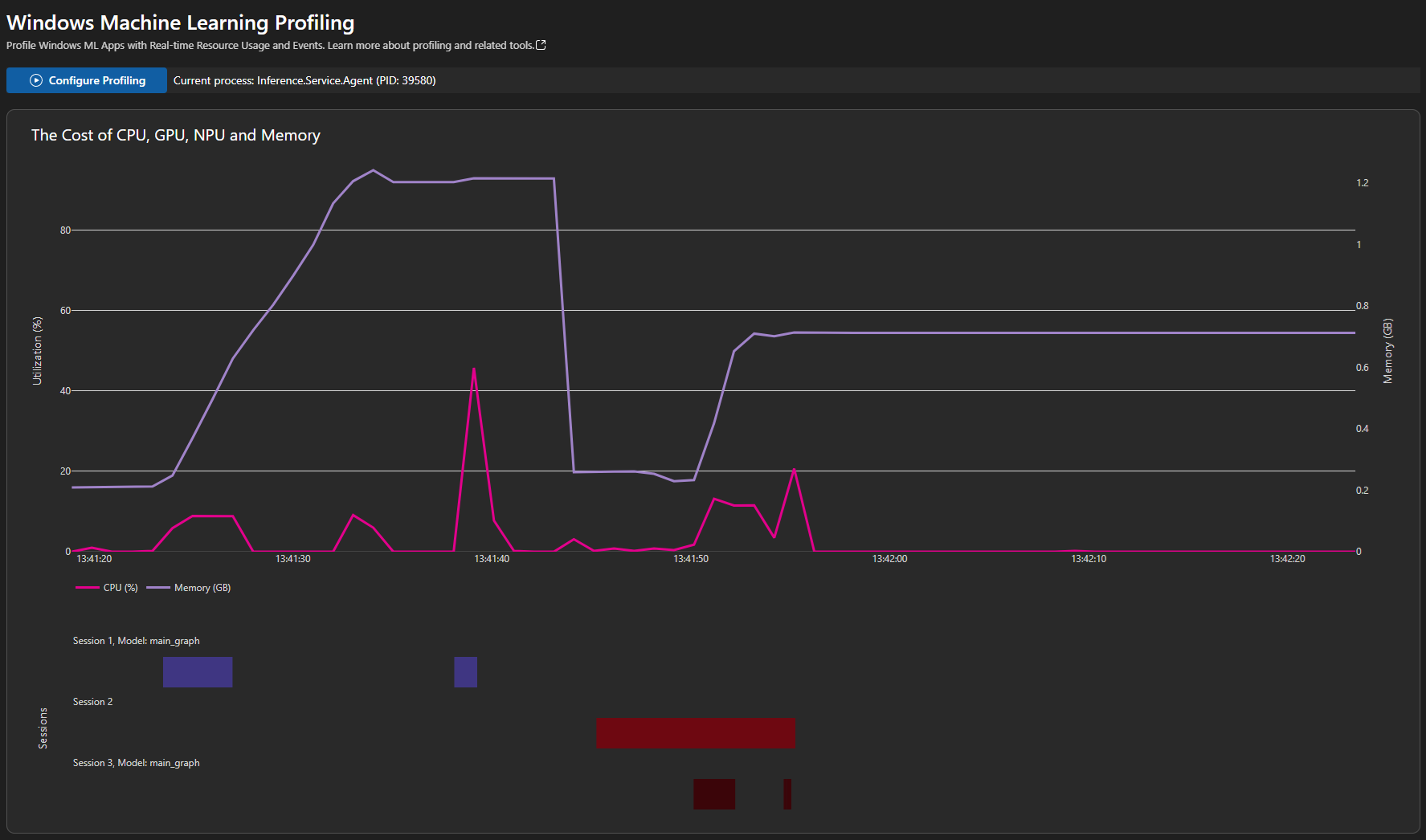 |
🚀 Getting started
Get up and running to interact with a model in three steps:
- 📦 Install — Follow the installation guide to set up AI Toolkit on your device.
- 🗂️ Explore models — Open the extension tree view → Developer Tools → Discover → Model Catalog. We recommend starting with models hosted by GitHub.
- 💬 Try it out — Select Try in Playground on any model card to start experimenting right away.
🛠️ Build AI agents
AI Toolkit gives you two paths to build AI agents—pick the one that fits your workflow:
🖱️ No-code: Agent Builder (Prompt Agents)
Use the Agent Builder to create, test, and deploy prompt agents through a visual interface—no code required.
- ✨ Generate and improve prompts with natural language, or let Inspire Me draft a starting point
- 🔁 Iterate and refine prompts based on real-time model responses in the integrated Playground
- 🧩 Extend your agent with tools from the Tool Catalog or custom function calling
- 📊 Evaluate accuracy and performance with built-in or custom metrics
- 💡 Export production-ready code snippets for rapid app integration
🧑💻 Code-based: Hosted Agents (VS Code + GitHub Copilot)
Build single-agent or multi-agent workflows in code using the Agent Framework SDK, with full debugging and deployment support.
- 🏗️ Code Generation — Scaffold hosted agent code or orchestrate multi-agent workflows with GitHub Copilot
- 🔬 Agent Inspector — Press F5 to launch with breakpoints, real-time streaming, workflow visualization, and one-click code navigation
- ☁️ Cloud Deployment — Deploy hosted agents to Microsoft Foundry
- 📈 Observability — Trace agent execution locally or evaluate performance with built-in and custom metrics
💬 Feedback and resources
We’d love to hear from you! Your feedback helps shape our roadmap.
- 📖 Developer documentation — explore all features in depth
- 🐛 GitHub Issues — report bugs or suggest new features
- 💬 Discord community — connect with fellow developers
AI Toolkit ❤️ Developer Community.
📊 Data and telemetry
AI Toolkit for Visual Studio Code collects usage data and sends it to Microsoft to help improve our products and services. Read our privacy statement to learn more. This extension respects the telemetry.enableTelemetry setting—learn more at disable telemetry reporting.
相似文章
@shao__meng: VSCode 团队介绍 Agent-First Development 的五大支柱 1. Model —— 选择思考的深度 模型不是"越大越好",而是"匹配任务"。 Copilot 提供 Low / Medium / High / Aut…
VSCode团队发布了Agent-First Development系列视频,介绍了AI编程的五大支柱:模型选择、行动边界、上下文、提示精度和工具使用,帮助开发者更有效地使用AI代理。
@sunmer575399: 刷到一个神仙开源项目cline,65.6k star,写代码效率确实能提不少 一个引擎同时给SDK、CLI、VS Code和JetBrains全家桶用,你在编辑器里点两下,它自己读代码、建文件、跑命令,改完还等你点头才动手。 终端里跑全自…
介绍开源AI编码代理工具Cline,支持SDK、CLI、VS Code和JetBrains全家桶,可在IDE和终端中自动读代码、建文件、跑命令,并支持看板并行多agent和CI/CD集成。
@wsl8297: JetBrains 推出了一个专门为 AI Agent 设计的开发环境:Air,让你可以同时运行多个 AI 编程 Agent 并行工作,互不干扰。 核心理念:别再一个 Agent 用完等结果,再启动下一个。把任务拆开,多个 Agent 同…
JetBrains launched 'Air', a new development environment specifically designed for orchestrating multiple AI coding agents in parallel to handle complex tasks simultaneously without interference.
VS Code 的新“Agents window”让你可以使用本地AI模型,但仍需联网和GitHub Copilot订阅(因为好事总轮不到我们)
VS Code 的新“Agents window”允许开发者使用本地AI模型,但仍需互联网连接和GitHub Copilot订阅。
@servasyy_ai: 微软一位高级 AI 开发者刚刚展示了他们如何在微软内部用 Claude 构建 AI 代理。 34 分钟,免费,由微软团队出品。 Opus 4.7 + 1400+ 个预构建的 MCP 工具。 把 Claude 接入 agent → 给它工具…
微软高级AI开发者展示了如何使用Claude构建AI代理的免费教程,时长34分钟,包含1400多个预构建的MCP工具,可直接部署到生产环境。