Cached at:
05/17/26, 06:21 PM
# Coding on Paper
Source: [https://wickstrom.tech/2026-05-16-coding-on-paper.html](https://wickstrom.tech/2026-05-16-coding-on-paper.html)
- [wickstrom\.tech](https://wickstrom.tech/)
About three months ago, I bought the[Onyx BOOX 25\.3” Mira Pro Color](https://shop.boox.com/products/boox-mira-procolor-version), an e\-ink monitor for desktop use\. I’ve used it as my primary monitor since, and I’ve had a lot of questions about it\. This is my experience report, from the perspective of a working, still mostly typing, programmer\.
This is*not*a sponsored post, and it is*not*a product review\. I wrote a very similar post about the[Daylight DC\-1](https://wickstrom.tech/2025-10-10-programming-in-the-sun-a-year-with-the-daylight-computer.html)last year\.
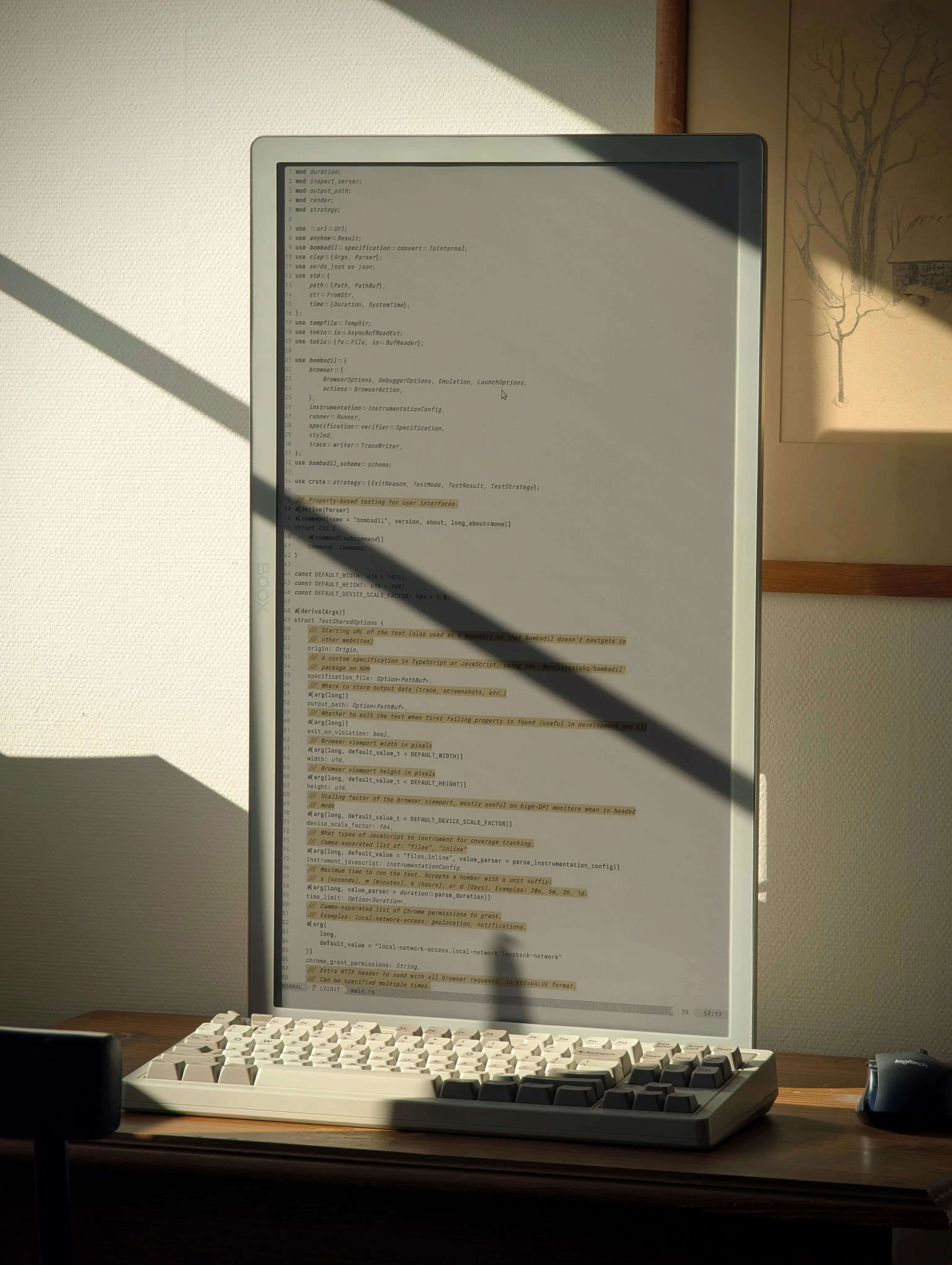As explained in last year’s post, the reason I persist with these monitors is because it makes me energetic and happy\. Sunlight, direct or indirect, helps me stay clear and focused during my workday\. I find spaces illuminated by natural light beautiful and inspiring\.
I’m not going to recommend that you buy one of these devices\. They’re expensive, about $2000, and the experience is quite different from LCD\. Even if this looks cool, it seems to me very possible that most people would not like it in practice\. With that said, I am happy with it, and I’ll probably keep investing in these tools as they get even better with time\.
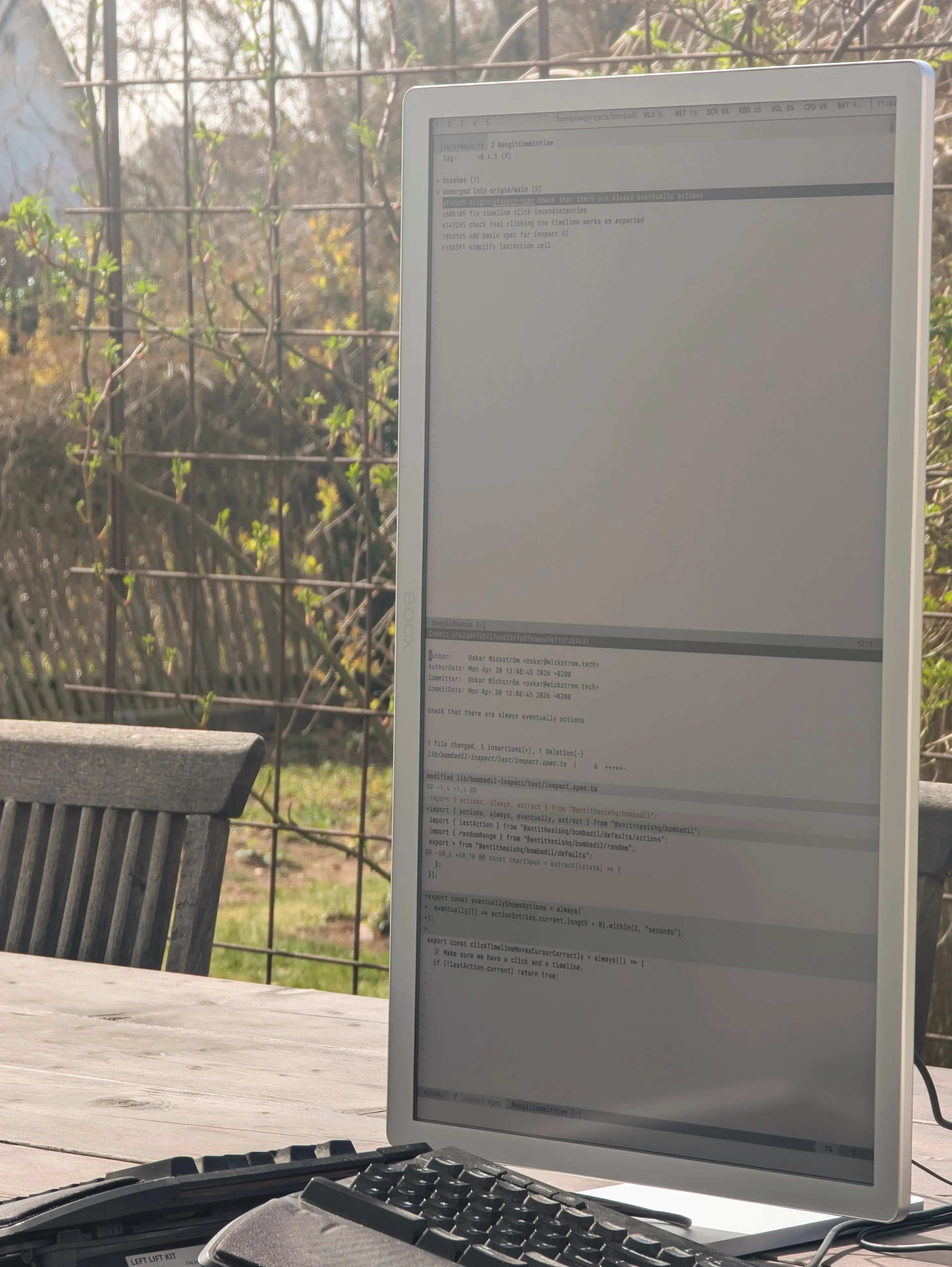Using the Mira Pro as a primary monitor is a continuation of the experiments with my e\-ink tablets and Termux as coding environments\. But now, with far fewer compromises\. I’m running my regular NixOS environment on my work laptop\. No SSH and tmux needed, no Android terminal emulator to customize\.
What I have done, though, is spent quite some time on making my system more suited for this monitor\. The Mira Pro does not work well with dark themes\. In fact, it only works well with high contrast light themes\.
Luckily, I’m bent towards minimalism, so I already used near\-monochrome themes, relying more on typographic syntax highlighting rather than coloring\. I now have custom themes for Neovim, Zed, and Ghostty with a few vivid colors for things like selection, comments, and constants\. Otherwise it’s largely black on white\.
It’s trickier with other applications\. In Firefox, I’ve started using the high contrast setting\. That works pretty much like an inverse of DarkReader\. I now run Spotify in the browser in order to avoid its dark theme\.
The monitor has a clunky menu system with which you can change rendering modes; things like contrast and speed\. I found[an open\-source reverse\-engineered NodeJS package](https://github.com/ipodnerd3019/mira-js)that I use with Hyprland keybindings to easily change rendering modes and manually refresh\. No need for the built\-in menu\.
In practice I use two modes:
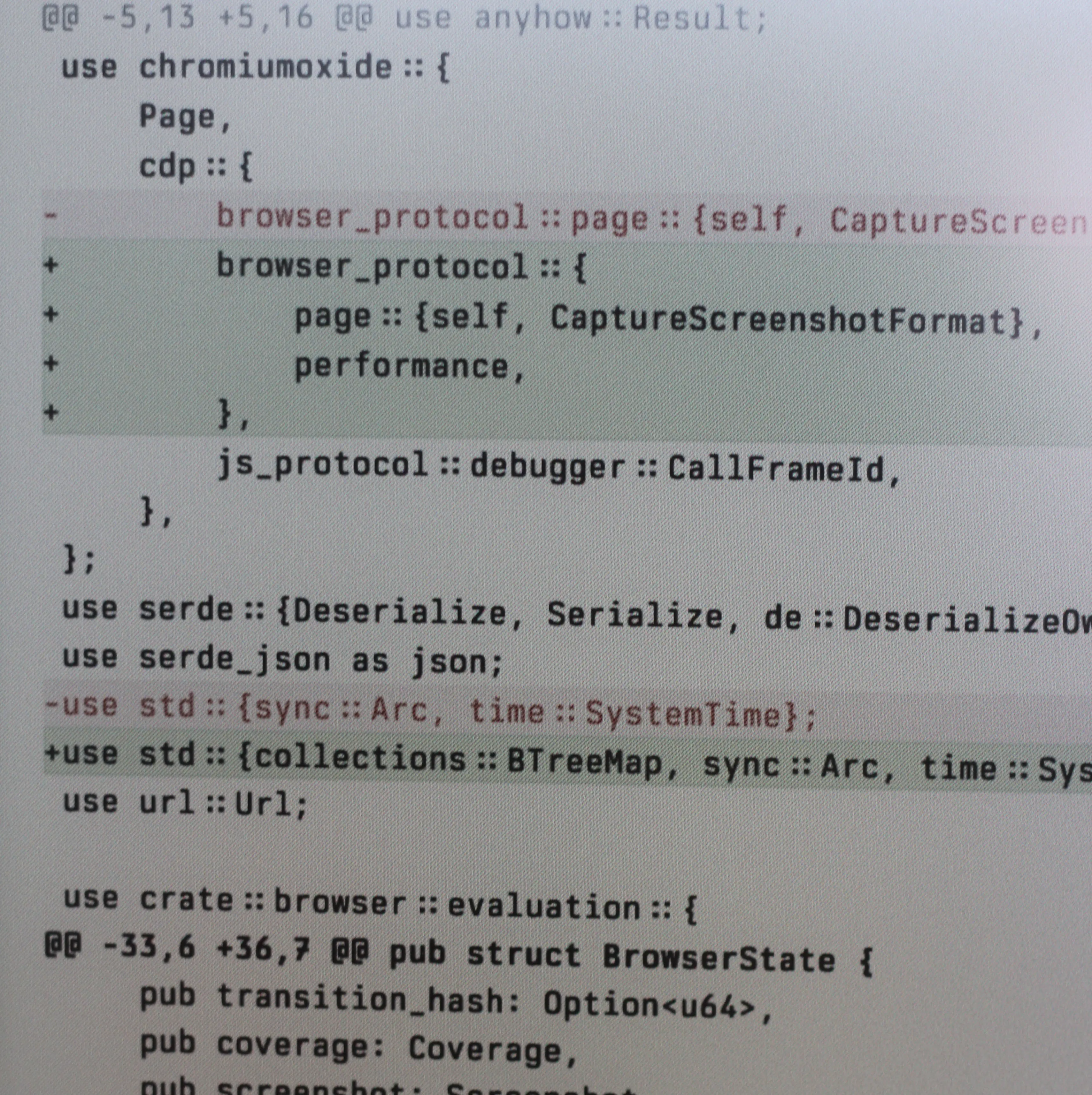
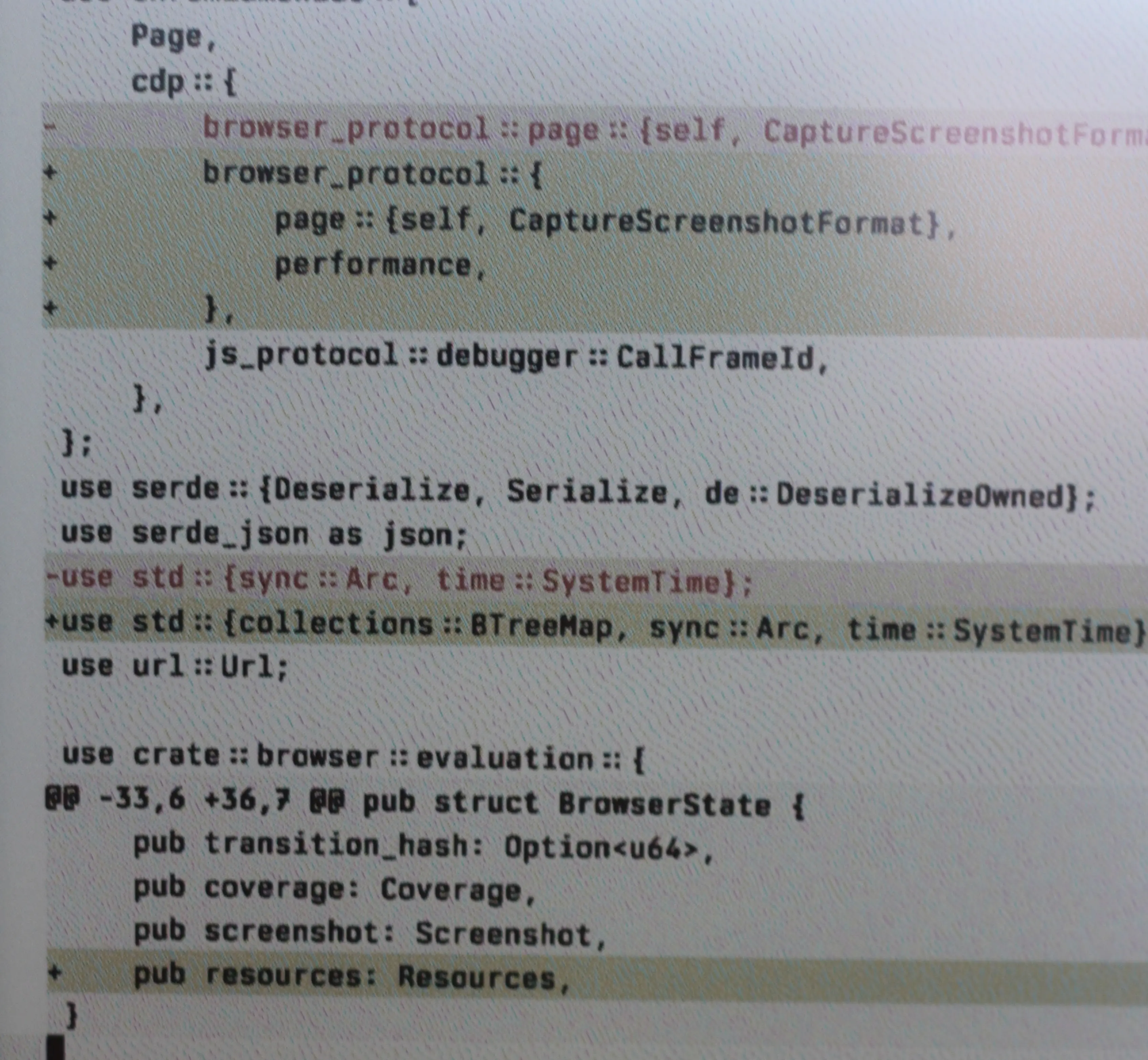
Reading:This mode renders colors most vividly and text sharply, but typing with it is agony\. I use it when reading text documents, web pages, or code diffs\.
Writing:This is by far the most commonly used mode, which compromises colors and sharpness for way better latency\. I use this for everything in the terminal, chat, general web browsing, and probably most other things not covered by the reading mode\.
See the following photos for a close\-up comparison:
What about latency? Here’s the two short clips of me typing with the reading and writing modes:
[Reading mode, with horrible latency for typing\.](https://wickstrom.tech/assets/mira-pro-slow.mp4)[Writing mode, with some but acceptable latency\.](https://wickstrom.tech/assets/mira-pro-fast.mp4)Ghosting? In my writing mode it’s minimal\. It really doesn’t bother me\.
About the color panel: I don’t like it very much to be honest\. It was the only version of the Mira Pro available from the Swedish retailer at the time, so I went with it\. I think I would’ve been happier with a monochrome panel, because the coloring technology makes it considerably darker\.
Here’s a comparison between the Palma 2 Pro \(using a similar but smaller Kaleido color panel\) and my old Tab Ultra \(with a monochrome panel\):
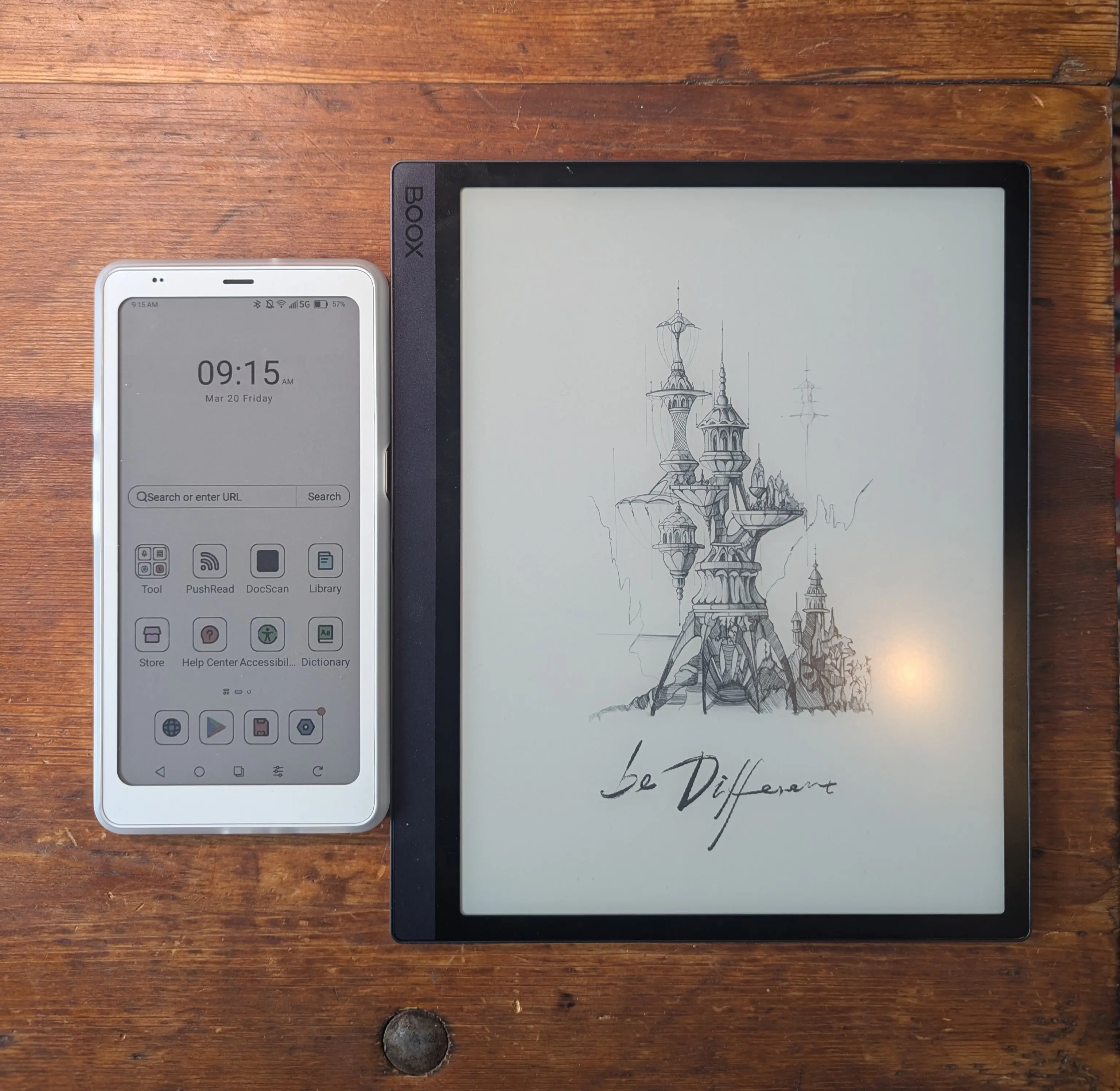Unless the room has great diffuse lighting, natural or otherwise, the color panel does require*some*backlight\. In direct sunlight or outdoors it works without\. I might spend more time optimizing the lighting in my office to make this work during the winter months\.
So, what’s to make of it? Personally, I enjoy using this monitor a lot, even if it’s not perfect\. Should you buy an expensive 25” e\-ink monitor? I cannot say\. But if you do, let me know how it works out\.
My custom themes and keybindings can be found[here](https://github.com/owickstrom/nixos/tree/master)\.
- [Home](https://wickstrom.tech/)
- [Atom feed](https://wickstrom.tech/feed.xml)
- [X](https://x.com/owickstrom)
- [Bluesky](https://bsky.app/profile/wickstrom.tech)
- [Mastodon](https://mastodon.social/@owi)
- [LinkedIn](https://www.linkedin.com/in/oskar-wickstrom/)
- [CV](https://wickstrom.tech/assets/cv.pdf)