Cached at:
08/03/26, 10:35 PM
# Windows XP 2002 for the Itanium: Unbridled rage
Source: [https://virtuallyfun.com/2026/08/03/windows-xp-2002-for-the-itanium-unbridled-rage/](https://virtuallyfun.com/2026/08/03/windows-xp-2002-for-the-itanium-unbridled-rage/)
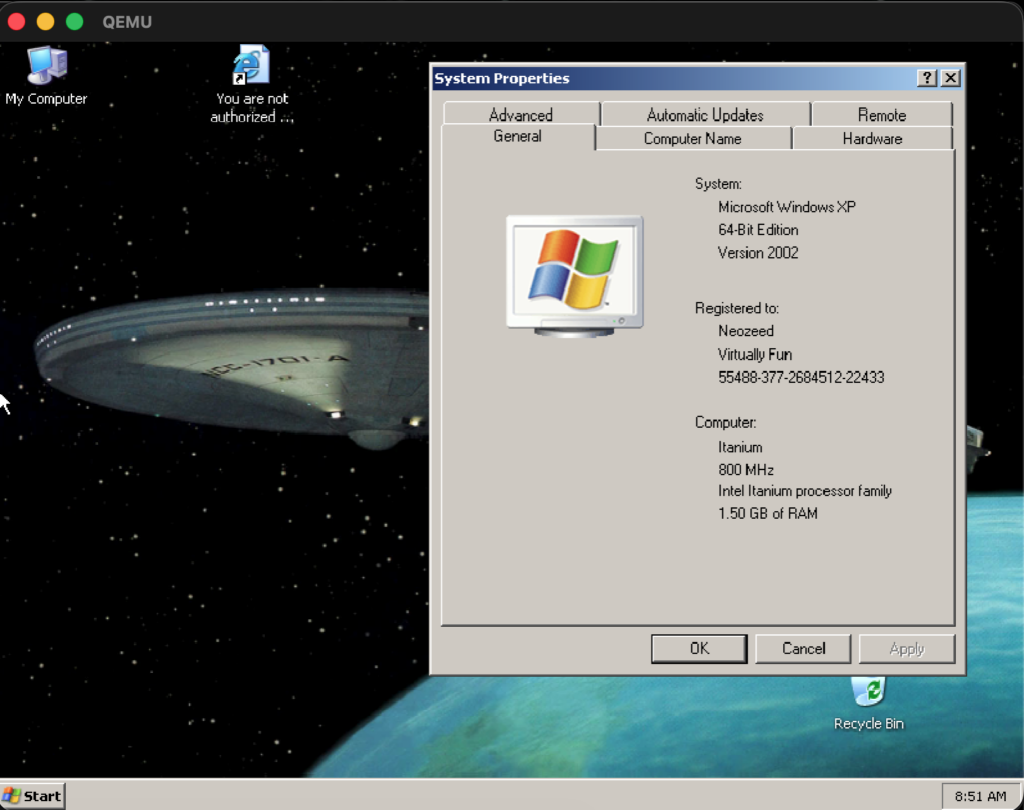Windows XP ia64 build 2600 in all it’s gloryThis is exciting news, there is a fork of Qemu that has workable Itanium Merced emulation, and it’s good enough to run Windows XP/2003\! Enter[**Malte Kuhlmann**](https://github.com/makuhlmann)‘s[Qemu fork](https://github.com/makuhlmann/qemu-system-ia64/tree/merced)of[syunnPC](https://github.com/syunnPC)‘s[AI Itanium infused Qemu fork](https://github.com/syunnPC/qemu-system-ia64/tree/main)\.
I’m sure at some point there will be some kind of merger\. As always things move fast when they are interesting\.
At any rate, I had nothing but incredible issues getting this to build\. I should have written the steps down for the Qemu Alpha for that can run Alph64 Windows\! … \.however I didn’t so I kind of lost \(hopefully temperarily\) the recipies needed\.
Instead, I’m jumping back to my mac mini, as of course macOS is just enough UNIX to be useful but mainstream enough to have real application\. And part of the reason is that I wanted to build the firmware as I had a feeling that this was some important ‘lockstep’ thing I was missing\.
Building cross compilers isn’t that new for me or this blog\. As a matter of fact, I’ve got two at the moment from other various projects:
```
jsteve@Jasons-Mac-mini gcc % /usr/local/os2/bin/i386-pc-linux-gnuaout-gcc -v
Reading specs from /usr/local/os2/lib/gcc-lib/i386-pc-linux-gnuaout/2.8.1/specs
gcc version 2.8.1
jsteve@Jasons-Mac-mini gcc % /usr/local/i586-linux2/bin/i586-linux-gcc -v
Reading specs from /usr/local/i586-linux2/lib/gcc-lib/i586-linux/2.8.1/specs
gcc version 2.8.1
```
Since GCC 2\.8\.1 seems to run ‘okay’ as a macOS arm64 binary to cross compile to the i386… But that’s not for here\. Since this is a ‘modern’ build, there was no need for any funny business\. Things just worked\. Surprisngly, I know\. Obviously for people years later this won’t hold true\.
## Binutils
Nothing much to see or say, just used binutils 2\.46\.0, and it configured/built out of the box\. Nice\.
```
../binutils-2.46.0/configure --target=ia64-linux-gnu --prefix=/usr/local/ia64-linux-gnu
```
## GCC
This is a bit weird as, the Itanium is not a dying platform, but a[very dead one](https://www.phoronix.com/news/Itanium-IA-64-GCC-16-Obsolete)\. Although thanks to a single user, René Rebe[keeping the flame alive](https://www.theregister.com/software/2024/11/01/gcc-15-to-undeprecate-itanium-support-for-now/626941), I just chose to use the mentioned version, 15 to see if it still works\. Spoiler, it did\!
Building on macOS also means I do have homebrew installed, and that instead of building so many dependancies from hand, I could just brew the dependancies for GCC\. That did make configuring it a little more involved\.
```
../gcc-15.3.0/configure \
--target=ia64-linux-gnu \
--prefix=/usr/local/ia64-linux-gnu \
--disable-bootstrap \
--disable-multilib \
--enable-languages=c \
--with-gmp=/opt/homebrew \
--with-mpfr=/opt/homebrew \
--with-mpc=/opt/homebrew \
CPPFLAGS="-I/opt/homebrew/include" \
LDFLAGS="-L/opt/homebrew/lib"
```
There is some weird duplicate define of fdopen that throws off the build, thanks to zlib\. I know wtf\.
```
In file included from ../../gcc-15.3.0/zlib/zutil.c:10:
In file included from ../../gcc-15.3.0/zlib/gzguts.h:21:
In file included from /Library/Developer/CommandLineTools/SDKs/MacOSX.sdk/usr/include/stdio.h:61:
/Library/Developer/CommandLineTools/SDKs/MacOSX.sdk/usr/include/_stdio.h:322:7: error:
expected ')'
322 | FILE *fdopen(int, const char *) __DARWIN_ALIAS_STARTING(__MAC_10_6, _...
| ^
../../gcc-15.3.0/zlib/zutil.h:140:33: note: expanded from
macro 'fdopen'
140 | # define fdopen(fd,mode) NULL /* No fdopen() */
```
The fix, of course is to comment out line 140 of zutil\.h
After that, it’ll mostly build, \(remember to have the binutils binary in your path\!*export PATH=/usr/local/ia64\-linux\-gnu/bin:$PATH \)*
It’ll complain about missing pthread as it want’s to build all the Linux stuff, but we don’t care\.
```
In file included from ../../../gcc-15.3.0/libgcc/gthr.h:157,
from ../../../gcc-15.3.0/libgcc/libgcov-interface.c:27:
./gthr-default.h:35:10: fatal error: pthread.h: No such file or directory
35 | #include <pthread.h>
| ^~~~~~~~~~~
compilation terminated.
```
I did have to manually copy libgcc\.a however\.
```
cp ia64-linux-gnu/libgcc/libgcc.a /usr/local/ia64-linux-gnu/ia64-linux-gnu/lib/libgcc.a'.
```
Then just cd to the gcc directory and run a make install\.
And with that, I’ve now got an Itanium cross compiler, to build the firmware\!\.
```
jsteve@Jasons-Mac-mini gcc % /usr/local/ia64-linux-gnu/bin/ia64-linux-gnu-gcc -v
Using built-in specs.
COLLECT_GCC=/usr/local/ia64-linux-gnu/bin/ia64-linux-gnu-gcc
COLLECT_LTO_WRAPPER=/usr/local/ia64-linux-gnu/libexec/gcc/ia64-linux-gnu/15.3.0/lto-wrapper
Target: ia64-linux-gnu
Configured with: ../gcc-15.3.0/configure --target=ia64-linux-gnu --prefix=/usr/local/ia64-linux-gnu --disable-bootstrap --disable-multilib --enable-languages=c --with-gmp=/opt/homebrew --with-mpfr=/opt/homebrew --with-mpc=/opt/homebrew CPPFLAGS=-I/opt/homebrew/include LDFLAGS=-L/opt/homebrew/lib
Thread model: posix
Supported LTO compression algorithms: zlib
gcc version 15.3.0 (GCC)
```
Neat\!
## Qemu
I’ve defiantly homebrewed some dependencies in the past, but I’ll be damned if I know what exactly\.
First get the source \(as of this moment, July 31st 2026\)
```
git clone --branch merced --single-branch https://github.com/makuhlmann/qemu-system-ia64.git
```
Then make a build directory, as we don’t build in the source\!
Configuring on macOS is of course…\. weird\.
```
../qemu-system-ia64/configure \
--disable-qom-cast-debug \
--disable-stack-protector \
--extra-cflags='-O2 -fno-stack-protector -fzero-call-used-regs=skip -ftrivial-auto-var-init=uninitialized' \
--disable-guest-agent-msi --disable-werror --enable-slirp \
--target-list=ia64-softmmu --disable-sdl --python=/usr/bin/python3
```
Since I’m on macOS, I wanted to use the coca backend, so I don’t care about GTK\+ or SDL\.
From there it was just a matter of running make… I did a \-j6 to use six cores it tore through the source, stopped after a few minutes with some weird error, I just typed in ‘make’ again and it finished…\. Not sure what it’s hangup was, and I really don’t care\.
For this installation I’m using this image:
[5\.1\.2600\.0\.xpclient\.010817\-1148\_ia64fre\_client\-professional\_retail\_en\-us\-WXPIFPP\_EN\.iso](https://archive.org/details/5.1.2600.0.xpclient.-010817-1148-ia-64fre-client-professional-retail-en-us-wxpifpp-en)
It’s got a MD5 checksum of : 604ee3141ed6a34391a89a33c0019702
As there are*many*versions of XP Itanium, but it’s so easy to get the wrong one\.
## Installing
Now for the ‘hard’ part\. Getting this to actually install\.
First create a hard disk, say 20GB ?
```
./merced-build/qemu-img create -f vmdk ia64-xp64-merced.vmdk 20G
Formatting 'ia64-xp64-merced.vmdk', fmt=vmdk size=21474836480 compat6=off hwversion=undefined
```
This is what I use, thanks to Roy Tam\!
```
merced-build/qemu-system-ia64-unsigned \
-bios ./merced-build/roms/ia64-firmware/ia64-firmware.bin \
-machine ia64-vpc,i8042=off,nvram=ia64fw-nvram-merced.bin \
-cdrom "5.1.2600.0.xpclient.010817-1148_ia64fre_client-professional_retail_en-us-WXPIFPP_EN.iso" \
-hda "ia64-xp64-merced.vmdk" \
-accel tcg,thread=multi,tb-size=2048 -smp 1 -m 1536 \
-vga ati -cpu merced \
-display cocoa,zoom-to-fit=on \
-nic user,model=i82557a,hostfwd=tcp::3386-:3389
```
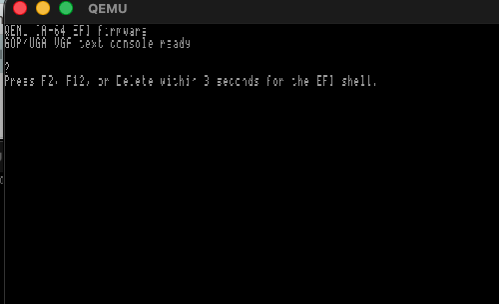
And with that, it’ll launch into the EFI firmware
Itanium EFI Firmware
Being greeted by the firmware image, is again confirmation that we can indeed cross compile the Itanium firmware with our GCC cross compiler\!
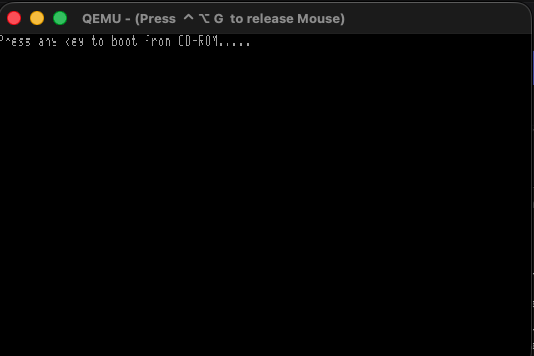
And then the CD\-ROM will prompt to hit any key to boot from CD
Press any key to boot from CD\-ROM…\.\.
At this point I should mention that Qemu doesn’t scale well with high resolution monitors\. But since we enabled the zoom\-to\-fit option, we can resize the window so we can read it, or just maximize it\.
From here it’s basically a normal XP install
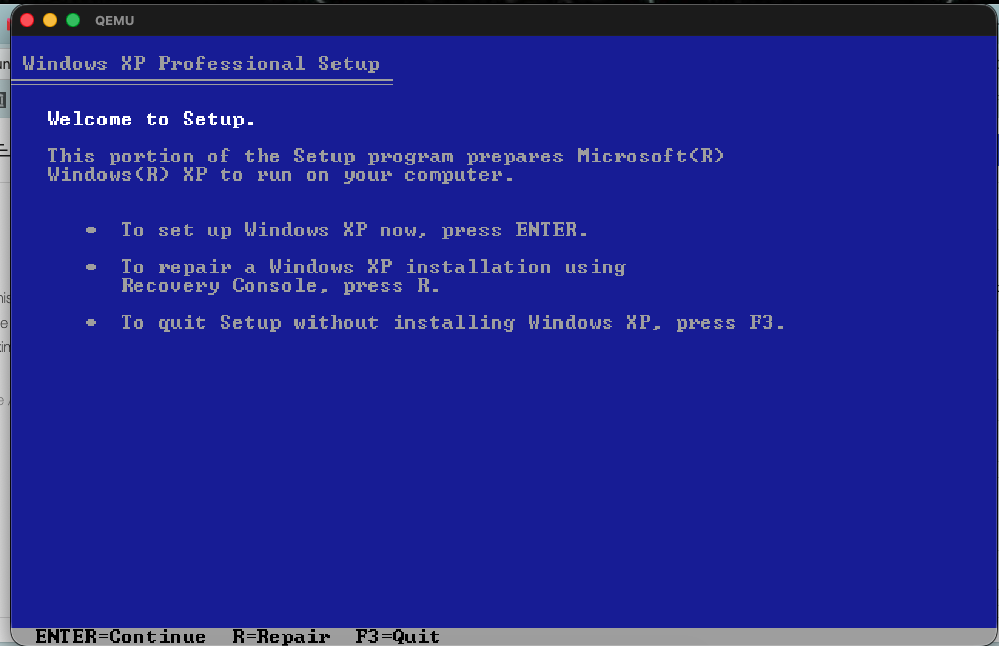Unlike the RISC of old, the creation of the system partition is now handled by the install program, like all the other EFI/UEFI platforms\.
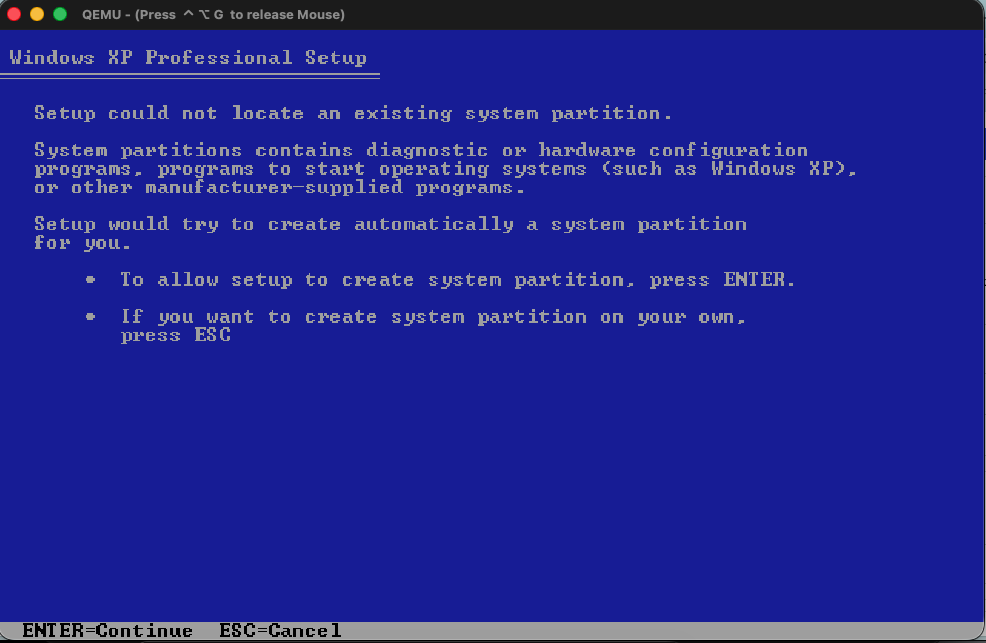Which I have to say, is a nice change\.
From there just select the remainder of the disk, I format mine as NTFS \(quick\) and from there it’ll start copying the files\. For me this completed in under 5 minutes\.
A quick reboot and you’ll now be in the graphical installer\.
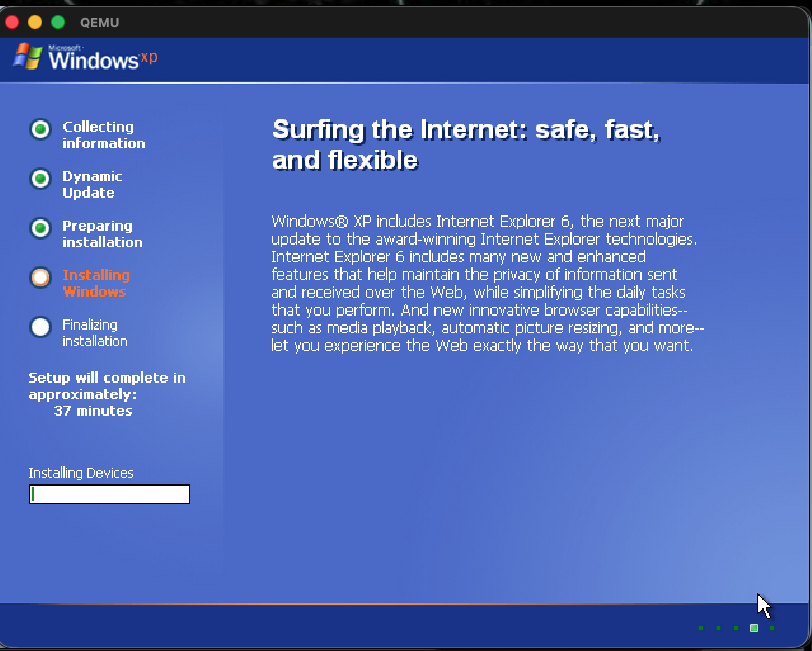From here it could crash or lock hard\. In that case, re\-create the hard disk image, and re\-try the installation\. It took me 5 attempts\. Although I should mention that I never could complete a single install using syunn’s fork\.
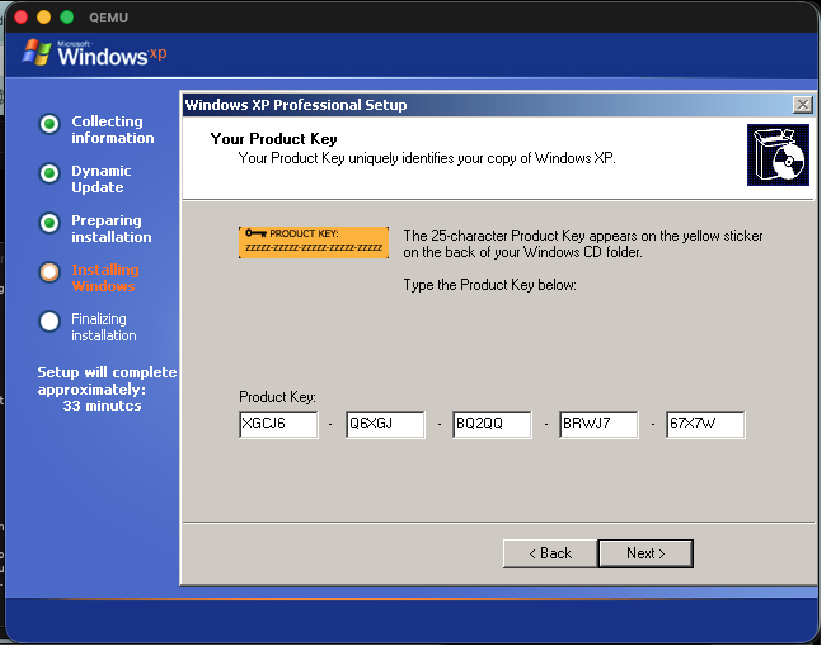XGCJ6\-Q6XGJ\-BQ2QQ\-BRWJ7\-67X7WAnd when asked, I just chose the default networking settings\.
In prior builds this would fail and/or hard lock at various moments, with an overall success rate of 1/5\. Not the best\. Although I’ve only installed XP 2600 once today, and it was a 1:1 rate in 30\-40 minutes, so I guess I can say that as always, things are in motion, and getting way better\!
On my m4, it took about another 30 minutes, and then It’s done\.
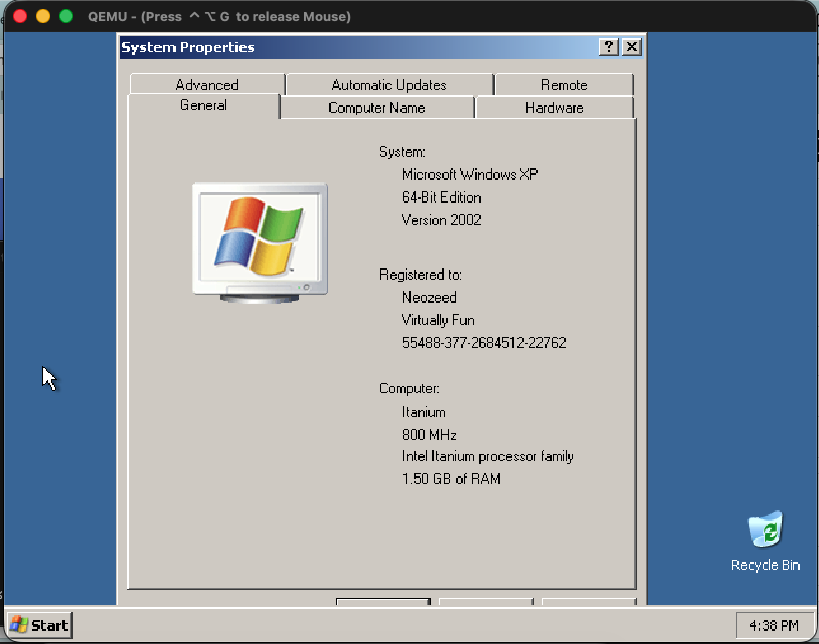And there we go\!
I’d highly suggest setting up RDP, and using a remote desktop application, as the arrow keys currently tend to repeat far too often making typing a chore\. Plus it’ll fix any coca video scaling issues\.
Future?
Well what about the 2003 version of Windows XP?
Namely: 5\.2\.3790\.0\.srv03\_rtm\.030324\-2048\_ia64fre\_client\-professional\_retail\_en\-us\-NRMPIFPP\_EN\.iso
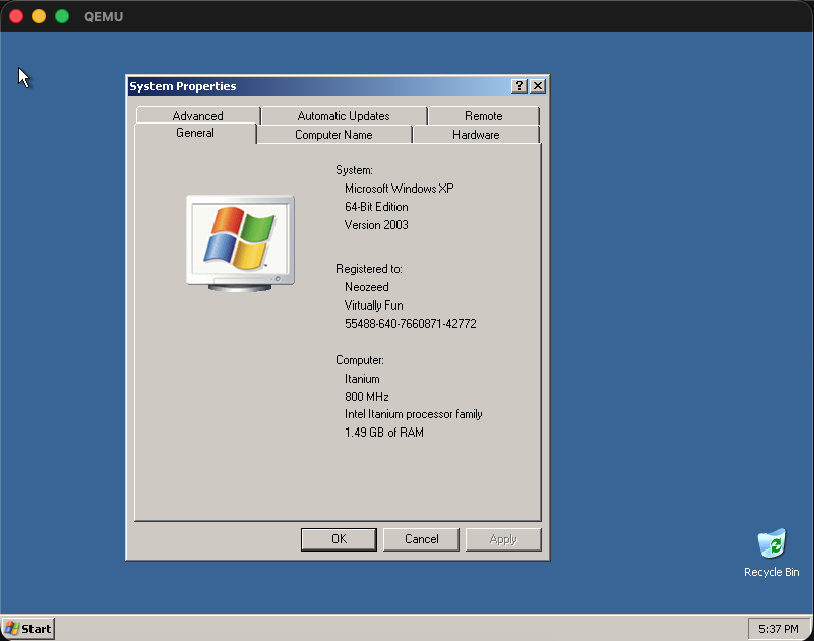Using the same config, different ISO, yeah it installed in about 40 minutes on my m4 Mac Mini\.
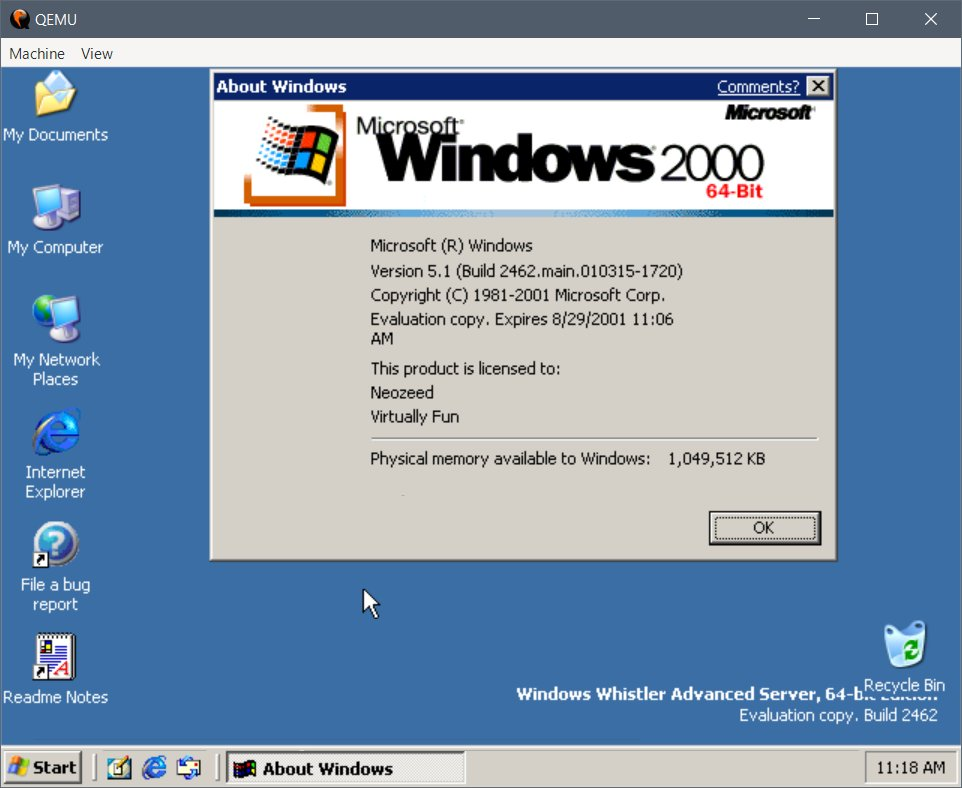Windows Server build 2462Why, even the earliest Windows Server Itanium build that’s available,[5\.1\.2462](https://archive.org/details/5.1.2462.0.main.-010315-1720-ia-64fre-server-enterprise-retail)installs and runs\! Of course, install it prior to August 2001\.
What about other operating systems?
As of now I don’t think anything else works\. Monterey didn’t do much, nor HPUX, VMS etc\.
Where to go from here? Compilers\! and whatnot\. Needless to say, since this is 1st gen Itanium, all the stuff I’d built when I had an Itanium won’t run as it was Itanium2\. Don’t you love broken binary compatiblity?
This is why 80386 is just as relevant in 2026 as it was in 1987\.
Of course, Apple will break it, just because they can\.