Cached at:
07/29/26, 03:51 AM
# The first real desktop written by AI
Source: [https://starling.build/](https://starling.build/)
Early preview · v0\.2 · Ubuntu
## The first real desktop written byAI
Others have pointed AI at a desktop before\. They ran in a browser tab, or stopped at a mock\-up\.**Starling drives the GPU directly and runs Chrome, Slack and Zoom\.**It was written by AI, directed by one person, over six months\.
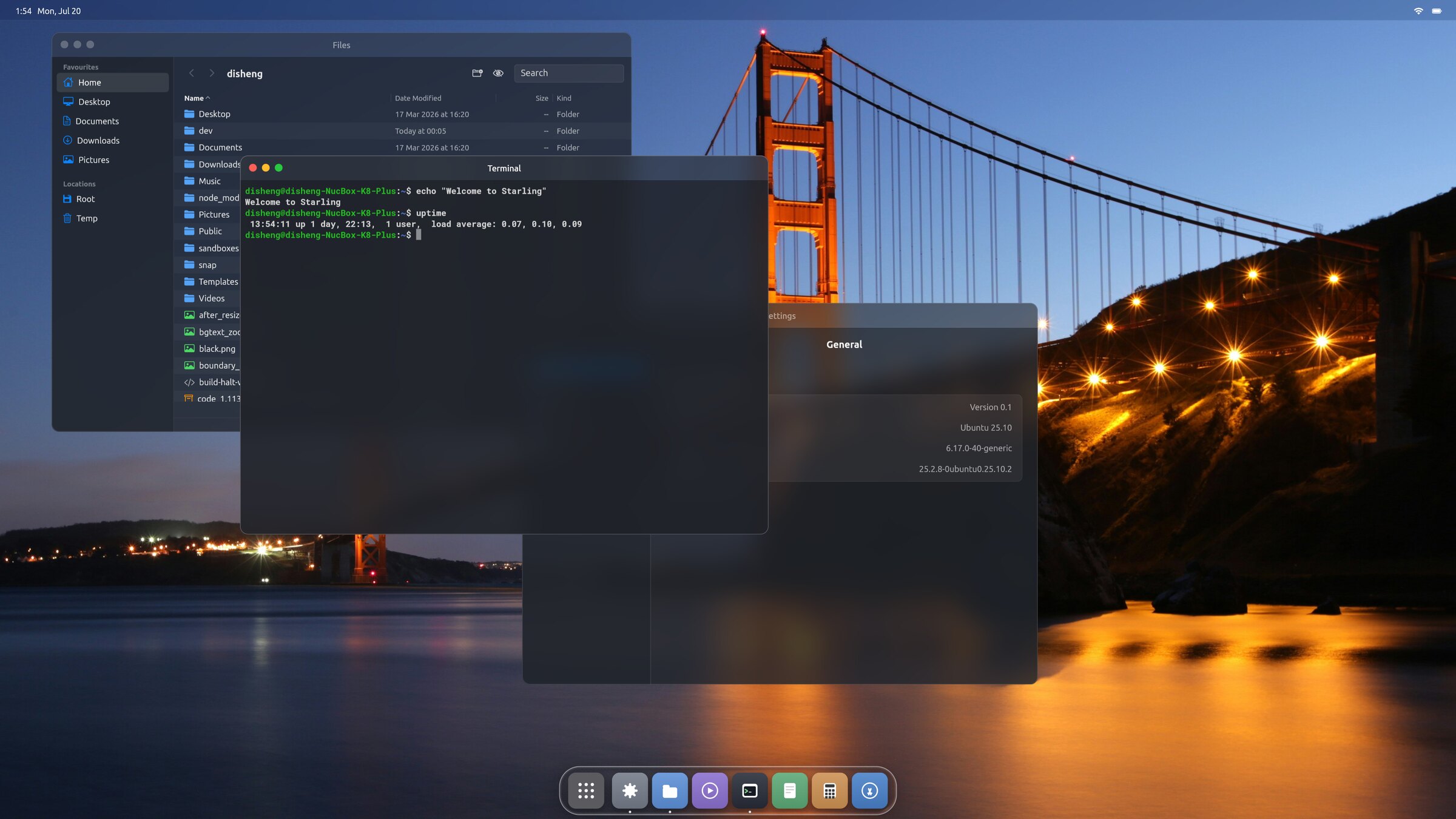
335K
Lines of first\-party Swift, C and C\+\+
6 months
First commit to a desktop you can log into
1
Person directing the work
~2,000
Commits, and still moving
Line count excludes vendored dependencies\. Most of it — about 273K — is the Flutter→Swift framework port that the whole system rests on; the desktop itself, its Wayland and X11 servers and the bundled apps come to roughly 62K\. Both repositories are public —[desktop](https://github.com/starling-build/starling)and[engine](https://github.com/starling-build/starling-engine)— so every number here is yours to check\.
What "real" means
## Not a browser tab\. Not a mock\-up\.
"AI built a desktop" has been claimed before, and it has usually meant one of three things: a desktop metaphor drawn inside a web page; a convincing screenshot of something that was never logged into; or a from\-scratch system that does boot, but only ever runs the handful of programs written for it\.
**One test separates them: does it run software it didn't write?**That is a desktop's actual job — to host programs made by strangers, years apart, in toolkits it doesn't control, and keep them all on one screen without any of them knowing about each other\. A system that only runs its own apps has skipped the hard part\.
**Starling is the session\.**It talks to DRM/KMS and owns the display\. It reads the raw input devices\. It is a Wayland compositor, and it hosts an X server for the apps that still need one\. You pick it at the login screen, sign in, and it's your desktop until you log out — running Chrome, Slack and Zoom, none of which have ever heard of it\.
The usual AI desktop
- Runs inside a browser tab
- Windows are`<div\>`s that can't hold a real program
- Or it boots — but runs only the apps written for it
- Screenshots of a design that was never logged into
Starling
- Drives the GPU through DRM/KMS, as the session
- Runs software it didn't write — Chrome, Slack, Zoom
- Speaks Wayland and X11 natively, at once
- Every screenshot here is a running session
The screenshot below is the test that settles it\. Zoom is an X11 client; Chrome is a Wayland one\. Two programs written by strangers, composited into one scene, on one GPU path, by a desktop that didn't exist six months ago\.
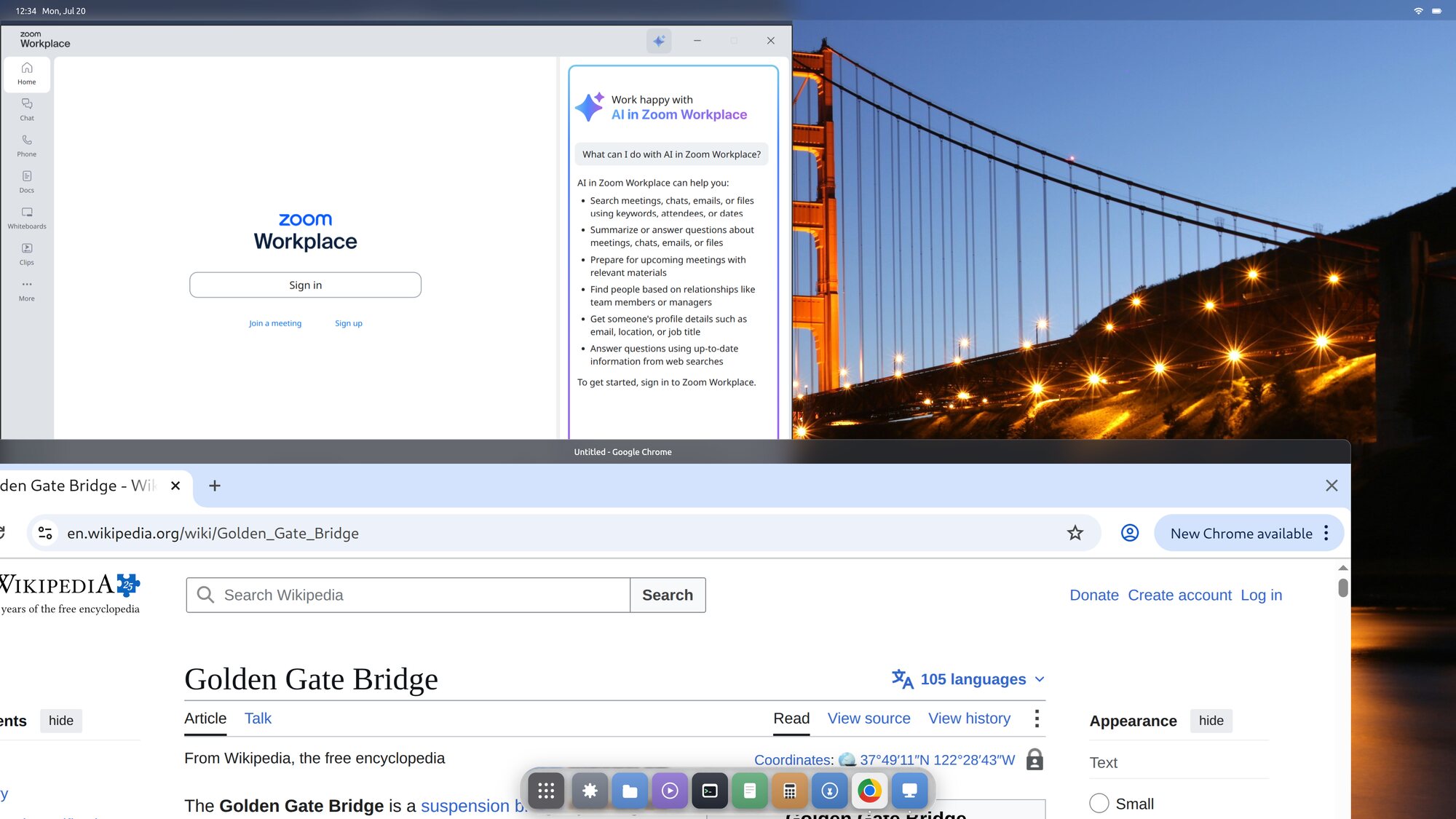Zoom on X11 and Chrome on Wayland — one desktop, one GPU path, no session picker\.
Why it matters
## The cost of building a desktop just collapsed
For three decades, building a Linux desktop has been the work of institutions\. GNOME and KDE are extraordinary pieces of engineering, sustained by hundreds of contributors across decades\. That isn't a criticism of them — it's a measure of what a desktop has cost to build\.
And that cost is why there are so few\. Why the ones we have are hard to change from outside\. Why a genuinely new idea about how a desktop should work has had almost nowhere to go except a fork, an extension, or a patch queue someone else controls\.
One person, six months, a complete desktop\. Not by cutting scope — it drives the GPU, runs Chrome and Zoom, survives a monitor being unplugged\.
That number is the whole argument\. If a single person can now reach this point, then the constraint on Linux desktop development was never imagination and never taste\. It was labour\. And labour is exactly what just got cheap\.
**The interesting consequence isn't Starling\.**It's the ten desktops after it — attempted by people who never had a decade to give, who would have looked at the size of the job and picked a smaller one\. That floor has moved, and the rate at which Linux desktops get built should move with it\.
This is the time to build\.
The desktop
## And it's a complete one
Not a proof of concept with the interesting parts missing\. Every screenshot below is the real thing, captured from a running session\.
### Tiling and floating, both first\-class
Floating windows by default\. Flip one switch and everything arranges itself master\-and\-stack, the way a tiling window manager does — whatever you are working in holds the master pane, everything else stacked beside it\.
Flip it back and every window returns to exactly where it was floating\. No extension, no separate desktop to switch to, nothing to relearn\.
Settings → Appearance → Tiling Windows
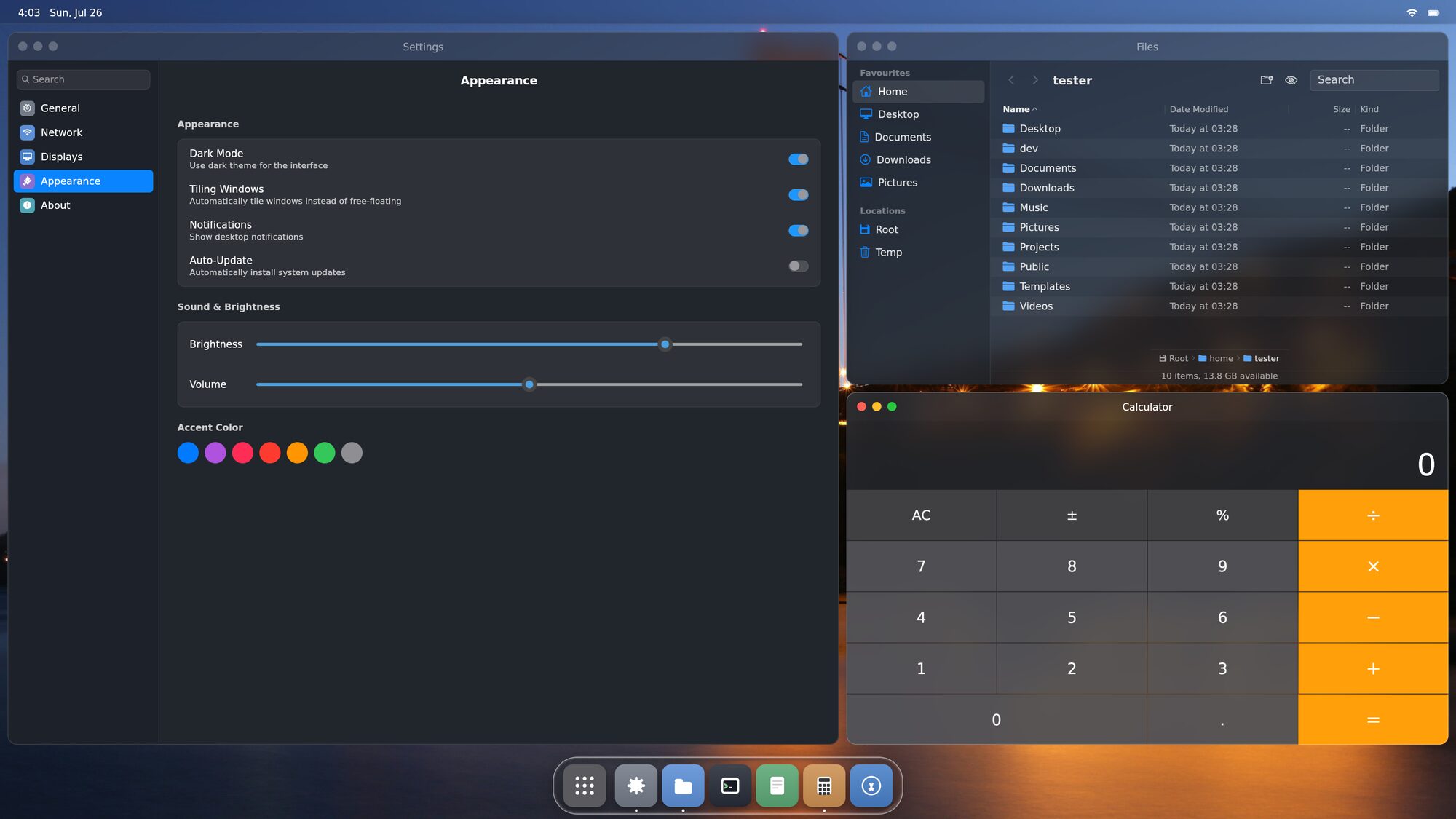Tiling on — the master pane on the left, everything else stacked beside it\.
### Spaces and Mission Control
Slide between virtual desktops, carry a window along as you go, or pull back with one key and see every space at once\. Anything you send fullscreen quietly becomes a space of its own\.
Drag a window between spaces from the overview, or add a new one from the strip along the top\.
Ctrl \+ ↑ for the overview · Ctrl \+ ← → to switch
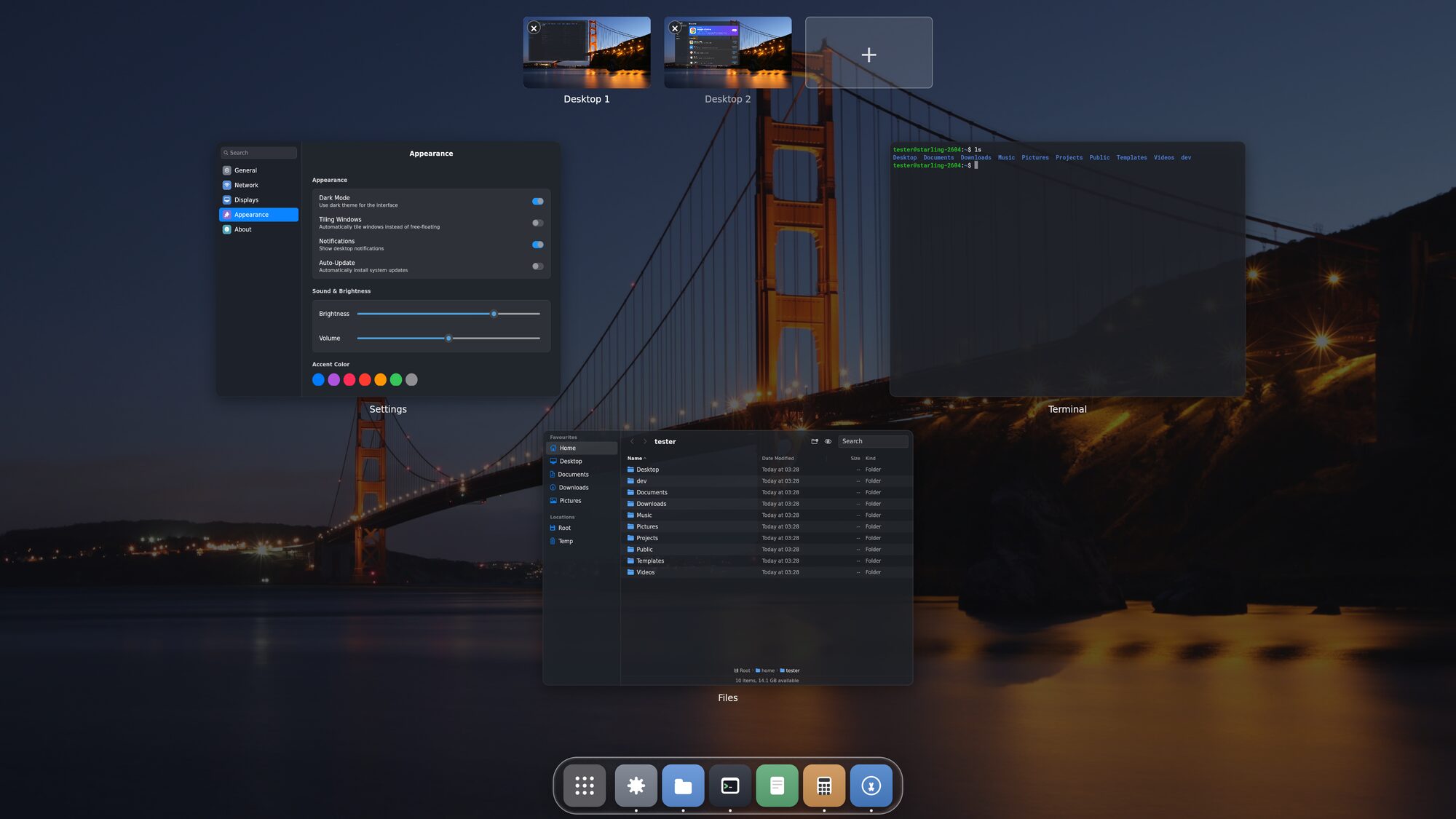Mission Control — spaces along the top, windows spread below\.
### Monitors that behave
Every display gets its own menu bar, its own wallpaper and its own spaces — but they are one desktop, not two\. Park a window across the boundary and it just works: half drawn on one screen, half on the other, at each screen's own scale\.
Unplug a monitor and its windows come home instead of vanishing off into nowhere\. Plug it back in and the desktop picks up where it left off\.
Hot\-plug · per\-display scale · per\-display spaces
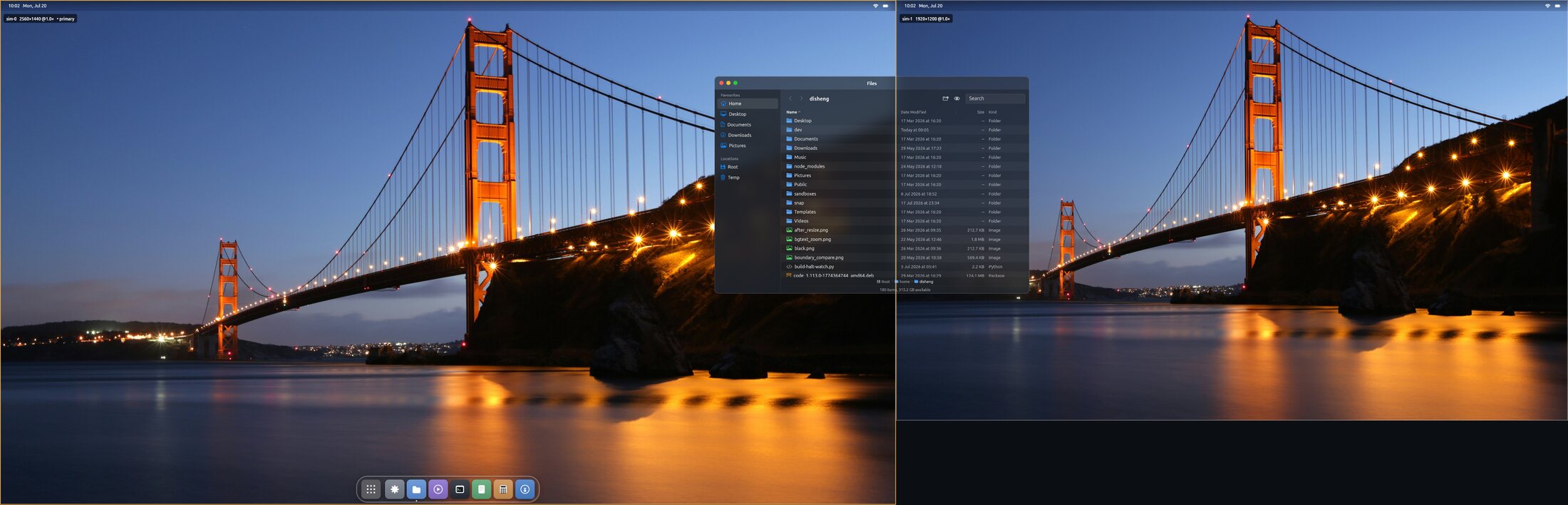Two displays, one desktop — a window sitting across the boundary, half on each screen\.
### Real glass, computed per pixel
The dock and panels don't fake depth with a blur\. A fragment shader gives each panel real thickness, derives a surface normal from it, and bends the view ray through that normal with Snell's law — then adds a Fresnel rim and a specular highlight riding the same surface\.
Look at the text passing behind the dock: it doesn't just blur, it*bends*and compresses toward the rounded ends, the way it would through a real piece of glass\. There is no HTML, CSS or JavaScript anywhere in the desktop — effects are shaders, not filters\.
Physically\-based · GPU fragment shader
The dock over a web page — text bending through the glass\.
### A full set of apps, in the same framework
Files, Terminal, Settings, Calculator, Text Editor, Image Viewer and an App Store that installs from the Ubuntu archive — each written in the same framework as the shell that hosts it\. One theme change reaches all of them at once, because there's no toolkit boundary for it to stop at\.
First\-party apps · one theme, everything
### No interpreter under your session
The UI framework is compiled ahead of time to machine code and binds only a stable C rendering core — no virtual machine in the loop\. Client buffers are shared straight off the GPU, never copied, and every app is its own process, so a crash takes one window and nothing else\.
Swift, compiled · dmabuf zero\-copy
The idea
### A good idea, and AI to build it
That's all this is\. Everything above fell out of one decision about how a desktop should be put together — and AI is what made building it possible\. Come see how the system works\.
[How it's built →](https://starling.build/why.html)
Install
## One package, then pick Starling at login
[Download Starling 0\.2 \(\.deb, 53 MB\) ↓](https://github.com/starling-build/starling/releases/download/v0.2/starling_0.2-1_amd64.deb)
```
# Ubuntu 26.04 LTS, amd64. Starling needs a Wayland-capable login
# manager. Ubuntu Desktop already has one (GDM); on Server or a minimal
# install, add it first:
sudo apt install gdm3
# Download and install Starling with its runtime dependencies:
curl -fLO https://github.com/starling-build/starling/releases/download/v0.2/starling_0.2-1_amd64.deb
sudo apt install ./starling_0.2-1_amd64.deb
# Log out (or reboot). At the login screen click your name, open the
# session menu (the gear / lower-corner button), pick "Starling", sign in.
```
**This is an early preview\.**Starling runs a real desktop on real hardware today, but it is version 0\.2: expect rough edges, missing settings, and apps that still need work\. Verified on AMD graphics under a fresh Ubuntu 26\.04\. The package pulls in a login manager if you don't already have one\.
Once it's running, the[User Guide](https://starling.build/guide.html)walks you through the desktop — the dock, spaces, shortcuts and apps\.