A personal account details how a locked Cricut Maker from e-waste was unlocked by intercepting USB communication with an RP2040 microcontroller to replace the serial number, restoring full functionality.
# Unlocking a locked/deactivated e-waste Cricut Maker
Source: [https://sprocketfox.io/xssfox/2026/07/01/cricut-unlock/](https://sprocketfox.io/xssfox/2026/07/01/cricut-unlock/)
While taking some rubbish down I spotted a Cricut Maker in e\-waste\. A quick look at it revealed that the it was in fairly good cosmetic condition with the exception of the rollers being perished\. I guessed that the rollers were the reason why the unit was trashed and decided to take it back home to investigate\. I knew that Cricut were pretty aggressive with[disabling/locking machines](https://www.reddit.com/r/cricut/wiki/faq/used), but I gathered it would still be worth playing around for some fun\. As it turns out this machine was locked, which was pretty expected\. However with some hacking I was able to return it to having full functionality\. It’s very likely that the last user either received a warranty replacement or a discount on a newer model\.
[Alex](https://helvetica.systems/)did some quick searching and found that replacement rollers were readily available for very few dollarbucks\. Even with powering the machine off 12v instead of the apparently required 18v, it showed signs of life with it passing it’s self test and communicating with the software \- although showing the dreaded “Machine deactivated” message when connecting to it\.
The first approach I thought I’d investigate is if there was an eeprom on the motherboard that I could rewrite the serial number\. Disassembly isn’t for the fainthearted \-[it’s involved](https://www.ifixit.com/Guide/Cricut+Maker+Motherboard+Replacement/154460)but I would need to do this to replace the rollers regardless\. I didn’t find any eeprom and the MCU being used is something I didn’t have a debugger for\.
My second thought here was to intercept the network connection and either replace the serial number or return a success message instead\. However various application security measures made it more annoying than I wanted to disable certificate pinning\. That’s not to say you can’t \- it’s just I didn’t figure out how to do this trivially\.
My focus changed to performing a intercept on the communication between the cutter and computer itself\. I fired up wireshark to capture USB messages between the Cricut and my machine\. It uses USB CDC for communication and very quickly I found the packets responsible for sending the serial number\. There didn’t appear to be any checksumming or crypto\. So I borrowed a RPi RP2040 from[Droppy](https://stackunderflow.com/)which was able to act as both USB Host and USB Client\.
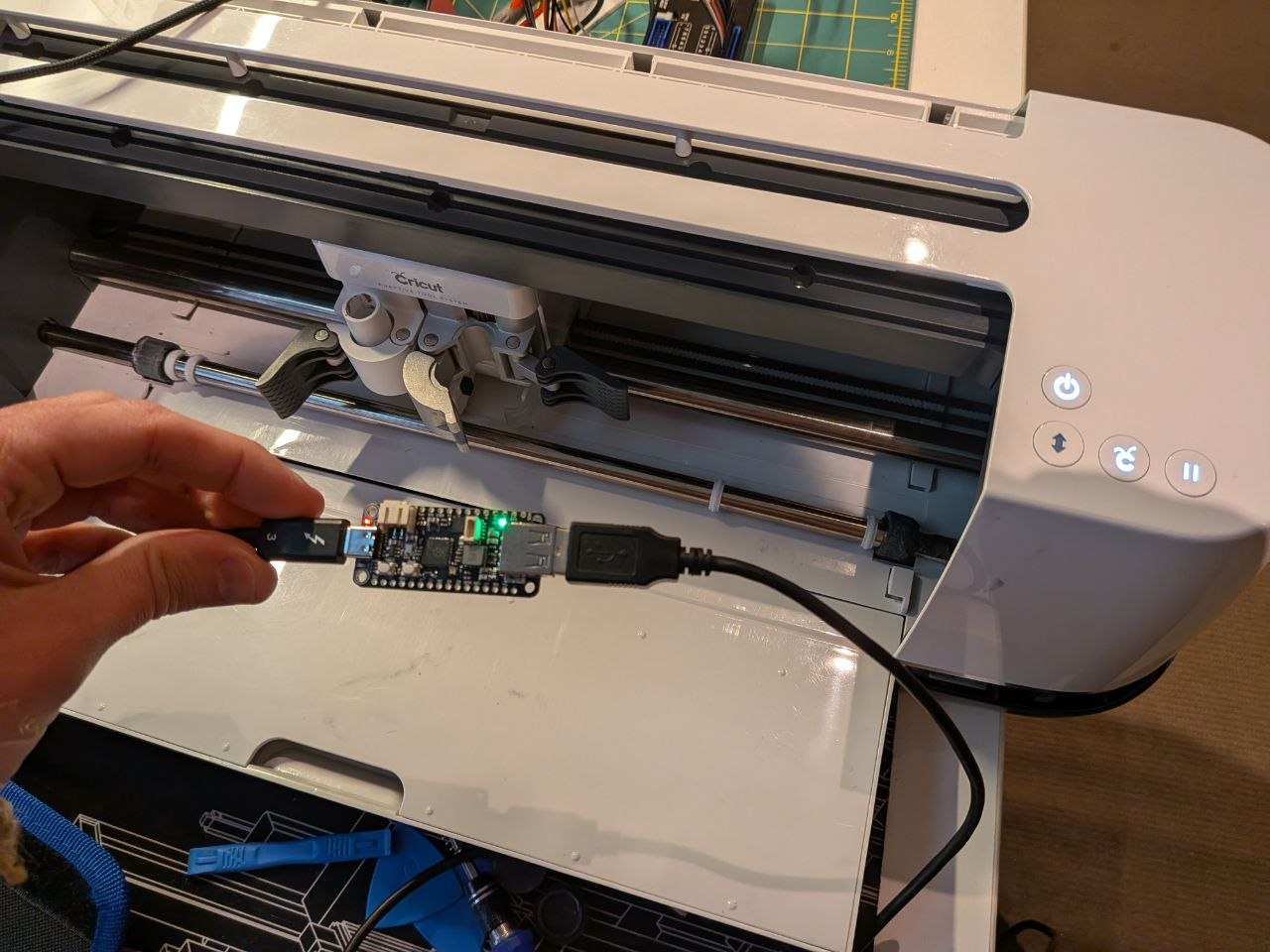Using the TinyUSB Arduino examples for USB Host and CDC simple echo, I was able to cobble together a simple proxy/rewriting device\. There was nothing to special about this, however it did take me a little while to figure out that the USB Host doesn’t work correctly unless overclocked to 240MHz\. I also configured all the USB metadata like vendor/product id and descriptions to match the unit\. When it detects a packet from the cutter that matches the right length, and has the command / serial number in it, it replaces it out with a different serial number\. Serial numbers seem to be issued sequentially and you can see the status of all the units on[Cricuts own webpage](https://machinestatus.cricut.com/html/en.html)\.
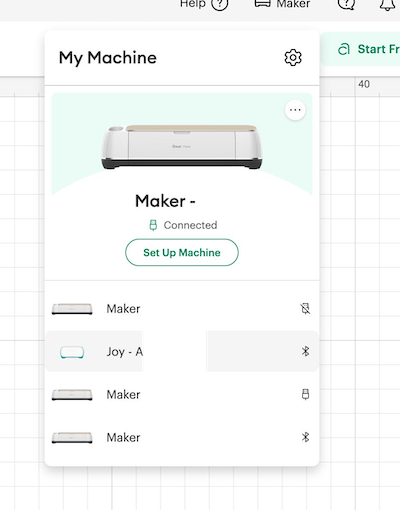With the rewriting device replacing out the serial number at a hardware level the software is none the wiser\. The unit shows up in my account\. I could even register serial numbers that didn’t exist on the Cricut machine status page\.
> Obviously this raises the question about random strangers being able to get other users Cricut serial numbers locked out or added to their accounts…\.
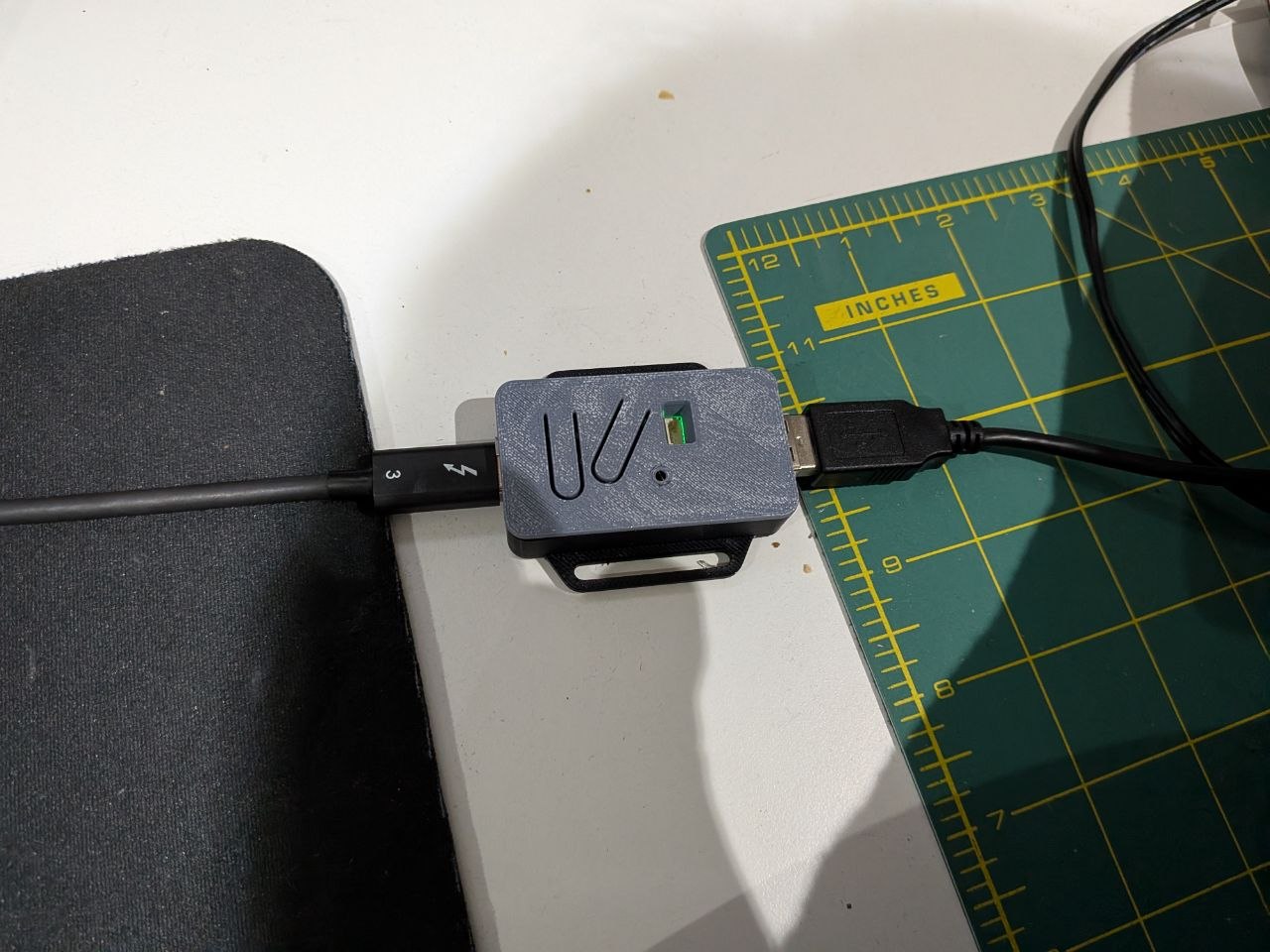After cleaning up the unit, replacing the rollers \(hint, use hot water to soften the new rollers to install them\), reassembling the Cricut and printing a little case for the RP2040 \- I was able to use the unit as if it were brand new\.
The approach I took to return this Cricut to functioning is probably the least user friendly way however, as I believe software only solutions exist\. Some alternatives that come to mind are:
- Intercept network traffic or patch the application to report a different serial
- Write a driver that pretends to be a Cricut USB CDC connection and proxies the serial
- Write a driver that pretends to be a Cricut USB CDC connection but connects to the Cricut via Bluetooth
- Figure out the firmware update process and utilise that to patch the serial number as part of the update
- A device that acts as a bluetooth proxy
- Add another MCU between the bluetooth chip and the Cricut MCU to rewrite the serial number before it goes to the bluetooth chip
I’m not going to investigate any of these because I have something that works for me, but those are all viable options to explore\. Additionally I’m not going to share the code required to perform the serial number change as this might not be exempt in Australian Copyright law \(not a lawyer ect…\.\), but it’s pretty close to the included examples in the TInyUSB Arduino library
A security researcher details the process of remotely unlocking electric scooters by performing reconnaissance on the company's web infrastructure and exploiting vulnerabilities in WordPress and an operations panel.
A detailed blog post about unlocking the bootloader and modding the Kyocera KY-42C feature phone, which was considered unrootable after a firmware update. The author investigates MediaTek boot process and exploits.
Ben reverse engineered the Egret GT e-scooter, discovered hidden features via Bluetooth and CAN bus, and wrote custom firmware in Rust for the display unit.
A technical guide on reviving an old reMarkable 2 tablet that has been unused for years, covering fixing the clock, applying software updates, re-enabling SSH over Wi-Fi, and importing files via the built-in web server.
This article details how researchers bypassed the firmware downgrade protection in the Tesla Wall Connector's bootloader, allowing installation of older firmware versions despite the security ratchet.