@sunmer575399: 做AI的都该看看rustdesk。 不是因为120.4k star。 而是它把核心问题解决得很干净 全自托管远程桌面,数据完全自己掌控。不用TeamViewer那种第三方中转,隐私和安全自己说了算。我公司内网直接部署,外网穿透都省了。 R…
摘要
RustDesk是一个全自托管的远程桌面工具,基于Rust编写,提供高隐私和性能,适合AI开发者和注重数据安全的用户。
查看缓存全文
缓存时间: 2026/08/27 05:31
做AI的都该看看rustdesk。 不是因为120.4k star。 而是它把核心问题解决得很干净
全自托管远程桌面,数据完全自己掌控。不用TeamViewer那种第三方中转,隐私和安全自己说了算。我公司内网直接部署,外网穿透都省了。
Rust写的,性能是真猛。实测延迟比某闭源商业软件低30%左右,而且内存占用小一大截。低配老机器跑起来也流畅,不像TeamViewer动不动就卡死。
开箱即用,零配置。下载就能连,不用搞什么端口映射。官方中继服务器免费,也可以自己搭,还能写自定义中继。兄弟,这自由度没谁了。
开源协议宽松,商用也没问题,感兴趣的试试。 说个真实数据 我帮客户搭过一套,从下载到生产环境跑通只花了40分钟。 同样需求找商业方案,一年授权费够买台新电脑了。 这项目已经迭代了5年,社区活跃度比很多商业产品都健康,issue响应速度肉眼可见地快。 你们现在远程办公都用的什么方案,有踩过TeamViewer的坑吗?
https://github.com/rustdesk/rustdesk…
#AI #AI工具老炮
rustdesk/rustdesk
Source: https://github.com/rustdesk/rustdesk

Build •
Docker •
Structure •
Screenshots
[Українська] | [česky] | [中文] | [Magyar] | [Español] | [فارسی] | [Français] | [Deutsch] | [Polski] | [Indonesian] | [Suomi] | [മലയാളം] | [日本語] | [Nederlands] | [Italiano] | [Русский] | [Português (Brasil)] | [Esperanto] | [한국어] | [العربي] | [Tiếng Việt] | [Dansk] | [Ελληνικά] | [Türkçe] | [Norsk] | [Română]
We need your help to translate this README, RustDesk UI and RustDesk Doc to your native language
Misuse Disclaimer:
The developers of RustDesk do not condone or support any unethical or illegal use of this software. Misuse, such as unauthorized access, control or invasion of privacy, is strictly against our guidelines. The authors are not responsible for any misuse of the application.
Chat with us: Discord | Twitter | Reddit | YouTube

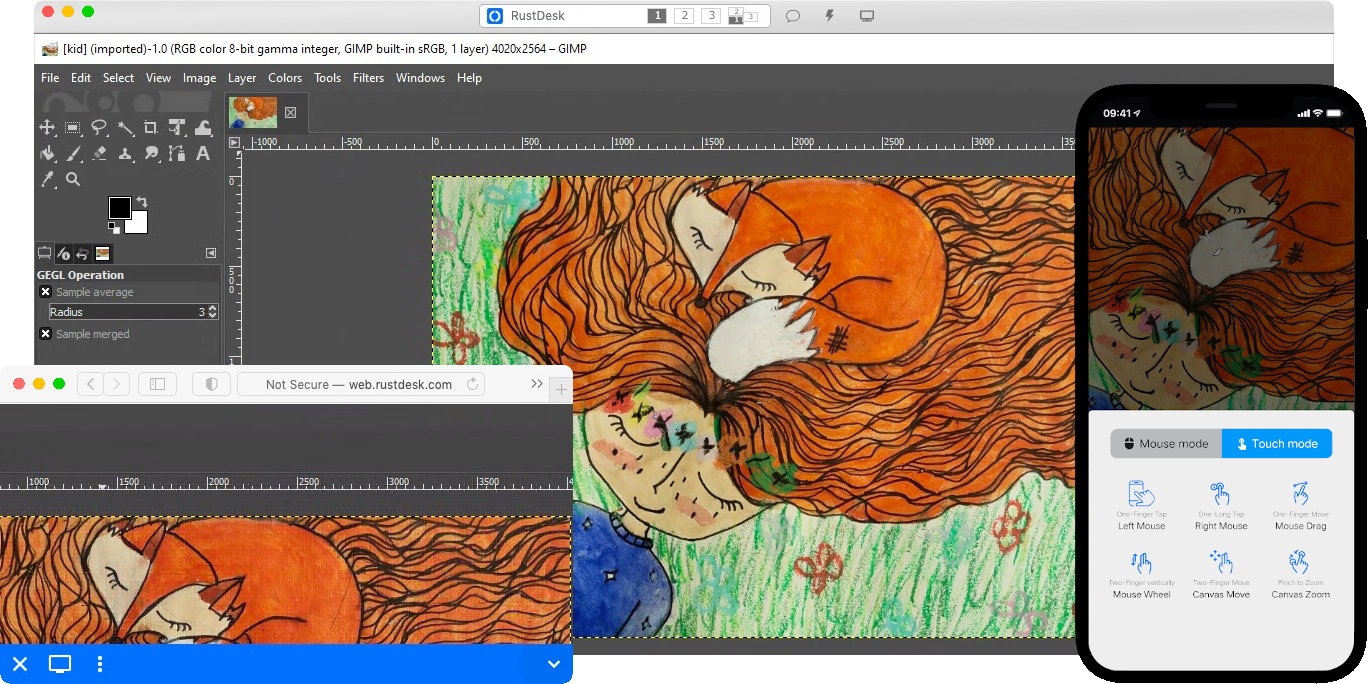
Yet another remote desktop solution, written in Rust. Works out of the box with no configuration required. You have full control of your data, with no concerns about security. You can use our rendezvous/relay server, set up your own, or write your own rendezvous/relay server.
RustDesk welcomes contribution from everyone. See CONTRIBUTING.md for help getting started.

Dependencies
Desktop versions use Flutter or Sciter (deprecated) for GUI. This tutorial is for Sciter only, since it is easier and more friendly to start. Check out our CI for building the Flutter version.
Please download Sciter dynamic library yourself.
Raw Steps to build
-
Prepare your Rust development env and C++ build env
-
Install vcpkg, and set
VCPKG_ROOTenv variable correctly- Windows: vcpkg install libvpx:x64-windows-static libyuv:x64-windows-static opus:x64-windows-static aom:x64-windows-static
- Linux/macOS: vcpkg install libvpx libyuv opus aom
-
run
cargo run
Build
How to Build on Linux
Ubuntu 18 (Debian 10)
sudo apt install -y zip g++ gcc git curl wget nasm yasm libgtk-3-dev clang libxcb-randr0-dev libxdo-dev \
        libxfixes-dev libxcb-shape0-dev libxcb-xfixes0-dev libasound2-dev libpulse-dev cmake make \
        libclang-dev ninja-build libgstreamer1.0-dev libgstreamer-plugins-base1.0-dev
openSUSE Tumbleweed
sudo zypper install gcc-c++ git curl wget nasm yasm gcc gtk3-devel clang libxcb-devel libXfixes-devel cmake alsa-lib-devel gstreamer-devel gstreamer-plugins-base-devel xdotool-devel
Fedora 28 (CentOS 8)
sudo yum -y install gcc-c++ git curl wget nasm yasm gcc gtk3-devel clang libxcb-devel libxdo-devel libXfixes-devel pulseaudio-libs-devel cmake alsa-lib-devel gstreamer1-devel gstreamer1-plugins-base-devel
Arch (Manjaro)
sudo pacman -Syu --needed unzip git cmake gcc curl wget yasm nasm zip make pkg-config clang gtk3 xdotool libxcb libxfixes alsa-lib pipewire
Install vcpkg
git clone https://github.com/microsoft/vcpkg
cd vcpkg
git checkout 2023.04.15
cd ..
vcpkg/bootstrap-vcpkg.sh
export VCPKG_ROOT=$HOME/vcpkg
vcpkg/vcpkg install libvpx libyuv opus aom
Fix libvpx (For Fedora)
cd vcpkg/buildtrees/libvpx/src
cd *
./configure
sed -i 's/CFLAGS+=-I/CFLAGS+=-fPIC -I/g' Makefile
sed -i 's/CXXFLAGS+=-I/CXXFLAGS+=-fPIC -I/g' Makefile
make
cp libvpx.a $HOME/vcpkg/installed/x64-linux/lib/
cd
Build
curl --proto '=https' --tlsv1.2 -sSf https://sh.rustup.rs | sh
source $HOME/.cargo/env
git clone --recurse-submodules https://github.com/rustdesk/rustdesk
cd rustdesk
mkdir -p target/debug
wget https://raw.githubusercontent.com/c-smile/sciter-sdk/master/bin.lnx/x64/libsciter-gtk.so
mv libsciter-gtk.so target/debug
VCPKG_ROOT=$HOME/vcpkg cargo run
How to build with Docker
Begin by cloning the repository and building the Docker container:
git clone https://github.com/rustdesk/rustdesk
cd rustdesk
git submodule update --init --recursive
docker build -t "rustdesk-builder" .
Then, each time you need to build the application, run the following command:
docker run --rm -it -v $PWD:/home/user/rustdesk -v rustdesk-git-cache:/home/user/.cargo/git -v rustdesk-registry-cache:/home/user/.cargo/registry -e PUID="$(id -u)" -e PGID="$(id -g)" rustdesk-builder
Note that the first build may take longer before dependencies are cached, subsequent builds will be faster. Additionally, if you need to specify different arguments to the build command, you may do so at the end of the command in the <OPTIONAL-ARGS> position. For instance, if you wanted to build an optimized release version, you would run the command above followed by --release. The resulting executable will be available in the target folder on your system, and can be run with:
target/debug/rustdesk
Or, if you’re running a release executable:
target/release/rustdesk
Please ensure that you run these commands from the root of the RustDesk repository, or the application may not find the required resources. Also note that other cargo subcommands such as install or run are not currently supported via this method as they would install or run the program inside the container instead of the host.
File Structure
- libs/hbb_common: video codec, config, tcp/udp wrapper, protobuf, fs functions for file transfer, and some other utility functions
- libs/scrap: screen capture
- libs/enigo: platform specific keyboard/mouse control
- libs/clipboard: file copy and paste implementation for Windows, Linux, macOS.
- src/ui: obsolete Sciter UI (deprecated)
- src/server: audio/clipboard/input/video services, and network connections
- src/client.rs: start a peer connection
- src/rendezvous_mediator.rs: Communicate with rustdesk-server, wait for remote direct (TCP hole punching) or relayed connection
- src/platform: platform specific code
- flutter: Flutter code for desktop and mobile
Screenshots
相似文章
@sunmer575399: 做AI的都该看看awesome-llm-apps。 不是因为118.2k star。 而是它把核心问题解决地很干净 100多个AI Agent和RAG应用,每个都能直接跑...我昨天clone了个客服机器人,配好API key贼钟就聊上了…
awesome-llm-apps是一个包含100多个AI Agent和RAG应用的开源GitHub仓库,覆盖多种AI场景,如PDF问答、联网搜索和多Agent协作,开发者可以轻松克隆并运行这些应用,节省从零搭建的时间。
rustdesk/rustdesk
RustDesk 是一款用 Rust 编写的开源远程桌面解决方案,开箱即用,支持自托管,让用户完全掌控自己的数据。
@sunmer575399: claw-code这个项目火了,194.9k star不是没道理 AI自动管理博物馆展品,搞语音导览、互动问答,不需要人工维护 用Rust写的, 提醒一下,性能顶,跑起来不卡顿,轻量部署超省心 项目全程由AI自己写代码更新自己,无人类干预…
claw-code是一个用Rust编写的开源项目,利用AI自动管理博物馆展品,提供语音导览和互动问答,无需人工维护,并且项目本身由AI自主编写和更新。
@geekbb: 基于 Tauri(Rust + Svelte)的桌面应用,将编程 AI 代理、API 客户端、SQL/NoSQL 编辑器、SSH 终端、远程文件浏览器和项目管理看板整合在一个界面中,开发者不用在多个应用之间切换。 https://gith…
Clauge 是一个基于 Tauri(Rust + Svelte)的桌面应用,将编程 AI 代理、API 客户端、SQL/NoSQL 编辑器、SSH 终端、远程文件浏览器和项目管理看板集成在同一界面内,让开发者无需在多个应用间切换。
@QingQ77: 本地优先的多智能体协作桌面应用,把 AI 协作做成聊天一样的体验,支持多智能体任务分发、文件审查和人工审批。 https://github.com/lizyoko9/bitdance-agenthub… 一个基于 Next.js + El…
AgentHub 是一个本地优先的多智能体协作桌面应用,将 AI 协作做成聊天体验,支持任务分发、文件审查和人工审批,基于 Next.js 和 Electron 构建。