@Jolyne_AI: 跟大家安利一款好用的截图识别 AI 工具:Snippai。完全开源免费,识别稳、准、快。 不止能把图片里的文字和公式抠出来,还能读懂图像内容、把表格转成可用格式,甚至对截图里的题目直接给思路和答案。 GitHub:http://githu…
摘要
Snippai 是一款完全开源免费的截图识别 AI 工具,支持公式转 LaTeX、文字提取、表格转 Markdown、图像理解、截图解题、代码解释、色彩分析和截图翻译等功能。
查看缓存全文
缓存时间: 2026/07/03 12:37
跟大家安利一款好用的截图识别 AI 工具:Snippai。完全开源免费,识别稳、准、快。
不止能把图片里的文字和公式抠出来,还能读懂图像内容、把表格转成可用格式,甚至对截图里的题目直接给思路和答案。
GitHub:http://github.com/xyTom/snippai
主要功能一览:
- 公式识别:自动转 LaTeX
- 文字提取:高精度,适配多种字体与复杂排版
- 表格识别:一键转 Markdown
- 图像理解:生成更完整的内容描述
- 截图解题:给出解答与推导思路
- 代码解释:快速梳理逻辑与含义
- 色彩分析:提取主色调与配色信息
- 截图翻译:多语言内容即截即译
使用也很简单:去 GitHub Releases 下载对应安装包,安装后就能直接用。需要截图识别的同学可以试试。
xyTom/snippai
Source: https://github.com/xyTom/snippai

🌐 语言切换 | Language
Snippai: AI-Powered Snipping Tool
Snippai is a versatile and intelligent snipping tool powered by advanced AI algorithms. It offers a range of features to enhance your snipping experience, making it more efficient and productive. From identifying formulas and text within images to analyzing and describing the content of images, Snippai brings a new level of intelligence to snipping tools.
Features
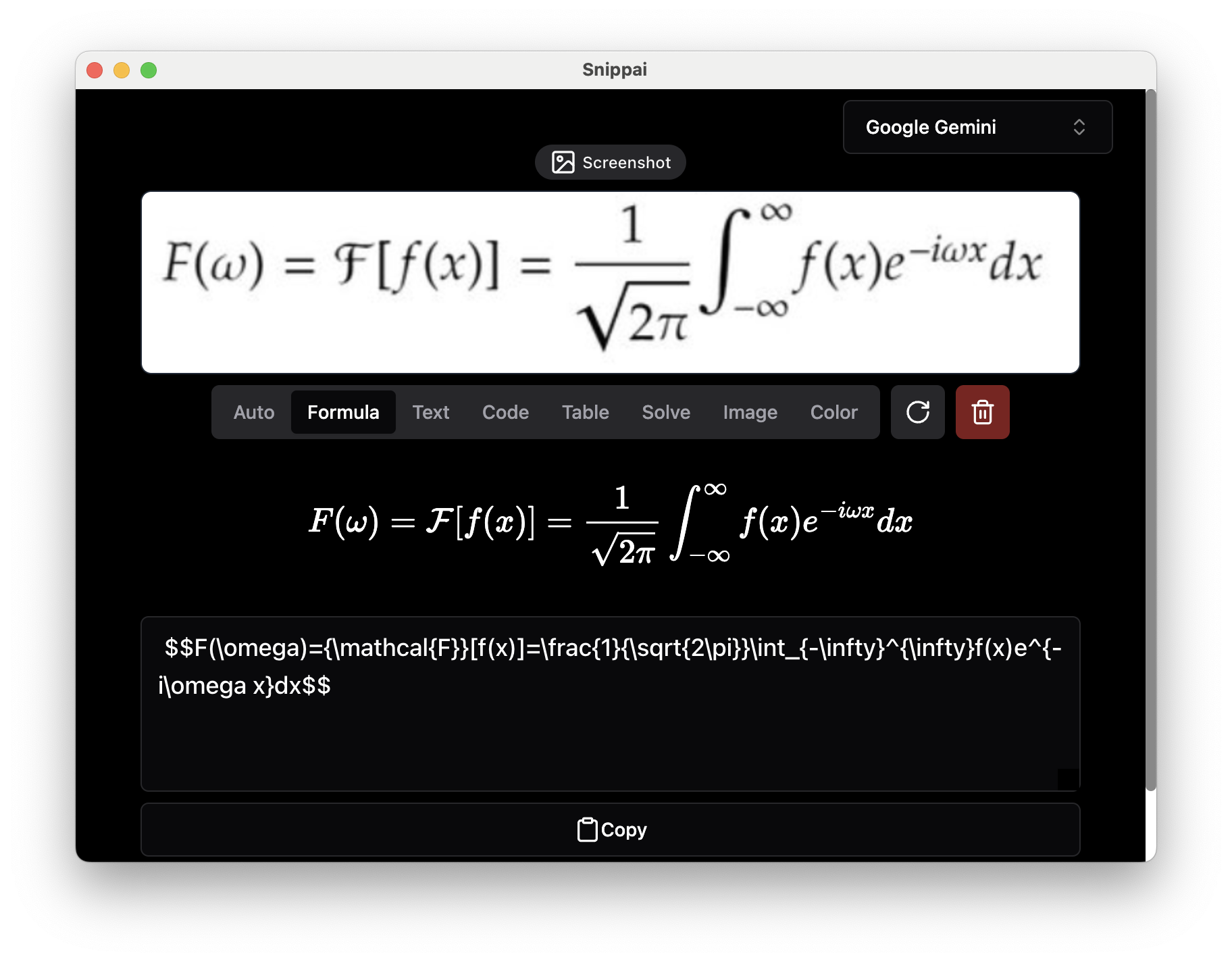
Formula Recognition
Snippai can identify formulas within images and convert them into LaTeX format, making it easier to work with mathematical expressions.
Text Extraction
Accurately recognize and extract text from images, enabling seamless integration of textual content into your workflow.
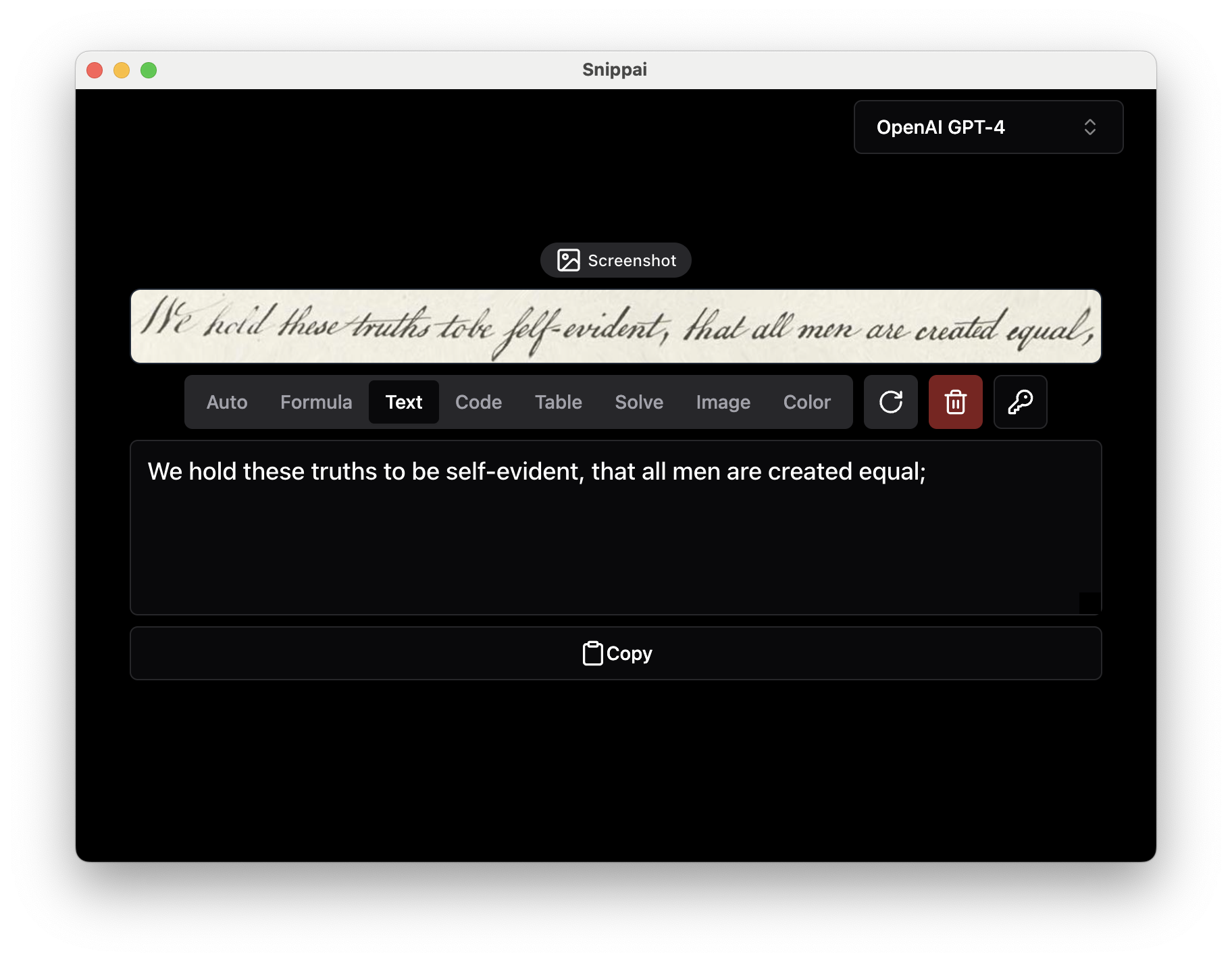
Table Conversion
Identify tables within images and convert them into user-friendly Markdown format, facilitating easier data manipulation and analysis.
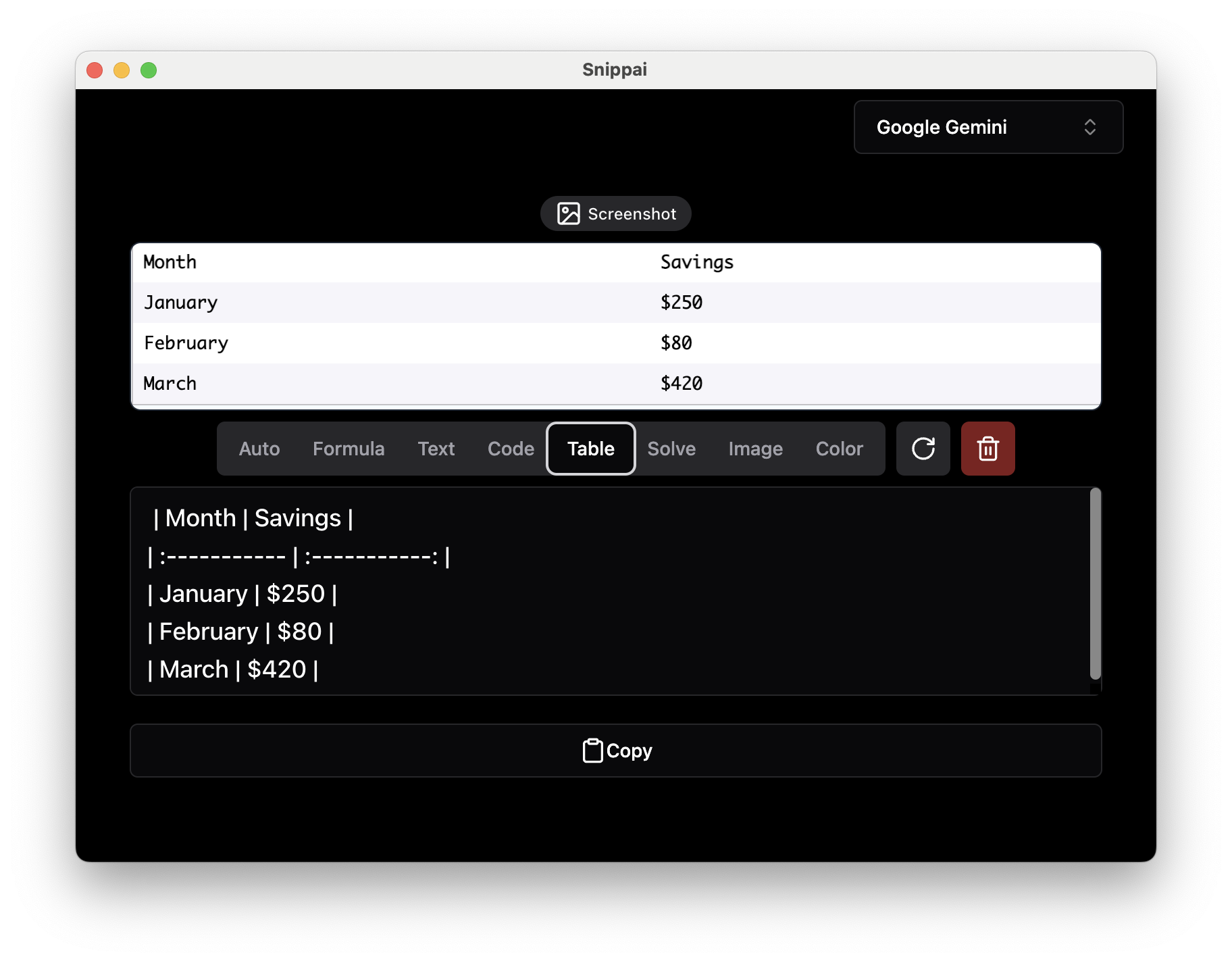
Image Analysis
Analyze and describe the content of an image, providing valuable insights and information about visual elements.
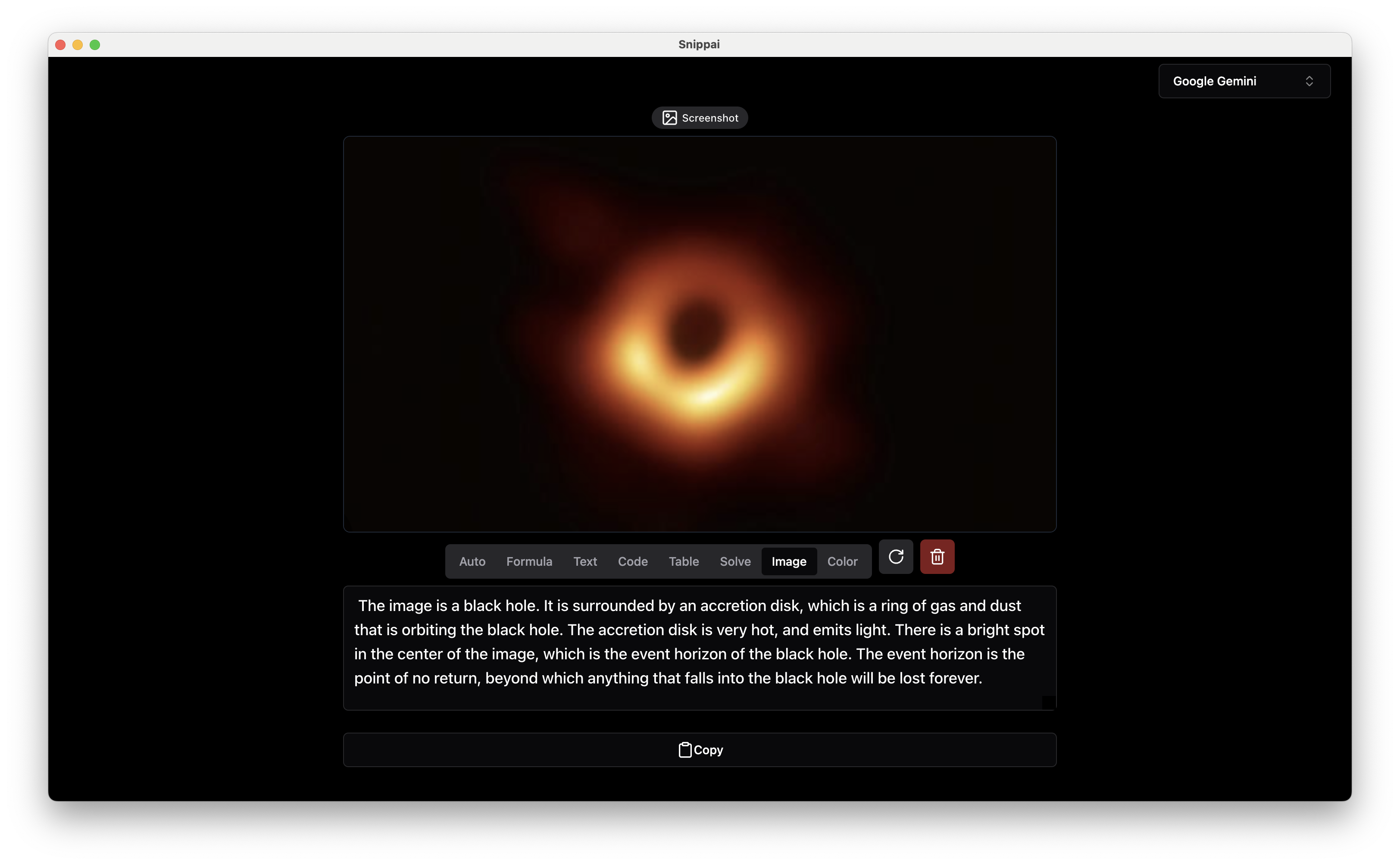
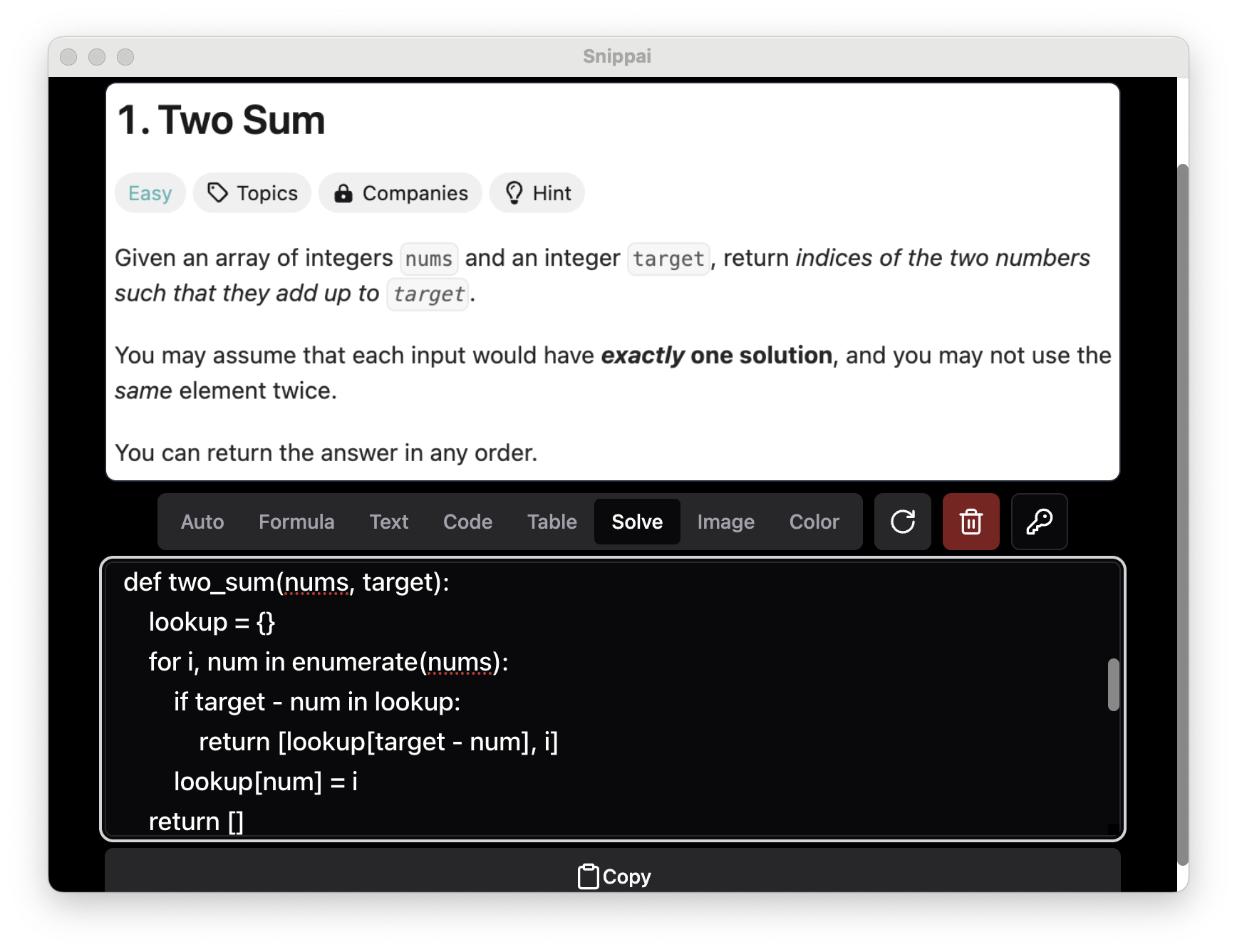
Problem Solving
Solve various problems presented within images, leveraging AI capabilities to assist with tasks such as object recognition and pattern identification.
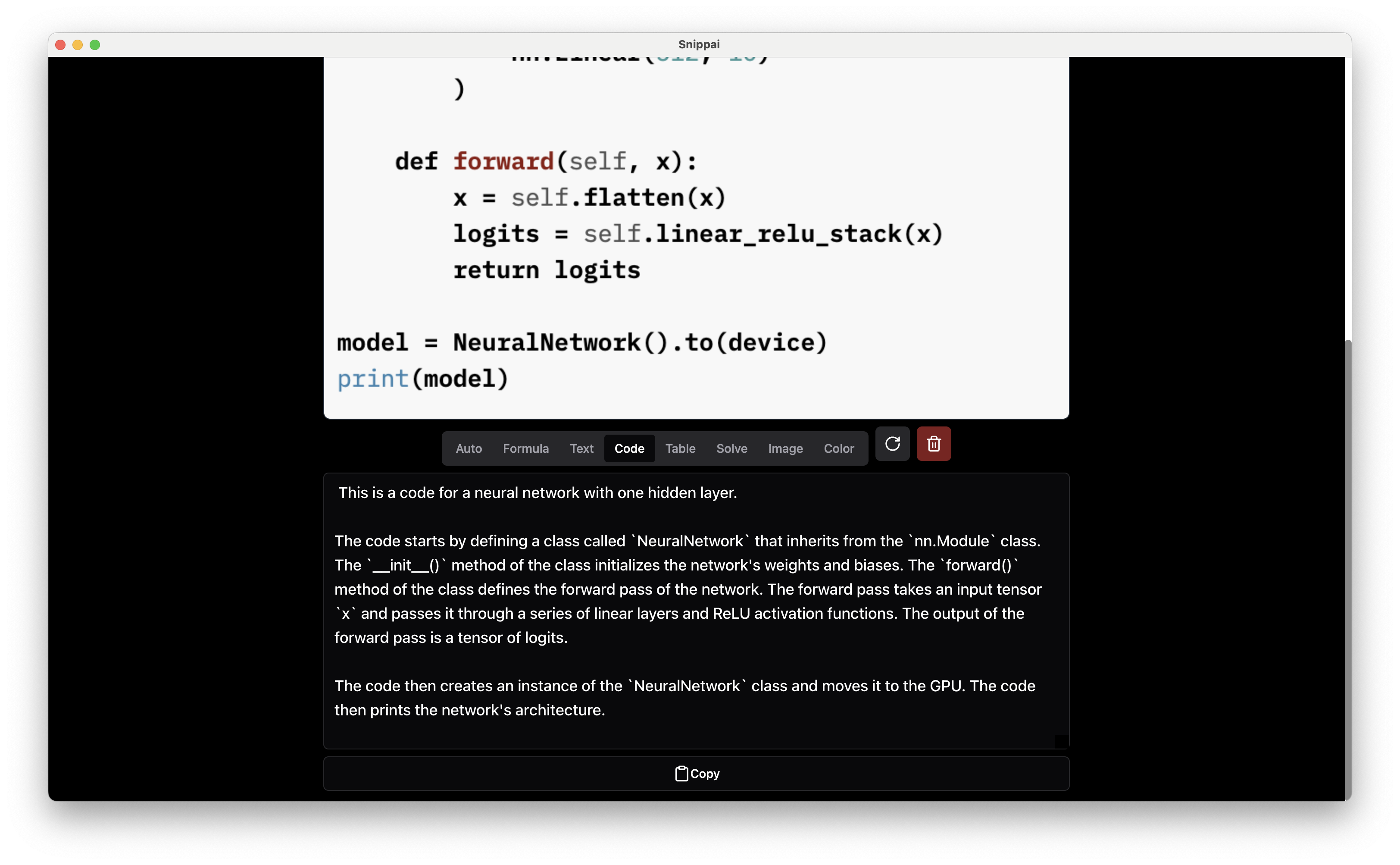
Code Understanding
Understand and explain the functionality of code snippets found in images, helping users comprehend and work with code more effectively.
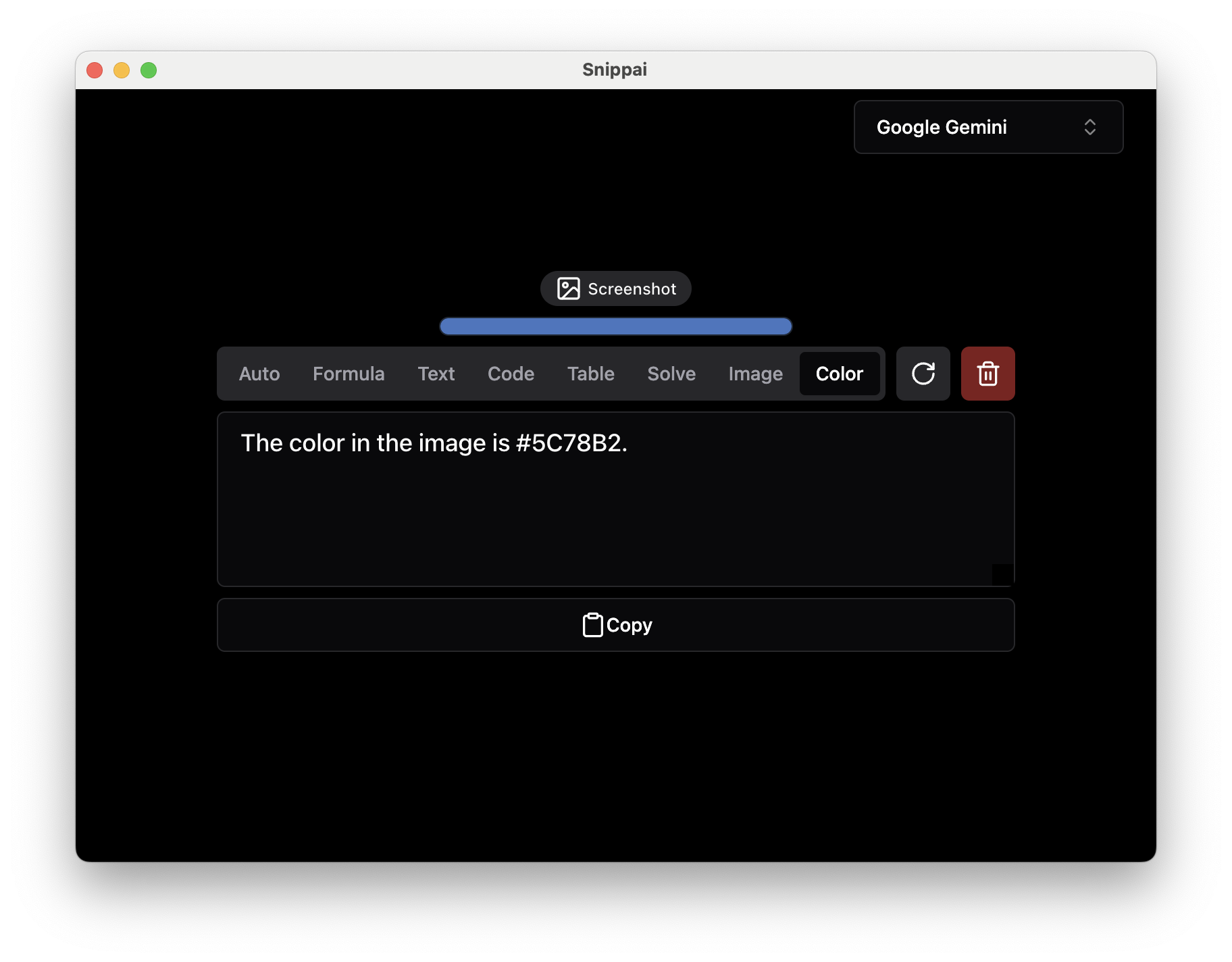
Color Detection
Identify and extract the predominant colors in an image, useful for tasks such as design analysis and image processing.
Language Translation
Effortlessly translate and understand text in any language directly from an image. Snippai intelligently detects the language and provides accurate translations in real time—ideal for documents, signage, interfaces, and more.
And More…
Stay tuned for more powerful AI capabilities coming soon! Snippai is continuously evolving to offer new features and enhancements to improve your snipping workflow.
Download and Installation
You can download Snippai from here, and detailed installation instructions are available in the documentation.
Usage
To use Snippai, simply open the application and capture the desired region of your screen using the snipping tool. Snippai will automatically analyze the captured image and provide relevant insights and conversions based on the detected elements.
Contributing
Contributions to Snippai are welcome! Whether you’re interested in adding new features, improving existing functionalities, or fixing bugs, your contributions are valuable in making Snippai even better. Please refer to the contribution guidelines in the repository for more information.
Support
For any questions, issues, or feedback, please create a issue. We’re here to help!
Acknowledgments
Snippai utilizes various open-source libraries and technologies, and we would like to extend our gratitude to the developers and contributors of these projects.
Enjoy smarter snipping with Snippai! ;)
Sponsor
Fastly is generously donating their services to support our project. You can find more about Fastly here.
相似文章
@VincentLogic: 截图丢进去,AI 直接吐出 HTML 代码。手绘草图也能识别 香港中文大学开源的 ScreenCoder,GitHub 2.7k Star 视频里演示了三个案例: -YouTube 首页截图 → 还原出完整网页布局 -Google 搜索页…
香港中文大学开源了 ScreenCoder,一款能够将截图或手绘草图直接转换为可编辑 HTML 代码的 AI 工具,GitHub 上已获得 2.7k Star。
@Lonely__MH: 开源!开源!用 AI 做图和自媒体排版最痛苦的是什么? 就他妈是微调!简直反人类,有时候改到崩溃! 实在受不了,自己肝了一个小工具,开源给大家! 核心功能: 1. 内置 小红书/X文章 爆款提示词 2. 自动拆分图层:让 AI 图变成可编…
开源了一个 AI 封面/海报设计小工具 Cover Studio,内置小红书和 X 文章的爆款提示词,支持自动将 AI 生成图拆分为可编辑图层,可自由挪动标题、缩放主体并一键导出。
@BTCqzy1: 分享一个超实用的开源项目:Next AI Draw io(GitHub 2.8万+) 一句话就能生成复杂架构图! 再也不用手动拖框框画图了!用自然语言跟 AI 聊天,就能瞬间生成专业 draw io 图表: · 系统架构图、RAG 流程、…
一个基于AI的开源图表生成工具,通过自然语言创建 draw.io 图表,支持多模型,GitHub 星数 2.8 万。
@zstmfhy: 刚试完小米老师开源的 gimi-illustration-skill,直接说结论:这玩意儿太实用了。 丢一篇文章进去,AI 自动分析结构、提炼要点,生成手绘配图。风格统一,不模板化。 支持自定义 IP 形象,做自己的视觉识别 图片尺寸可调…
小米老师开源的 gimi-illustration-skill,输入文章内容可自动生成风格统一的手绘配图,支持自定义IP形象和多种尺寸,适用于汇报、攻略、教程等场景,已托管在GitHub。
@XAMTO_AI: Get it. 一个把 PDF 教科书变成「可测量掌握地图」的桌面学习神器! 上传文字版 PDF 后,AI 会自动给每个概念打标签,一键生成 3D 可视化、动画、公式和知识图谱。同时提供 Chat、闪卡、测验、Feynman 讲解四种深度…
XAMTO AI 是一款桌面学习应用,能将 PDF 教科书转换为可交互的知识地图,支持 3D 可视化、动画、知识图谱,并提供聊天、闪卡、测验和费曼讲解四种学习模式,实时追踪四维掌握度。它使用用户自己的 ChatGPT Plus 或 OpenAI Key,本地运行无需额外费用,是 GDG AI Hack Milan 2026 黑客松作品。