Cached at:
06/16/26, 01:01 AM
# Release: datasette-agent 0.3a0
Source: [https://simonwillison.net/2026/Jun/15/datasette-agent/](https://simonwillison.net/2026/Jun/15/datasette-agent/)
> - New tool,`execute\_write\_sql`, which requests user approval and then writes to a database \- taking user permissions into account\.[\#27](https://github.com/datasette/datasette-agent/issues/27)
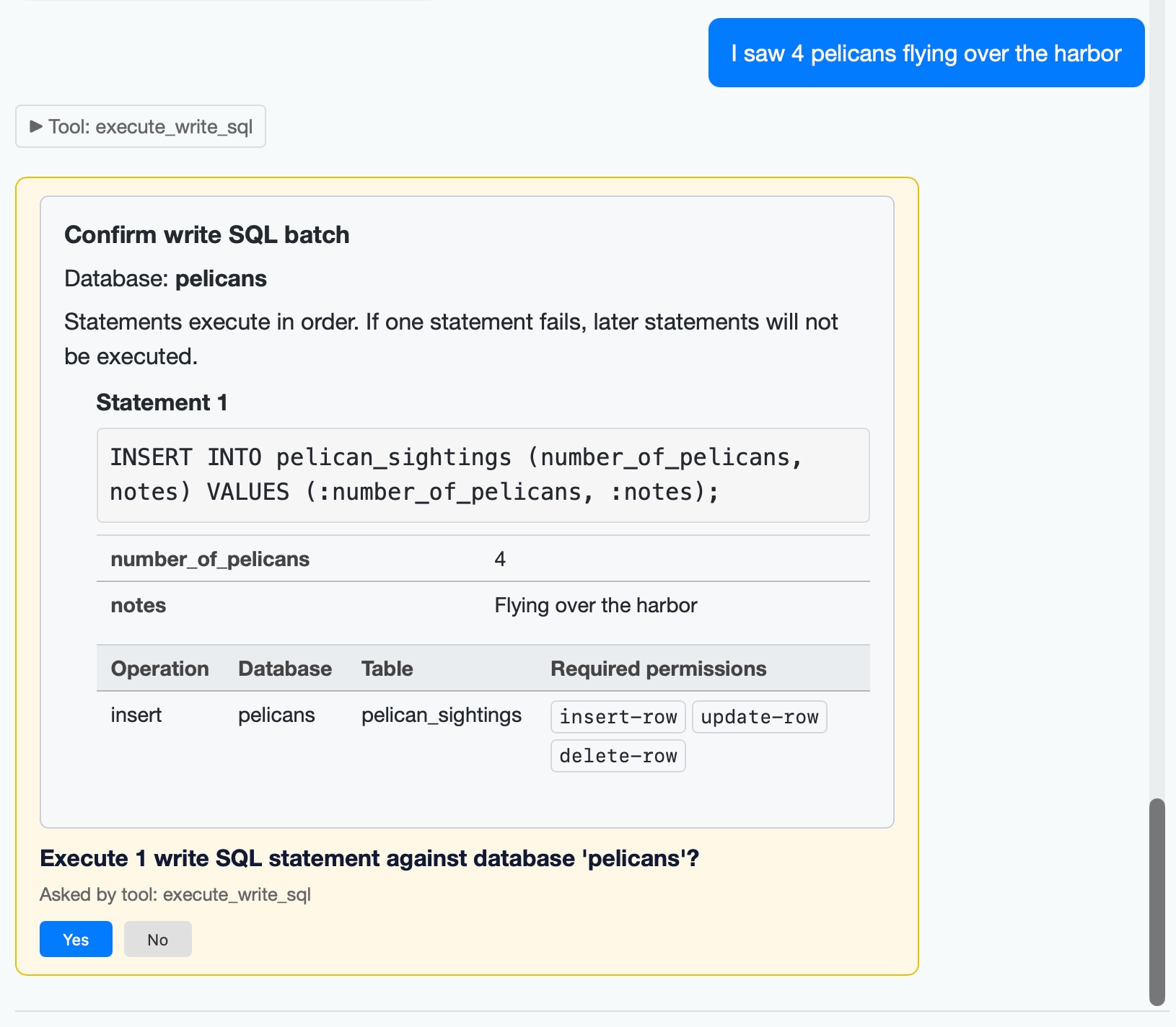
I added a mechanism for asking user approval in[datasette agent 0\.2a0](https://simonwillison.net/2026/Jun/10/datasette-agent/)\. The new`execute\_write\_sql`tool can now prompt the user for all kinds of useful operations\. Here's an example where I add some pelican sightings to my`pelican\_sightings`table:
The new version also enhances the`datasette agent chat`terminal mode to support approvals, and adds several new options including`\-\-unsafe`mode for auto\-approving them:
> - `datasette agent chat`can execute tools that require user approval\.[\#30](https://github.com/datasette/datasette-agent/issues/30) - Three new options for`datasette agent chat`\-`\-\-root`to run as root,`\-\-yes`to approve all ask user questions, and`\-\-unsafe`for both\. - Tools can now provide plain text alternatives to HTML, for display in the`datasette agent chat`CLI\.[\#31](https://github.com/datasette/datasette-agent/issues/31)
The`datasette agent chat content\.db \-m gpt\-5\.5 \-\-unsafe`command can now be used to chat directly with a specific database*and*directly modify it through prompts like "create a notes table", "add a note about X" etc\.