Firefox 153.0 Beta
Summary
Firefox 153.0 Beta introduces HDR video playback on Windows, PDF merging and editing, a color picker quick action, QR code sharing, and experimental JPEG XL support, along with several privacy and usability enhancements.
View Cached Full Text
Cached at: 07/20/26, 03:31 PM
Firefox
Source: https://www.firefox.com/en-US/firefox/153.0beta/releasenotes/ Version 153.0beta, first offered to Beta channel users on June 17, 2026
Firefox Beta gets updated 3 times a week and as a consequence, the release notes for the Beta channel are updated continuously to reflect features that have reached sufficient maturity to benefit from community feedback and bug reports.
Warning: Features listed here may or maynotmake a final release of Firefox.
In addition to these release notes, you can follow ongoing development via theFirefox Trainswebsite or our@FirefoxBetaBluesky account.
-
High Dynamic Range (HDR) video playback is now available on Windows - this feature needs HDR mode enabled for the display inWindows Settings - Display. Laptop displays that only offer “HDR video streaming” are not supported at this time. Some videos recorded on phones in certain orientations are currently not shown as HDR.
-
Containerslet you keep separate parts of your online life (work, shopping, personal, banking) logged into different accounts in the same browser window, but keep your cookies and ad tracking isolated inside each container.
-
It is now possible to merge multiple PDFs by dragging a PDF into the PDF sidebar.
-
It is now possible to add images as new pages within PDFs using the Firefox PDF editor.
-
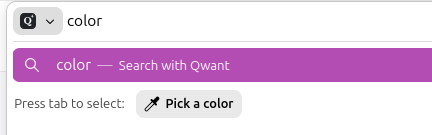
Quickly pick and copy a color from any page by typing “pick color”, “color picker”, or “eyedropper” in the address bar and selecting the “Pick a color” quick action.
-
Added support for Apple’s system-wide full-screen keyboard command (Globe-F).
-
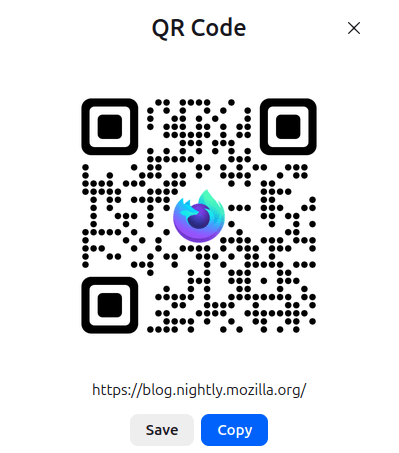
Share any open page with a QR code. Right-click a tab, select Share > Generate QR Code. Great for posters, invitations, banners, and other printed materials. On macOS, you can also right-click the address bar to access the Share menu.
-
Firefox now verifies and displaysQualified Website Authentication Certificates(QWACs) in accordance with eIDAS regulations.
-
Added improved support for videos with overlays so users can more easily access video actions from context menus.
-
Firefox now highlights the location permission icon in red whenever a website has access to your location. The permission icon is also now visible on search results pages where it was previously hidden.

-
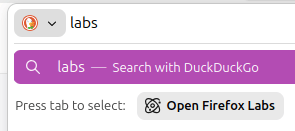
Firefox Labs can now be opened quickly by typing “labs” or “experiment” in the address bar and selecting theOpen Firefox Labsquick action.
-
Firefox now offers experimental support for the newJPEG XL image format, which generally provides better compression than WebP, JPEG, PNG, and GIF and is designed to supersede them. You can enable it from theFirefox Labspanel inSettings.
-
Extensions can no longer access local files by default. Users can grant or revoke this access via the new “Access local files on your computer” permission, separate from “Access your data for all websites”.
-
Local Network Access restrictions are now enabled by default for all users. Firefox requires websites to request permission before connecting to devices on your local network or to apps and services on your device.
-
Outdated cookie settings have been removed from the Settings UI. Users still in that mode should switch to default behavior “Isolate cross-site cookies”.More information
-
A new “Local Mode” setting in the options panel allows developers to load local directories via custom origins. This simplifies testing for APIs that do not function over standard
file://URLs, removing the need to run a local web server. Multiple directory mappings are supported. -
Firefox now supports a limited subset of the non-standard
::\-webkit\-scrollbarpseudo-element to improve web compatibility: - Rules with non-zerowidth/heightdisable overlay scrollbars for the affected container. -display: noneon::\-webkit\-scrollbarbehaves likescrollbar\-width: none, hiding the scrollbar. -@supports selector\(::\-webkit\-scrollbar\)now evaluates to true. - Full styling capabilities (colors, border-radius, etc.) are intentionally not supported. -
Updated HTML parsing rules for
<select\>elements, aligning with web standards to support future customizable select dropdown features. -
The
vertical\-alignproperty was converted into a shorthand forbaseline\-source,alignment\-baseline, andbaseline\-shiftin Firefox 149. Now,alignment\-baselinesupports the new keywordsalphabetic,ideographic,central,mathematical, andhanging, extending the variety ofbaselines to choose for alignment. -
Implemented the new
popover=hintspec, whichremovesa series of inconsistent and unexpected behaviors. -
Thecircle()andellipse()functions accept two new keywords
closest\-cornerandfarthest\-cornerfor their radial size. -
The newly addedError.stackTraceLimitproperty allows to set the maximal depth of the captured JavaScript error stack as a performance optimization.
-
Developers can now use the
textimport attribute toimport text filesusing the module system. -
ThePicture In Picture APIexposes a way for web developers to make use of user agent Picture-In-Picture functionality.
-
The
Intl\.LocaleInfoproposal adds the ability to queryLocale information, such as week data (first day in a week, weekend start day, weekend end day), text direction and hour cycle used in the Locale. -
The
MediaCapabilities\.decodingInfo\(\)andMediaCapabilities\.encodingInfo\(\)methods now accept the “webrtc” configuration type. This allows a site to query whether a given audio or video configuration can be decoded or encoded for WebRTC and whether doing so will be smooth and/or powerEfficient.
Similar Articles
Firefox Merges Support for Vulkan Video Decoding
Mozilla Firefox has merged initial support for Vulkan Video decoding, enabling GPU-accelerated video playback across platforms, expected in Firefox 153 in July.
See what's next for Firefox
Mozilla shares upcoming Firefox features including modernized design, tab organization, PDF tools, VPN, AI browsing option, and improved privacy protections.
Designing Firefox for the future
Mozilla announces Project Nova, a redesign of Firefox focusing on privacy, speed, and a cleaner, warmer design, with updates to tabs, settings, and compact mode.
Firefox is working on a rounded redesign with easy-to-find controls for privacy and AI
Mozilla announces Project Nova, a major visual overhaul of Firefox with rounded UI, improved privacy controls including a toggle to disable all AI features, and new customization options. The redesign will roll out later this year.
Try the New Firefox Design in Nightly
Firefox Nightly now includes a new design with softer tabs, warmer colors, updated icons, Compact Mode, and new themes for testing before broader release later this year.