@Saccc_c: 发现了一个能让你的GPT模型额度翻倍的方法 Codex 体感依旧消耗很快,但额度用完后,可以切到网页端 GPT 继续接力 由于网页端chat和Codex的额度是分开计算的,因此你可以享用几乎双倍的GPT模型,一直用Sol跑也不用担心 具体…
摘要
这篇文章介绍了一个通过切换Codex和网页端GPT来翻倍使用额度的方法,并推广了DevSpace这个开发工具,它可以将ChatGPT连接到本地机器进行代码编辑。
查看缓存全文
缓存时间: 2026/08/30 04:03
发现了一个能让你的GPT模型额度翻倍的方法
Codex 体感依旧消耗很快,但额度用完后,可以切到网页端 GPT 继续接力
由于网页端chat和Codex的额度是分开计算的,因此你可以享用几乎双倍的GPT模型,一直用Sol跑也不用担心
具体主要是配置这个工具:https://github.com/Waishnav/devspace…
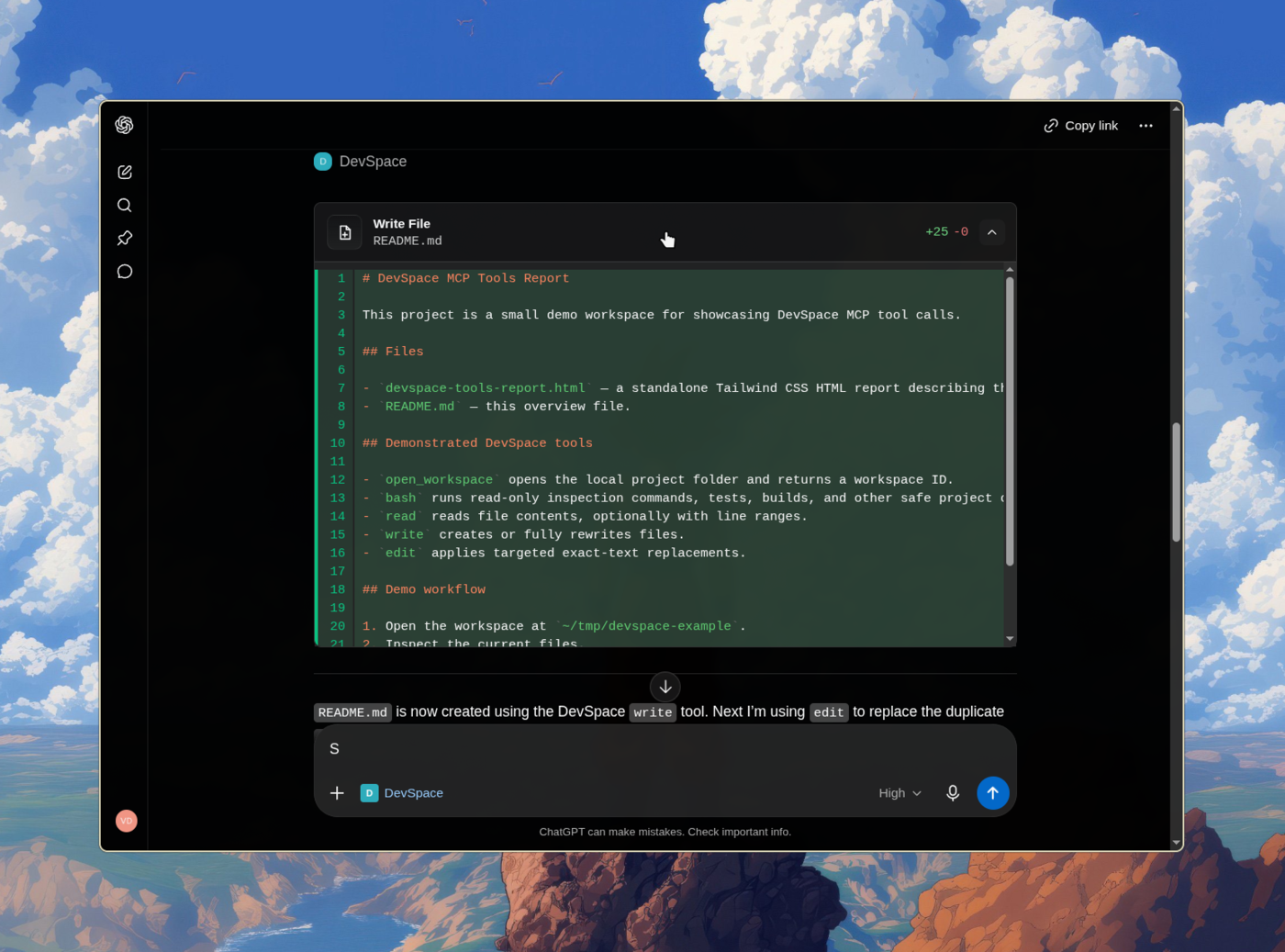
通过MCP将本地文件提供给网页端GPT,你就可以直接在网页端继续任务开发了
另外,你也可以连接GitHub插件,通过分支和 PR 来完成修改,具体见引用帖
Waishnav/devspace
Source: https://github.com/Waishnav/devspace
DevSpace
Bring a Codex-style coding workflow to ChatGPT.


Give ChatGPT a secure connection to your own machine and Turn ChatGPT into Codex
DevSpace is a self-hosted MCP server that lets ChatGPT read, edit, search, and run code in your real local projects — your files, your tools, your terminal — without uploading anything to a third party. You run it on your machine, expose it through a tunnel you control, and approve the connection with a password only you have.
Sponsors and Special Thanks
DevSpace is open to new sponsors. Get in touch to become one.
Installation
DevSpace requires Node >=22.19 <27.
Install the DevSpace CLI:
npm install -g @waishnav/devspace
Then initialize DevSpace:
devspace init
Or run it without a global install:
npx @waishnav/devspace init
During setup, DevSpace asks for:
- where you will use it: ChatGPT, Coding Agents, or both
- which Coding Agents DevSpace may use
If you select ChatGPT, setup also asks which local project folders it may open and for your public HTTPS base URL from Cloudflare Tunnel, ngrok, Pinggy, Tailscale Funnel, or another reverse proxy. A Coding Agents-only setup asks neither question: local commands use the current Git project, or the current directory outside a repository.
Use the public origin without /mcp during setup:
https://your-tunnel-host.example.com
You will configure your MCP client with the public /mcp URL after setup.
Run devspace serve when using ChatGPT. For Coding Agents, setup prints a
skills command and lets the Skills CLI handle installation.
When the client connects, DevSpace opens an Owner password approval page. Enter
the Owner password printed by devspace init. It is also stored in:
~/.devspace/auth.json
Keep that password private.
Connect Your MCP Client
The default local endpoint is:
http://127.0.0.1:7676/mcp
Most users should connect through a public HTTPS tunnel:
https://your-tunnel-host.example.com/mcp
Using DevSpace as an MCP connector isn’t against OpenAI’s Usage Policies — it’s a standard custom App/connector setup, and writing or running code isn’t a restricted use case. But your account is governed by your usage, not by DevSpace. Don’t point it at anything that would violate your provider’s terms. Used normally, you’re fine. (Based on OpenAI’s Usage Policies and Service Terms as of June 2026.)
What ChatGPT Can Do
Once connected, ChatGPT can open one of your approved project folders as a workspace. From there, it can inspect the repo, make scoped edits, run commands, and show you what changed.
DevSpace gives ChatGPT tools to:
- read, write, and edit files inside the opened workspace
- search code and inspect directories
- run shell commands for tests, builds, git, and package scripts
- use isolated Git worktrees for parallel coding sessions
- follow project instructions from
AGENTS.mdandCLAUDE.md - discover local agent skills from your skill folders
- show tool cards and optional change summaries in ChatGPT Apps-compatible hosts
Mental Model
DevSpace is remote access to selected local folders.
You decide which roots are allowed. The MCP client still has powerful local capabilities inside an opened workspace, including shell execution. Treat a connected client like a trusted coding partner with access to your machine.
For a normal ChatGPT coding session:
- Start your tunnel.
- Run
devspace serve. - Connect the MCP client to your public
/mcpURL. - Approve the connection with the Owner password.
- Ask ChatGPT to open a project inside one of your allowed roots.
Platform Support
DevSpace supports Linux, macOS, and Windows environments with a Bash-compatible shell.
| Platform | Status | Notes |
|---|---|---|
| Linux | Supported | Requires Node, npm, Git, and Bash. |
| macOS | Supported | Requires Node, npm, Git, and Bash. |
| Windows with Git Bash, WSL, MSYS2, or Cygwin Bash | Supported | Git Bash is the simplest native Windows setup. |
Windows PowerShell or cmd.exe only | Not supported yet | Install Git Bash or use WSL. |
Run this to inspect your local setup:
devspace doctor
Documentation
- Setup Guide
- ChatGPT Coding Workflow
- Configuration Reference
- Native File Download
- Security Model
- Troubleshooting Gotchas
Philosophy
Every piece of software is becoming conversational. Natural language is redefining how we interact with tools, workflows, and systems.
My bet is that ChatGPT becomes the operating system for everything. Once we reach AGI, we will simply talk to ChatGPT, and it will prompt, coordinate, and orchestrate sub-agents that set up the right loops for us.
We are not there yet.
DevSpace is one attempt to fast-forward that future: a way for MCP-capable hosts like ChatGPT and Claude to work directly with local project files through explicit, inspectable tools.
Built by Waishnav
I’m Waishnav. I like building opinionated products and tools, and Artifacts is one example.
This year, I began my journey to build a one-person, multi-agent company capable of generating millions in revenue. If you want to follow the failures, wins, lessons, and everything in between, come hang out with me on X.
More from me
| Project | About |
|---|---|
 GitCMS |
Modern CMS and tooling for markdown based content sites — built for agents and humans. Visual editing, editorial workflow, and ChatGPT/Claude content agents, with every post and page stored as files in your repo. Learn more. |
Local Development
For working on DevSpace itself:
npm install --include=dev
npm run dev
npm run typecheck
npm test
npm run build
npm run start
Sac (@Saccc_c): GPT 5.6 Pro作为OpenAI目前最强大的模型,在代码开发等任务的问题解决能力都是超一流,但很多人可能还不知道如何使用它
正确打开方式如下:
1、将本地项目初始化为 Git 仓库并推送到你的GitHub上
相似文章
@beefnoode: 我自己用Chatgpt网页版的时候也发现了 有时在网页版执行一些特定的写代码,做方案任务时 效果会比在 Codex 更好 Codex 最近给我的感觉是 一个任务能吭哧吭哧干好久,效率反而没有在网页版高 昨天推一个仓库到github上,推了…
用户比较了ChatGPT网页版和Codex在编码任务上的效率,认为ChatGPT在某些情况下效果更好,并分享了使用Codex推送仓库到GitHub耗时较长的经历。
@gkxspace: 原来 Codex 的额度消耗可以看得这么细啊??? 如果你觉得你的 Codex 的额度最近非常不耐用,你可以尝试一下: 打开 https://chatgpt.com/codex/cloud/settings/analytics…,然后在开…
文章介绍了如何通过ChatGPT设置和开发者工具监控Codex额度的详细使用情况,并分析了额度消耗过快的潜在原因,如IP质量问题或账号切换。
@php_martin: Codex 深度拆解 1/5 你每个月花 $20 订阅 ChatGPT Plus,装完 Codex 让它写了个网页,就觉得完事了? 你只用了它不到 20% 的能力。 这 58 分钟视频我拆成 5 条爆论,这是开篇: Fork / AGEN…
这篇文章指出许多ChatGPT Plus用户仅使用了Codex不到20%的能力,并介绍了Fork、AGENTS.md、Plan Mode、Plugin、定时任务和手机远程控制等高级功能,这些工具能让工作效率提升10倍。
@wangray: 亲测可用,快速教你 Codex 配置保留 ChatGPT 登陆的同时使用第三方 Provider 即使是 Free 账户也可以接入中转站,然后在手机上用 ChatGPT 远程控制桌面 Codex
A guide on configuring Codex to retain ChatGPT login while using third-party providers, allowing free accounts to access relay stations and remotely control desktop Codex via phone.
@Fenng: Codex 真的过千万了
OpenAI 的 Codex 用户量突破 1000 万,同时为付费用户重置 Codex 和 ChatGPT Work 的使用配额。