Cached at:
09/13/26, 02:26 AM
# Generating running routes with GPT-6 Astra and ChatGPT Work
Source: [https://simonwillison.net/2026/Sep/12/astra-running-routes/](https://simonwillison.net/2026/Sep/12/astra-running-routes/)
12th September 2026
Here’s a neat thing I had[ChatGPT Work](https://simonwillison.net/2026/Aug/30/understanding-chatgpt-work/)with GPT\-6 Astra \(Max\) do this morning:
> `I live at <my address\>\. Figure out 5K and 10K running routes from me that loop from my house\. Use OSM data\.`
It worked for 27 minutes and produced exactly what I’d asked for, as both an embedded visualization and downloadable GPX file and GeoJSON files\. Here’s that 5K route:
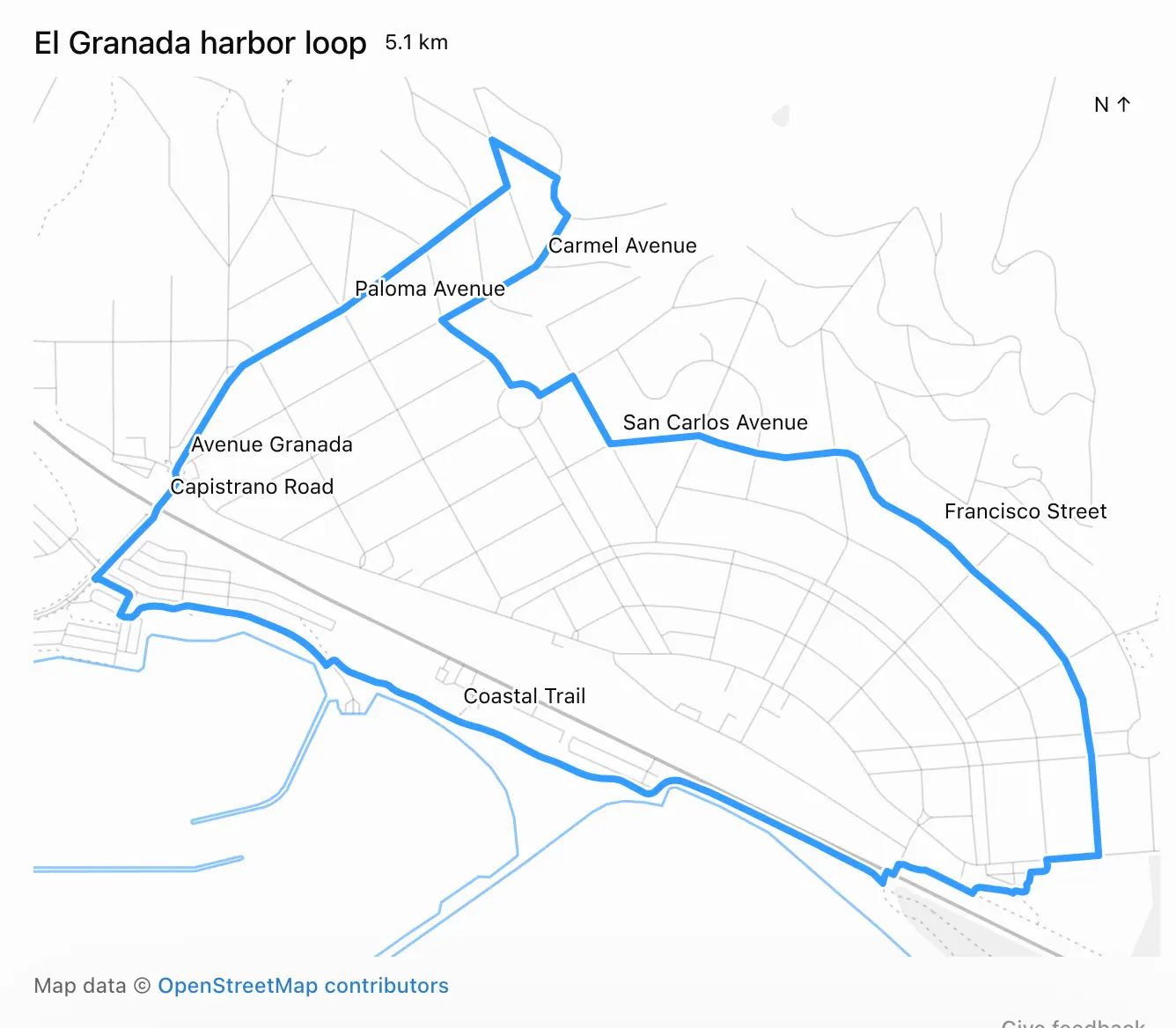
When I asked it how it had created the route, it replied:
> I used**Nominatim to locate the address**and**Overpass to download local OpenStreetMap roads and trails**, then calculated the loops locally\.
Frustratingly, the actual code it ran and exact details of what it did weren’t visible to me in the ChatGPT UI\. I see this lack of transparency is an anti\-feature\.
By the time I thought to ask for a copy of the Python code it had used, ChatGPT was unable to provide it\. This appears to be because the thread had been compacted\. I think any LLM system that uses compaction needs to both preserve the pre\-compacted text and make that text available via agent tool calls, to protect against this kind of problem\.
As for displaying the map to me, that used the[visualize skill](https://codex-tool-reference.simonw.chatgpt.site/skills/visualize)\. It created a file called`/workspace/el\-granada\-5k\-share\.html`to embed directly into the ChatGPT UI\.
Here’s[a copy of that HTML](https://gist.github.com/simonw/ea652573c8ff5378b218cb10c8c5a480), which starts like this:
```
<div id="eg-share-loop">
<div class="viz-row"><h3>El Granada harbor loop</h3><span class="text-small">5.1 km</span></div>
<div id="eg-share-stage"></div>
<div class="text-small text-muted">Map data © <a href="https://www.openstreetmap.org/copyright" target="_blank" rel="noopener">OpenStreetMap contributors</a></div>
<style>
#eg-share-loop { width:100%; }
#eg-share-loop #eg-share-stage { width:100%; margin:8px 0; }
#eg-share-loop .eg-share-map { display:block; width:100%; touch-action:none; }
#eg-share-loop .eg-share-map text { fill:var(--foreground); font-size:12px; font-weight:400; }
#eg-share-loop .eg-share-label { paint-order:stroke; stroke:var(--background); stroke-width:3px; stroke-linejoin:round; }
</style>
<script type="application/json" id="eg-share-data">{"route":{"type":"LineString","coordinates":[[-122.467425,37.4997753] ...</script>
<script src="https://cdn.jsdelivr.net/npm/
[email protected]/dist/d3.min.js"></script>
<script>
(() => {
const root=document.getElementById('eg-share-loop');
```
The`<script type="application/json"\>`element contains the full geometry needed to render both the running route and the map itself, using D3, which is loaded from an allow\-listed CDN location described in this section of[the visualize skill](https://codex-tool-reference.simonw.chatgpt.site/skills/visualize):
> ### External resources - The CSP allows only`cdnjs\.cloudflare\.com`,`esm\.sh`,`cdn\.jsdelivr\.net`,`unpkg\.com`,`fonts\.googleapis\.com`,`fonts\.gstatic\.com`, and`fonts\.bunny\.net`\. Other origins are blocked and fail silently\.