@humzaakhalid: Most developers are using Claude Code wrong (100%) Claude Code fixes it in 90 seconds flat. Here is exactly how: 1. Get…
Summary
A detailed guide on using Claude Code effectively, including setup, CLAUDE.md configuration, four-layer architecture, hooks, and daily workflow patterns.
View Cached Full Text
Cached at: 06/24/26, 10:22 AM
Most developers are using Claude Code wrong (100%)
Claude Code fixes it in 90 seconds flat.
Here is exactly how:
- Getting Started
→ One curl command and Claude Code scans your codebase. → It generates a starter CLAUDE. md on the first run. → Only requirement is Node.js 18+. That’s the full setup.
- CLAUDE. md
→ CLAUDE. md is Claude Code’s brain, reloaded every session. → Drop your stack, architecture, and known bugs inside it. → Keep it under 200 lines. Brevity forces clarity.
- The 4-Layer Architecture
→ L1: CLAUDE. md loads context and behavioral rules first. → L2: Skills auto-invoke when Claude detects the task type. → L3: Hooks are safety gates that cannot be bypassed. → L4: Agents run in isolated windows to protect context.
- Setting Up Hooks
→ Hooks fire deterministically, same input, same output, always. → Use PreToolUse, PostToolUse, and Notification hook types. → Exit code 0 allows. Exit code 2 blocks. Nothing else.
- Daily Workflow Pattern (4 Phases) → Open your project, run claude, then hit Shift + Tab. → State your intent before Claude writes a single line. → Run /compact to trim context, then commit frequently.
If you want to learn completely with a practical guide, I spent months creating guides on claude, so you don’t have:
✦ Claude Skills: https://humzakhalid.substack.com/p/how-to-build-claude-skills… ✦ Claude in Excel: https://humzakhalid.substack.com/p/excel-just-got-a-new-friend… ✦ Claude Artifacts: https://humzakhalid.substack.com/p/how-to-build-an-app-with-claude-artifacts… ✦ Claude for Chrome: https://humzakhalid.substack.com/p/claude-for-chrome… ✦ Claude Connectors: https://humzakhalid.substack.com/p/stop-using-7-apps-to-do-just-1-thing… ✦ Build Loops: https://humzakhalid.substack.com/p/stop-prompting-claude-build-loops… ✦ Claude Skills Mistakes: https://humzakhalid.substack.com/p/stop-building-claude-skills-like… ✦ Videos with Claude: https://humzakhalid.substack.com/p/how-to-create-videos-using-claude… ✦ Claude Design: https://humzakhalid.substack.com/p/how-to-use-claude-design-like-anthropic… ✦ Claude + Higgsfield: https://humzakhalid.substack.com/p/claude-just-became-a-video-studio… ✦ Claude Loops: https://humzakhalid.substack.com/p/7-advanced-claude-loops-that-run… ✦ Second Brain: https://humzakhalid.substack.com/p/i-set-up-my-second-brain-in-under…
For more helpful content:
- Subscribe at https://substack.com/@humzakhalid
- Save this post, because you will need it later
- Repost this to share it with your friend.
How to Build Claude Skills.
Source: https://humzakhalid.substack.com/p/how-to-build-claude-skills Most people use Claude like a search bar.
Type a request. Read the output. Tweak it a bit. Move on.
That workflow works. But it’s leaving 80% of the capability on the table.
 Here’s what I mean: Claude has a system built into it called Skills. You’ve never seen it mentioned in a launch post. It doesn’t have a settings toggle. But once you understand it, you won’t prompt the same way again.
By the end of this newsletter, you’ll get three ready-to-useSKILL.mdfiles. You can upload the file and build your own skill.
Two weeks ago, I was building a Word document pipeline inside Claude’s computer use environment. Every output looked technically fine - correct structure, proper formatting - but something was always slightly off. Wrong margins. Missing styles. Tables that broke on export.
I spent 4 hours debugging individual prompts before I stumbled onto something buried in the file system: a folder called/skills/full of\.mdfiles. Each one was a dense set of rules, constraints, and best practices for one specific output type. Claude was supposed to read them before touching any file.
I hadn’t told it to. That’s why everything was breaking.
When I added the instruction to read the relevantSKILL.MD first - the output went from “almost right” to “ready to send” in a single run.
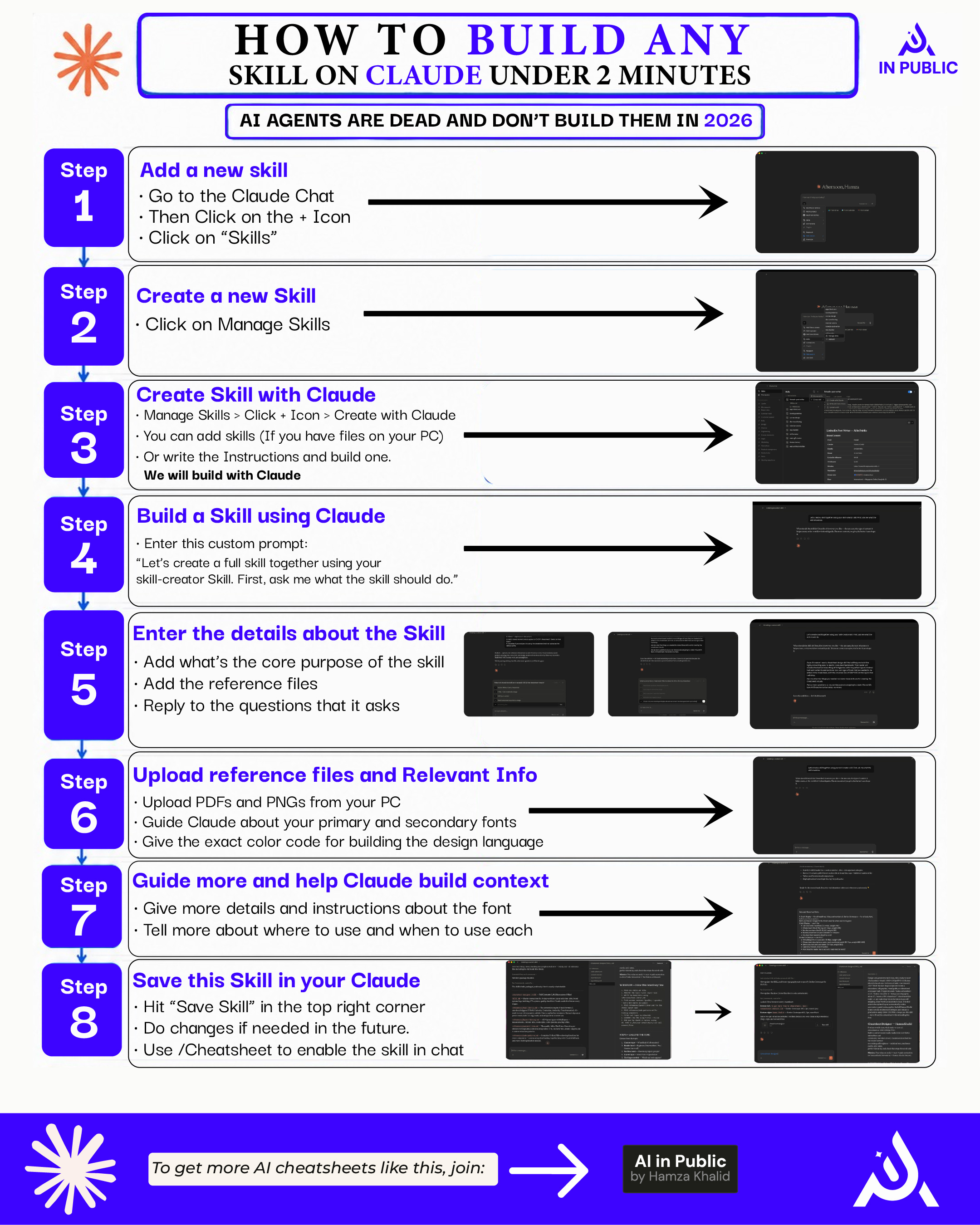
Here is the exact method to create any skill inside the Claude:
If this is useful, share it with one person who needs it. Takes 10 seconds. Share
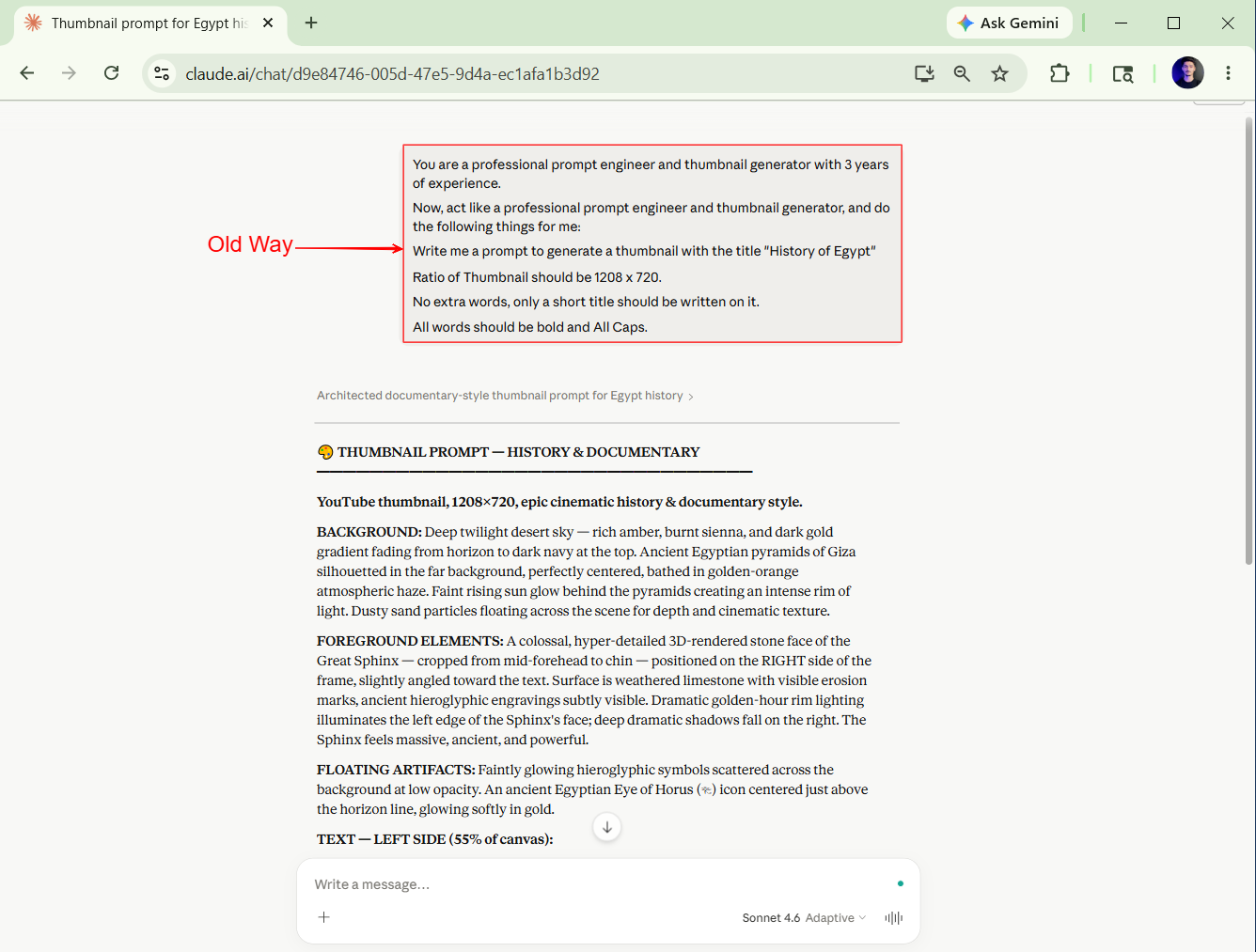
**Old way:**Write a long prompt. Hope Claude figures out the constraints. Fix the output manually. Repeat.
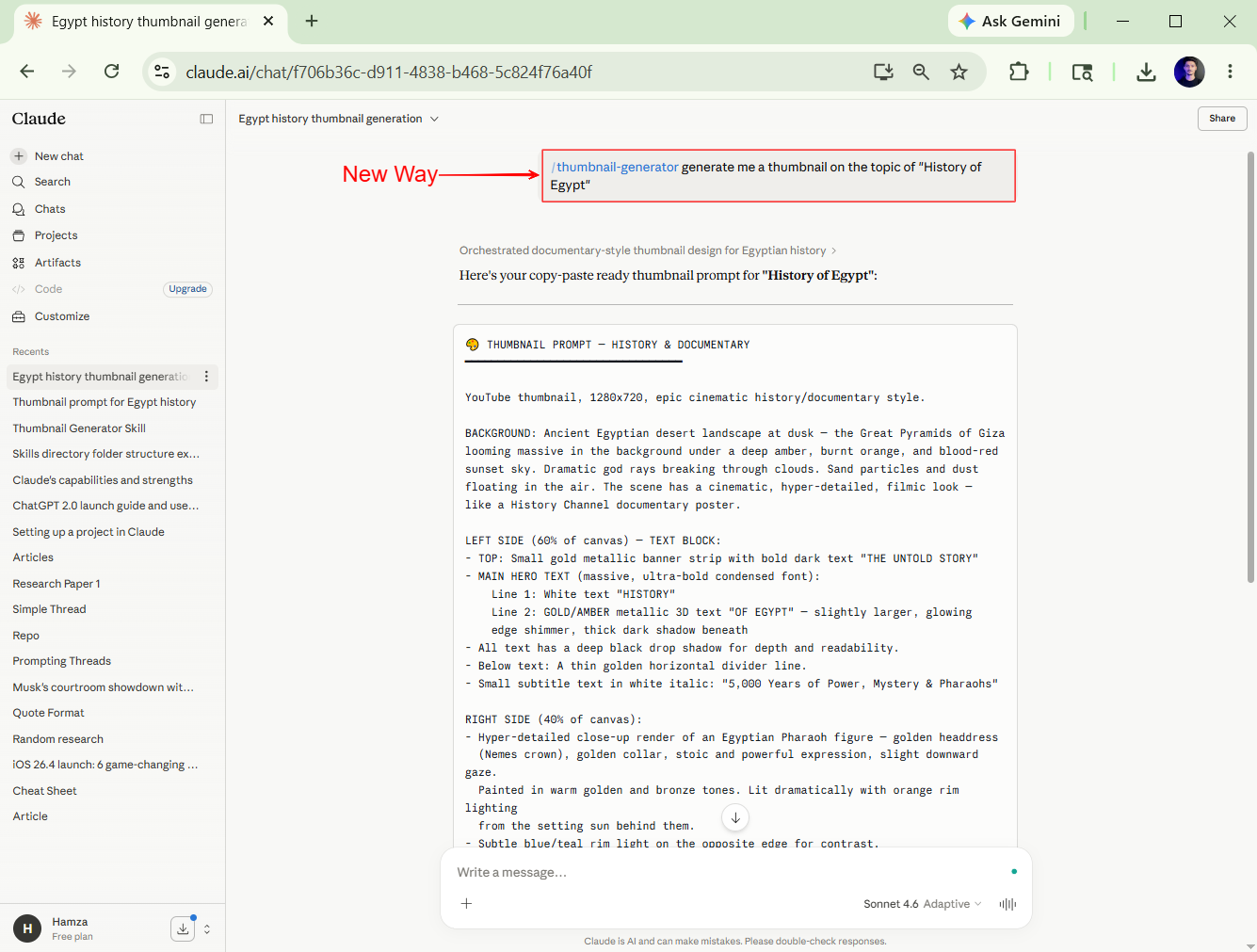
 **New way:**Store the constraints once in aSKILL.mdfile. Claude reads it before every task. Output is right the first time.
 Old way: Prompt → Mediocre output → Manual fix → Try again.
New way: Skill → Prompt → Usable output → Done.
The difference isn’t Claude’s intelligence. It’s whether Claude has the right context before it starts.
A Skill is a plain Markdown file (.md). Nothing exotic.
It lives in a/skills/folder inside your project or computer use environment. Claude scans that folder before writing code, creating files, or running commands. When the task matches a skill, Claude reads it first - then acts.
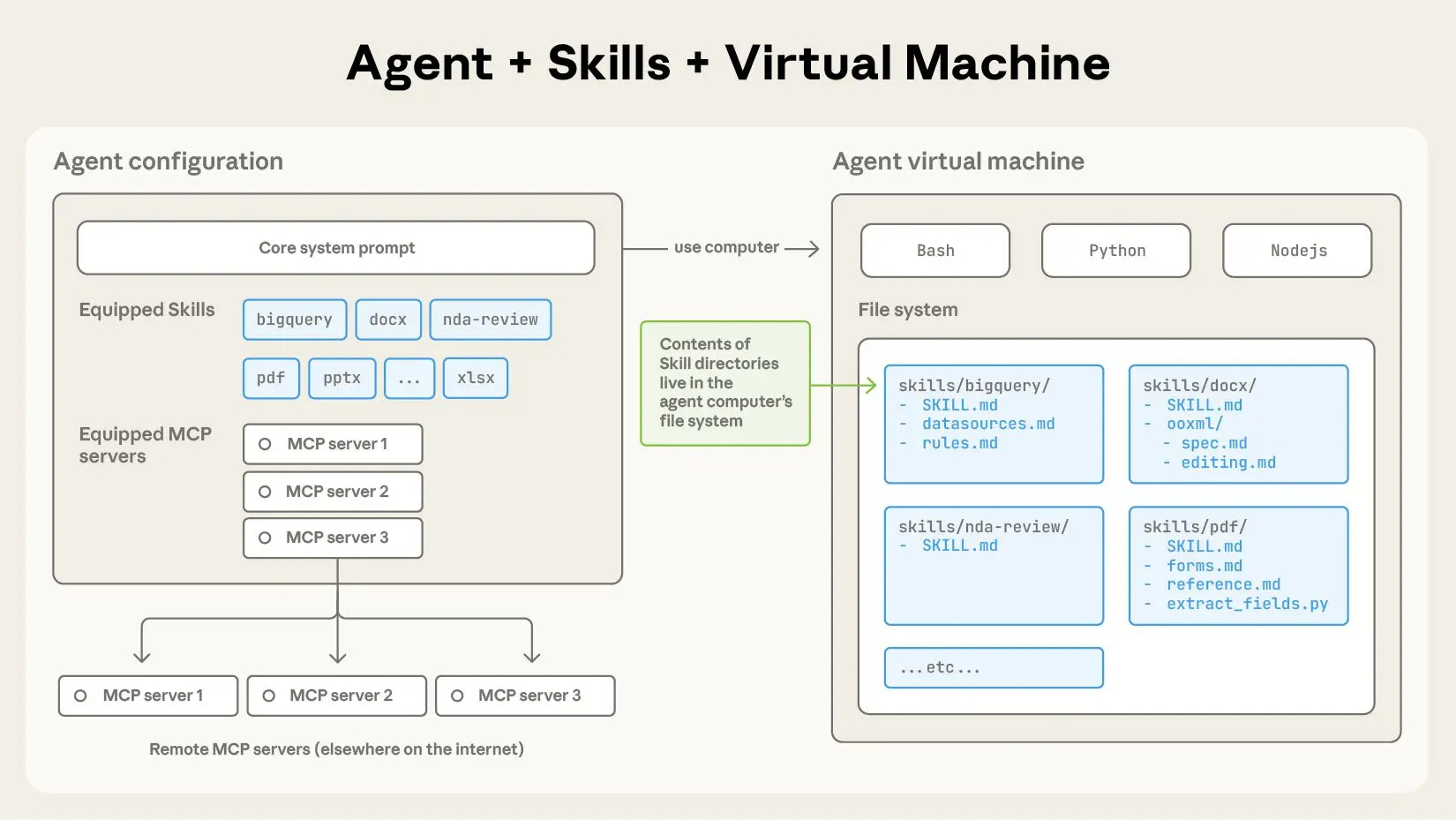 Think of it as a briefing document your new hire reads before their first day. Without it, they’re guessing. With it, they know your exact standards.
The format is simple:
name: docx
description: [When to trigger this skill]

# What to do
# What not to do
# Environment-specific constraints
# Examples
That’s it. Plain text. No special syntax. No configuration files.
The power is in the content - and in making Claude actually consult it.
Before you build anything, know what you’re building.
Quick setup:
- Skills break into 3 clear categories
- Match the type to what you’re trying to solve
- Don’t mix all three into one file - one skill, one job
**Type 1: Output Skills:**These cover specific file types - Word docs, PDFs, spreadsheets, slides. They encode constraints the average prompt misses: which Python libraries are available, how the environment renders certain elements, and what breaks on export.
Examples:docx,pdf,pptx,xlsx
**Type 2: Workflow Skills:**These define how Claude should approach a recurring task - writing a newsletter issue, running a code review, drafting a sales email. They encode your personal standards, your preferred format, and your non-negotiables.
Examples:newsletter writing,code\-review,client\-proposal
**Type 3: Context Skills.**These store facts Claude can’t know from training - your company’s tone guide, your product’s tech stack, your audience’s demographics. They’re not instructions. Their background.
Examples:brand\-voice,product\-knowledge,team\-structure
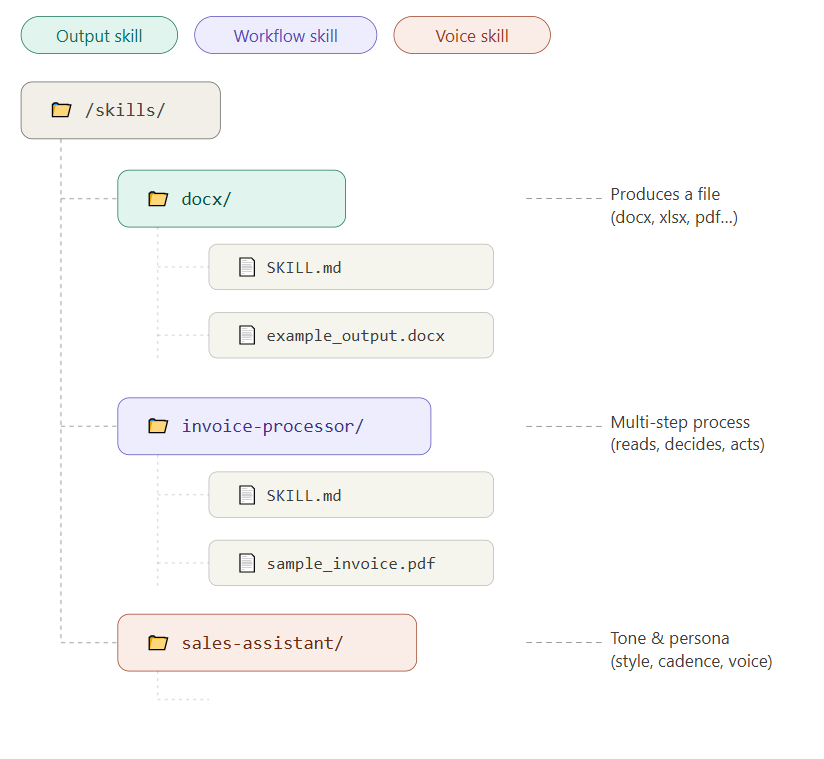 Most people write Skills that are too long, too vague, or too theoretical. Claude skims them and ignores half the content.
**Step 1:Go toClaude.ai,**log in with Gmail there, andopen a new chat.
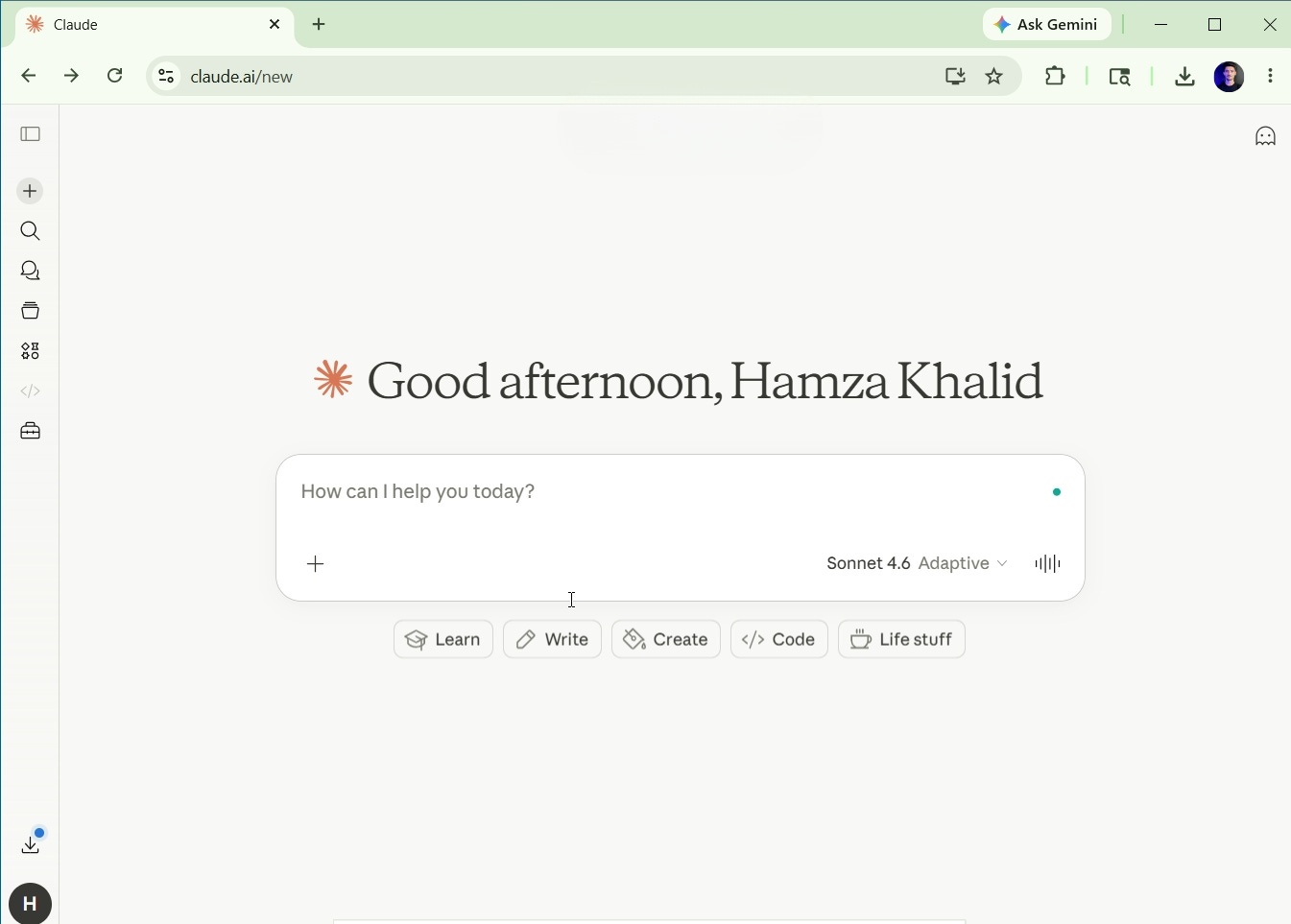 Step 2:Click on the “+” icon in the new chat and then click on “Skills.”
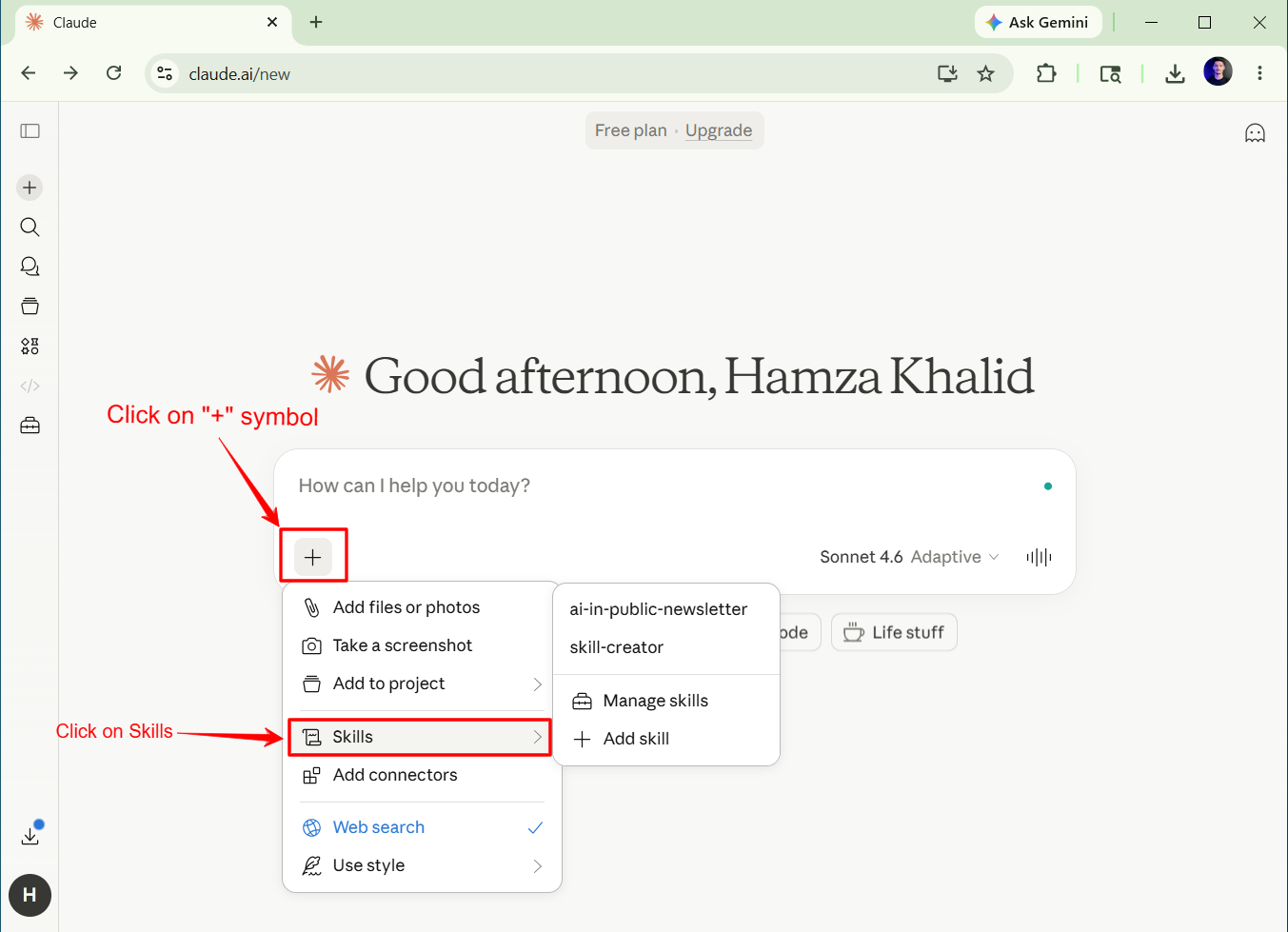 **Step 3:**Click on “Manage Skills.”
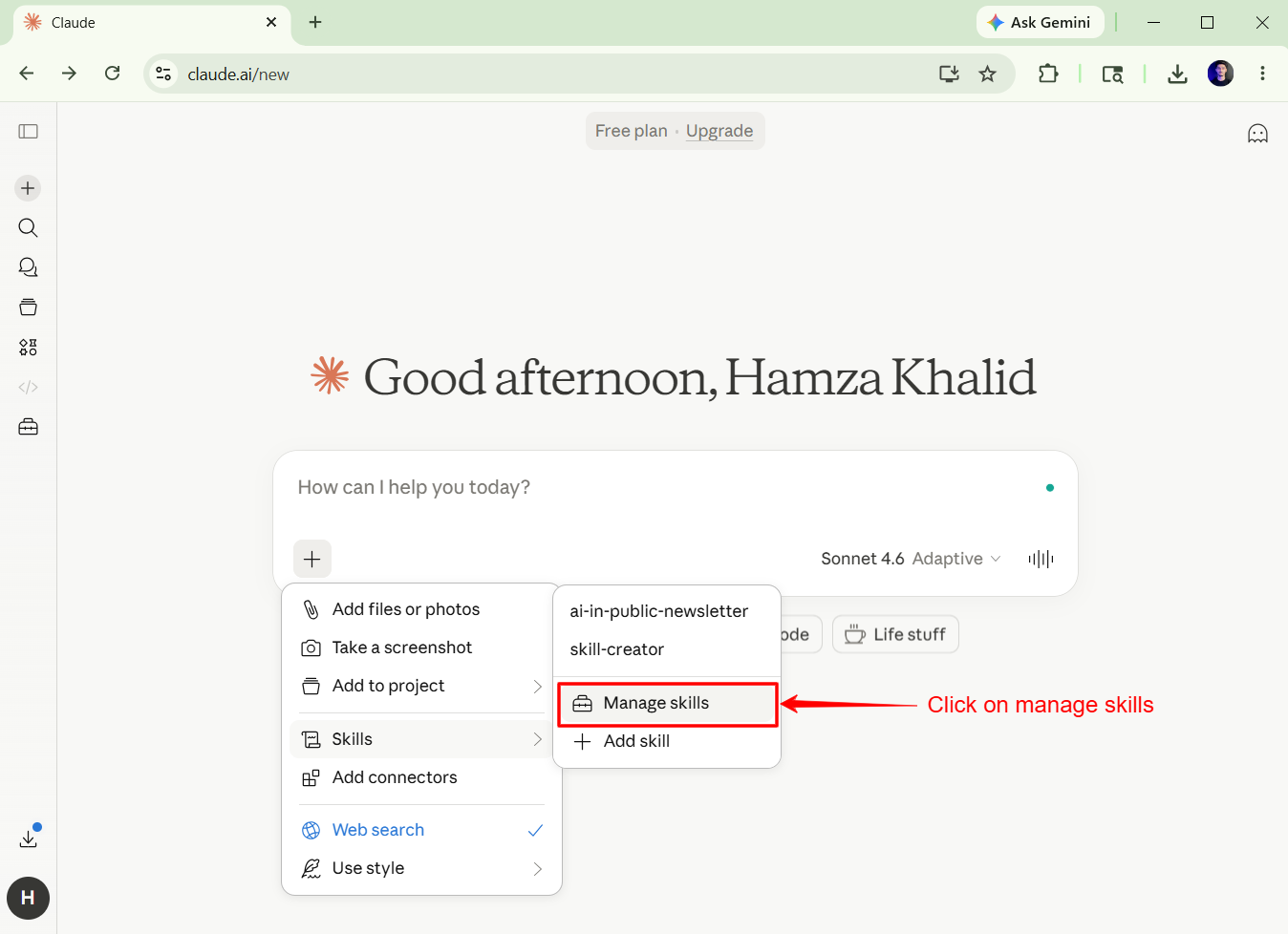 Step 4:**Again,**click on “+” and then click on “Create Skill.”
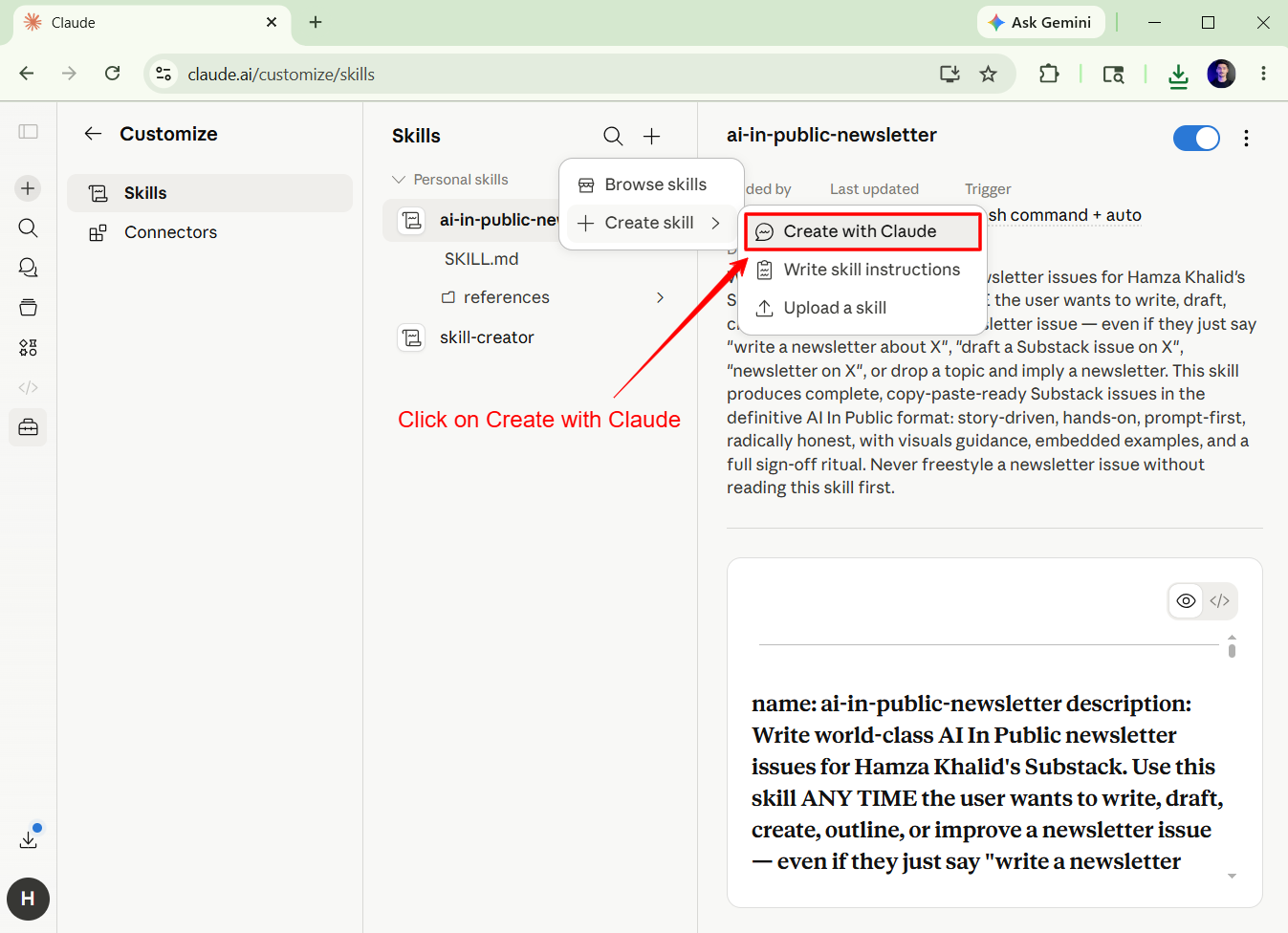
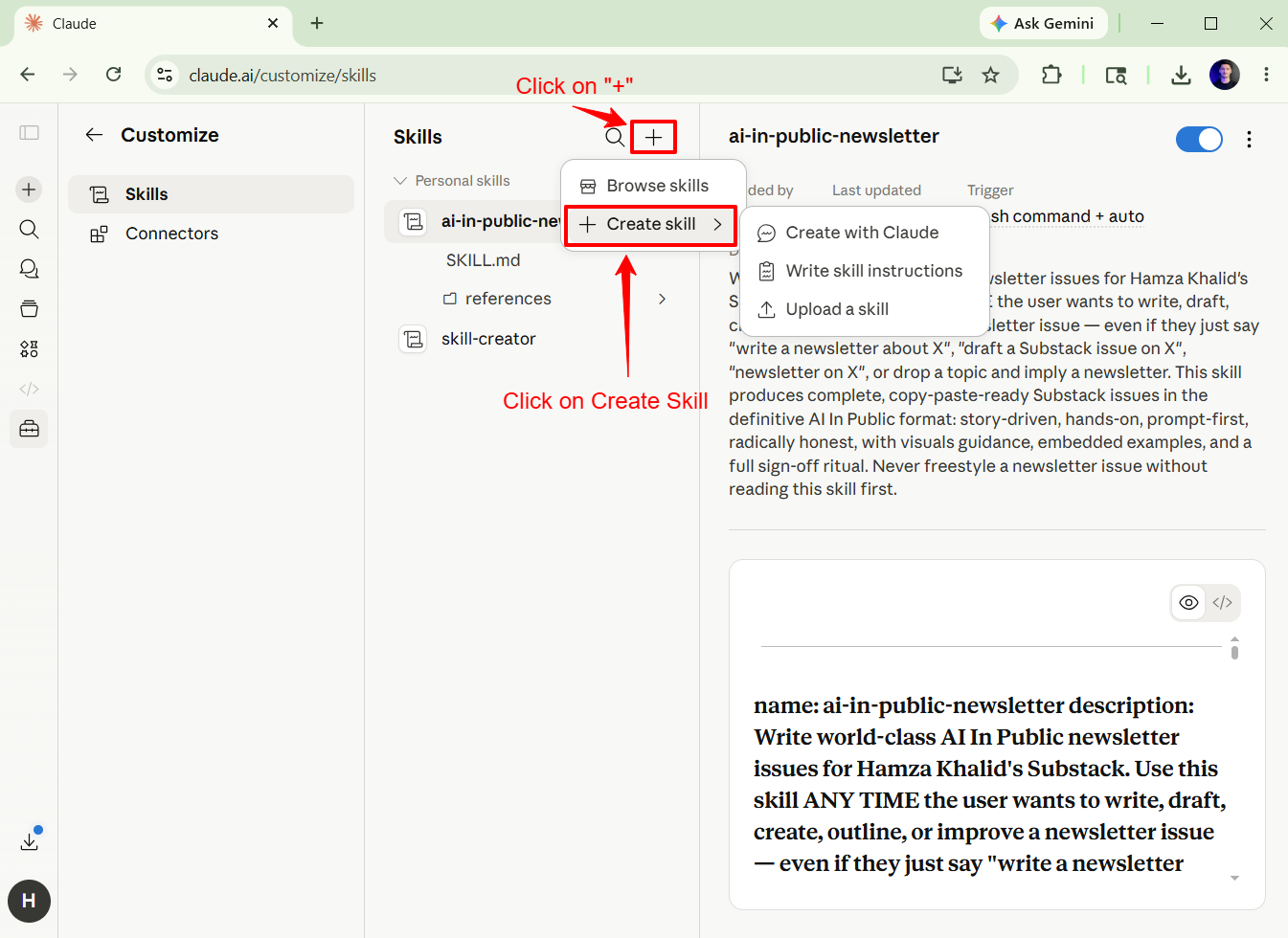 Step 5:Click on “Create with Claude.”
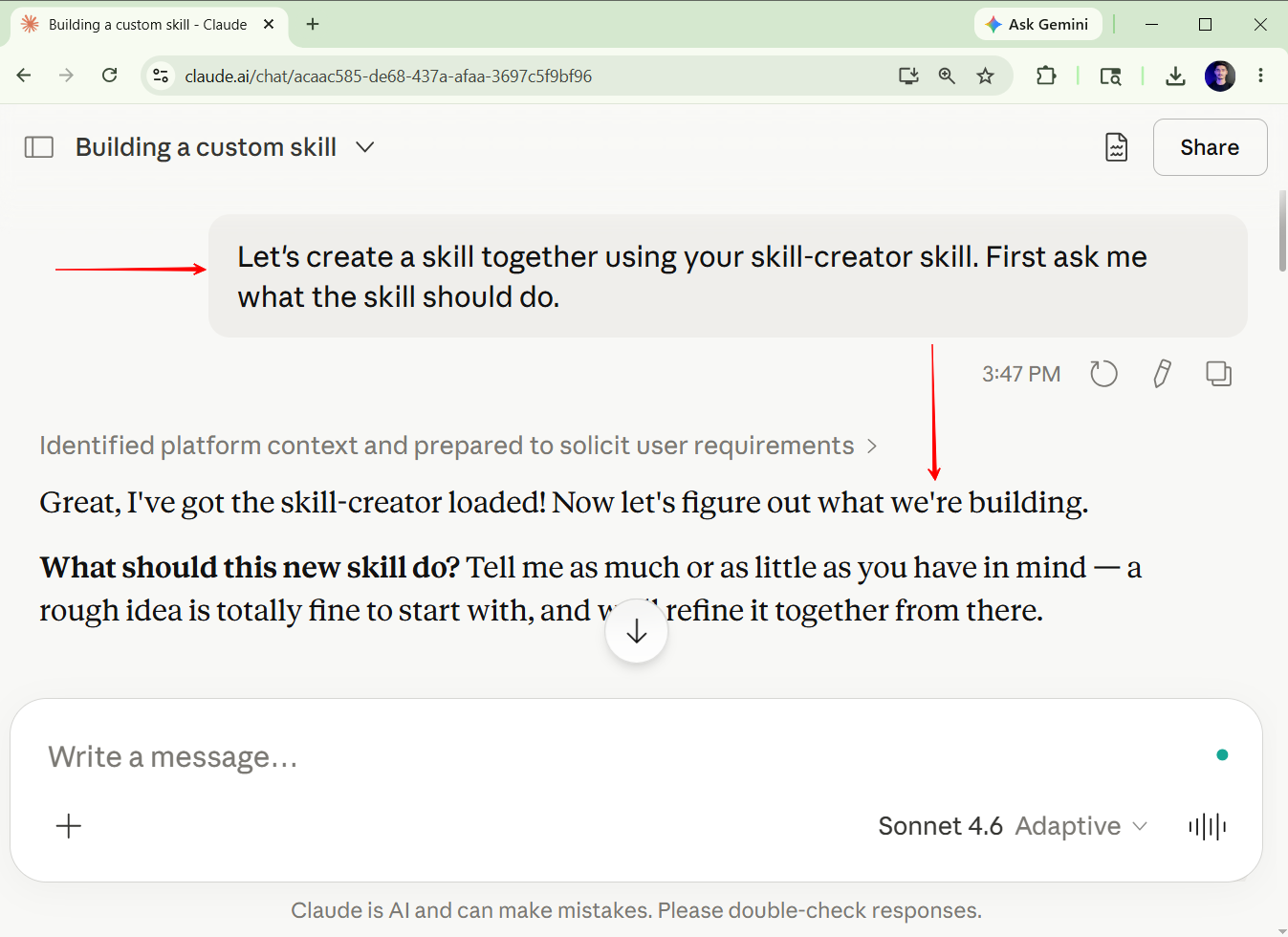
 Step 6:The first prompt will be autotyped; just press theEnter Key.
 Step 7:Claude will ask you a few questions related to your skill, just answer them**.**
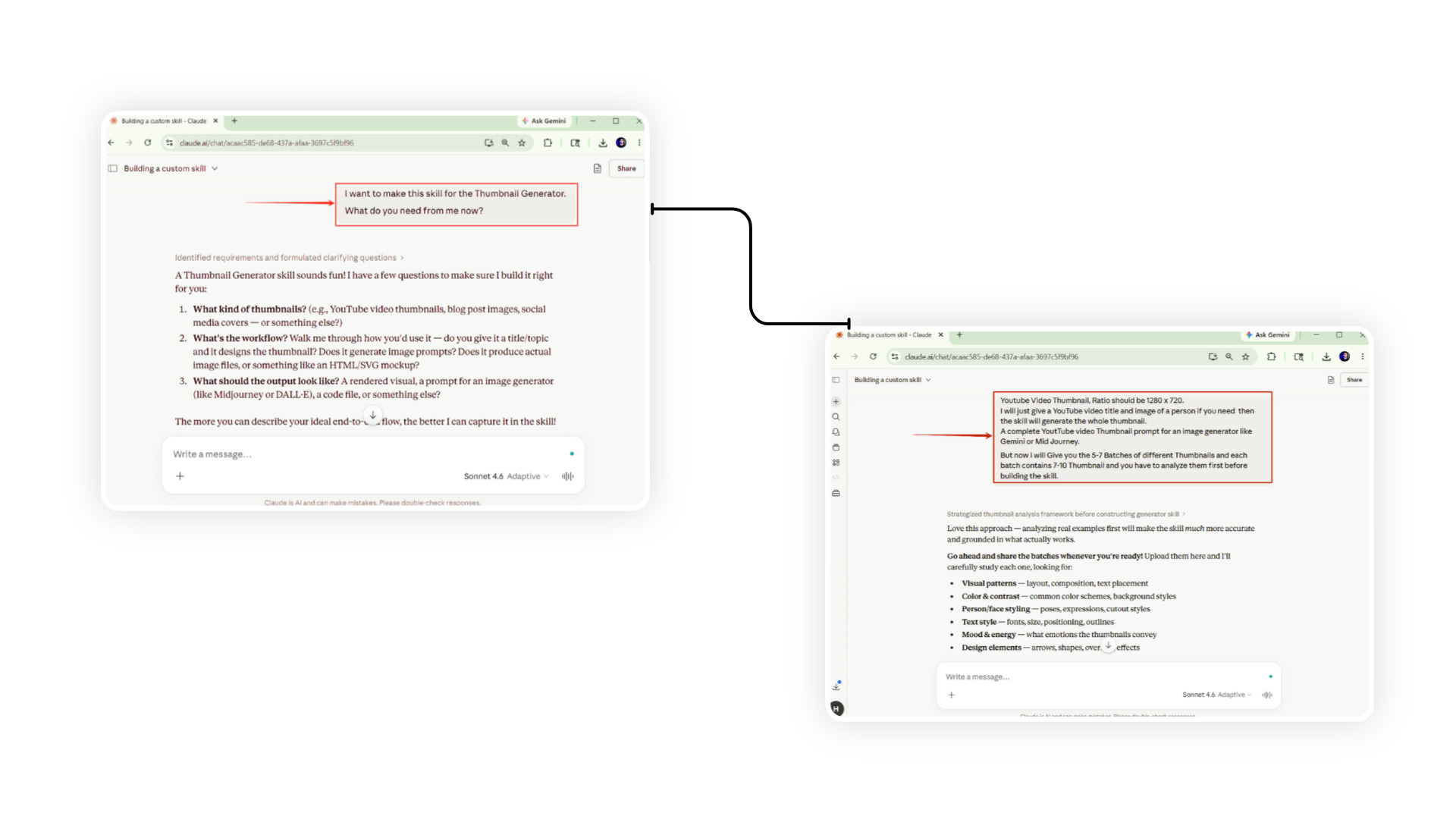 Step 8:Upload the files to Claude for analysis**.**
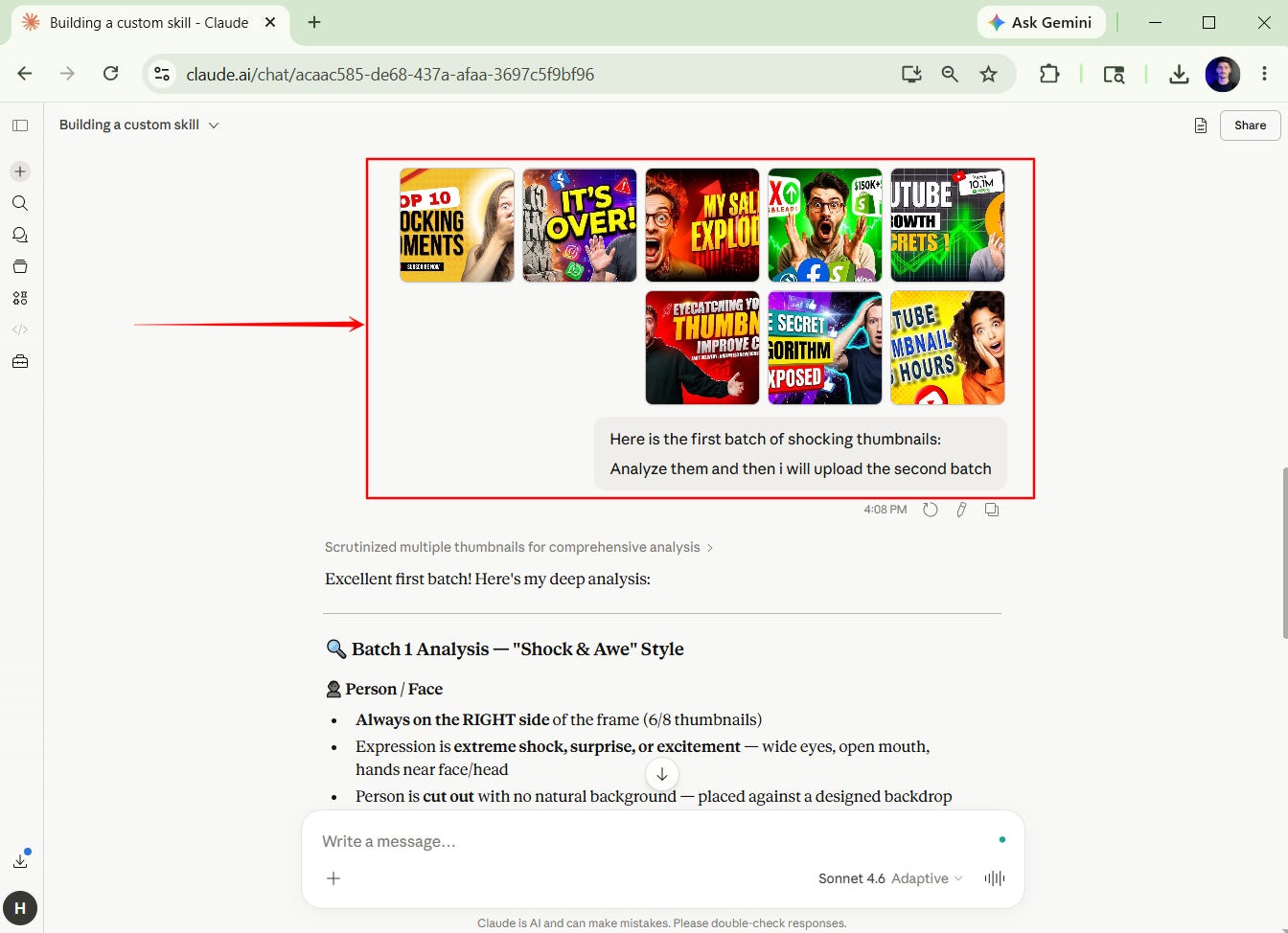
The number of files you upload for analysis, the strong will be skill and accurate will be the results of that skill.
Step 9:After completion of all analyses, Claude will generate the skill file**.**
Step 10: Save the skill file.
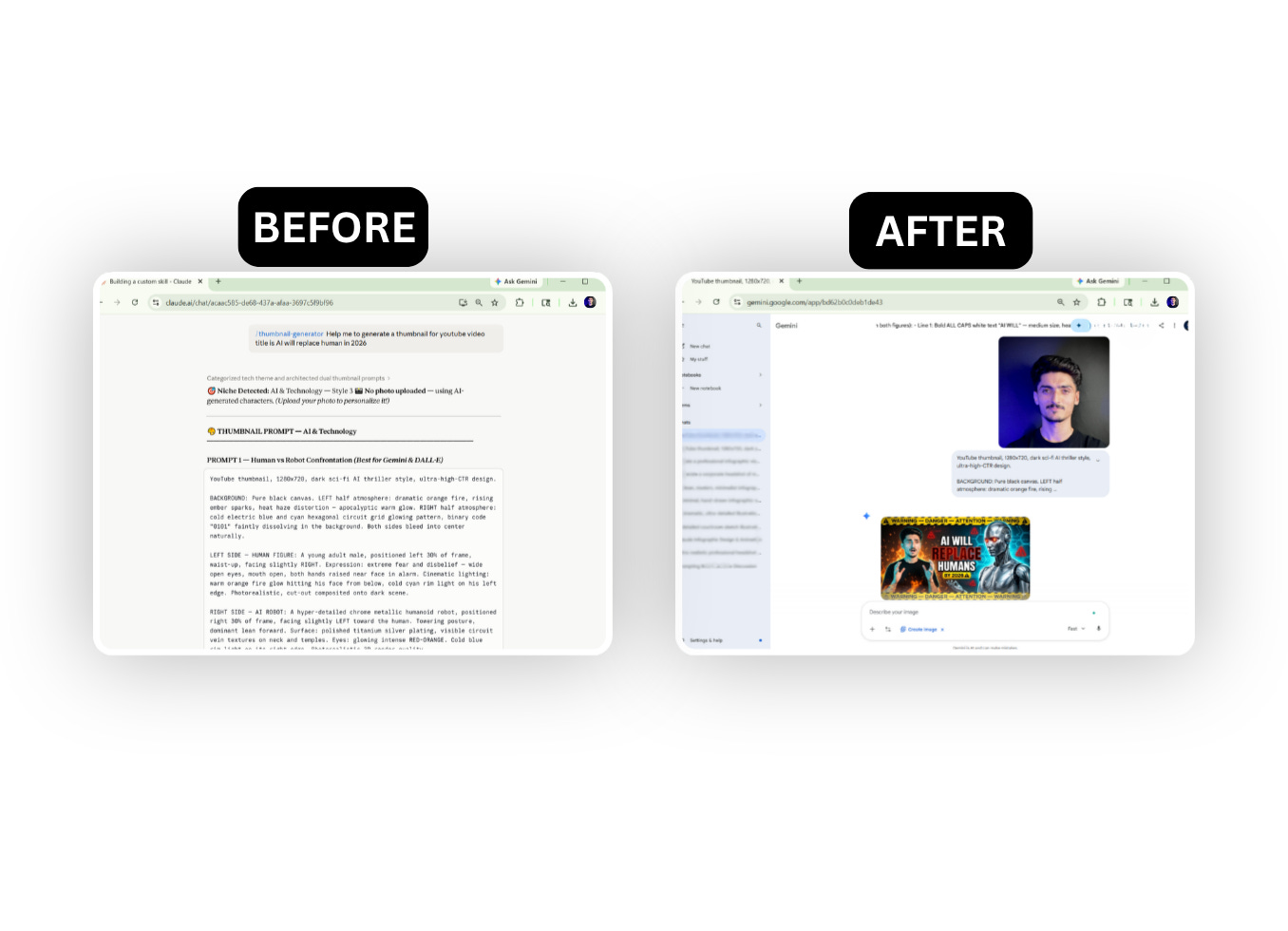
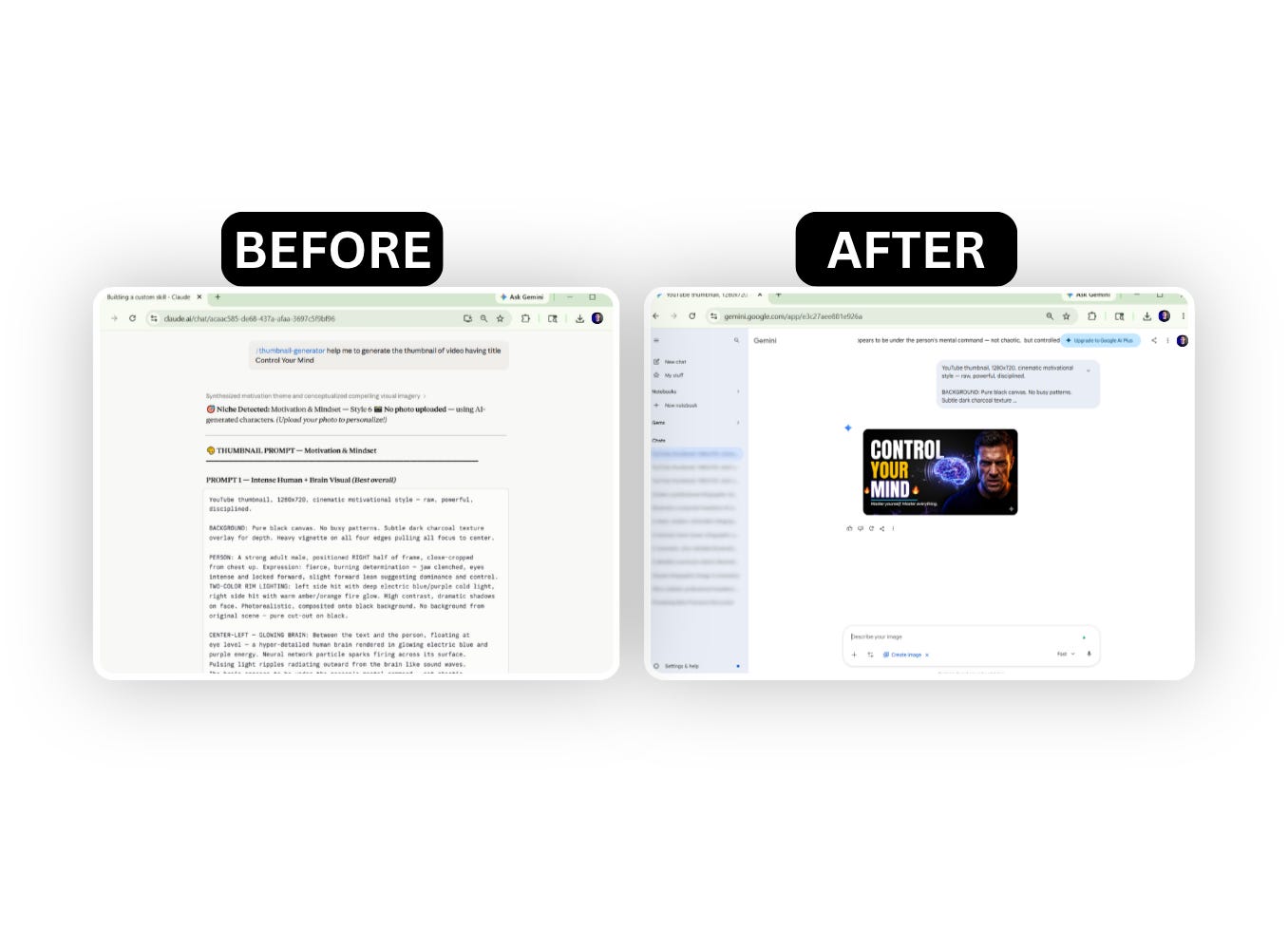
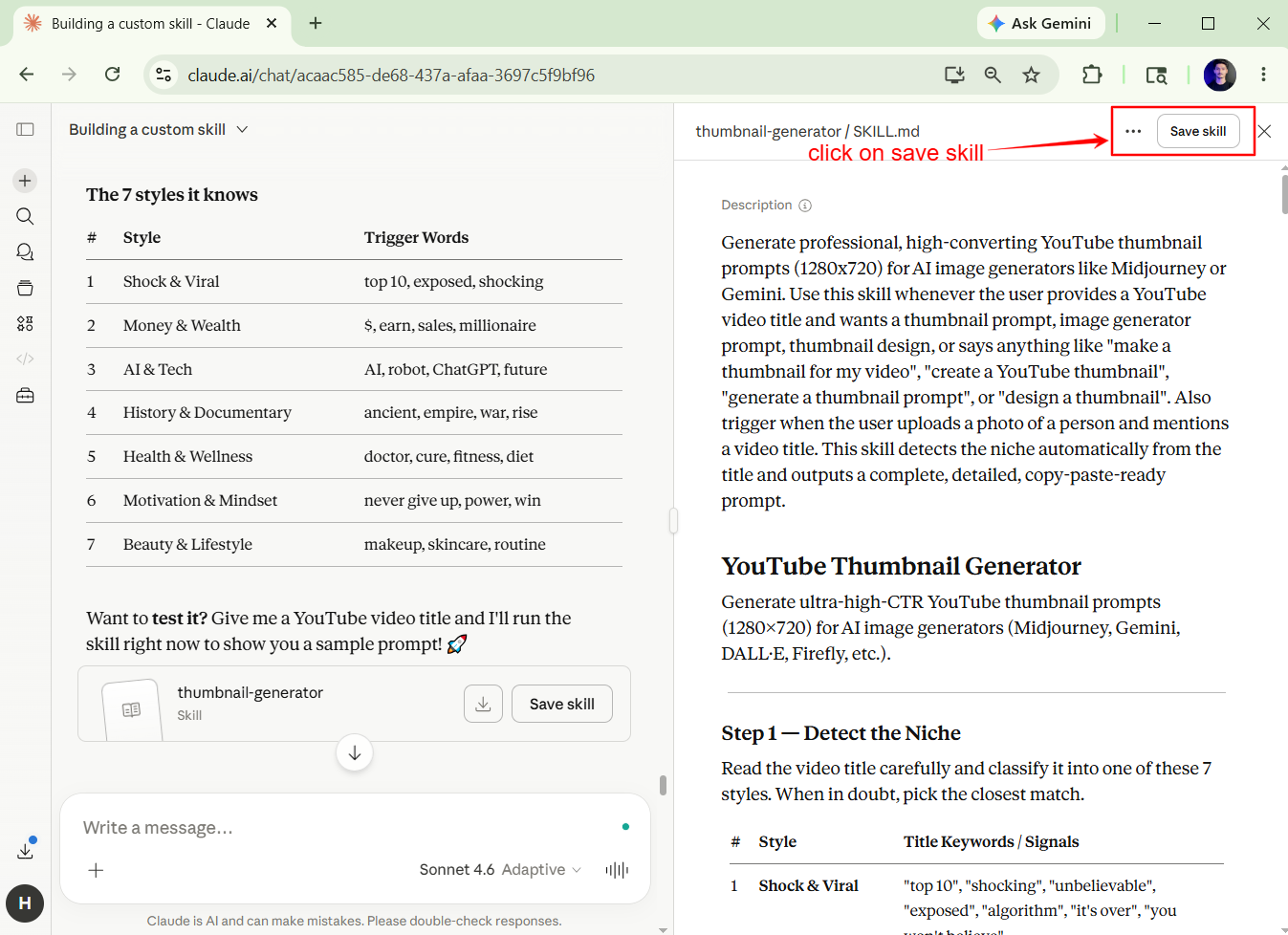 Step 11: Now test the results of your skill.
- AI & Technology-related Thumbnails:
- Motivation & Self-Control Related Thumbnails:
- Wealth & Finance related Thumbnails:
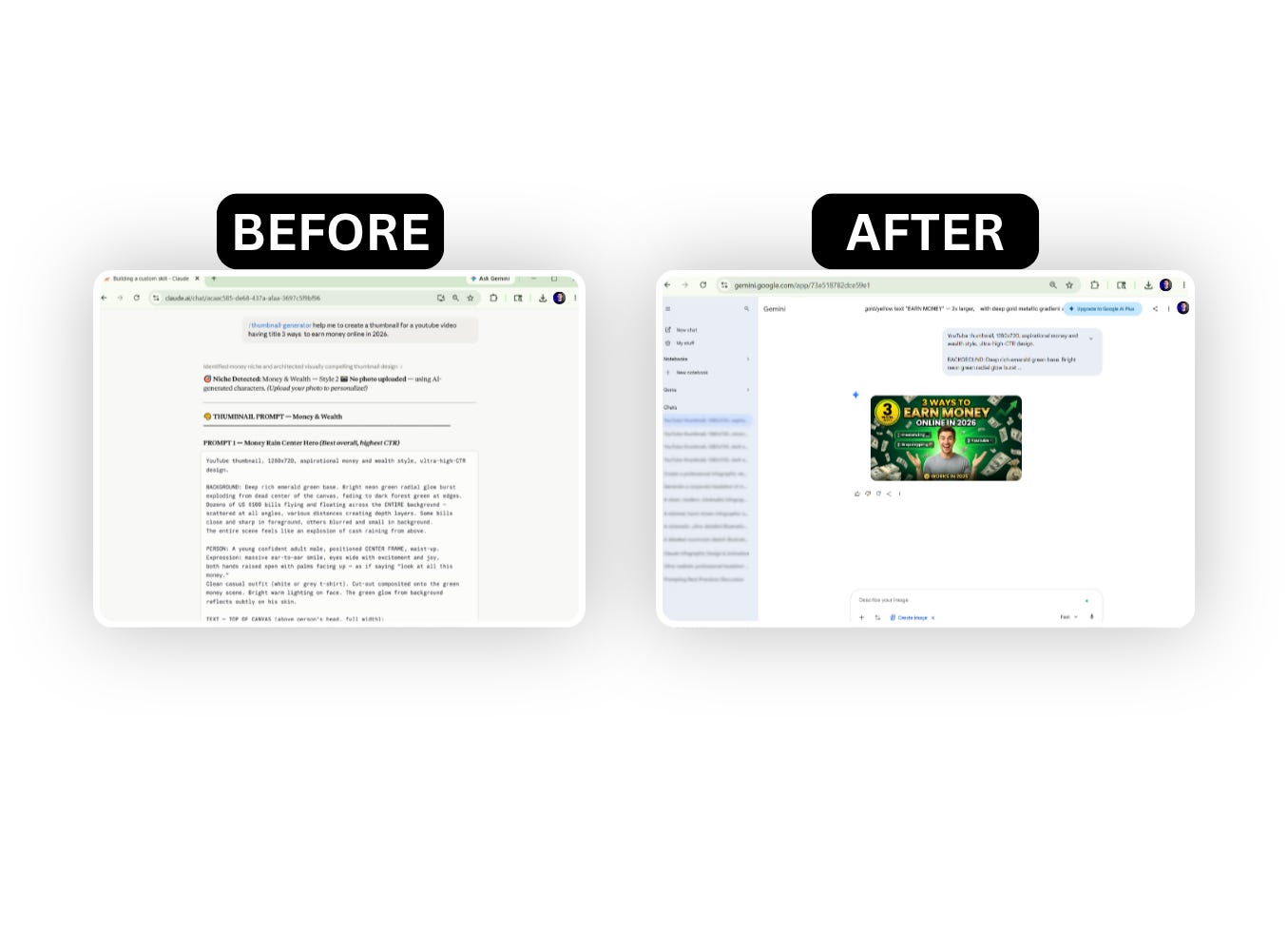
If there’s any error then edit the skill just by typing its trigger name starting with a “/” and then tell the Claude what you want to edit. After this save again the file and check again the results.
Now your skill is developed.
Here’s the use most people don’t think of until they try it once: a Skill for howyouwrite.
A voice skill stores your tone, your formatting preferences, your vocabulary rules, and your banned phrases. Every time Claude writes something on your behalf, it reads this file first.
Quick setup:
- Create
/my\-voice/SKILL\.md - Include: tone description, sentence length preferences, words you never use, words you always use, and your sign-off style
- Add examples - real samples of your writing labeled “good” and outputs labeled “not my voice.”
---
name: my-voice
description: Use this skill any time you are writing as me — emails, posts,
newsletters, replies, or any text that will go out under my name.
---

# My voice
- Direct. No filler. Every sentence earns its place.
- Short sentences. If it can be split, split it.
- I never use: "leverage", "synergy", "at the end of the day", "touch base"
- I always end emails with one clear next step, not a vague close

# Examples of my voice
[PASTE 3-5 REAL SAMPLES OF YOUR OWN WRITING HERE]
“The examples section is worth more than all the rules. Claude learns voice from patterns, not descriptions. Show it. Don’t just tell it.”
Before you move on - pause here. You’re about to write your first Skill. I know it looks like a small markdown file. It’s not small. This one file will outlast 100 prompts. The prompts you write today will be rewritten next week. The Skill you write today will run in the background for months. Take 15 minutes on it. Make it specific. It compounds.
- Content creators
Store your newsletter format, your section structure, and your word count rules. Stop re-explaining your format in every prompt. The skill does it once, permanently.
- Developers Store your tech stack, your naming conventions, your forbidden patterns. Claude stops suggesting libraries you don’t use and starts writing code that fits your repo.
- Consultants and freelancers
Build a client skill per engagement. Store their brand voice, their preferred output format, and their terminology. Onboarding Claude to a new client takes 20 minutes instead of 20 prompts.
- Operators building with the API
Skills are system prompt sections you maintain separately and inject cleanly. Modular, versioned, reusable. Much cleaner than a 3,000-word monolithic system prompt.
These are the use cases that matter. Skip the rest until you’ve nailed these.
This newsletter grows from your shares. If you got value from this, pass it on. Share
A Starter Skills Kit: 3SKILL.MD templates ready to customize.
Includes:
- Thumbnail Generation skill
- Script Writing skill
- Prompt Engineer skill
Click on the Notion link below and get your copy-paste skills:
Click hereto get your gift.
Start with one skill. The one for your most repeated task. Build from there.
I spent the last 2 weeks building aprompt libraryfor content creators, with 150 structured prompts covering content creation across all social media platforms. I’m giving it away in full today.
Here are the few issues that you might have missed (go check them out):
If this issue helped you, forward it to one person who needs it. It’s free, and it takes 10 seconds. Sharing is always caring:)
Become a paid subscriber: Get every past issue of AI In Public, plus exclusive resources, prompts, and early access to everything I build next.
And for shorter takes between issues, follow me on X →Hamza Khalid Hamza 💙
Discussion about this post
Ready for more?
Similar Articles
@techNmak: Someone finally documented how to actually use Claude Code. 58K+ stars. claude-code-best-practice. Direct from Boris Ch…
A comprehensive guide with 58K+ stars on best practices for using Claude Code, covering tips from Boris Cherny and community workflows to maximize agentic engineering.
@humzaakhalid: KARPATHY JUST HANDED EVERY DEVELOPER THE EXACT FILE CLAUDE CODE NEEDED FROM DAY ONE. 65 lines. 110K stars. the cheat co…
Andrej Karpathy created CLAUDE.md, a 65-line configuration file that provides Claude Code with clear rules to avoid common pitfalls like silent assumptions and code bloat, drastically improving developer productivity.
@akshay_pachaar: How to setup your Claude code project? TL;DR Most developers skip the setup and just start prompting. That's the mistak…
A guide on setting up a Claude Code project using the .claude/ folder structure, including configuration for CLAUDE.md, rules, commands, skills, agents, and permissions.
@PratikKadam_: 7 Claude Code features that put you ahead of 99% of people using it (most people use 2 of them) i've spent 1000+ hours …
A guide detailing 7 advanced Claude Code features—including CLAUDE.md memory file, superpowers plugin, hooks, parallel agents, session compression, scheduled agents, and remote control—that help developers ship faster by setting up once and letting AI run efficiently.
luongnv89/claude-howto
A comprehensive, structured guide for mastering Claude Code features, including slash commands, hooks, skills, MCP servers, and subagents, with visual tutorials, copy-paste templates, and a progressive learning path from beginner to power user.