@willmcgugan: Not sure why this tweet in particular took off. I’ve been posting screenshots like this for months. For the uninitiated…
Summary
Will McGugan shares Ishmael, a distraction-free markdown novel-writing app for Mac with chapter management, smart editing, and EPUB/Word export, currently on launch offer.
View Cached Full Text
Cached at: 08/05/26, 06:31 PM
Not sure why this tweet in particular took off. 🤷♂️ I’ve been posting screenshots like this for months. For the uninitiated, this is a WIP markdown editor modelled after Ishmael, a novel writer app you can download.
https://t.co/e6t6PBpgtZ
Ishmael — a distraction-free novel-writing app for Mac
Source: https://ishmael.textualize.io/

Novel Writer
A distraction-free prose editor—beautiful typography, chapter management, and smart editing. Export to an agent-ready manuscript or EPUB.
“”Call me Ishmael. I am software. You are a writer. I can give you a sublime distraction-free prose editor with gorgeous typography. You build worlds. I can help you manage your chapters. You create a plot that keeps the reader guessing. I can export your manuscript to an agent-ready Word document or format it for an e-reader. You create compelling characters. I can show you how your novel will look when it hits the shelves. You create a satisfying ending.
Requires an Apple Silicon Mac, macOS 11 Big Sur or later
Launch offer89\.99**59.99**until 31 October →
Finally a writing app that understands writers and books.
Try Ishmael in your browser
Click the button to open a preview of Ishmael’s editor—just enough features to whet your appetite. Download the app to test all the features free for 14 days.
Bespoke Editing
Your Writing Surface
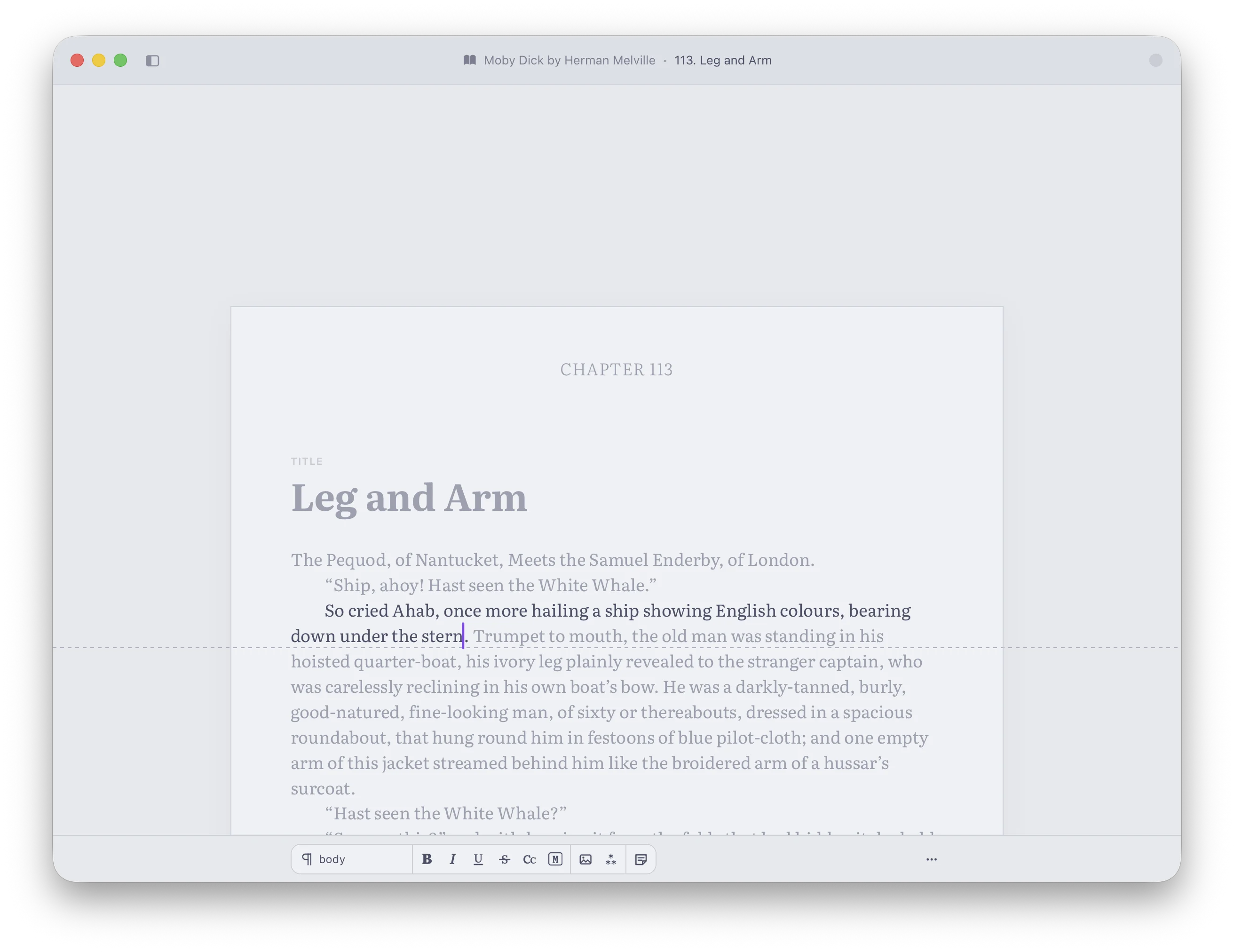
Ishmael takes full advantage of your Mac’s Retina screen to display crisp text in a selection of fonts. Adjust text size, column width, line spacing, paragraph indent, toolbar or no toolbar, for your reading and writing comfort. We call it your writing surface. Make it yours.
Focus highlighting keeps the paragraph and sentence you are working on clearly visible at-a-glance. Typewriter mode means you will never lose your cursor again.
Enable zen-mode for an ultra-minimal writing surface for when you really want to disappear into the work.
Screenshots
 Chapter Management
The Entire Novel
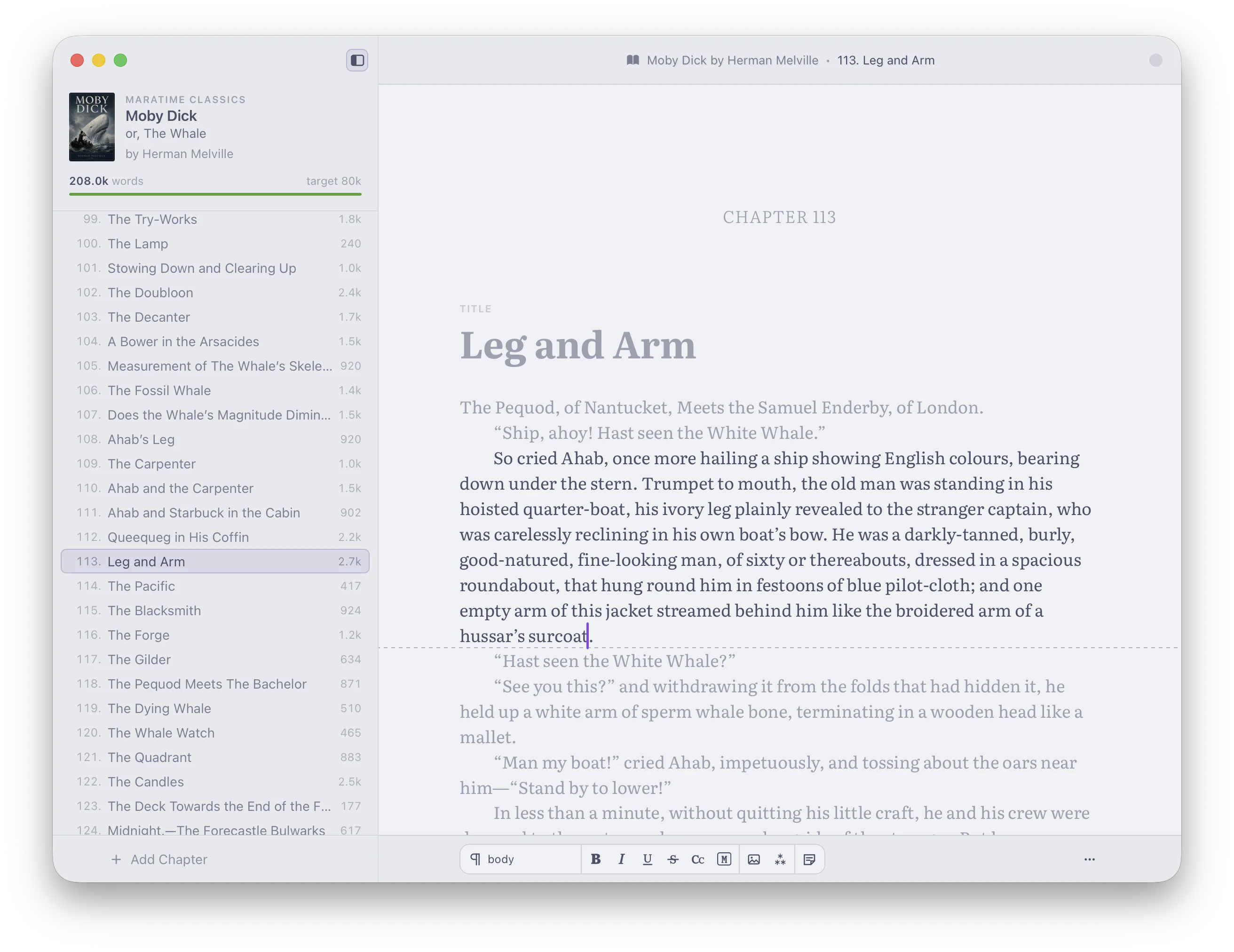
Ishmael understands that you aren’t creating a flyer or a brochure. Novels contain chapters, parts, front-matter, and back-matter.
Say goodbye to monolithic documents and chaotic chapter files with the chapter pane. Switch between chapters instantly and Ishmael keeps your place. Drag a chapter title to change the order—Ishmael will renumber them for you.
Set bookmarks so you can find those pivotal scenes easily. Write just-for-you notes directly in the manuscript. View the shape of your novel from the Outline view.
Smart Editing
Prose is not Lines
Traditional word processors treat prose as a series of lines. Ishmael knows that writers think in words, sentences, paragraphs, and scenes. Never lines.
Ishmael’s innovative editing and navigation features reflect this. Navigate your sentences with a keypress. Select a word, sentence, or paragraph with the tap of a key. Move content forwards or backwards a word, a sentence, or a paragraph at a time—without ever reaching for the trackpad or mouse.
Save time withprose healingwhich automatically fixes editing errors.
 Export
Publish Anywhere
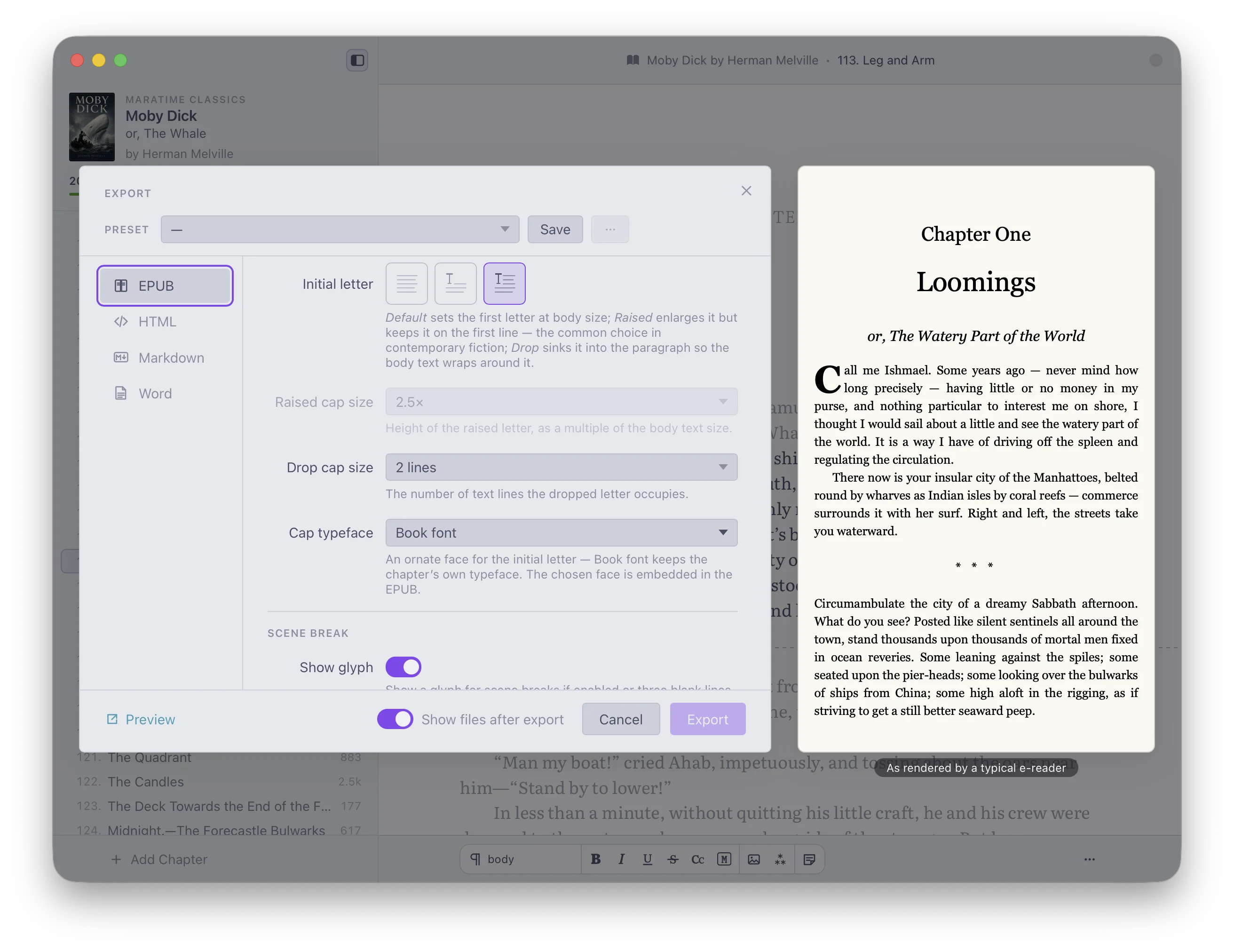
Reach your audience on e-reader or the printed page with Ishmael’s export system. Use the defaults or tune the output—whatever your readers, editor, or publisher expects.
For the self-publishers, export direct to EPUB, the universal format for e-readers. Going the traditional publishing route? Export to a .docx file formatted to the Shunn standard—exactly what literary agents expect. Ishmael also supports HTML for the bloggers, and Markdown for maximum compatibility with other software.
Already have a project you are working on? Don’t worry—Ishmael is equally good atimporting. Import your novel and carry on working from where you left off.
Reader Mode
Words in Print
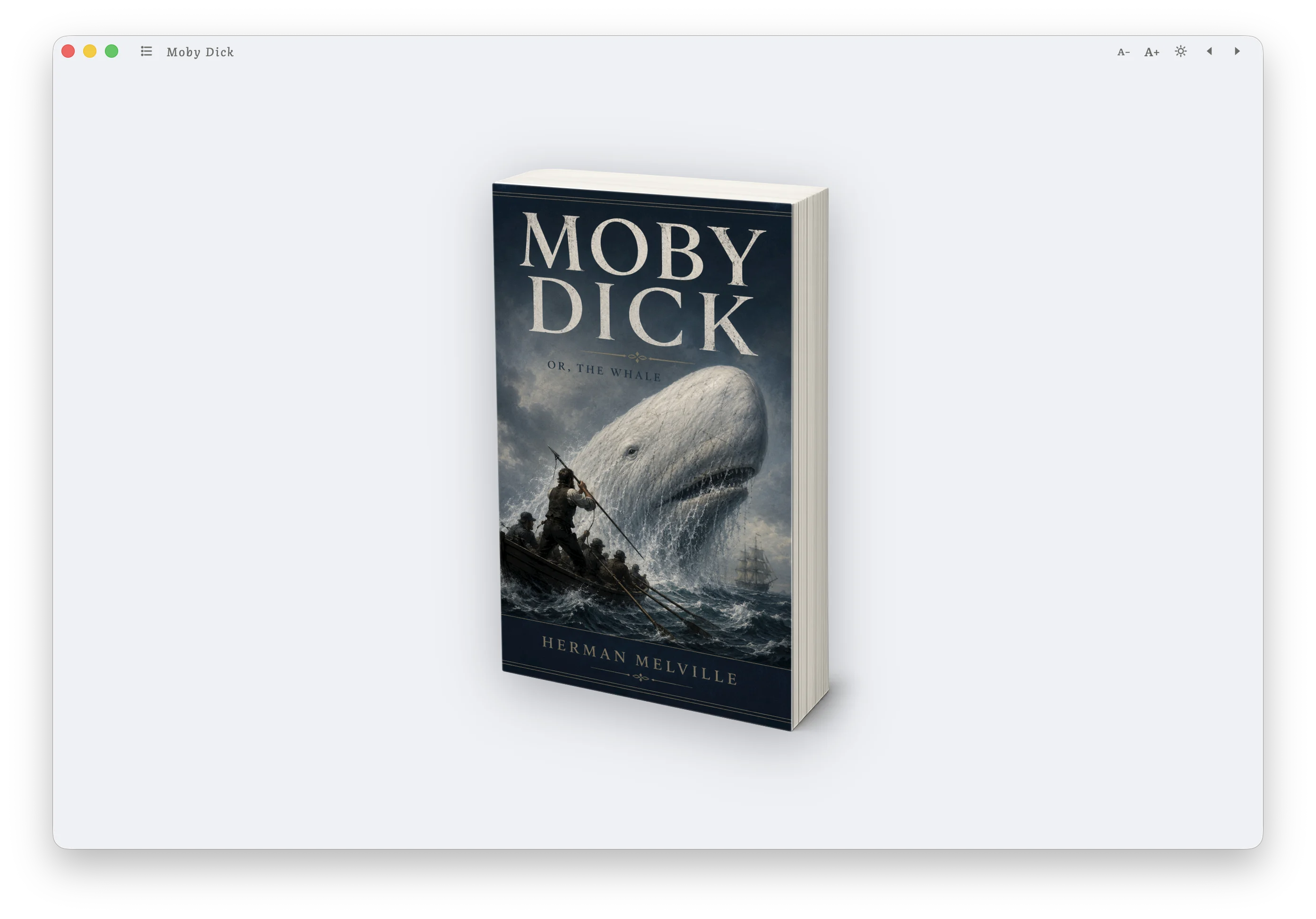
Step out of the editor and into the book it will become. Reader mode lays your manuscript out as a two-page spread—drop or raised caps, page headers, page numbers, justified prose—so you can read each chapter the way your readers will.
Ishmael can’t yet make your manuscriptsmelllike a book, but it can make it look like a book.
Read Ishmael’s manual online—naturally it was written in Ishmael.
Questions
Is Ishmael a subscription?No. Ishmael is a one-time purchase—pay once and it’s yours, with updates included.
Can I try it before I buy?Yes. Download from the App Store and enjoy a free 14-day trial with all features unlocked. I am confident Ishmael will be the best writing app you have ever used.
Will it run on my Mac?Ishmael runs on any Apple Silicon Mac (M1 or later) with macOS 11 Big Sur or newer.
Is my writing private?Completely. Ishmael works entirely on your Mac—your manuscript never leaves your device, is never sent to a server, and is never used to train AI.
Can I bring a manuscript I’ve already started?Yes. Import your existing manuscript in Word or Markdown format and carry on from where you left off.
What can I export to?Word (\.docx, formatted to the Shunn manuscript standard), EPUB for e-readers, plus HTML and Markdown.
Write your novel in Ishmael
Try it free for 14 days.
https://apps.apple.com/app/ishmael-novel-writer/id6787052946Requires an Apple Silicon Mac, macOS 11 Big Sur or later
Works entirely on your Mac—your words never leave your device, and are never used to train AI.
Launch offer89\.99**59.99**until 31 October →
Will McGugan (@willmcgugan): The Markdown editor you never knew you needed?
Similar Articles
The Emacsification of Software
The author discusses the frustration of reading Markdown in the terminal and describes using Claude to quickly build a custom macOS Markdown viewer (MDV.app), illustrating how AI enables rapid creation of personal software tools.
@hellokillian: Inspired by @karpathy :) A local markdown editor + terminal agent workspace.
A developer announced a local markdown editor integrated with a terminal agent workspace, citing Andrej Karpathy as inspiration.
Marked Share
Marked Share is a free tool for editing, reviewing, and sharing Markdown and TextBundle documents with features like highlighting, commenting, and blog feed integration via RSS/Atom and Micro.blog.
Show HN: Building a Markdown editor for Mac, iOS and web
Beauty is a local, cross-platform Markdown editor for Mac, iOS, and web that renders content in place, including KaTeX math and Mermaid diagrams, with features like peer-to-peer sync and version history.
Show HN: Screen memory without screenshots, just text to Markdown
Ambient Context is a macOS menu bar app that captures text from focused windows into Markdown files for LLMs to read, with privacy redaction and no network calls.