@ios_1261142602: 最近发现一个好工具 如果你做完移动端 App,打算制作AppStore、Google 商店宣传图,市面上很多都是SaaS收费的工具,其实这种工具使用并不频繁,如果开通包月SaaS服务有些浪费 推荐一款免费工具 https://opensc…
摘要
推荐一款免费的 App Store/Google Play 宣传图设计工具 Open Screenshot Generator,支持多种设备模板、AI 布局与自动翻译,对标付费 SaaS 产品。
查看缓存全文
缓存时间: 2026/08/10 13:32
最近发现一个好工具
如果你做完移动端 App,打算制作AppStore、Google 商店宣传图,市面上很多都是SaaS收费的工具,其实这种工具使用并不频繁,如果开通包月SaaS服务有些浪费
推荐一款免费工具 https://openscrgen.app
支持iPhone、iWatch、Mac、Google商店屏幕设计,素材非常多、设计精美
对标 theapplaunchpad、previewed、appscreens等付费产品
Open Screenshot Generator | Design & Translate App Store Screenshots
Source: https://openscrgen.app/ Free. Source on GitHub. Runs in your browser
Make your appimpossible toscroll past
Open Screenshot Generator is a design studio for App Store and Play Store graphics. Pick a template, drop in your screenshots, and export every size both stores ask for. Your work stays on your machine unless you invite the AI agent to help
Free forever. No account. No watermark
How it works
Three steps, and that is the whole process
-
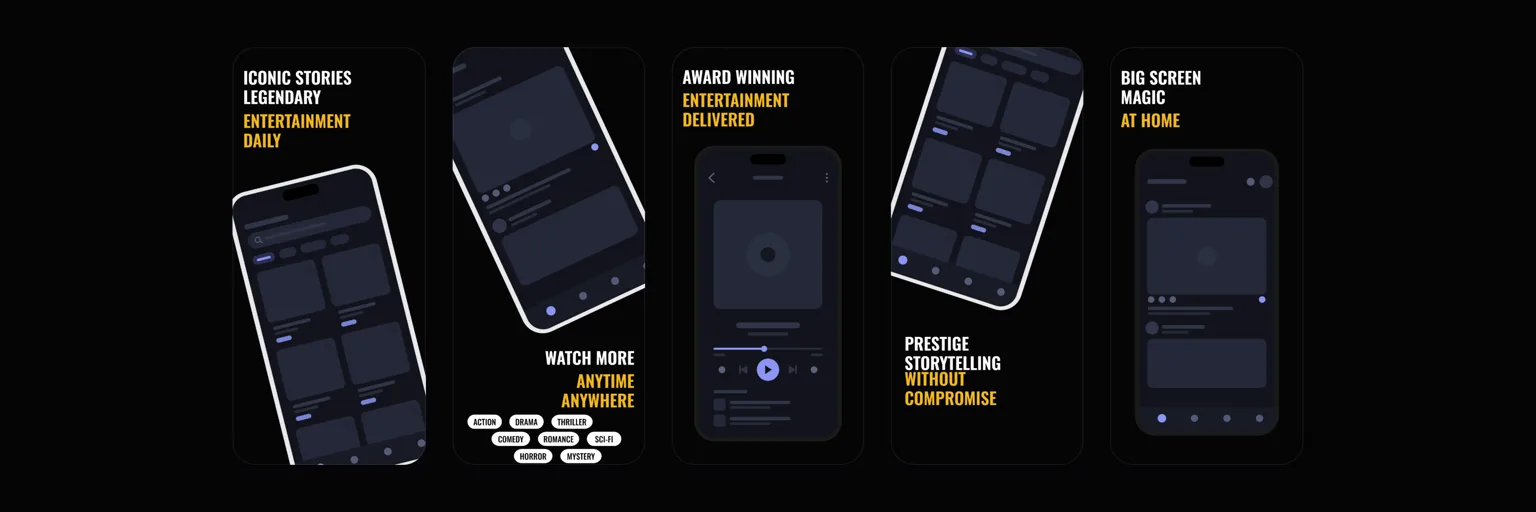
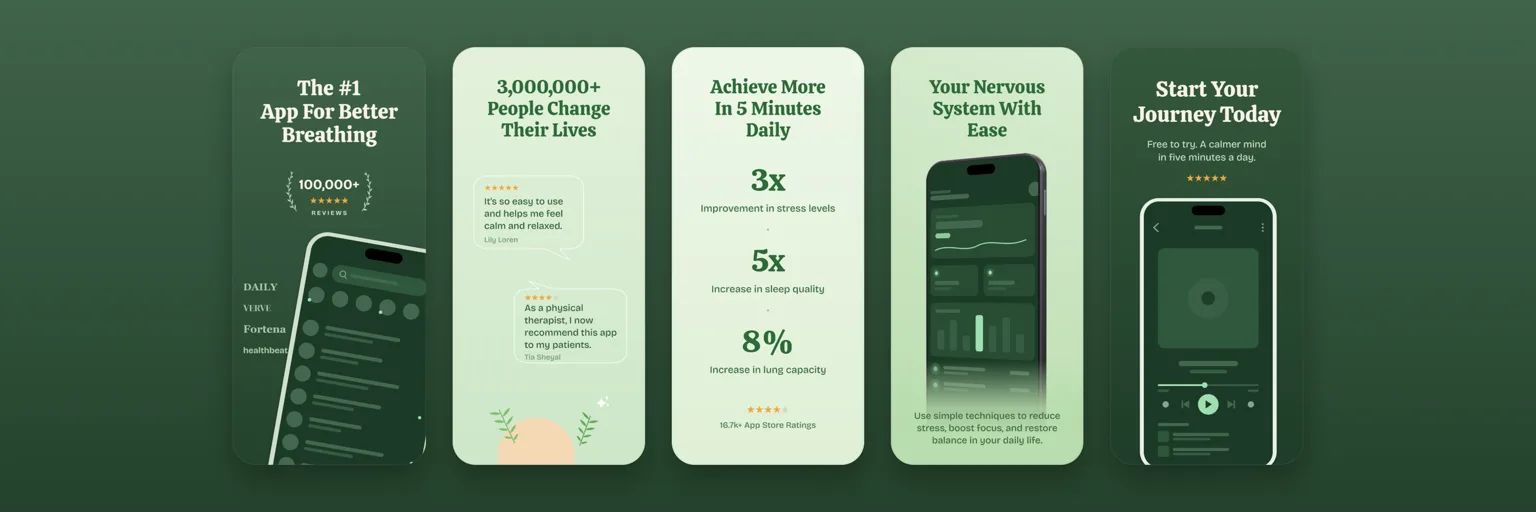
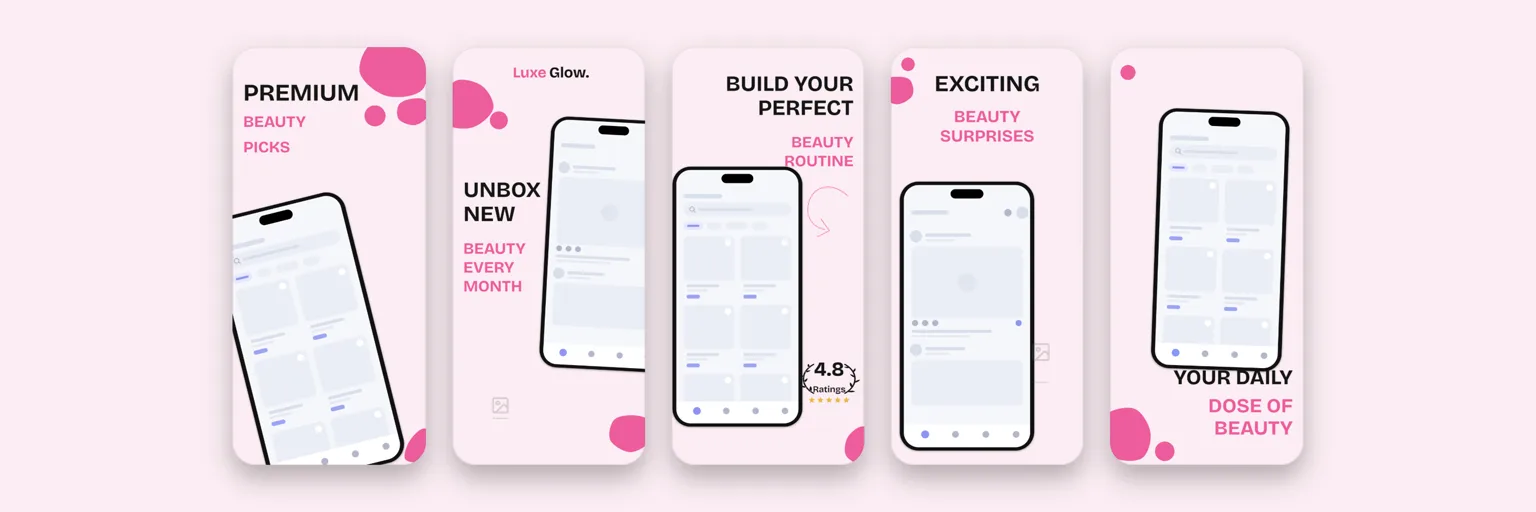
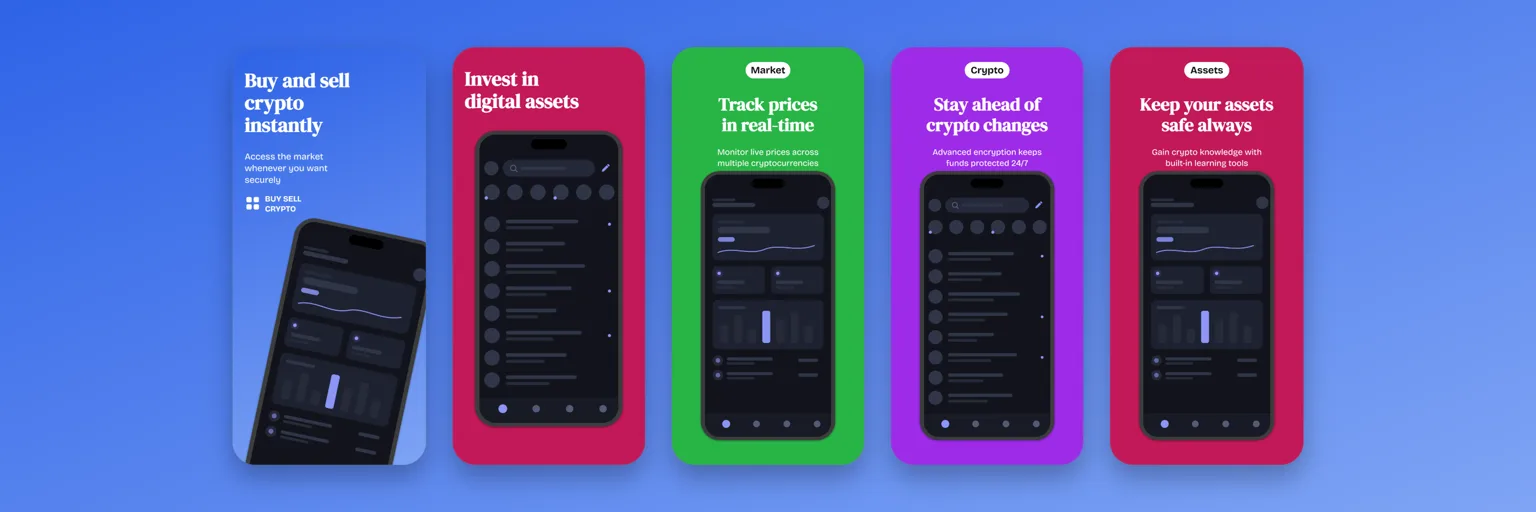
Pick a template Open the gallery and choose a starting point. There are designs for fitness, finance, podcasts, games, chat and plenty more, each one already sized for the stores
-
Drop in your screenshots Upload screens straight from your phone or emulator. They snap into the device frames and stay clipped to the glass, even when you tilt the phone in 3D
-
Export for both stores One click renders every artboard at the exact pixel sizes Google Play and the App Store expect. No resizing in another tool and no rejections over pixels
Templates
Start ahead of theblank page
Every set below was designed and exported inside the app. Streaming, meditation, crypto, podcasts, beauty, games. Pick one and make it yours
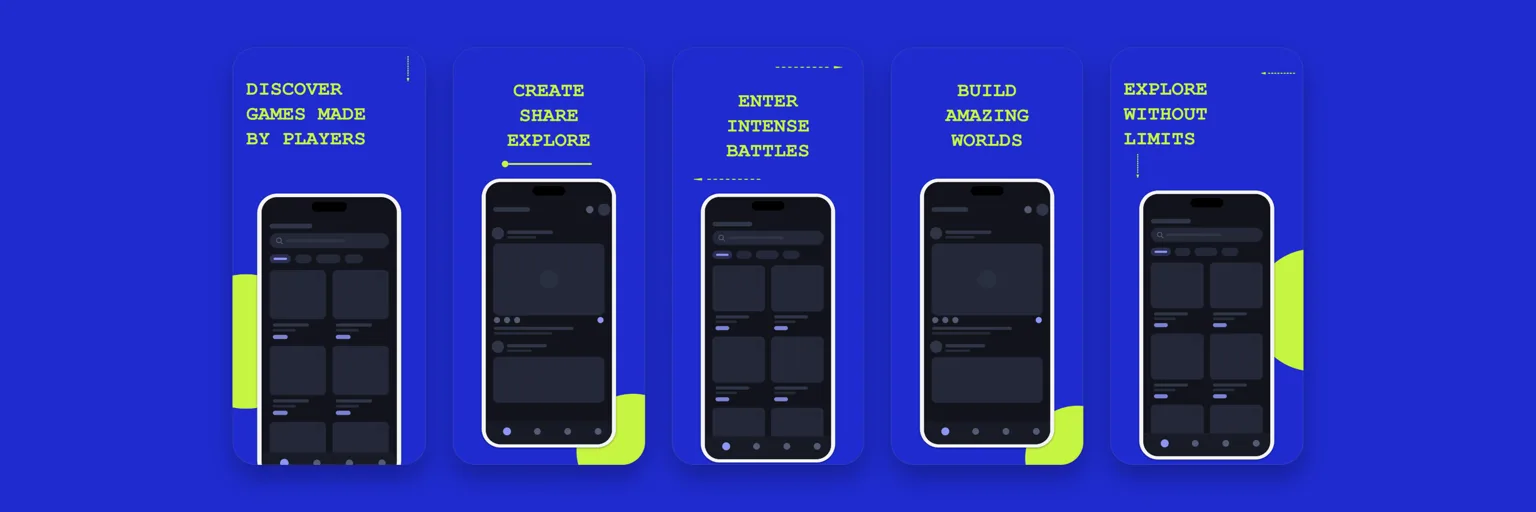
What you get
A real design tool, not a screenshot stamper
-
Every device that matters iPhone, Android, tablets, Macs and Apple Watch. Rotate them, scale them, or tilt them into 3D poses. Screenshots stay clipped to the glass whatever you do to the frame
-
Design tools that respect you Text, shapes, arrows, blobs, speech bubbles and images, all freely placed on artboards with layers and undo across the whole project. A curated set of Google Fonts includes Arabic and Urdu families
-
App preview videos too Drop a screen recording into a phone frame, dress it with headlines and tap hints, and export an MP4. A second mode conforms your raw capture to exactly what App Store Connect accepts, so uploads stop bouncing. Video export needs a browser with WebCodecs, like Chrome or Edge, and the desktop app always has it
-
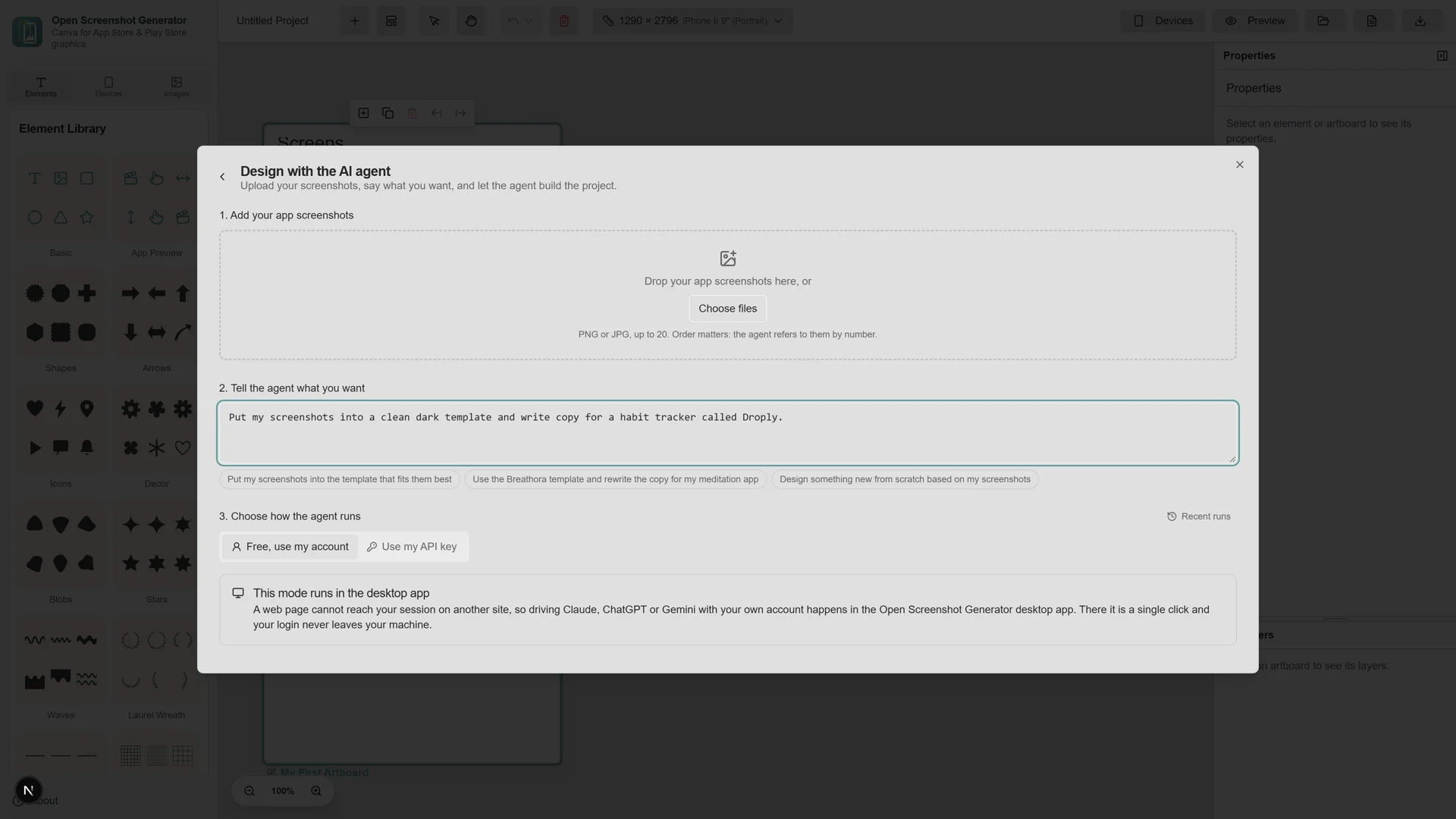
An AI agent that does the layout Hand it your screenshots and one sentence about what you want. It picks a template, places every screen in the right frame, and rewrites the copy for your app
-
Private by architecture There is no backend. Projects live in your browser storage, exports render on your own machine, and your screenshots never travel unless you hand them to the AI provider you choose. Privacy here is not a policy, it is a missing server
-
Automatic Text Translation Localize your graphics for global markets instantly. With a single click, translate all your text elements into over 50 different languages without leaving the editor
-
Source in the open, browser and desktop The full source code is public on GitHub. Use it in any modern browser, or grab the desktop app for Windows, macOS and Linux
The AI agent
Upload screenshots. Say what you want.Done
The agent takes your screens plus a sentence like put these in a clean dark template, then chooses the template, fills every frame, and rewrites the headlines for your app. It never draws freehand, so a weak plan gives you an odd design rather than a broken one
- Use my API keyCalls go straight from your browser to Anthropic, OpenAI or Google. Your key stays on your machine
- Free, use my accountWorks with the Claude, ChatGPT or Gemini session you already have open. Fully automatic in the desktop app. In the browser it works through a small companion extension, with a manual copy and paste fallback
- Free, built inThe desktop app ships keyless providers, including local Ollama and LM Studio
Nothing leavesyour machine
No account. No analytics. No upload. The editor is a static page, your projects live in your own browser storage, and the exports are rendered locally. You could cut your internet after it loads and keep working on the project you have open. The optional AI agent is the one exception, and it only talks to the provider you pick
Your store page could look bettertonight
Open the editor, pick a template, and export something you are proud to ship
Questions
Fair questions, straight answers
Is Open Screenshot Generator really free?Yes. The editor is free. There is no account, no watermark, and no paid tier. The full source code is public on GitHub
Where do my screenshots go when I upload them?Nowhere. The whole editor runs client side in your browser. Projects and uploads are stored in your browser storage on your own machine, and there is no backend to send them to. That storage is a working copy. Clearing your browser site data deletes it, so treat exported PNGs and MP4s as the real output
Which sizes can it export?The export flow asks which store and which device classes you are targeting, then renders each artboard to PNG at the required dimensions for Google Play and the App Store, including iPhone and iPad sizes
Can it make App Store preview videos?Yes. Drop a screen recording into a phone frame, add your headline and tap hints, and export an MP4. A separate mode conforms your raw capture to exactly what App Store Connect accepts, which is 886 by 1920 at 30 fps in H.264. Encoding happens in your browser and nothing is uploaded. Video export uses WebCodecs, which Chrome, Edge and the desktop app support. On other browsers the export stops with a clear message, and PNG export works everywhere
Does the AI agent need an API key?Not necessarily. You can bring your own key for Anthropic, OpenAI or Google, or use the accounts you are already signed into, like Claude, ChatGPT or Gemini. The desktop app drives the signed in mode automatically. In the browser it works through a small companion extension, with a manual copy and paste fallback. The desktop app also ships keyless providers
Do I need design skills?No. Templates carry the design decisions for you. Pick one, swap in your screenshots, adjust the words, and export. If you enjoy designing, the full editor with text, shapes, fonts and 3D device poses is there too
相似文章
@bkdgiffug: iOS开发的兄弟们,上架App Store最头大的真是写代码?那个破宣传截图才要命。 尺寸规范一堆、设计得好看、搞不好还被拒,这套流程谁折腾谁知道。有个开源工具专门治这个:App Store Screenshots Generator。你…
这篇帖子介绍了一个开源工具 App Store Screenshots Generator,它能通过 AI 编程助手自动生成 Next.js 截图编辑器,快速制作符合 App Store 和 Google Play 规格的营销截图。
@ios_1261142602: 最近发现一个好工具 如果你做完iOS App,打算制作宣传视频。推荐一款免费开源工具 https://github.com/ronaldo-avalos/Maya… 支持手机壳、精美的背景色、动画、镜头缩放、时间轴线性编辑 对标matte…
推荐一款免费开源的 macOS 工具 Maya,可将 iPhone 屏幕录制包装成带有设备边框、动画和缩放效果的精美宣传视频,对标 matte 等付费产品。
appdesigns
Appdesigns 是一款免费的基于浏览器的编辑器,用于创建 App Store 和 Google Play 的截图,允许用户使用设备框架、标题和其他元素进行设计,并以所需尺寸导出,无水印。
@I00B6: 别急着给 Mac 软件续费/购买各种APP 最近发现一个开源菜单栏工具,几乎把一堆常用付费工具的功能全做进去了 音量控制、系统监控、窗口切换、文件暂存、应用卸载、防休眠…… 一个 App 全包,而且免费、开源、无广告、本地运行 开源生态现…
介绍一款开源Mac菜单栏工具Vorssaint,它整合了音量控制、系统监控、窗口切换等多项常见付费功能,免费无广告且本地运行。
AppGrowthKit
AppGrowthKit 是一款 AI 驱动的工具,可自动化创建 App Store 和 Google Play 的截图,包括设备边框、AI 生成的布局和文案,并支持一键导出,专为独立开发者和团队设计。