datasette-llm 0.1a11 adds support for OpenAI-compatible endpoints, letting Datasette use local models hosted via LM Studio, Ollama, or llama.cpp to power the Datasette Agent chat interface.
# Release: datasette-llm 0.1a11
Source: [https://simonwillison.net/2026/Nov/14/datasette-llm/](https://simonwillison.net/2026/Nov/14/datasette-llm/)
`datasette\-llm`is the intermediate plugin for Datasette that supports configuring LLMs for use with other Datasette plugins\.
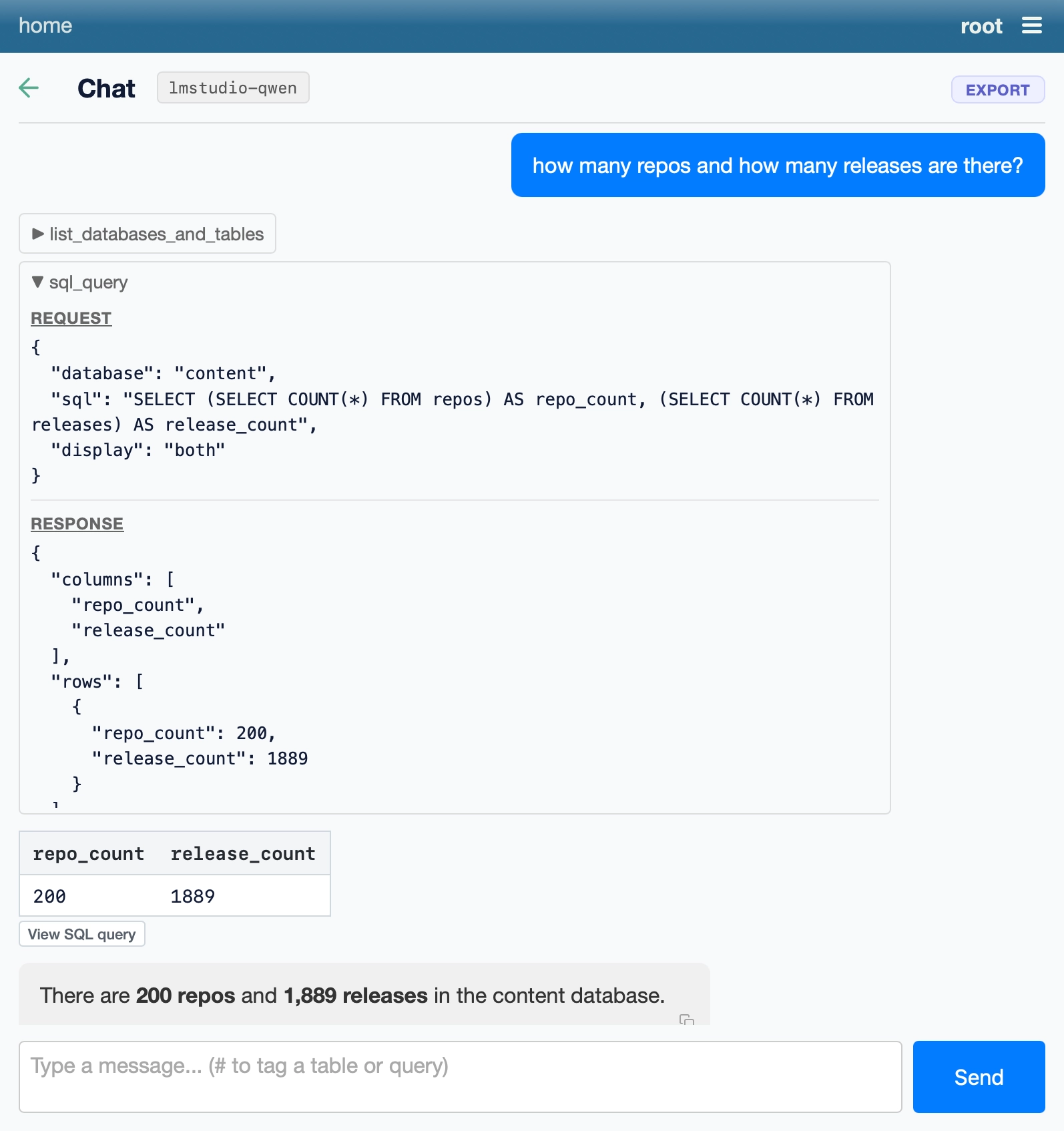
This release adds support for OpenAI\-compatible endpoints, so you can configure Datasette to use an LLM hosted anywhere that talks the OpenAI pseudo\-standard web protocol\.
This means that if you're running local models with[LM Studio](https://lmstudio.ai/)or[Ollama](https://ollama.com/)or[llama\.cpp](https://github.com/ggml-org/llama.cpp)\(which just hit[v1\.0\.0](https://huggingface.co/blog/ggml-org/llama-cpp-v1)\) you can run Datasette via`uvx`like this:
```
wget https://datasette.io/content.db
uvx --with datasette-agent datasette \
--root --secret 1 \
-s plugins.datasette-llm.default_model '{
"model": "lmstudio-qwen",
"model_name": "qwen/qwen3.8-27b",
"api_base": "http://localhost:1234/v1"
}' content.db
```
And you'll get a local server running a Datasette Agent instance powered by your local model\!
datasette-llm 0.1a8 is a new release of a Datasette plugin that integrates large language models, enabling querying and analysis with LLMs directly within Datasette.
datasette-llm 0.1a9 now picks up the default model configured in LLM, so users can start Datasette Agent without explicitly specifying a default model.
Datasette-llm 0.1a7 is a new alpha release of a plugin that provides LLM integration for Datasette, enabling plugins to configure default options for specific models.