@CycleDecoded: Unbelievable! Finally, an end to CSDN's forced login copying. A GitHub developer created a tool that strips the veil off these restrictive content sites. The project is called code-box, a pure open-source browser extension targeting CSDN, Zhihu, Juejin, Blog Park, Script Home...

X AI KOLs Timeline Tools

Summary

code-box is an open-source browser extension that automatically removes forced login and copy restrictions on sites like CSDN and Zhihu. It supports one-click download of articles as Markdown or HTML, and blocks annoying pop-ups.

Unbelievable, my friends. We have long suffered from CSDN's mandatory login to copy. A guy on GitHub got so angry that he created a miracle tool, directly stripping the veil off these rogue content sites in China. This project is called code-box, a pure open-source browser extension. It specifically targets CSDN, Zhihu, Juejin, Blog Park, and Script Home. Its only purpose is to forcefully break through the restrictions and give you a clean reading experience. Core features are powerful: - Copy code without login: No scanning QR codes, no logging in. Just grab the code with one click. - Force remove follow restrictions: Whatever "follow the blogger to read full text" barriers, all forcibly unlocked. If you know, you know. - One-click article download: Download entire articles as Markdown or HTML. Stockpile locally for offline reading. - Rogue popup killer: Annoying login popups, forced redirect to app notifications, all smashed. GitHub: https://github.com/027xiguapi/code-box
Original Article
View Cached Full Text

Cached at: 07/06/26, 04:16 PM

No way, folks. We’ve all suffered from CSDN’s forced login to copy for too long. A guy on GitHub got so fed up that he built a tool that totally exposes these domestic流氓内容站.

The project is called code-box — a fully open-source browser extension. It specifically targets CSDN, Zhihu, Juejin, Cnblogs, and JB51. Its only goal: forcefully break through their restrictions and give you a clean, uninterrupted reading experience.

Core features are ruthless:

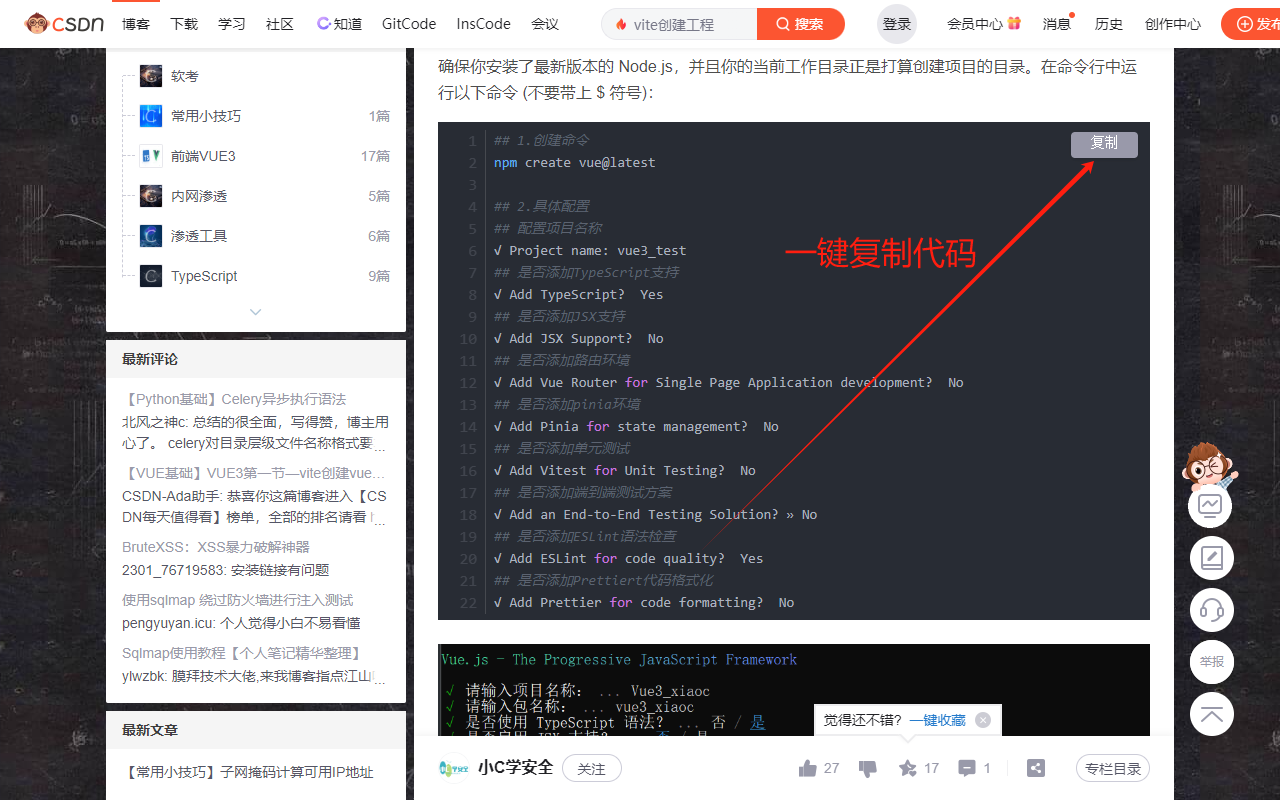
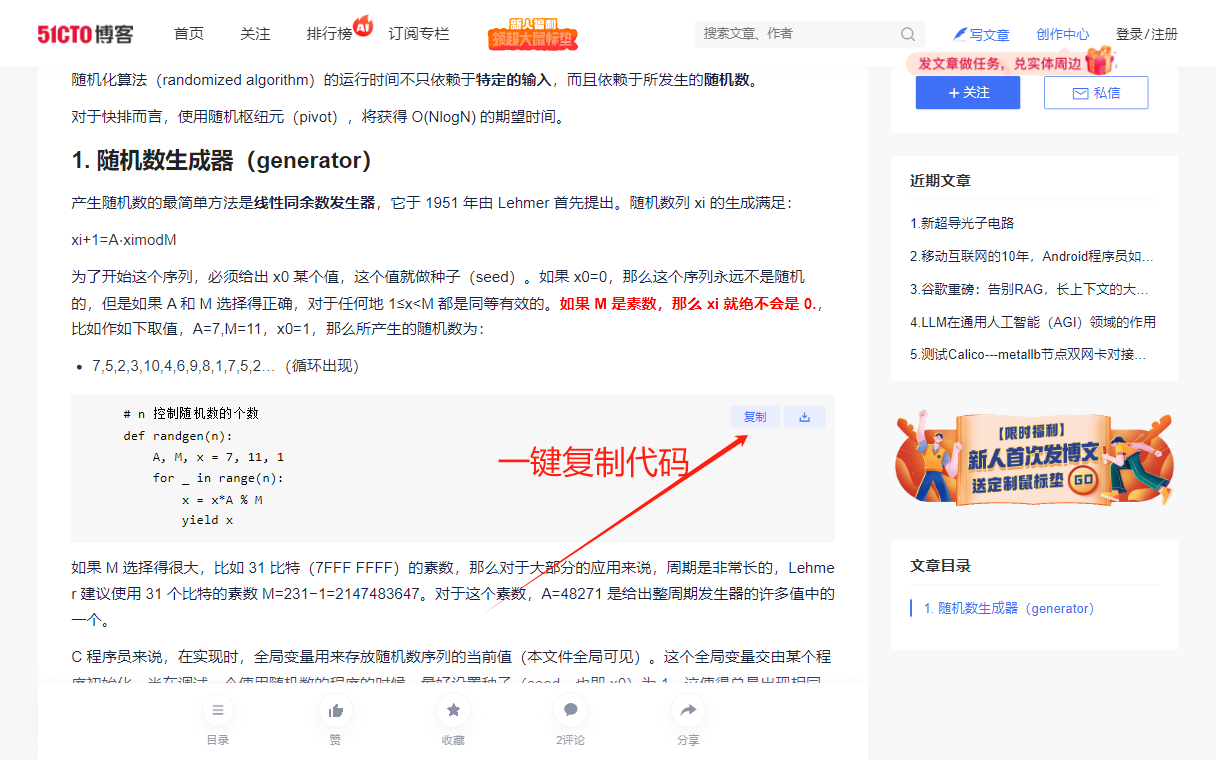
  • Copy code without login: No scanning, no login. Grab code with one click.
  • Force-unlock follow requirements: “Follow the blogger to read the full article”? All forcefully unlocked. You know what I mean.
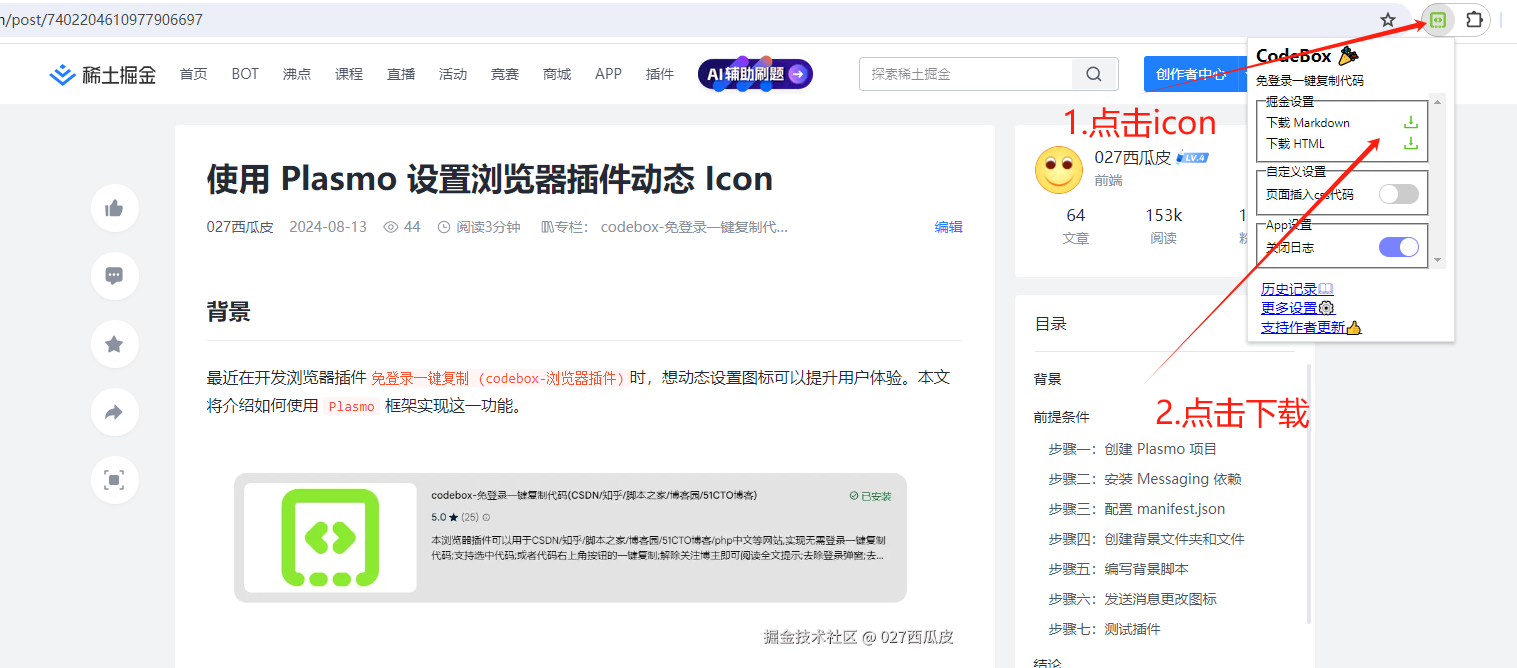
  • One-click article scraping: Download the entire article as Markdown or HTML. Perfect for offline hoarding.
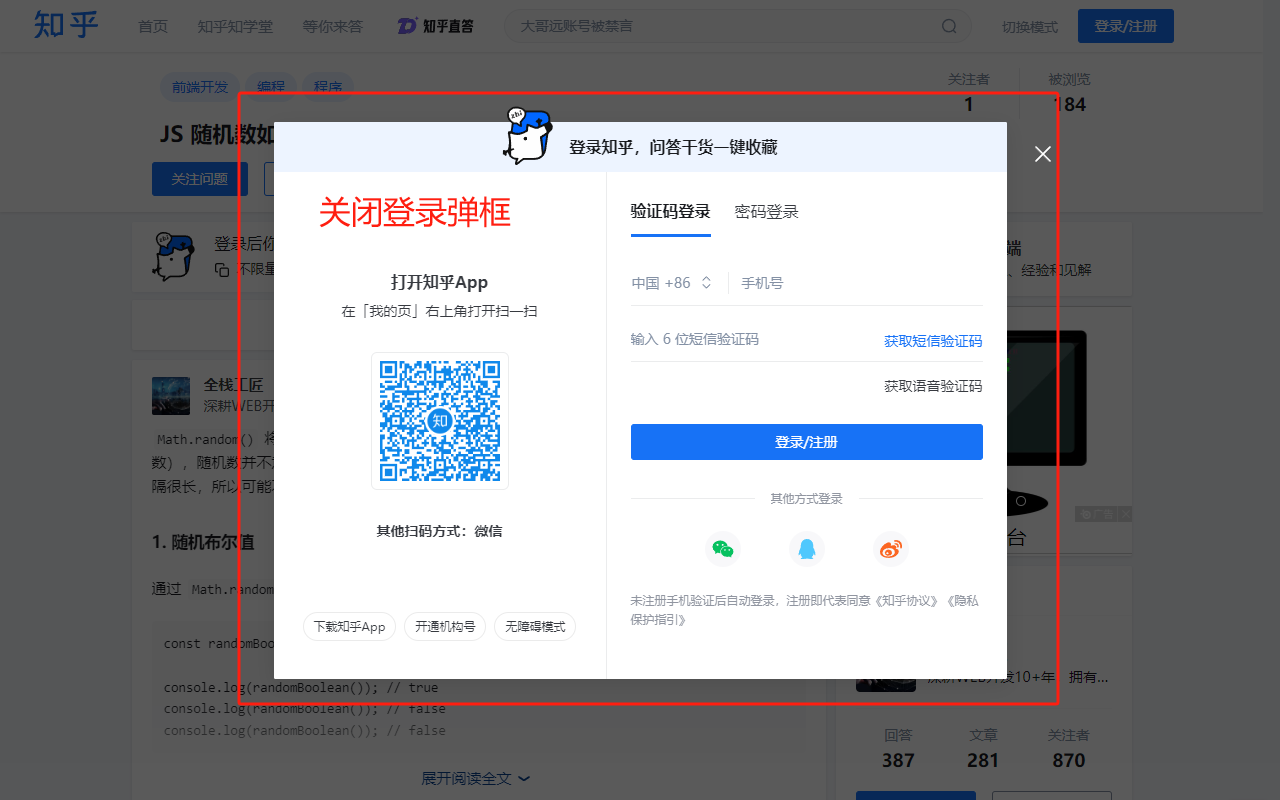
  • Rogue popup killer: Nasty login popups and forced app redirect prompts? All obliterated.

GitHub: https://github.com/027xiguapi/code-box


027xiguapi/code-box

Source: https://github.com/027xiguapi/code-box

codebox - One-click copy code / download articles

中文 | English

Website

  1. Official site: https://www.code-box.fun/
  2. Docs: https://code-box.fun/docs

Introduction

This browser extension works on sites like CSDN, Zhihu, JB51, Cnblogs, 51CTO Blog, PHP Chinese website, Juejin, WeChat, etc. Features include: one-click download of articles as HTML or Markdown files; copy code without login; select code; one-click copy via button at top-right of code blocks; remove “follow blogger to read full article” prompts; remove login popups; remove app redirect popups.

Installation

Method 1: Extension stores (recommended)

Directly download and install:

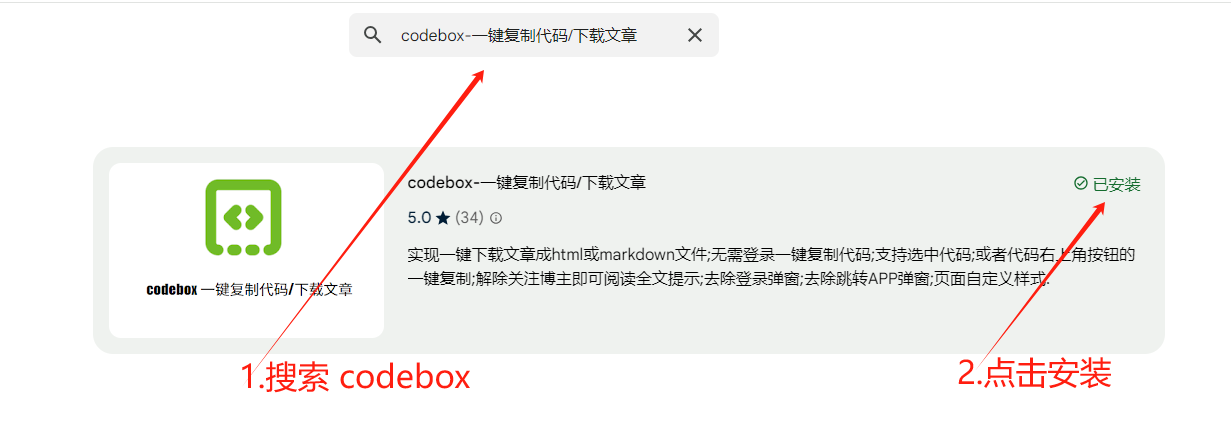
  1. Go to the store:

    • Chrome Web Store (https://chrome.google.com/webstore/category/extensions?hl=en)
    • Edge Add-ons (https://microsoftedge.microsoft.com/addons/Microsoft-Edge-Extensions-Home?hl=en)
    • 360 Browser Extensions (https://ext.se.360.cn/#/extension-detail?id=acnnhjllgegbndgknlliobjlekgilbdf)
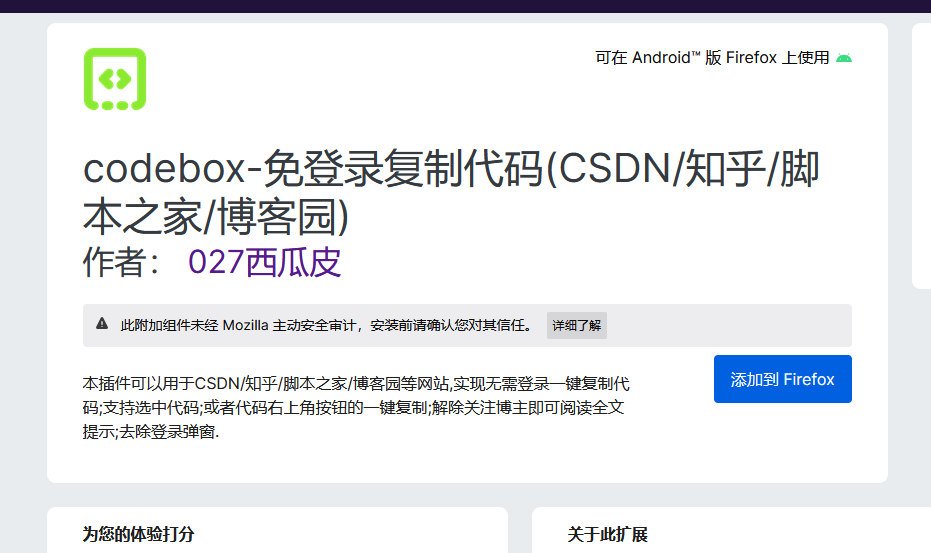
    • Firefox Add-ons (https://addons.mozilla.org/en-US/firefox/)
  2. Search: codebox

0f8137ce6861f2a387095aef446fe60 img 1724640161752

Method 2: Direct installation

  1. Install links:
    • Chrome Web Store (https://chrome.google.com/webstore/detail/acnnhjllgegbndgknlliobjlekgilbdf)
    • 360 Browser Extensions (https://ext.se.360.cn/#/extension-detail?id=acnnhjllgegbndgknlliobjlekgilbdf)
    • Firefox Add-ons (https://addons.mozilla.org/en-US/firefox/addon/code-box/)
    • Edge Add-ons (https://microsoftedge.microsoft.com/addons/detail/code-box/cfpdbfmncaampihkmejogihjkenkonbn)

Method 3: Download via WeChat official account

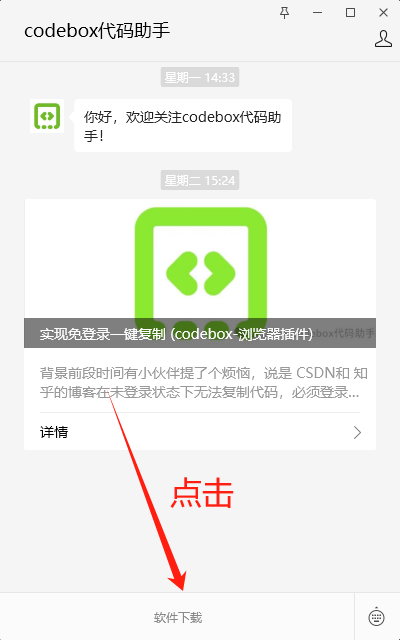
  1. Follow the official account

img

  1. Click Software Download

img

Method 4: Install from source

  1. Clone the source code
    git clone https://github.com/027xiguapi/code-box.git
    
  2. Install and build
    pnpm install
    pnpm dev
    pnpm build
    
  3. In Chrome, go to Menu (three dots) > More Tools > Extensions to open the extensions management page, or visit chrome://extensions directly.
  4. Enable Developer mode, then load the unpacked extension from the folder.

Features

img-1

Custom

  • Insert custom CSS styles
  • Download all images
  • Custom selection to download HTML
  • Custom selection to download Markdown
  • Custom selection to download PDF

WeChat

  • Insert custom CSS styles
  • One-click download article as HTML
  • One-click download article as Markdown
  • One-click download article as PDF
  • One-click download all images

Juejin

  • Insert custom CSS styles
  • One-click download article as HTML
  • One-click download article as Markdown
  • One-click download article as PDF

CSDN

  • One-click download article as HTML, PDF, or Markdown
  • Copy code from any CSDN blog immediately
  • Select code without logging in to CSDN
  • One-click copy via the button at top-right of code blocks without logging in
  • No forced login popups without logging in to CSDN
  • No “follow blogger to read full article” prompts when not following, and full article is displayed
  • Auto-expand code blocks
  • Mobile: block app redirects
  • Non-VIP users: no VIP prompts, full article displayed
  • Insert custom CSS styles

Zhihu

  • One-click download article as HTML, PDF, or Markdown
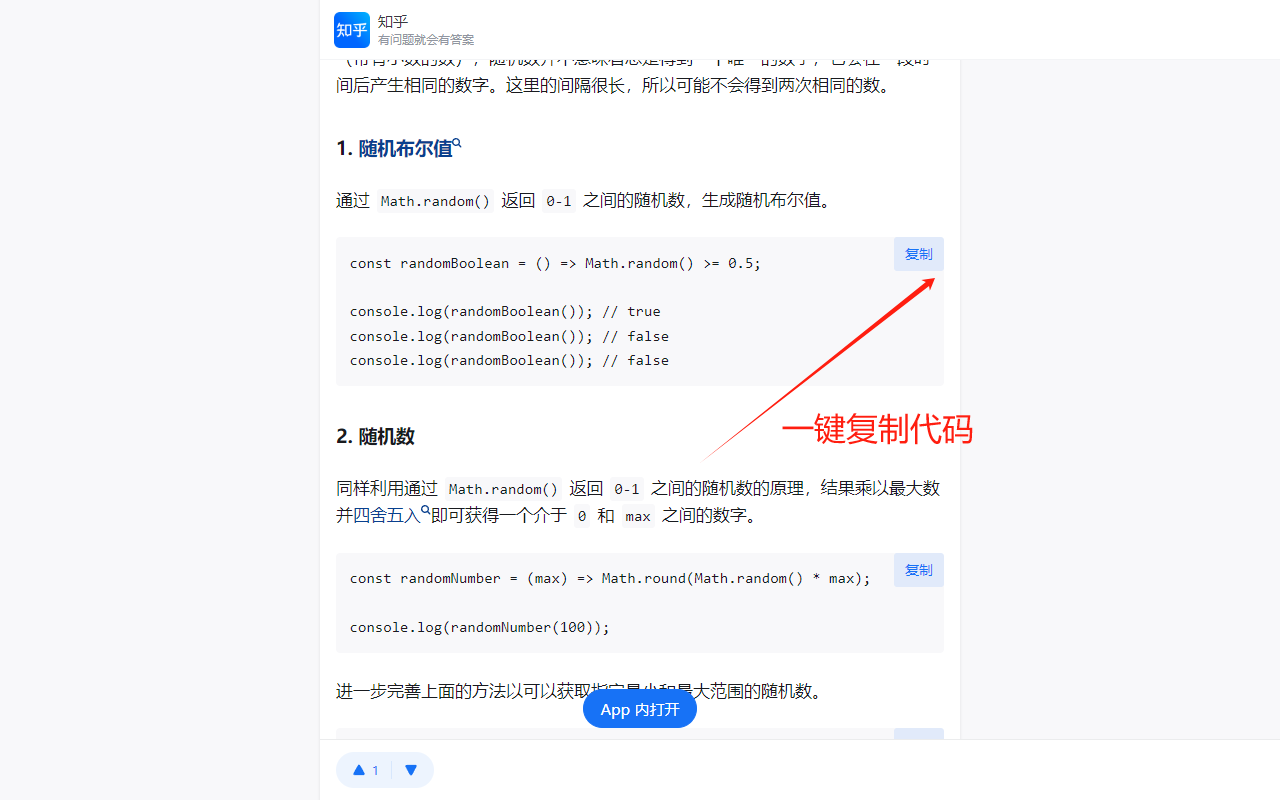
  • One-click copy code
  • No “expand to read full article” prompt without logging in, full article displayed
  • No forced login popups without logging in to Zhihu
  • Insert custom CSS styles

Baidu

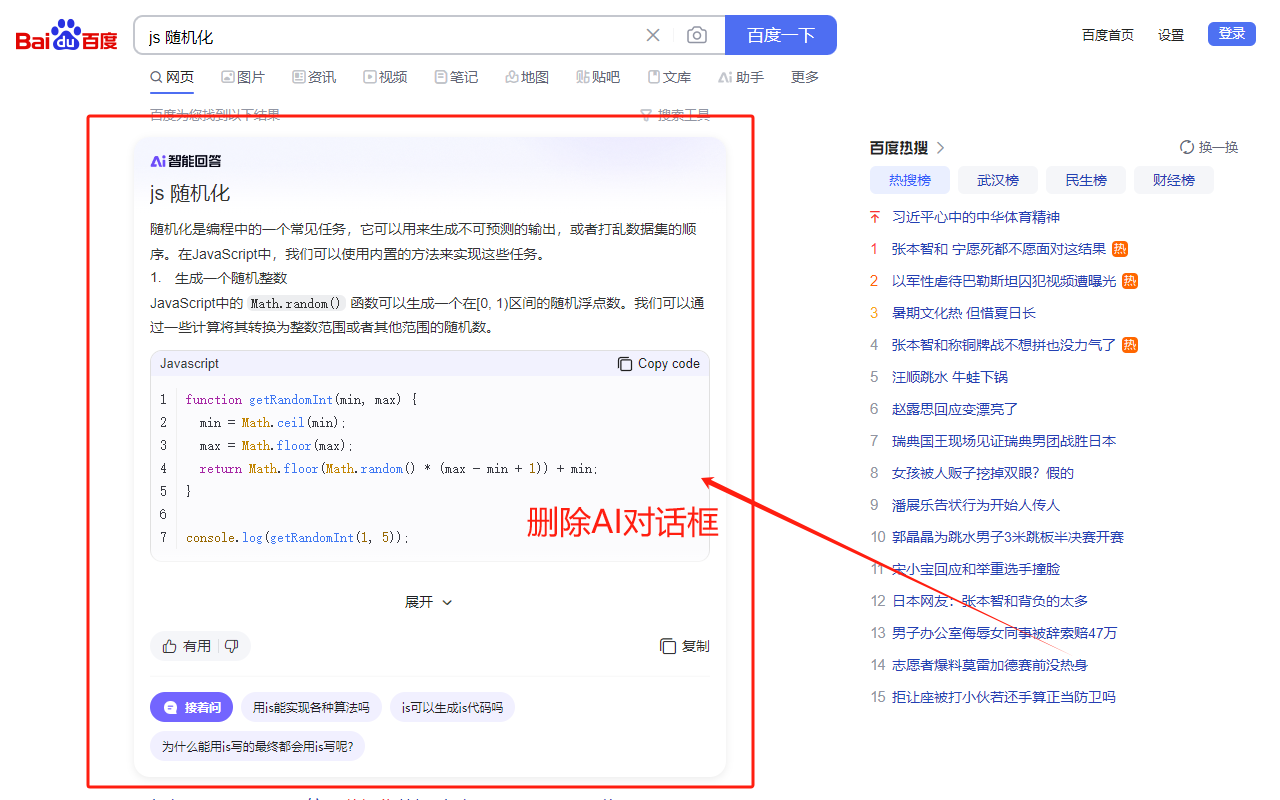
  • One-click download dialog content as HTML, PDF, or Markdown
  • Close AI dialog

Jianshu

  • One-click download article as HTML, PDF, or Markdown
  • Mobile: one-click copy code
  • No “expand to read full article” prompt, full article displayed
  • No forced login popups
  • Insert custom CSS styles

JB51 (Script Home)

  • One-click download article as HTML, PDF, or Markdown
  • Copy code from any JB51 blog immediately
  • Select code without logging in to JB51
  • Block ads
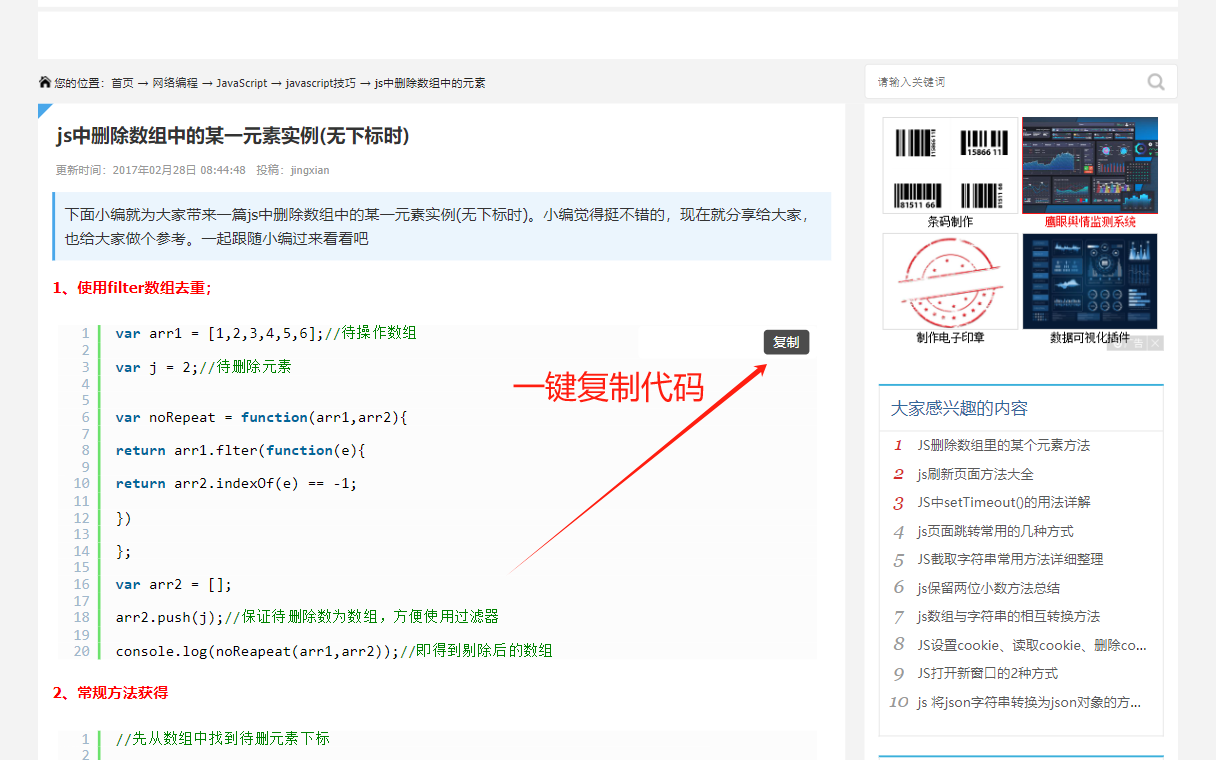
  • Mobile: one-click copy via button at top-right of code blocks without logging in to JB51
  • Insert custom CSS styles

Cnblogs

  • One-click download article as HTML, PDF, or Markdown
  • One-click copy code
  • Insert custom CSS styles

51CTO Blog

  • One-click download article as HTML, PDF, or Markdown
  • Select code without logging in to 51CTO Blog
  • One-click copy via button at top-right of code blocks without logging in
  • No forced login popups without logging in to 51CTO Blog
  • Mobile: one-click copy via button at top-right of code blocks without logging in
  • Insert custom CSS styles

PHP Chinese Website

  • One-click download article as HTML, PDF, or Markdown
  • Select code without logging in to PHP Chinese Website
  • One-click copy via button at top-right of code blocks without logging in
  • No forced login popups without logging in to PHP Chinese Website
  • Mobile: one-click copy via button at top-right of code blocks without logging in
  • Insert custom CSS styles

img img img img img img img img img

References

  1. copy-csdn (https://github.com/openHacking/copy-csdn)
  2. plasmo (https://github.com/PlasmoHQ/plasmo)
  3. Chrome Web Store one-stop support (https://support.google.com/chrome_webstore/contact/one_stop_support)
  4. Out-of-the-box web printing and downloading (https://juejin.cn/post/7412672713376497727)
  5. Export WeChat official account article as PDF (https://greasyfork.org/en/scripts/510683-%E5%AF%BC%E5%87%BA%E5%BE%AE%E4%BF%A1%E5%85%AC%E4%BC%97%E5%8F%B7%E6%96%87%E7%AB%A0%E4%B8%BApdf/code)
  6. One-click download images from WeChat official account posts (https://greasyfork.org/en/scripts/40583-%E5%BE%AE%E4%BF%A1%E5%85%AC%E4%BC%97%E5%8F%B7%E6%8E%A8%E6%96%87%E5%9B%BE%E7%89%87%E4%B8%80%E9%94%AE%E4%B8%8B%E8%BD%BD/code)

Privacy Policy

Web page (https://027xiguapi.github.io/code-box/privacy-policy.html)

Friends’ Links

  • https://www.metrolinehub.com/zh
  • https://routerpark.com/zh
  • http://aitubestats.com/zh

Similar Articles

@CycleDecoded: This tool just launched, and paid typesetting software is sweating. No need to download a client—just open a browser and work. It's an open-source project hand-crafted by Chinese developer nicejade, already with 3.7k stars on GitHub. Simply put, with just a browser, whether you're writing articles, drawing charts, or previewing multimedia, this all-in-one has you covered.

X AI KOLs Timeline

Chinese developer nicejade open-sourced an online typesetting editor. No installation required; write articles, draw charts, and create multimedia content directly in the browser. It has already received 3.7k stars.

@NFTCPS: Spring has come for freeloaders! This open-source script on GitHub is something else. Unlock VIP videos from iQiyi, Tencent, Youku, Mango TV, and Bilibili with one script. Works on PC and mobile, with free long-term updates and maintenance. Simple to use: Install Tampermonkey, import the script, toggle the switch, and...

X AI KOLs Timeline

An open-source user script on GitHub that uses Tampermonkey to unlock VIP videos from platforms like iQiyi, Tencent, Youku, Mango TV, and Bilibili for free.

@yhslgg: Folks, today I'd like to introduce you to a hidden gem with 21,000 stars on GitHub. I tried it myself and was blown away! It's called SingleFile. It does one thing: completely packages any web page into a single HTML file and saves it locally. Images, CSS, fonts, styles — all bundled into one…

X AI KOLs Timeline

SingleFile is a free and open-source browser extension and CLI tool that can fully package any web page into a single HTML file, preserving images, CSS, and more. It works permanently offline and supports auto-save, batch save, and cloud storage.

@CycleDecoded: Bro, are you still foolishly manually copying and pasting articles? How can you grab traffic across the internet with such low efficiency? Today I uncovered an open-source tool that can skyrocket your efficiency tenfold—a must-have for running a self-media matrix! The GitHub project quietly going viral: Wechatsync (WeChat Official Account Sync Assistant), designed to cure the pain of multi-platform distribution...

X AI KOLs Timeline

Wechatsync is a free and open-source browser extension and CLI tool that supports one-click syncing of WeChat Official Account articles to 29+ self-media platforms, greatly improving content distribution efficiency.

@CycleDecoded: Stop paying a fortune for crappy crawler software and paying the IQ tax! This open-source tool is insane — it directly exposes all social media platforms' data. The game for traffic matrix and data monetization players is over! Meet MediaCrawler, a GitHub project with over 54,000 stars. In plain language…

X AI KOLs Timeline

MediaCrawler is an open-source multi-platform social media crawler tool with over 54,000 stars on GitHub. It supports data collection from 7 major platforms including Xiaohongshu, Douyin, Bilibili, etc., and features multi-account, IP proxy, breakpoint resume, and AI integration.