@grgerwcwetwet: 终于找到一个能替代 Wireshark 的开源神器。 GitHub 3.7 万 Star 的 Sniffnet,把网络监控做成了普通人也能看懂的样子。 很多人打开 Wireshark 的第一反应都是: 看不懂,直接关闭。 而 Sniffn…
摘要
介绍开源网络监控工具 Sniffnet,可作为 Wireshark 的易用替代品,支持实时流量监控、过滤、PCAP 导入导出,界面友好,全平台支持。
查看缓存全文
缓存时间: 2026/06/08 23:33
终于找到一个能替代 Wireshark 的开源神器。
GitHub 3.7 万 Star 的 Sniffnet,把网络监控做成了普通人也能看懂的样子。
很多人打开 Wireshark 的第一反应都是: 看不懂,直接关闭。
而 Sniffnet 完全不同。
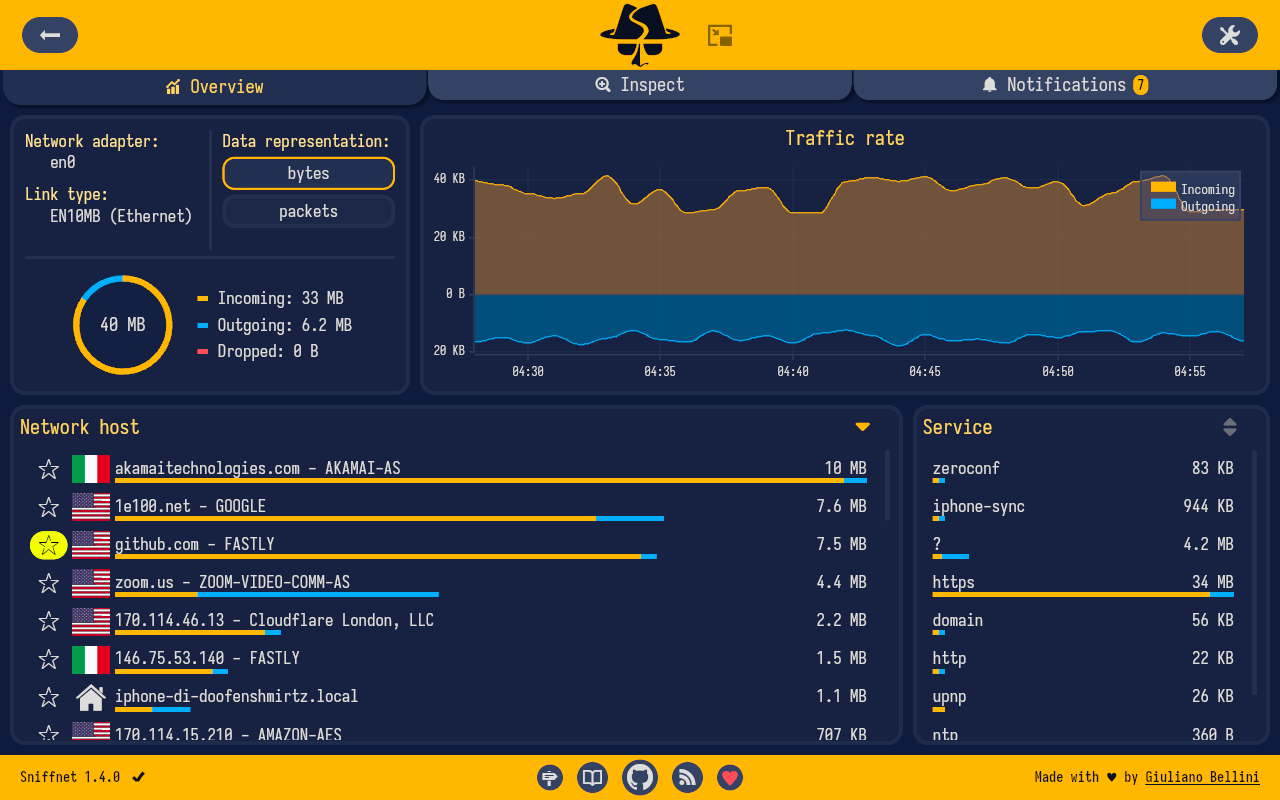
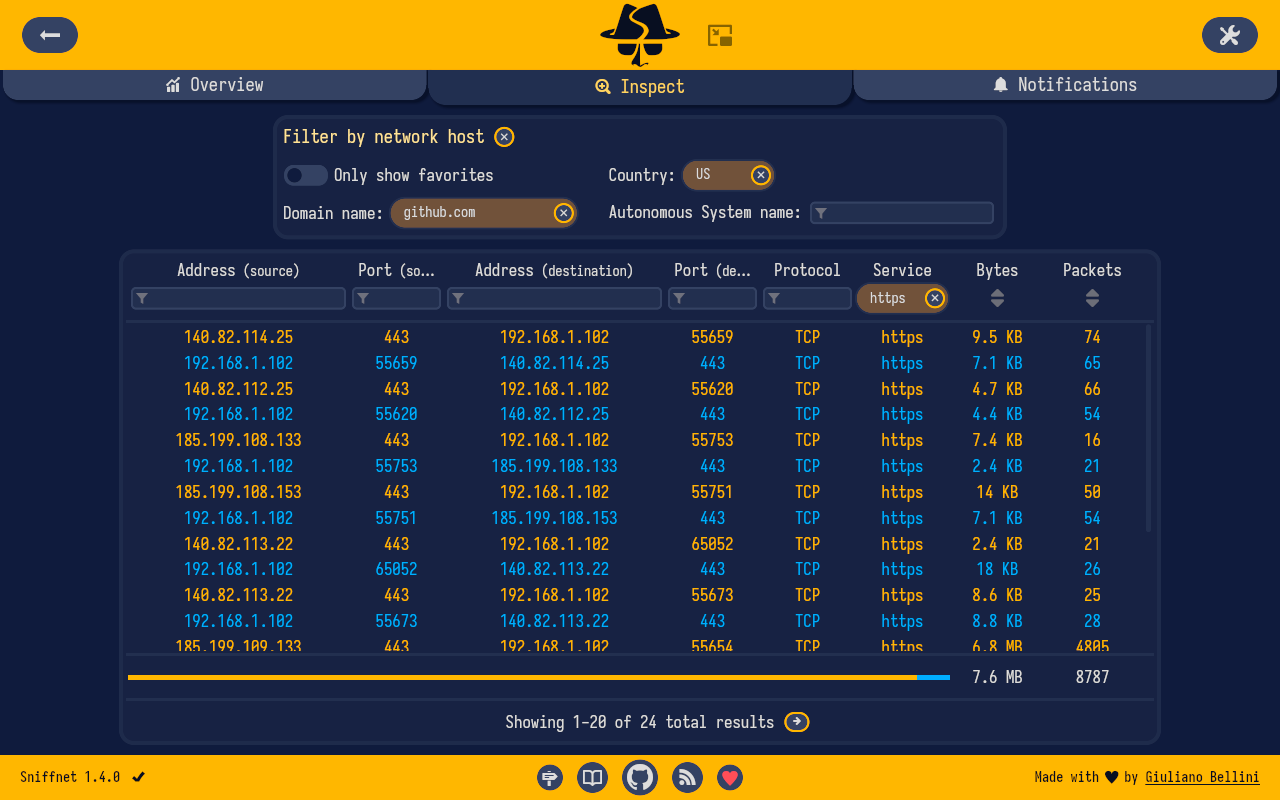
实时显示上传下载流量、连接主机、访问域名、IP 地理位置,甚至还能查看正在偷偷联网的软件。支持流量过滤、PCAP 导入导出、多网卡监控。
最关键的是界面非常舒服。
不用研究抓包规则,不用学习复杂命令,打开就能看到电脑到底在和谁通信。很多用户直接把它当成 GlassWire 的免费替代品。(Windows Central)
Windows、macOS、Linux 全平台支持,Rust 编写,占用资源极低。(GitHub)
对于经常折腾代理、NAS、Docker、服务器的人来说,这绝对属于装机必备工具。
https://github.com/GyulyVGC/sniffnet…
GyulyVGC/sniffnet
Source: https://github.com/GyulyVGC/sniffnet





Application to comfortably monitor your Internet traffic.
Cross-platform. Intuitive. Reliable.
Translated in:
🇨🇳 🇩🇪 🇫🇷 🇷🇺 🇵🇹 🇪🇦 🇮🇹 🇵🇱 + 16 more languages


Support Sniffnet’s development 💖
Sniffnet is completely free, open-source software which needs lots of effort and time to develop and maintain.
If you appreciate Sniffnet, sponsor the project to support its growth.
For sponsorship inquiries, feel free to reach out at [email protected].
A special shout-out to these awesome organizations and folks who are sponsoring Sniffnet:
Processing over 3TB/s of video at peak load, now hiring in SF |



Download


 |
x64 | arm64 | x86 |
 |
Intel | Apple silicon |
 |
AppImage: amd64 | arm64 | i386 | armhf DEB: amd64 | arm64 | i386 | armhf RPM: x86_64 | aarch64 |
Links in the table above will download the latest version of Sniffnet directly from GitHub releases.
Not what you’re looking for? Check out alternative installation methods.
Remember to also install the required dependencies for your operating system.
Features
- 💻 choose a network adapter of your PC to inspect
- 🏷️ select a set of filters to apply to the observed traffic
- 📁 import and export comprehensive capture reports as PCAP files
- 📊 view overall statistics about your Internet traffic
- 📈 view real-time charts about traffic intensity
- 🏠 identify connections in your local network
- 🌍 discover the geographical location of remote hosts
- 🌐 find out domain name and ASN of the hosts you are exchanging traffic with
- 📖 identify 6000+ upper layer services, protocols, trojans, and worms
- 🎮 see which programs are generating network traffic
- ⭐ save your favorite network hosts, services, and programs
- 📌 keep an eye on your network even when the application is minimized
- ️🔎 search and inspect each of your network connections in real time
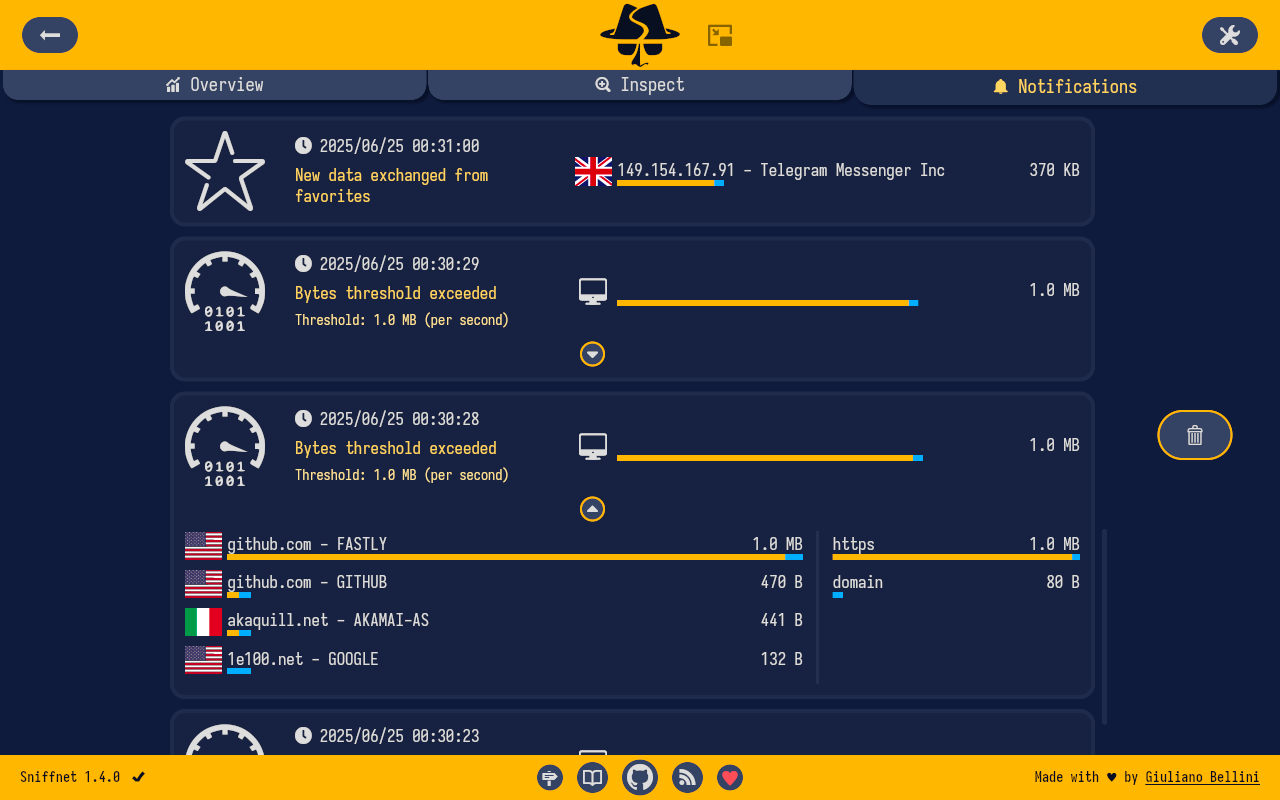
- 🔉 set custom notifications to inform you when defined network events occur
- 🚫 import custom IP blacklists to highlight potentially dangerous connections
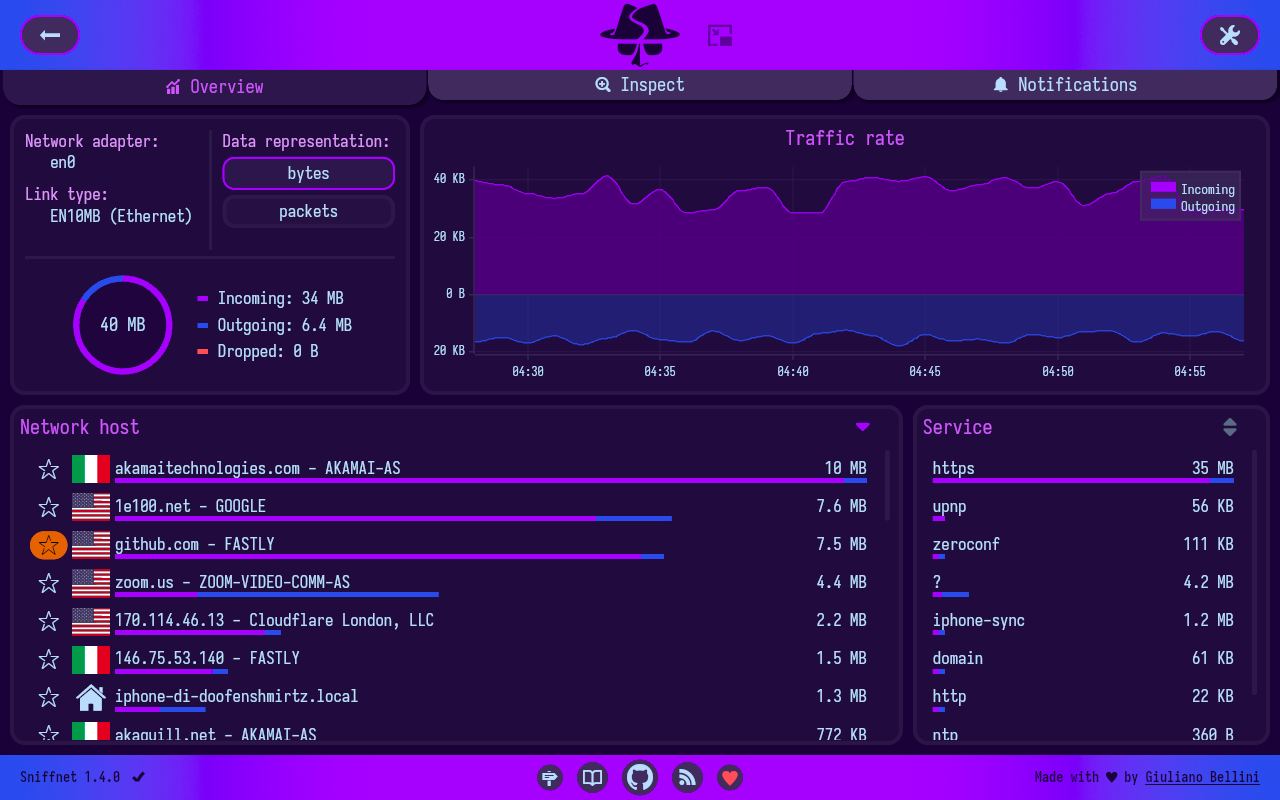
- 🎨 choose the style that fits you the most, including custom themes support
- …and more!
User manual
Do you want to learn more?
Check out the Sniffnet Wiki, a comprehensive manual to help you
thoroughly master the application from a basic setup to the most advanced functionalities.
The Wiki includes step-by-step guides, tips, examples of usage, and answers to frequent questions.

Troubleshooting
See details
Missing dependencies
Most of the errors that may arise are likely due to your system missing dependencies
required to correctly analyze a network adapter.
Check the required dependencies page
for instructions on how to proceed depending on your operating system.
Rendering problems
In some circumstances, especially if you are running on an old architecture or your graphical drivers are not updated,
the wgpu default renderer used by iced
may manifest bugs (the interface glitches, color gradients are unsupported, or some icons are completely black).
In these cases you can set an environment variable to switch to the tiny-skia renderer,
a CPU-only software renderer that should work properly on every environment:
ICED_BACKEND=tiny-skia
In any case, don’t hesitate to open an issue, and I will do my best to help you!
Acknowledgements
- A big shout-out to all the contributors of Sniffnet!
- The graphical user interface has been realized with iced, a cross-platform GUI library for Rust focused on simplicity and type-safety
- IP geolocation and ASN data are provided by MaxMind
- Free code signing for Windows Installer is provided by SignPath.io, certificate by SignPath Foundation
- Sniffnet project is supported by ADS.FUND
- Last but not least, thanks to every single stargazer: all forms of support made it possible to keep improving Sniffnet!
Stay in the loop
Wait… there’s more!
Sniffnet is rapidly evolving, and new features are added on a regular basis.
Follow the news and Sniffnet socials to never miss an update.

|

|

|

|

|
You can also reach us by email at [email protected].
相似文章
@VincentLogic: 发现个终端里的网络监控神器! RustNet,在终端里就能实时监控所有网络连接,哪个进程在偷偷传数据、服务器被谁连了,一眼看清。 最爽的是能看到每个连接对应的应用程序,这点 Wireshark 都做不到。SSH 连服务器直接看,不用搞 X…
介绍了 RustNet,一款基于 Rust 开发的终端网络监控工具,支持实时监控网络连接、进程关联及流量分析,适用于运维和安全排查。
@grgerwcwetwet: 推荐一个 GitHub 上很硬核的网络工具教程项目:fanqiang。 从常见客户端怎么安装,到苹果美区账号注册、VPS 入门、软路由配置、不同系统的使用教程,基本都整理成了小白能看懂的步骤。 覆盖 Windows、macOS、Linux…
推荐一个GitHub上很硬核的网络工具教程项目:fanqiang,从客户端安装到账号注册、VPS配置,覆盖Windows/macOS/Linux/Android/iOS全平台,更新近十年,累计4w+ Star。
NetworkSpy
NetworkSpy 是一款带有自定义查看器的 HTTP(s) 代理调试器,专为开发者检查网络流量而设计。
@denziideng: 小白也能玩!本地“关系大侦探”工具,帮你把网站、邮箱、账号全连成一张图 想象一下:你只输入一个网站域名(或者邮箱、手机号),这个工具就自动帮你挖出它背后所有关联的东西——子网站、主人是谁、在哪些社交平台有账号、有没有泄露过信息……然后用漂…
Flowsint 是一个开源的 OSINT 图探索工具,能在本地运行,通过输入域名、邮箱等自动挖掘关联信息并生成关系图,支持 Docker 一键部署,注重隐私和易用性。最新版本已更新,社区正在成长。
@axichuhai: 兄弟们,这个开源项目直接开了上帝视角,把爬虫效率直接拉高数十倍,已经登顶 GitHub 热榜,5w+ star 数。 以前抓数据要写代码、维护选择器、对付各种反爬机制,现在全省了。 扔个 URL 进去,零代码、原生绕过屏蔽、不用维护选择器…
这个开源项目能零代码抓取网页数据,绕过反爬机制,效率提升数十倍,已获得5万+star。