@Dropbox: Dropbox @Muse. Getting a client project ready? Tell Muse what needs to get done. With Dropbox connected, it can find th…
Summary
Dropbox integrates with Meta Muse to automate file organization and workflow tasks using AI, enhancing productivity for client projects.
View Cached Full Text
Cached at: 09/29/26, 11:46 AM
Dropbox 🤝 @Muse.
Getting a client project ready? Tell Muse what needs to get done. With Dropbox connected, it can find the latest brief and assets, organize the folder, request missing files, and prepare everything to share.
Dropbox Integration for Meta Muse - Dropbox
Source: https://www.dropbox.com/app-integrations/meta-muse?_tk=social_ai-integrations Skip to main content## Get real work done with Muse
Connect Dropbox to Muse, then let it take the lead on finding the right files, organizing your projects, creating shared links, requesting anything that’s missing, and more.

Less wrangling. More follow-through.
Muse can take a broader goal and use your authorized Dropbox content across multi-step workflows, helping you move from scattered materials to a job well done.
Find what matters, fast
Ask Muse to track down what you need in Dropbox so you don’t have to hunt it down yourself.
Shape a smarter setup
Muse can create the right structure, organize files, and keep materials up to date as your ideas develop.
Hand off your busywork
Muse can plan and carry out steps in Dropbox—freeing you to focus on what’s next.
Built for people who do it all
Muse uses what’s in your Dropbox workspace to automate tasks for creative workflows, job searches, and everyday life.
Leave no detail behind
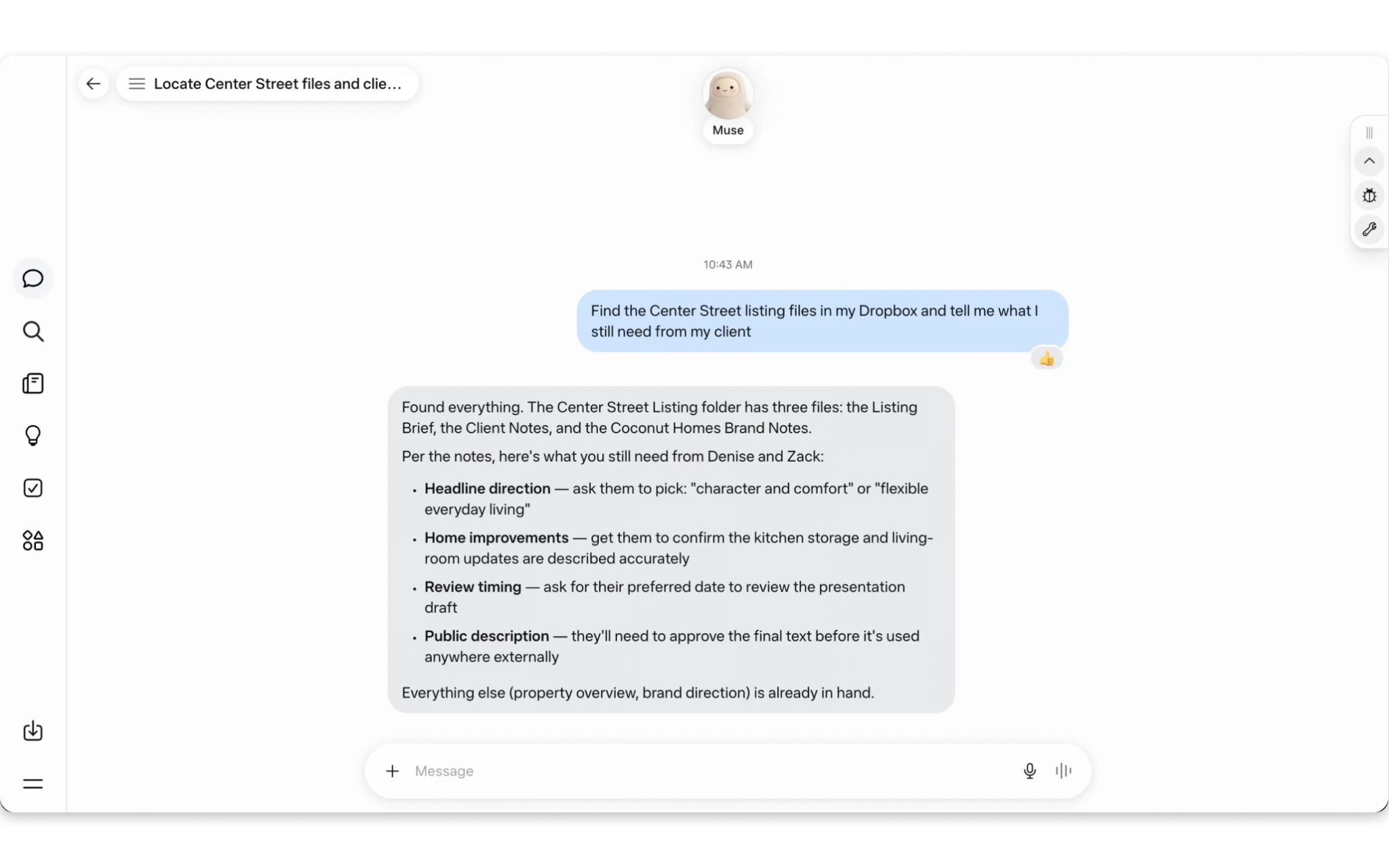
Ask Muse to find the latest brief, contract, and assets in Dropbox. Create and organize a project folder, ask for additional context, and generate a shared link collaborators can build from.
Bring order to any task
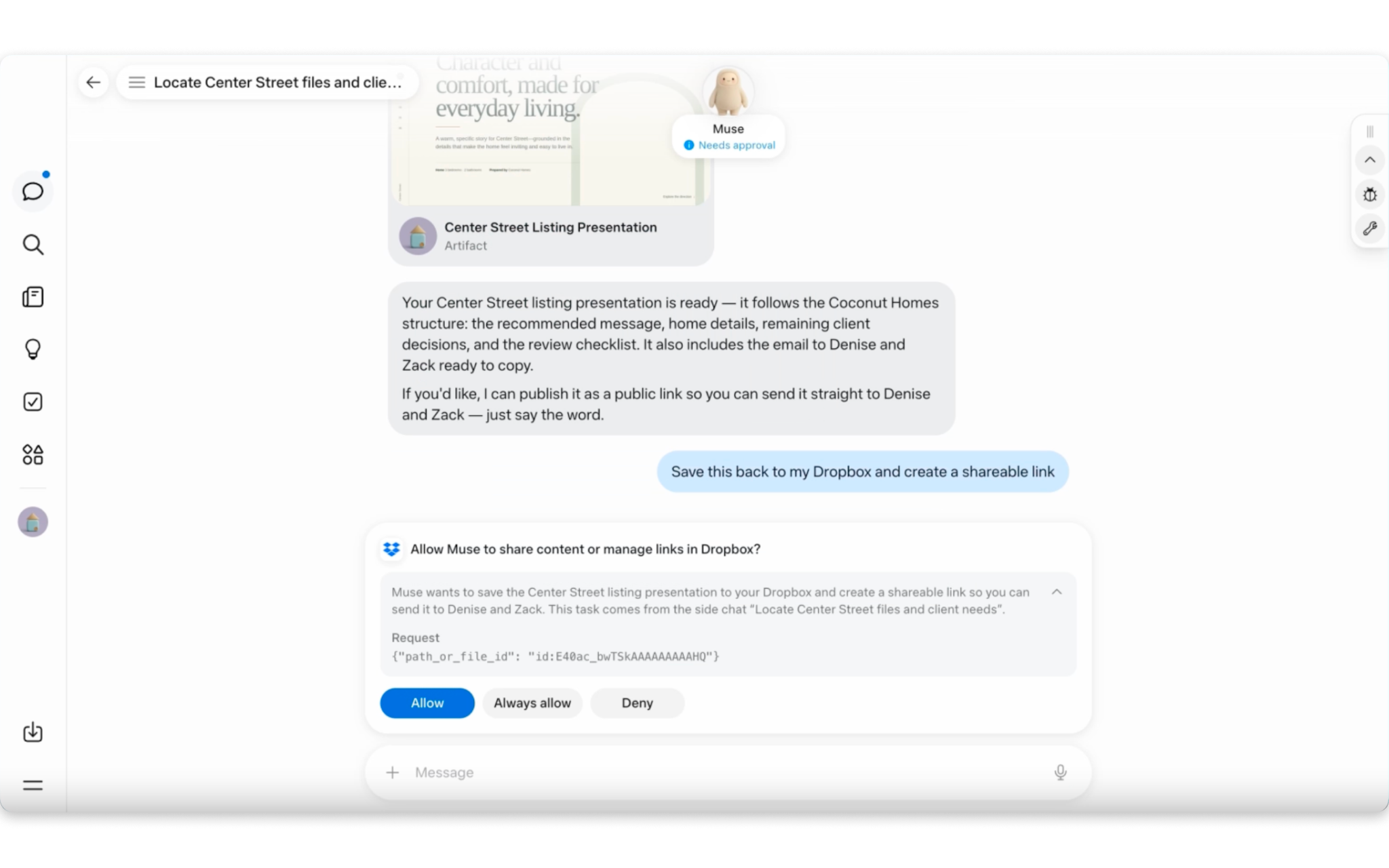
Combine your Dropbox content with information from the web or other connected apps to coordinate business operations, work trips, events, and other multi-step projects.
Frequently asked questions
How do I connect my Dropbox account to Meta Muse?- Log in toMeta Muse, open the menu in the bottom-left corner, and selectSettings.
- Go toConnectors, search forDropbox, and clickConnect.
- Review the connection details, then clickConnectagain.
- Sign in to Dropbox and authorize Meta Muse to access your account.
- After you approve access, your Dropbox account will be connected to Meta Muse.
What can I do with the Dropbox connector for Muse?Muse can find and retrieve relevant Dropbox files; create supported files and folders; move, copy, organize, or delete items; create and inspect shared links; initiate and manage file requests; and track longer-running Dropbox operations.
Can Muse access my entire Dropbox account?Muse can only work with content available through the Dropbox account you connect and the access you authorize. You can manage or disconnect the integration at any time. When you connect Dropbox to Muse, Meta handles your data according to its policies.
Can I preview Dropbox files directly in Muse?At launch, Muse won’t include file previews or an embedded Dropbox interface.
Can Muse continue working after I close the app?Muse is designed to continue longer-running workflows after you close the app, then notify you when it needs your input or approval.
Who can use the connector?Beginning September 28, 2026, the connector will be available in English in the United States and Canada across all Dropbox accounts and Muse plans, including free plans. It is designed for individual use and is not intended for enterprise or team deployments.
Put your Dropbox content to work with Muse
Similar Articles
@Dropbox: Dropbox is now available in @bot. Give Grok Bot a role and a goal, and it can use briefs, assets, research, and project…
Dropbox integrates with Grok Bot, enabling the AI assistant to access and utilize Dropbox resources for enhanced productivity.
@Dropbox: Dropbox and @SpaceXAI are bringing Dropbox into the @cursor_ai Marketplace. Reference requirements, technical specs, an…
Dropbox and SpaceXAI are integrating Dropbox into the Cursor AI Marketplace, allowing developers to reference and manage Dropbox files while building projects in Cursor.
Meta is expanding its AI agent Muse to small businesses
Meta is expanding its AI agent Muse to small businesses with new integrations like Shopify, Dropbox, and Slack, aiming to help owners run operations and find new customers more efficiently.
@Dropbox: Go beyond finding files with the Dropbox Plugin for Claude Cowork. - Organize folders - Manage file requests - Generate…
The Dropbox plugin for Claude allows users to search, organize, save, and share Dropbox files directly within Claude, while respecting existing permissions.
Meta to give Muse its own mailbox for communication (2 minute read)
Meta is working on a dedicated Mail tab for its Muse AI agent, which could provide a separate mailbox for handling communication. The feature aims to improve business correspondence and integrates with upcoming Shared Agents functionality.