Cached at:
05/10/26, 04:53 PM
# So you've installed `fzf`. Now what? |
Source: [https://andrew-quinn.me/fzf](https://andrew-quinn.me/fzf)
toc- [First try Ctrl\+R…](https://andrew-quinn.me/fzf#first-try-ctrlr)
- [… now try Alt\+C](https://andrew-quinn.me/fzf#-now-try-altc)
- [The base fzf command](https://andrew-quinn.me/fzf#the-base-fzf-command)
- [But try vi $\(fzf\), and…\!\!\!](https://andrew-quinn.me/fzf#but-try-vi-fzf-and)
- [vi $\(find \. '/' \| fzf\): For finding random config files](https://andrew-quinn.me/fzf#vi-find----fzf-for-finding-random-config-files)
- [Even less friction: vi \*\*<TAB\>](https://andrew-quinn.me/fzf#even-less-friction-vi-tab)
- [mv $\(fzf\) $\(fzf\) \- real amnesiac hours](https://andrew-quinn.me/fzf#mv-fzf-fzf---real-amnesiac-hours)
- [Introducing rg: Fast, recursive\-by\-default grep](https://andrew-quinn.me/fzf#introducing-rg-fast-recursive-by-default-grep)
- [rg \. \| fzf: Fuzzy search every line in every file](https://andrew-quinn.me/fzf#rg---fzf-fuzzy-search-every-line-in-every-file)
- [rg \. \| fzf \| cut \-d ":" \-f 1: Fuzzy search every line, in every file, and return the file location](https://andrew-quinn.me/fzf#rg---fzf--cut--d---f-1-fuzzy-search-every-line-in-every-file-and-return-the-file-location)
- [vim $\(rg \. \| fzf \| cut \-d ":" \-f 1\): Fuzzy search every line, in every file, and open that file](https://andrew-quinn.me/fzf#vim-rg---fzf--cut--d---f-1-fuzzy-search-every-line-in-every-file-and-open-that-file)
Software engineers are, if not unique, then darn*near*unique in the ease with which we can create tools to improve our own professional lives; this however can come at a steep cost over time for people who constantly flit back and forth between different tools without investing the time to learn their own kit in depth\. As someone with a healthy respect for[the tacit knowledge of people better than me](https://commoncog.com/how-to-learn-tacit-knowledge/), I think a great 80/20 heuristic is “Learn the oldies first”: venerable Unix tools like`cat`,`ls`,`cd`,`grep`, and`cut`\. \(`sed`and`awk`, too, if you have the good fortune of landing yourself in an actual modern sysadmin role\.\)
But there are tools whose return on investment is so immediate, and whose value prop is so unique, that the 80/20 heuristic breaks down entirely for them\.`fzf`is one of them\. And it makes me sad to see so many people download it, run it as\-is at the command line, and then just shake their heads and walk away, saying “I don’t get it”\.
Here I want to change that\. Pretend you live on a more\-or\-less standard Ubuntu box\. You’ve just installed`fzf`[using the standard install script](https://github.com/junegunn/fzf#using-git)– now what?
## First try`Ctrl\+R`…
In most terminals, Linux and Windows alike,`Ctrl\+R`gives you*backwards search*for your commands\. The reason you, like me, may not have heard about this until you had already been hacking away for*ten flippin’ years*at the shell is because the base version kind of sucks for 2 reasons:
- You need to give**an exact match**to get what you’re trying to remember\.
- You get**only one preview**, so if you miss that exact match by even one character, you’re on a wild goose chase\.
`fzf`is a bit of a weird program because[installing it](https://github.com/junegunn/fzf#using-git)actually overwrites a whole bunch of keyboard shortcuts, in the interest of making them better\. Normally I would hate this\. But…
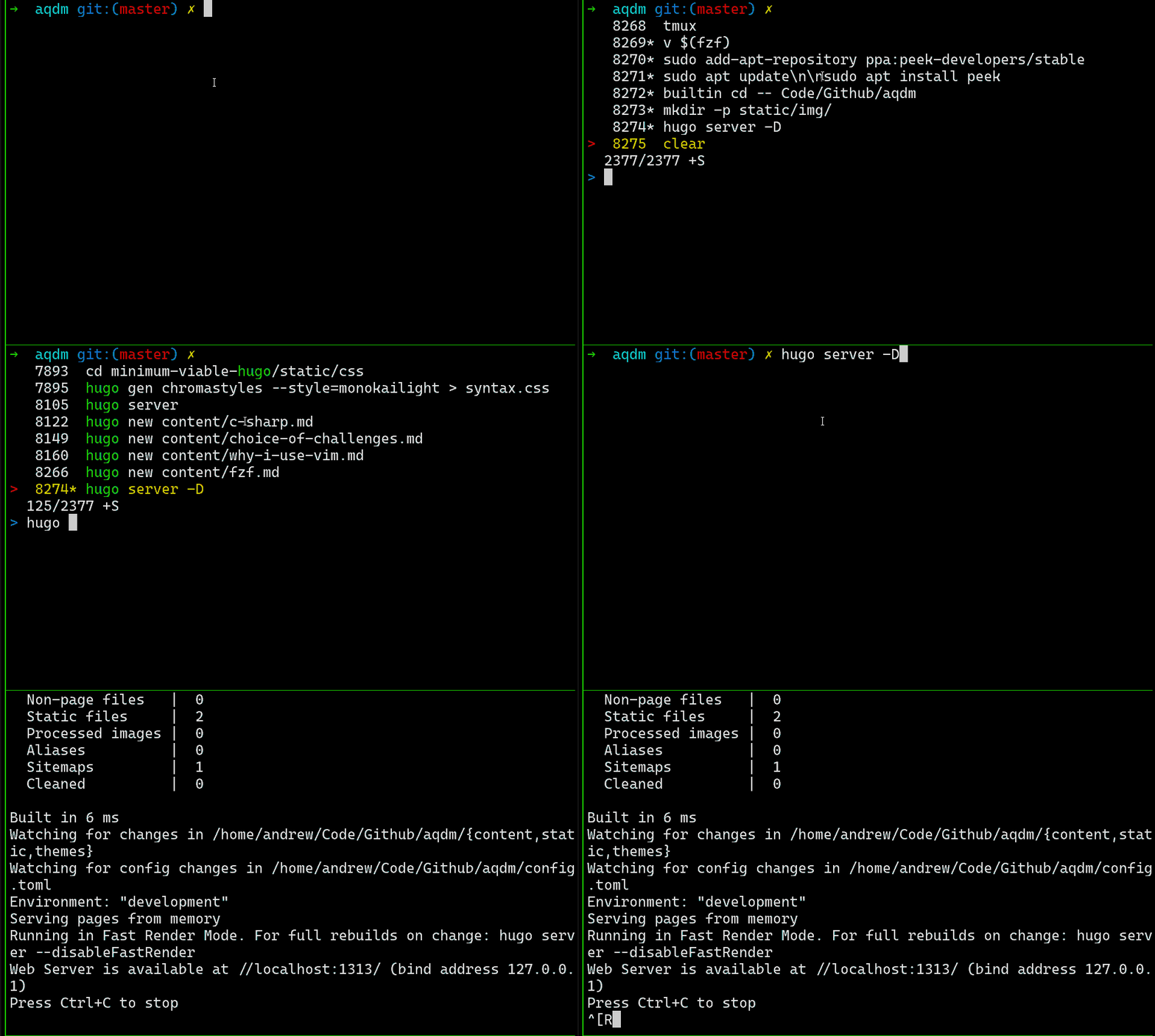
… This is a*considerable*improvement on the baseline\.
\(Do note that installing`fzf`via a package manager like`apt`**may not give you this**\! There’s a reason I keep hinting that you should really use[the install script\!](https://github.com/junegunn/fzf#using-git), even if you and I agree`curl \| bash`is the work of Super Moloch\!\)
## … now try`Alt\+C`
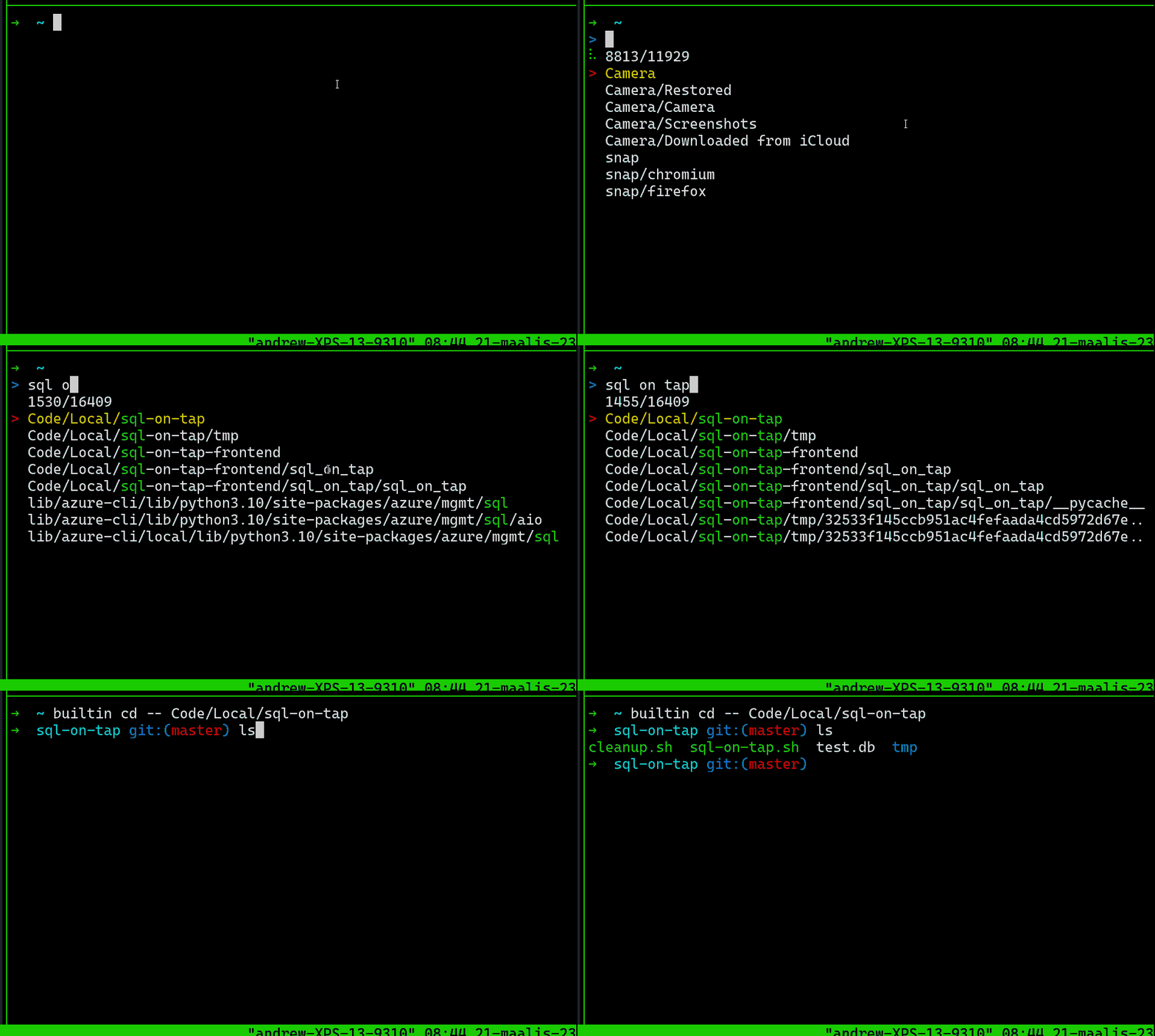
Let’s say you boot into an empty terminal\. You’re trying to quickly find your nascent SaaS side hustle repos and`cd`to it \- but it’s been weeks since you’ve been there, your actual full time job has been unusually fun and engaging… How do you find it?
Answer: With`fzf`\.`fzf`rewrites`Alt\+C`into a souped\-up fuzzy\-`cd`shortcut that lets you hop around*very*quickly when all you remember is the vague name of the directory in question\.
## The base`fzf`command
Okay, we’ve got the shortcuts out of the way\. Honestly these two guys alone provide the majority of the value I get out of`fzf`\- but let’s look at what the command, by itself, does\.
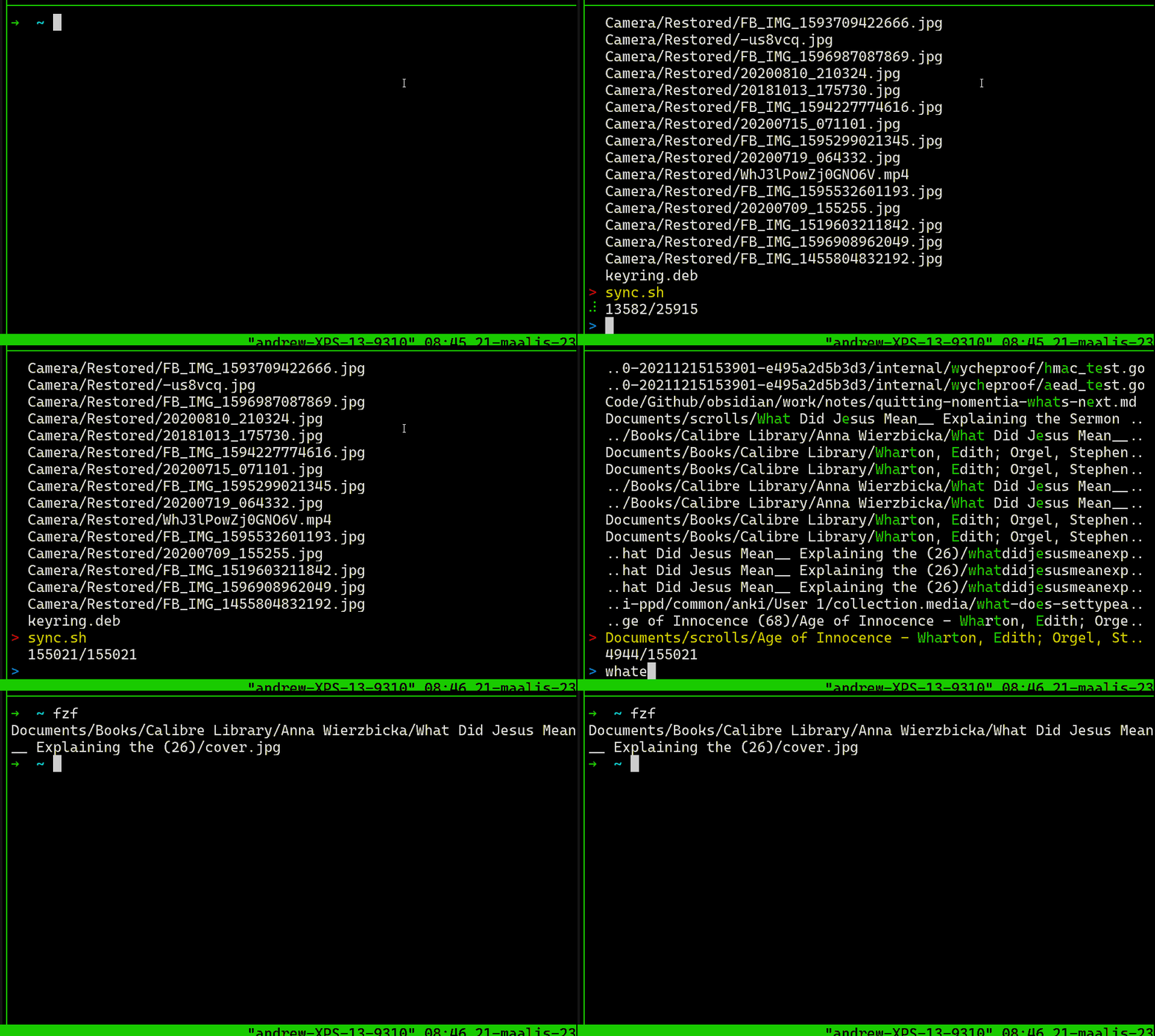
It fuzzy\-finds file locations\! Relative ones, at least, to your own directory\. This… isn’t that useful, by itself\.
### But try`vi $\(fzf\)`, and…\!\!\!
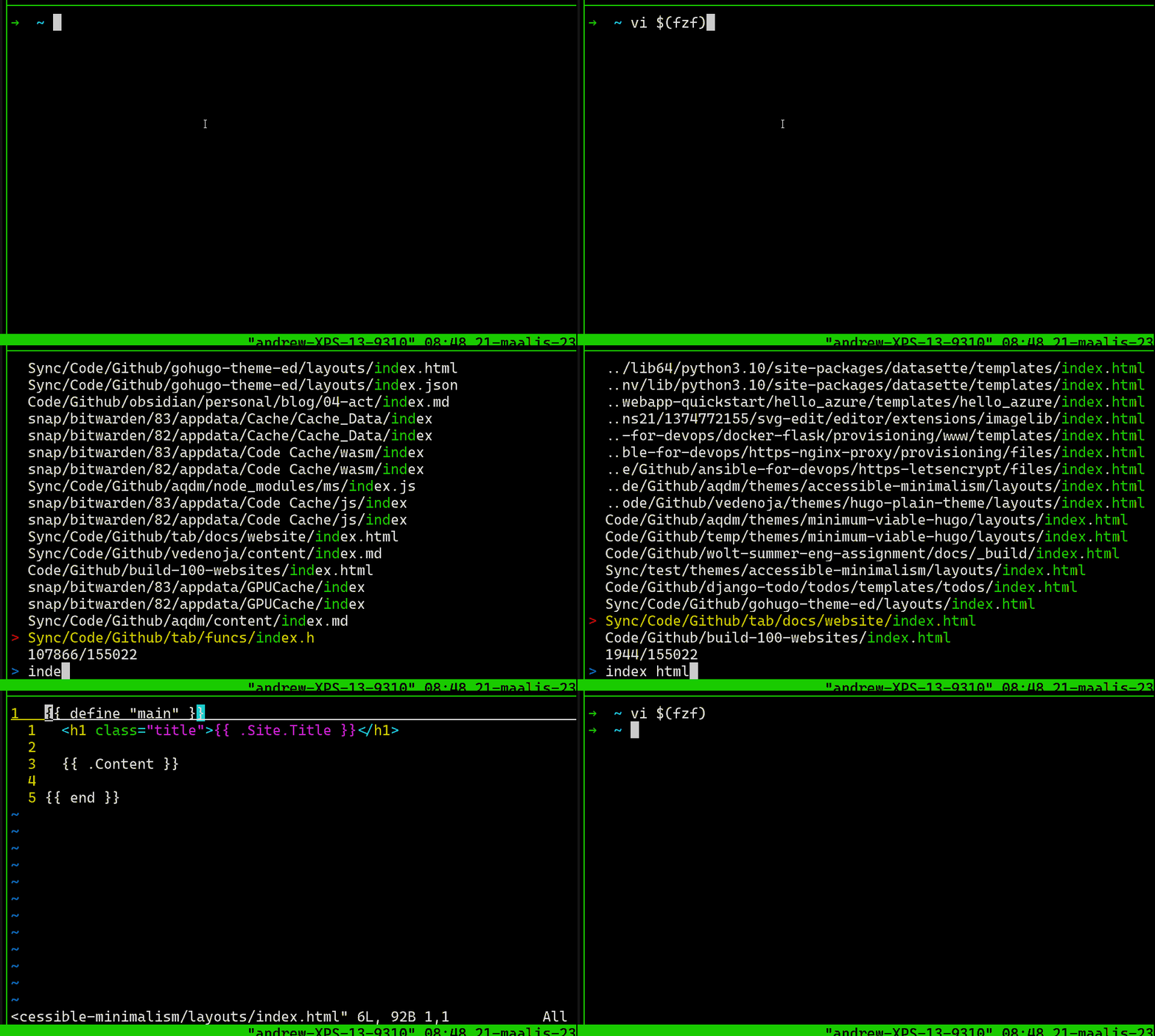
And you get a fuzzy\-open\-in\-editor experience\!
\(There’s nothing special about`vi`in this regard, btw\. You can call it with`emacs`,[`nano`](https://ariadne.space/2021/08/13/gnu-nano-is-my-editor-of-choice/),`code`, whatever floats your boat\!\)
## `vi $\(find \. '/' \| fzf\)`: For finding random config files
The other day I was trying to hack together baby’s first live\-reload with a Firefox extension,`entr`, and`nginx`\. And I found myself asking: Where the heck is`nginx\.conf`?
I reviewed my options\. I could
1. Use my half\-remembered knowledge of the FHS to guess around, with`trees`and`grep`s, or
2. Just know and commit it to memory and feel superior to everyone else, or
3. Just pipe`find`\. ‘/’ to`fzf`and start searching\.
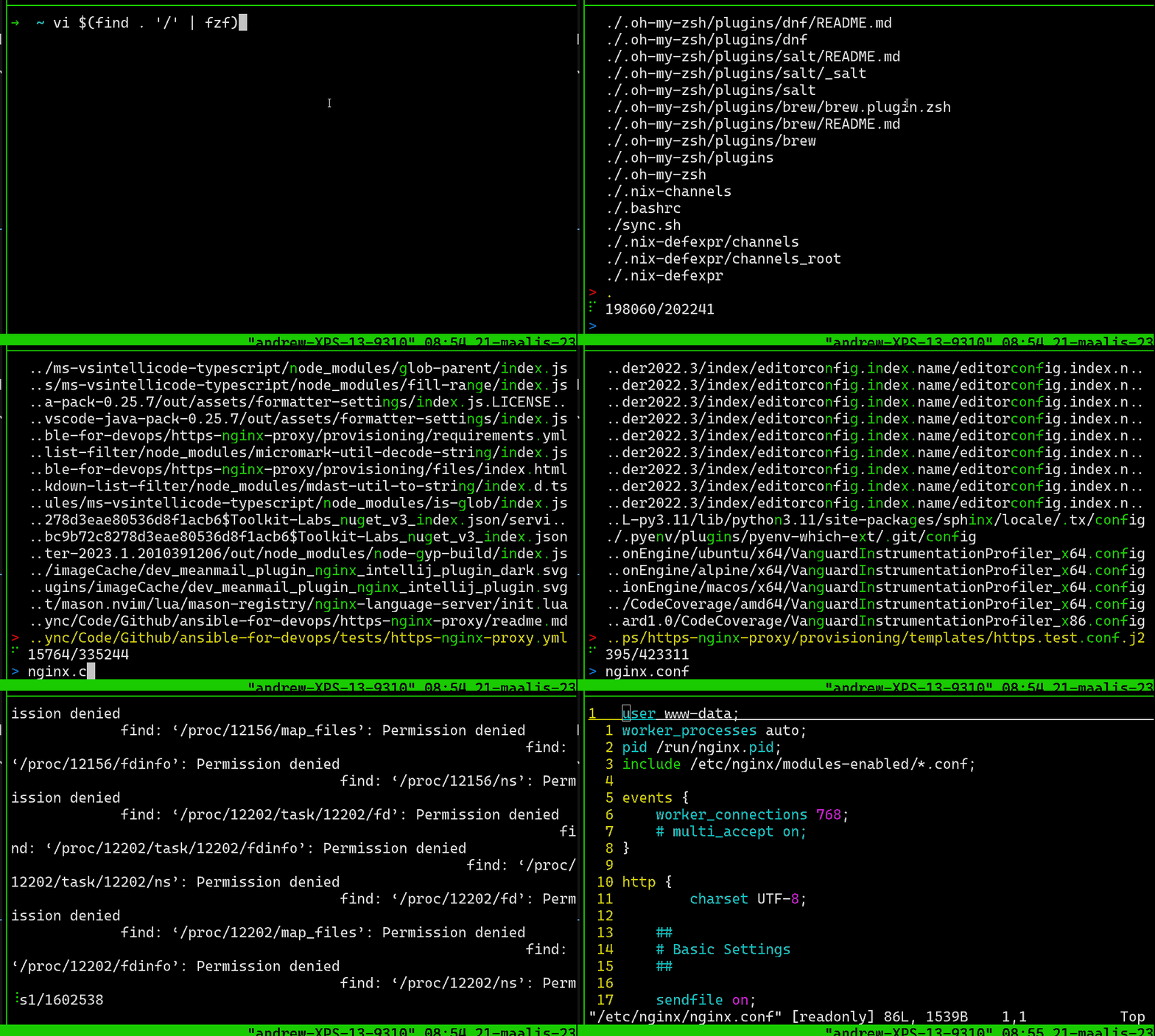
I like this clip a lot because it shows some of the subtle tradeoffs of using`fzf`, as well as one of the more advanced searching features \- searching for`conf$`will filter out any line that doesn’t end in`conf`\. Notice that`fzf`temporarily wigs out when`find`hits a whole lot of “Permission denied” errors \- but then recovers itself a few seconds later\.
Are those extra few seconds worth the tradeoff for being able to find config files in such a braindead manner? It is for me\.
## Even less friction:`vi \*\*<TAB\>`
*Thanks to[sigmonsays, Hacker News](https://news.ycombinator.com/item?id=35249935), for reminding me of this feature\!*
About halfway between “overwrite a keyboard shortcut” and “use fzf as\-is” is**using two stars for fuzzy tab completion**\. Here’s using it to do something quite similar to`vi $\(fzf\)`, as above:
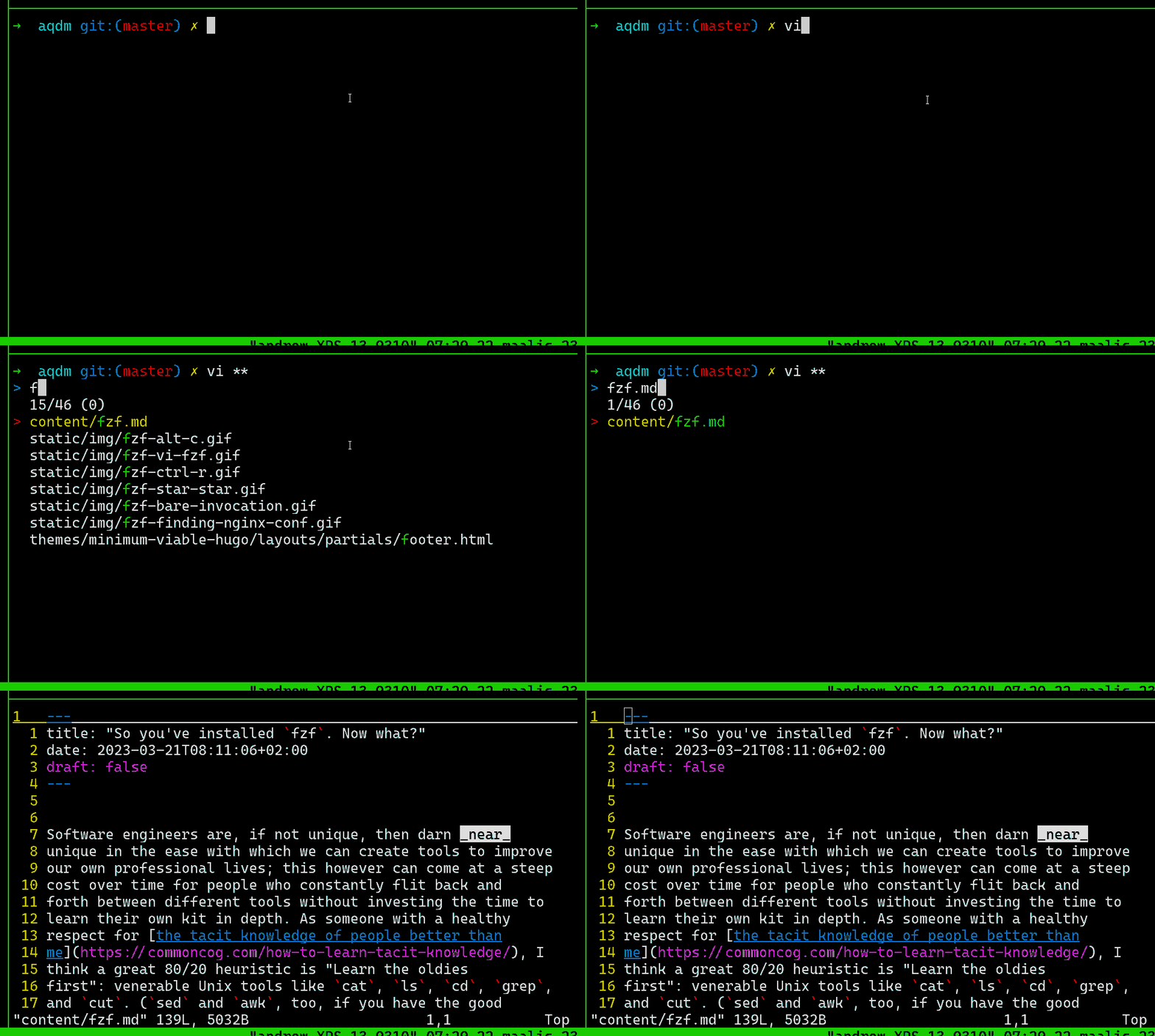
You*do*have to hit`Enter`one more time after you actually get the command, fair warning\.
I’m not yet in the habit of using this all that often, for a few reasons\. First,[it doesn’t work with my*real*home shell](https://fishshell.com/)for me for some reason, although on bash and zsh it’s perfectly fine\. Second, my only real use case at home is as a replacement for`$\(fzf\)`, and I just find explicitly calling the boy easier to remember\. I imagine it’s a similar experience for tab\-tab\-star\-heads as[watching my coworker copy\-and\-paste manually from the terminal instead of using`:read \! echo "Hello world\!"`is for me](https://knowyourmeme.com/photos/1196921-damn-bitch-you-live-like-this)\.
## `mv $\(fzf\) $\(fzf\)`\- real amnesiac hours
For when you neither rememeber exactly what you’re moving, nor where you’re moving it to, but you remember the abstract concept of distance over time well enough to know it simply must be done, and something*extremely specific*about the nature of each item to be shunted\.
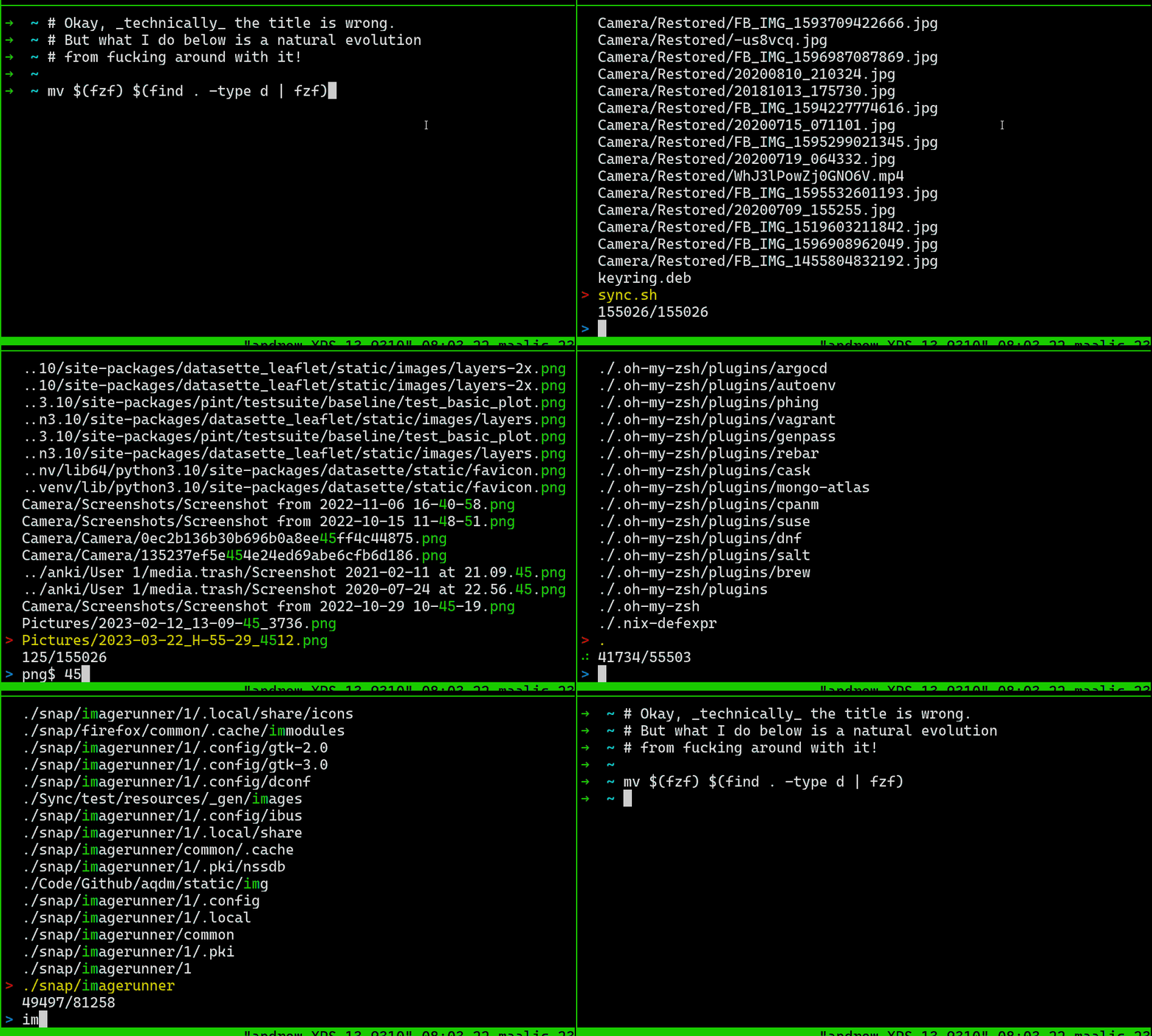

I am embarrassed to admit how often I reach for this when I’m trying to[stick GIFs in my Github READMEs](https://github.com/hiAndrewQuinn/finstem#interactive-mode)\.
## Introducing`rg`: Fast, recursive\-by\-default`grep`
Everything I say below*can*be done with`grep`as well, but the recursive\-by\-default nature of`rg`\(also known as`ripgrep`\) is where the tool really comes into its own\. I highly recommend you download it and use it for the following examples as well\. But if you’re toolshy, don’t worry\!
## `rg \. \| fzf`: Fuzzy search every line in every file
Now we’re getting into some*real*amnesiac territory \>:3c\.
## `rg \. \| fzf \| cut \-d ":" \-f 1`: Fuzzy search every line, in every file, and return the file location
## `vim $\(rg \. \| fzf \| cut \-d ":" \-f 1\)`: Fuzzy search every line, in every file, and open that file