Show HN: I Put an AI Agent on a Nokia 110
Summary
A developer reverse-engineered the Nokia 110 4G firmware to run a native AI chat agent on the feature phone, using the Calculator app entry point and DeepSeek's API for tool calls that control phone functions like the torch, alarms, and calls.
View Cached Full Text
Cached at: 10/08/26, 09:03 PM
anupray95/AI-Agent-on-a-NOKIA
Source: https://github.com/anupray95/AI-Agent-on-a-NOKIA
AI on a Nokia 110 4G
I reverse-engineered the firmware of a Nokia 110 4G and built a native AI chat app for it. You type on the number pad, and the agent can use the phone’s own functions.
Watch it work
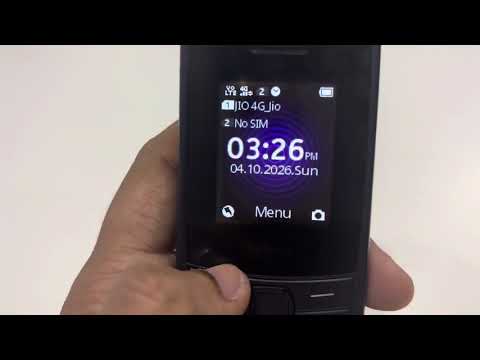
Click the image to watch the demo on YouTube.
What it does
- Answers questions over the phone’s SIM data.
- Checks the battery percentage.
- Turns the torch on or off.
- Starts a phone call.
- Sets an alarm.
How it works
Modified the Calculator app into custom chat app. It sends your message to DeepSeek chat API and use tool calls accordingly.
I used OpenAI Codex to help build it and tested the app on the handset.
Where it stands
It’s a working prototype loaded into RAM from a computer. Once loaded, it can run unplugged using mobile data. We can add as many feature as we want and make almost all the operation in nokia 110 automated. After a restart or power-off, it needs to be loaded again.
How I got here
Phase 1: Start with the browser
I first added an AI search option to Opera Mini. That gave me a starting point, but it was still a browser workaround and can’t integrate agent with this. The next goal was an app running on the phone that could use its native functions.
Phase 2: Get my own code running
There was no supported way to install a native app. I studied the firmware and boot process, then got custom code running in RAM through the Calculator entry point. That let me test without flashing modified firmware. Permanent installation is still unresolved.
Phase 3: Get a real answer over SIM data
A working data connection wasn’t enough: requests could be submitted without an answer reaching the app. I traced the firmware’s response callbacks and overall flow. I started with one fixed question, confirmed the answer with USB unplugged, then added typed questions.
Phase 4: Make the chat usable
Tried to replace calculator layout with text input box. Stock Calculator drawing also got in the way. I changed the layout and key handling. Later, a colour change caused restarts; tracing the firmware showed I had written to the wrong style field. Fixed it.
Phase 5: Turn chat into actions
The next goal was to let the AI use real phone functions. As the phone memory is only 48MB, normal agent code wont fit, so created a very simple custom agent, used smaller builds, compressed the payload and reused buffers. Then tested each feature mentioned above one after other.
Source code
I haven’t uploaded the code because sensitive data is scattered across the project.
Similar Articles
Show HN: Nightcrawler – A local AI pentesting agent running on a smartphone
Nightcrawler is an autonomous penetration testing agent that runs entirely on a smartphone, using a local 1.2B AI model on the phone's GPU to discover hosts, map services, and generate pentest reports without cloud connectivity.
Give your AI agent access to an android phone
An open-source tool that gives AI agents full interactive control over an Android phone via a socket connection, enabling actions like texting, calling, and using apps.
Giving AI a real phone feels more interesting than another browser agent
OpenGUI is highlighted as a novel AI agent platform that utilizes actual Android devices for task execution, offering a more realistic interface than traditional browser-based agents.
"AI agent phone" is getting thrown around a lot- here's what it actually is from my POV
Explains an AI agent phone as a real or cloud-hosted phone operated by an LLM agent that interacts with mobile-only apps via accessibility tree and vision, highlighting limitations and calling for community input on reliability.
Running an Agent on a Ubuntu Touch smartphone feels like having a Black Mirror character in a box with you at all times.
The article describes the experience of running an AI agent on an Ubuntu Touch smartphone, which is always on with access to sensors, allowing continuous conversation via Telegram.