@dingyi: 我现在都懒得用 tmux 了,直接用 https://herdr.dev 或 https://muxy.app 更方便,适合懒人。
Summary
Herdr is a terminal-based agent multiplexer offering persistent sessions, agent awareness, and a mouse-native TUI, positioned as a convenient alternative to tmux. The tweet recommends it alongside muxy.app for users seeking simpler terminal session management.
View Cached Full Text
Cached at: 05/16/26, 11:17 AM
我现在都懒得用 tmux 了,直接用 https://t.co/0Ki7Dlwk0k 或 https://t.co/dcu76qJ7ul 更方便,适合懒人。
herdr — tmux for agents
Source: https://herdr.dev/
 herdrtmux for agents.
herdr is an agent multiplexer that lives in your terminal.
workspaces, tabs, panes. every agent at a glance:blocked,working,done. detach and reattach, agents keep running. attach locally, over ssh, or as a thin client to a remote server.
mouse-native tui: clickpanes/tabs/workspaces/agents, drag borders, select text, right-click menus.
no gui app, no electron, no mac-only native wrapper. you see the agent’s own terminal, not someone’s interpretation of it.
$curl \-fsSL https://herdr\.dev/install\.sh \| sh
how it compares
tmuxgui managersherdrpersistent sessions✓—✓detach / reattach✓—✓panes, tabs, workspaces✓✓✓agent awareness—✓✓lives in your terminal✓—✓real terminal views✓—✓mouse-native—✓✓lightweight binary✓—✓agents can orchestrate??✓
persistence
herdr runs as a background session server by default. run your agents, split panes, do your work, then pressctrl+b qto detach the client. close your terminal or laptop; the panes keep running. open herdr again and you reattach to the same session.
named sessions give each project or context its own panes, tabs, workspaces, sockets, and runtime state while sharing the same global config.
$herdr--session
$herdrsession attach
separate sessions, same config, persistent agents.
local or remote
use herdr where the work lives. most days that is your laptop or desktop. if the code, keys, or agents live on a server, attach there instead.
local
run herdr where you work
start a local session on your own machine. detach, reattach, split panes, create tabs, and keep agents running while your terminal comes and goes.
ssh
ssh in, run herdr
use it like tmux on a remote box. herdr starts the session there, and your panes keep running after you detach.
thin client
herdr --remote host
run herdr on your laptop and target any ssh config host. herdr connects over ssh, bootstraps the remote server, and streams the tui back to your local terminal.
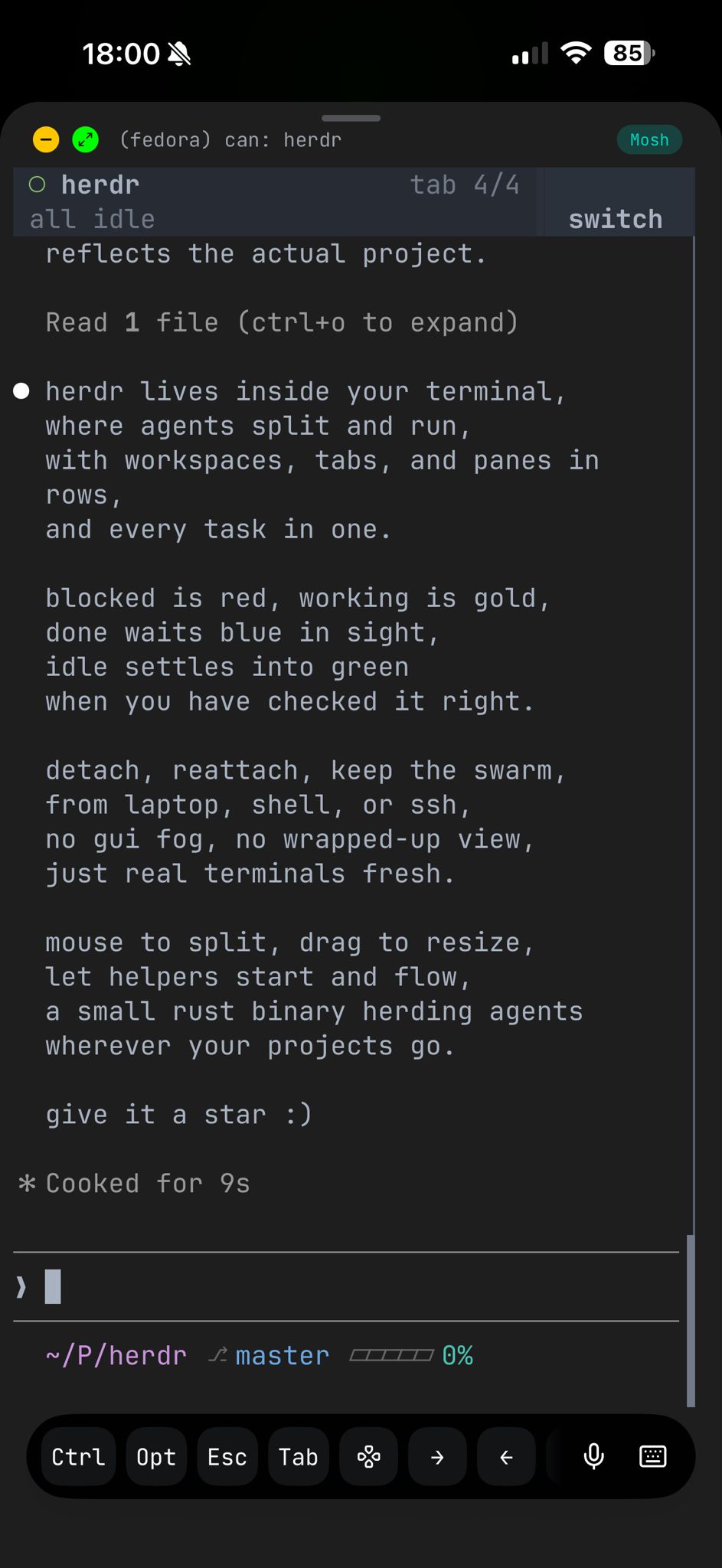
terminal view over ssh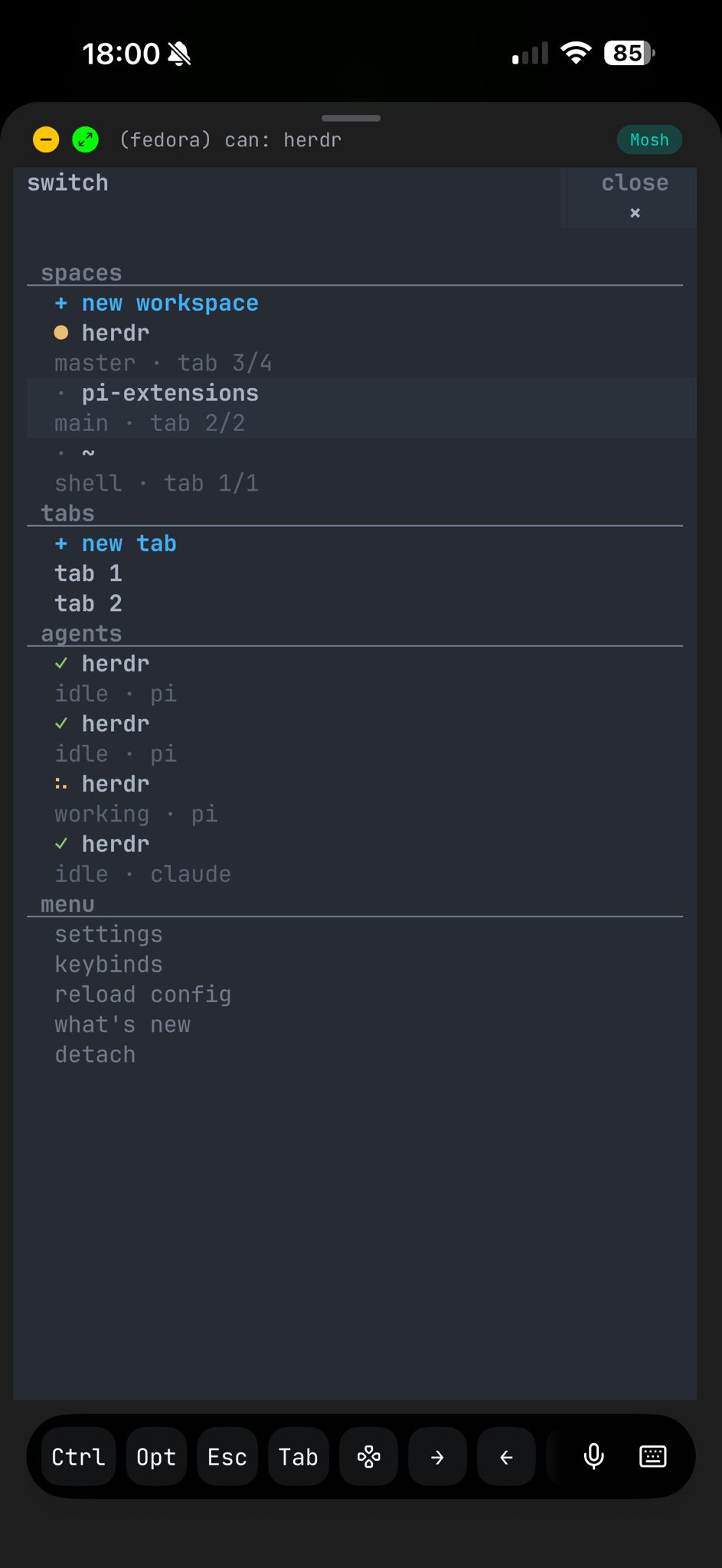
responsive switcher screenshots taken withmoshi❤️ on iphone
agent awareness
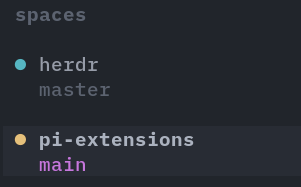
workspaces
each workspace rolls up to its most urgent state. scan the full list in a glance.
agents
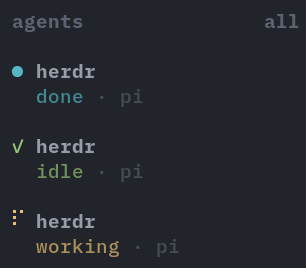
see which agents are running, blocked, or finished. no checking panes one by one.
blocked
working
done
idle
lives in your terminal
not a gui window. not a web dashboard. not electron.**herdr runs inside whatever terminal you already use.**a single rust binary, no dependencies, nothing to configure. it even works inside tmux.
ghosttyalacrittykittyweztermiterm2tmux
supported agents
socket api
**agents can use herdr too.**the local unix socket lets agents create workspaces, split panes, spawn other agents, read output, and wait for state changes.
available as CLI commands or as a reusable agent skill.
herdr workspace create --cwd ~/project --label "api"
herdr tab create --label "logs"

herdr pane split 1-1 --direction right
herdr pane run 1-2 "npm test"

herdr wait agent-status 1-1 --status done

herdr pane read 1-2 --source recent --lines 50
Similar Articles
@LuBtc888: Seriously, I barely touch tmux for multi-terminal management anymore. With http://herdr.dev and http://muxy.app, these two tools kick tmux's cumbersome configuration out of the game. No need to memorize complex shortcuts, no need to fiddle with config files—ready to use out of the box, a blessing for the lazy. Productivity tools...
Introduces two terminal multi-window management tools, Herdr and Muxy. Herdr is a Rust-based native terminal proxy runtime that supports persistence, mouse operations, and proxy state management, serving as a tmux alternative.
@GitHub_Daily: Use tmux to manage terminal sessions, opening multiple windows in the terminal that can keep running in the background even after closing. But now, with multiple Agents running at the same time, automating terminal tasks with tmux requires writing a bunch of scripts, which is cumbersome. So a developer built rmux from scratch in Rust, designed specifically for Ag…
Introducing rmux, a modern terminal multiplexer written in Rust, designed for AI Agent and automation scenarios. It coordinates multiple Agents running simultaneously, is compatible with over 90 tmux commands, and offers a Python SDK and browser-based session sharing.
Herdr: Agent multiplexer that lives in your terminal
Herdr is an open-source terminal-based agent multiplexer for managing multiple AI agent sessions with workspaces, tabs, panes, and mouse support. It runs as a background server, allowing detachment and reattachment without losing agent processes.
Herdr: One terminal to rule them all
Herdr is a terminal multiplexer that lets developers run multiple coding agents in separate terminals, on any machine or over SSH, with persistent sessions viewable at a glance.
@Saccc_c: https://x.com/Saccc_c/status/2070051831237976479
A comprehensive tutorial on the cmux terminal. cmux is a macOS-native terminal designed for AI agents, supporting multi-task management, notifications, and a built-in browser, aimed at boosting development productivity.