@QT9277: Telegram 私密频道内容下不了?这问题太烦人了。录屏画质渣,截图存不了动图,求链接还要看人脸色。 搞定它只需要一个油猴脚本:Telegram Media Downloader。 核心功能: - 解锁所有下载权限(聊天、Stories…
摘要
介绍一个油猴脚本 Telegram Media Downloader,用于解锁 Telegram 网页版中聊天、故事和私密频道的媒体下载权限,支持图片、视频、GIF、音频等多种格式。
查看缓存全文
缓存时间: 2026/06/26 06:06
Telegram 私密频道内容下不了?这问题太烦人了。录屏画质渣,截图存不了动图,求链接还要看人脸色。
搞定它只需要一个油猴脚本:Telegram Media Downloader。
核心功能:
- 解锁所有下载权限(聊天、Stories、私密频道)
- 支持所有媒体格式(图片、视频、GIF、音频)
- 告别低效操作(录屏、截图、求链接)
三步安装: 浏览器先装好 Tampermonkey 插件,Chrome 或 Edge 最稳 去 Greasy Fork 搜 Telegram Media Downloader,一键安装 打开 Telegram 网页版,直接用,没有任何多余设置
开源地址:https://github.com/Neet-Nestor/Telegram-Media-Downloader…
注意:只支持网页版,手机端无效。开源透明,放心用。
Neet-Nestor/Telegram-Media-Downloader
Source: https://github.com/Neet-Nestor/Telegram-Media-Downloader
Telegram Video Downloader / Telegram Media Downloader
Unlock Telegram: Download Anything You Like.



Overview
This user script unlocks and enables download of images, GIFs, audios, and videos in Telegram webapps from chats, stories, and even private channels where downloading is disabled or restricted.
(Note: some features are only available for specific Telegram webapp version. e.g. Audio message download is only available for the K webapp version.)
What are user scripts?
User scripts put you in control of your browsing experience. Once installed, they automatically make the sites you visit better by adding features, making them easier to use, or taking out the annoying bits. The user scripts on Greasy Fork were written by other users and posted to share with the world. They’re free to install and easy to use.
Installation
Greasy Fork
-
install a user script manager
To use user scripts you need to first install a user script manager. Which user script manager you can use depends on which browser you use.
- Chrome: Tampermonkey or Violentmonkey
- Firefox: Greasemonkey, Tampermonkey, or Violentmonkey
- Safari: Tampermonkey or Userscripts
- Microsoft Edge: Tampermonkey or Violentmonkey
- Opera: Tampermonkey or Violentmonkey
- Maxthon: Violentmonkey
(Note, If you are using Tampermonkey extension in a Chrome-based browser, following instructions to enable Developer Mode.)
-
Install this script by visiting Greasy Fork: https://greasyfork.org/scripts/446342-telegram-media-downloader
Manual Installation
-
install a user script manager
To use user scripts you need to first install a user script manager. Which user script manager you can use depends on which browser you use.
- Chrome: Tampermonkey or Violentmonkey
- Firefox: Greasemonkey, Tampermonkey, or Violentmonkey
- Safari: Tampermonkey or Userscripts
- Microsoft Edge: Tampermonkey or Violentmonkey
- Opera: Tampermonkey or Violentmonkey
- Maxthon: Violentmonkey
(Note, If you are using Tampermonkey extension in a Chrome-based browser, following instructions to enable Developer Mode.)
-
Open Tampermonkey Dashboard, drag & drop src/tel_download.js into it and clicks the “install” button
How to Use
This script only works on Telegram Webapp.
For channels and chats that allow saving content, this script will have no effect. Please just use the official download button provided by the telegram webapp instead.
For channels and chats that disable downloading and restrict saving content, this script will add the download button back for images, GIFs and videos.
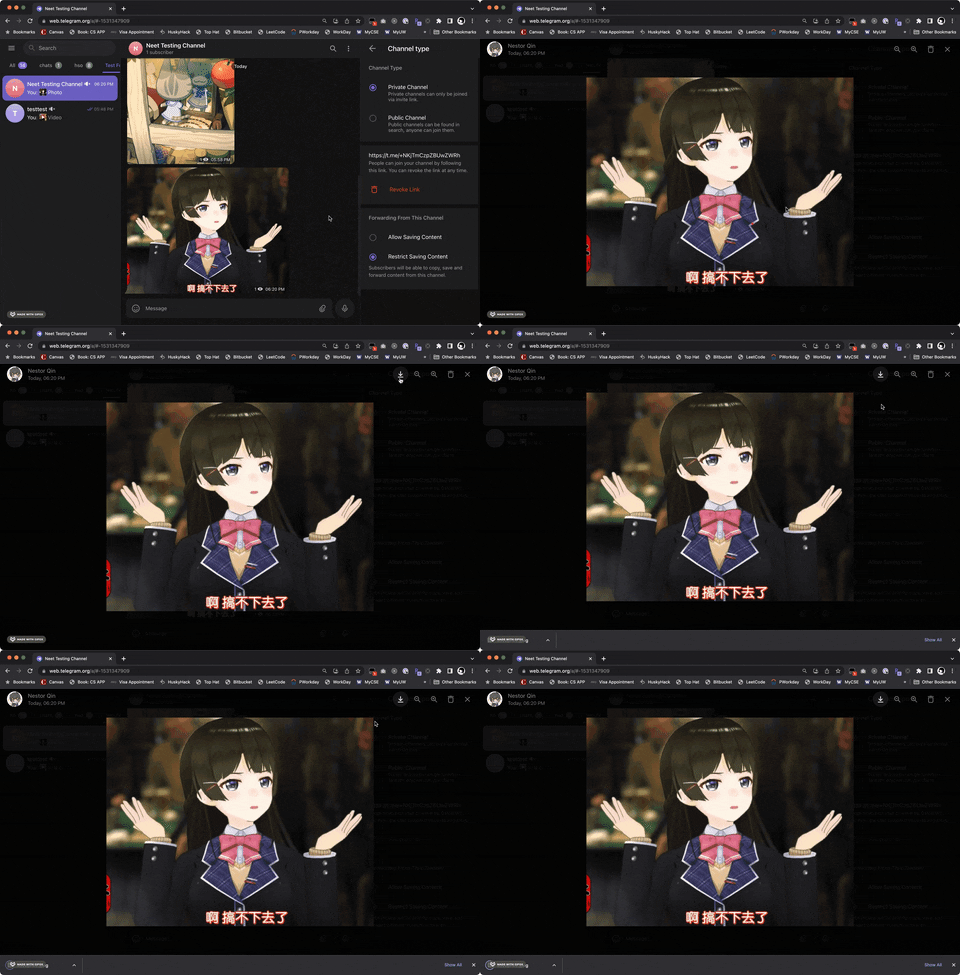
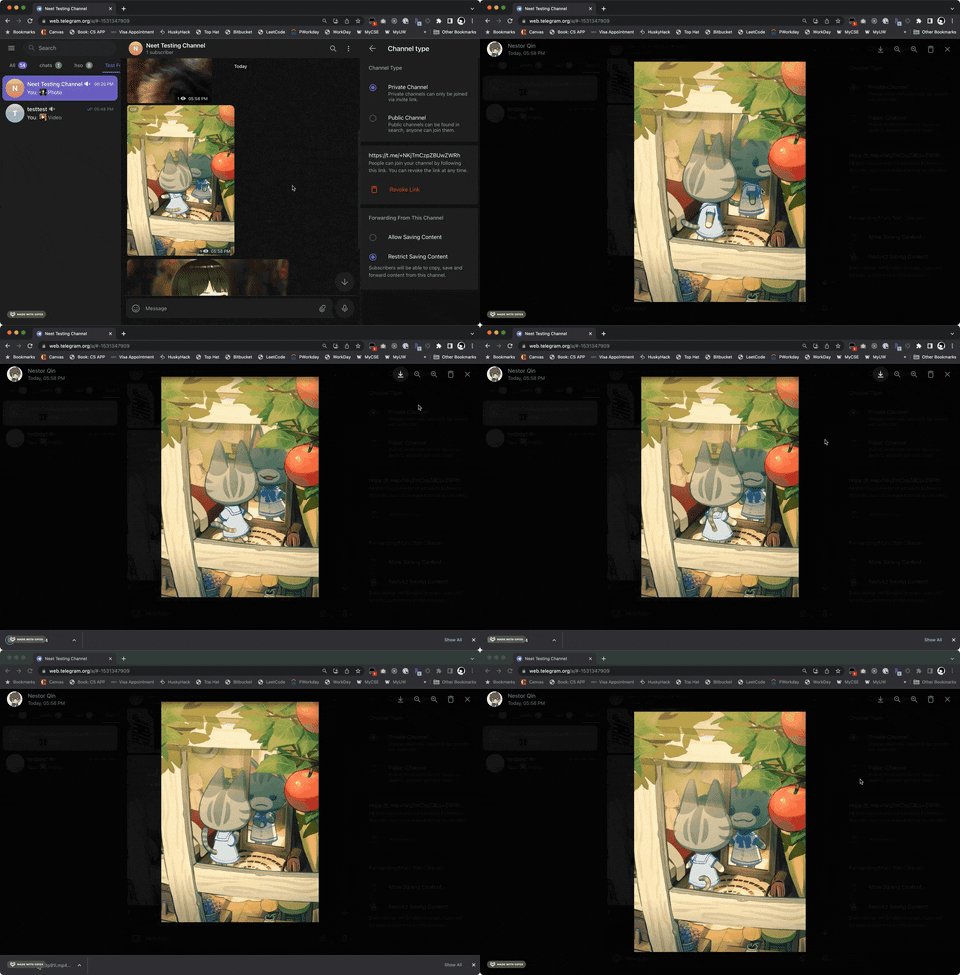
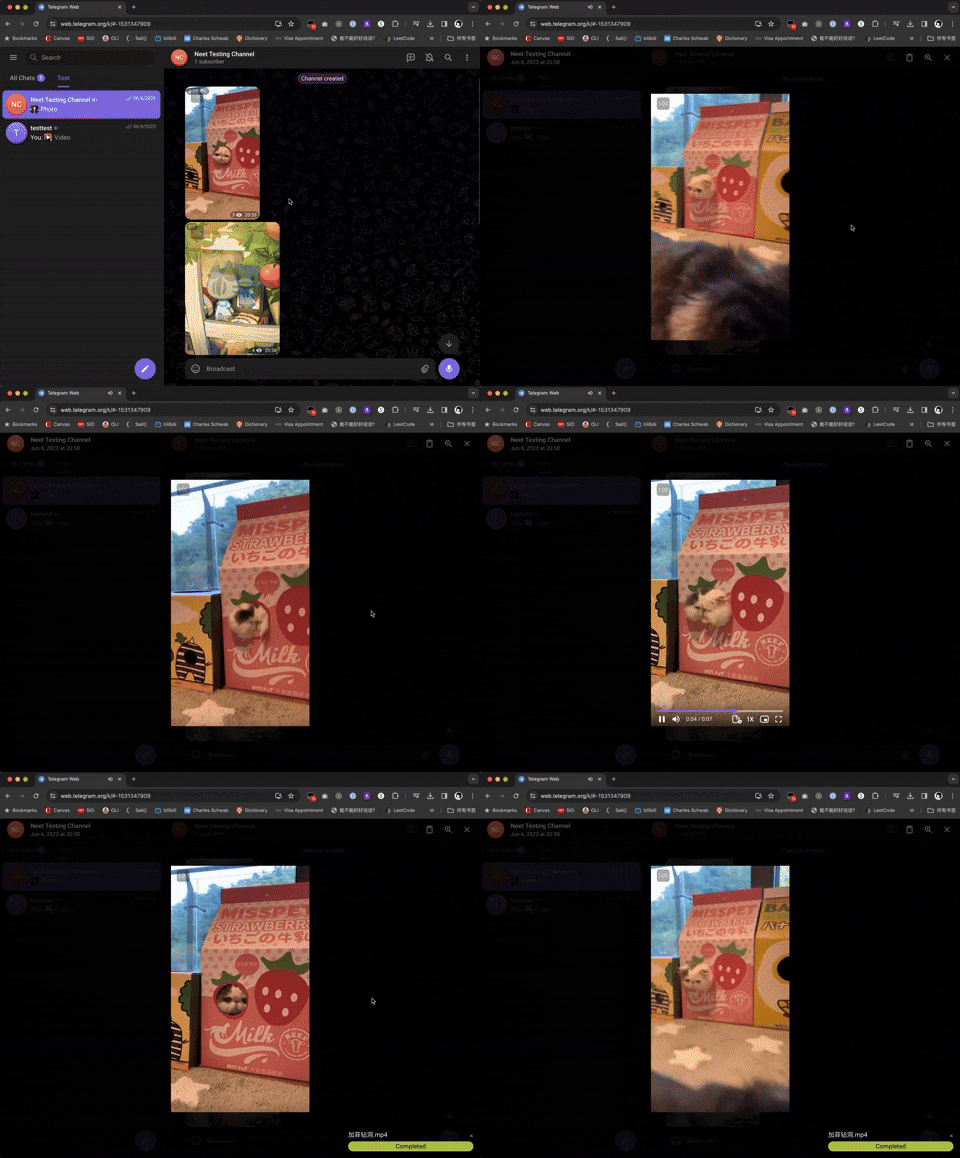
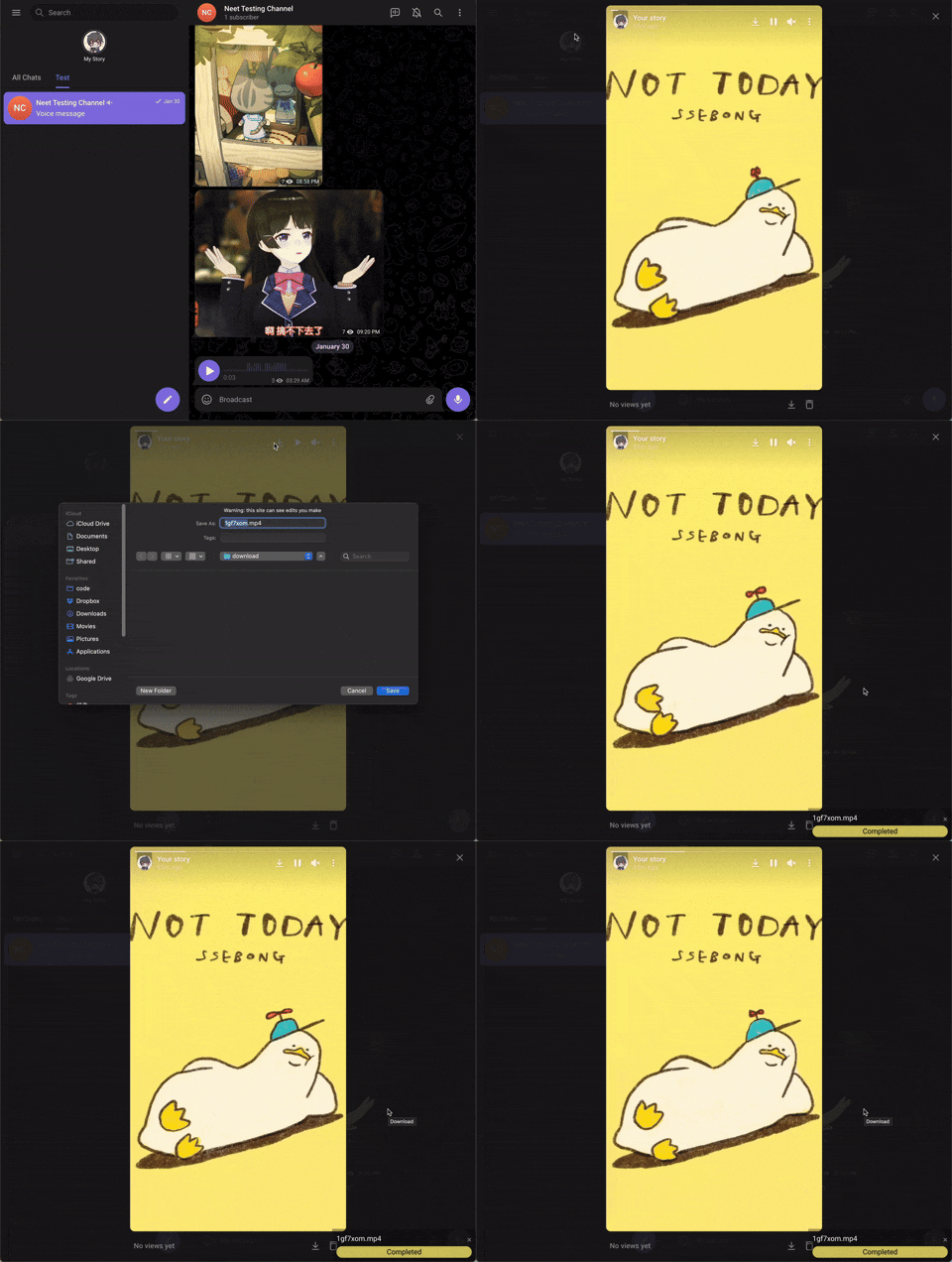
For videos, a progress bar will show on the bottom-right corder after you started downloading. For images and audios, there won’t be a progress bar.
Supported Webapp Versions
There are 2 different versions of telegram webapps:
- https://webk.telegram.org / https://web.telegram.org/k/ (Recommended)
- https://webz.telegram.org / https://web.telegram.org/a/
This script should work on both versions of webapp, but some features are only available in the /k/ version (such as voice message downloads). If certain features are not working, switching to the /k/ version is recommended.
Check Downloading Progress
A progress bar will show on the bottom-right of the screen for videos. You can also check DevTools console for logs.
Contributing
We welcome contributions from the community! If you’d like to contribute to Telegram Media Downloader, follow these steps:
Reporting Issues
If you find a bug, compatibility issue, or have a feature request, please:
- Check if the issue has already been reported in the Issues tab.
- If not, create a new issue with a clear title and description. Attach screenshots or logs if applicable.
Submitting Pull Requests
-
Fork the repository: Click on the “Fork” button in the top-right of the repo.
-
Clone your fork:
git clone https://github.com/YOUR-USERNAME/Telegram-Media-Downloader.git cd Telegram-Media-Downloader -
Create a new branch for your feature or bugfix:
git checkout -b feature-or-bugfix-nameMake your changes and ensure the script still works correctly on supported Telegram webapps.
-
Make your changes and ensure the script still works correctly on supported Telegram webapps.
-
Commit your changes with a descriptive message:
git commit -m "Add feature/fix issue: Brief description" -
Push to your fork:
git push origin feature-or-bugfix-name -
Submit a Pull Request (PR):
-
Go to the original repository: Neet-Nestor/Telegram-Media-Downloader.
-
Click “New Pull Request” and select your branch.
-
Add a description of your changes and submit.
-
Development Guidelines
- Keep your code clean and well-documented.
- Follow the existing coding style.
- Test your changes on both Telegram WebK and WebZ versions.
- Ensure compatibility with major user script managers like Tampermonkey and Violentmonkey.
Help with Translations
We want Telegram Media Downloader to be accessible to users worldwide! If you’d like to help translate the script’s Greasy Fork page, follow these steps:
How to Contribute a Translation
Check for existing translations in the docs/greasyfork folder of the repository.
Add a new file in docs/
Translate the content from docs/greasyfork/en-US.md into your language while keeping the formatting intact. Submit a Pull Request following the steps in the Submitting Pull Requests section above.
Language Codes
Use standard IETF Language Tag (e.g., es-ES for Spanish, ja-JP for Japanese). You can find a full list of codes here.
Support Author
If you like this script, you can support me via Venmo or buy me a coffee :)
相似文章
@GYLQ520: Telegram 自带的搜索功能是真的烂,中文简直是灾难级别,翻个旧消息全靠运气。 有人直接开源了一套解法——Telegram Search,把 OpenAI 的语义向量塞进聊天记录检索里,你只要记得“大概聊过什么”,它就能帮你挖出来,完…
Telegram Search 是一个开源工具,利用 OpenAI 的语义向量对 Telegram 聊天记录进行智能检索,支持中文优化、自动备份和 Docker 一键部署。
@noahduck283: https://x.com/noahduck283/status/2069570117445571061
这是一份Telegram从入门到精通的使用指南,涵盖账号安全设置、隐私保护、聊天管理、频道与群组运营、Bot应用、付费功能等,帮助用户将Telegram打造成跨境信息工具。
@manateelazycat: 这个万能下载器太牛逼了 你只需在微信里把视频链接发给机器人,系统会自动识别平台、解析下载、转码整理,并把视频回传到微信——全程无需打开电脑、无需复制粘贴到第三方网站 支持抖音、快手、微博、小红书、B站、微信视频号、YouTube、Inst…
介绍一个万能下载器,用户只需在微信中将视频链接发送给机器人,系统会自动识别平台、解析下载、转码并回传视频,支持抖音、YouTube等14+平台,内置ffmpeg和GPU硬件加速。
@iluciddreaming: 重度 Telegram 用户可以收藏这个:awesome-telegram 一个专门整理 Telegram 资源的 GitHub 仓库,收录了实用机器人、开发库、自动化脚本、主题插件、活跃群组和优质频道。 不管是普通用户找好用的 Bot,…
推荐一个整理 Telegram 资源(机器人、开发库、自动化脚本、主题插件、群组和频道)的 GitHub 仓库 awesome-telegram,对普通用户和开发者都很有用。
@gkxspace: Get笔记真的离谱,目前没有发现他抓不到的,我试了国内海外各种平台: 小红书、b站、抖音、公众号...... TK、YouTube、推特...... 给它一个链接就行,我目前成功率 100%,而且还能直接用官方 skills 把这个接入 …
Get笔记工具能抓取国内外各大平台(小红书、B站、抖音、YouTube、推特等)的内容,链接抓取成功率100%,并支持通过官方skills接入codex等工具。