This article introduces automation features in OpenAI's Codex, allowing users to schedule recurring AI tasks such as daily briefs, weekly reviews, and data checks. It highlights how these automations can proactively run tasks and maintain conversation context for ongoing projects.
Learn how to automate tasks in Codex using schedules and triggers to create reports, summaries, and recurring workflows without manual effort.
# Automations
Source: [https://openai.com/academy/codex-automations/](https://openai.com/academy/codex-automations/)
OpenAIApril 23, 2026
OpenAI Academy
Run recurring tasks automatically using schedules and triggers in Codex\.
Codex can automatically run tasks on a schedule\.
This makes Codex proactive\. Instead of waiting for you to come back and ask for an update, Codex can return at the scheduled time, do the work, and surface the result for you to review\.
This is useful for recurring work, like preparing for the day, reviewing what changed, checking for updates, summarizing recent activity, or creating a weekly report\.
For example, you might use a thread automation to:
- Write a weekly review every Friday
- Create a morning brief from yesterday’s work
- Summarize new files added to a folder
- Clean up a weekly data export
- Check for missing or inconsistent information
- Create a recurring project status update
Some automations can also return to the same conversation and continue from the context already there\. That is especially useful when you want Codex to pick up an ongoing task instead of starting fresh each time\.
A good automation is specific, repeatable, and easy to review\.
For example:
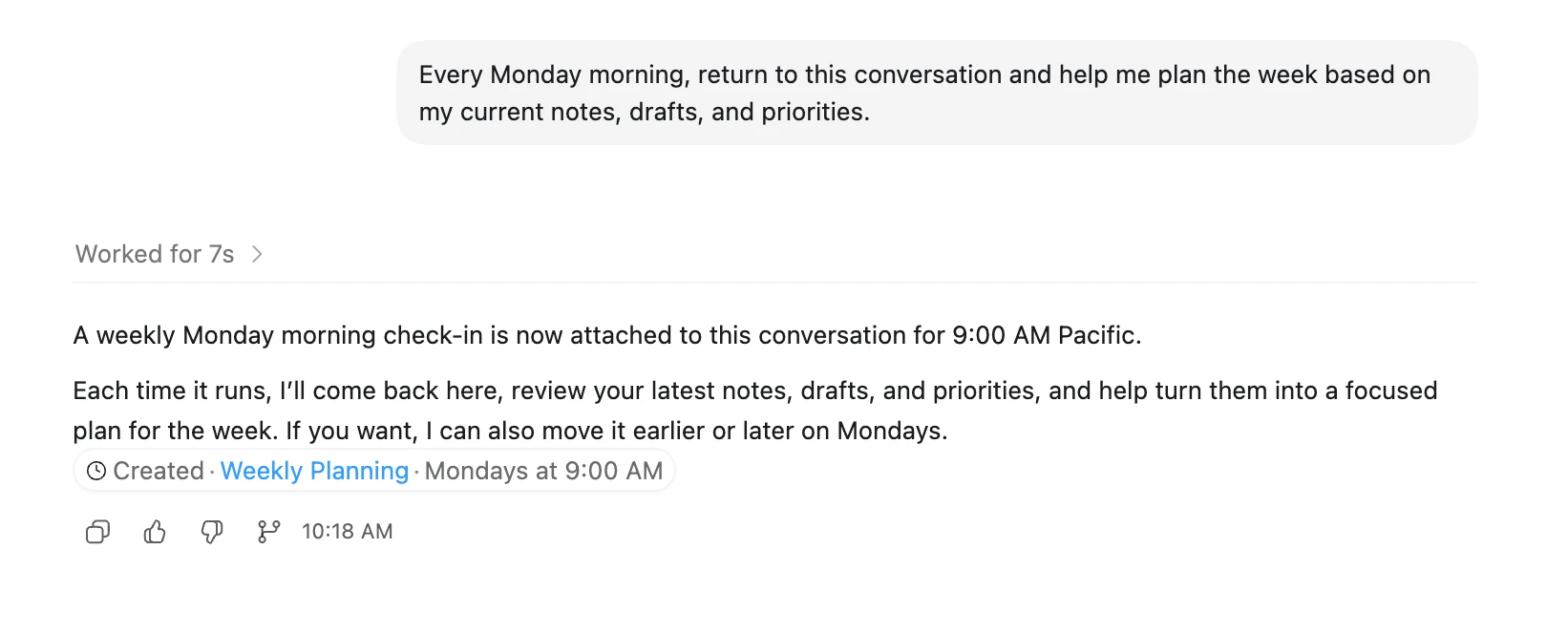
Or:
**Note:**If you’re running Codex locally, automations work best when your laptop is awake and Codex is running\.
Start by chatting back and forth with Codex to zero in on the exact kind of behavior and output you’re looking for\. Once Codex understands exactly what you need, turn that task into an automation\.
This article serves as a beginner's guide to using OpenAI Codex, explaining its core interface elements such as threads, projects, and settings. It highlights features like real-time steering of tasks and the ability to run multiple concurrent operations.
OpenAI's Codex has evolved from a coding tool into a general-purpose AI agent, now used by knowledge workers for research, coordination, and data analysis, reducing hours of work into minutes.
The article highlights the utility of thread automations in Codex, allowing the AI to resume tasks within the same context on a schedule rather than restarting, which improves continuity for checking or reviewing workflows.
OpenAI introduces Codex for Engineering teams, an AI tool that automates coding tasks from issue creation to code review, while keeping engineers in control.
OpenAI introduces Codex as a distinct AI agent designed to execute tasks across files and tools, complementing ChatGPT's conversational capabilities by handling workflows like file updates and automation.