@lifesinger: 生成这篇文章的 skill 来了: https://youmind.com/skills/youtube-video-to-article-OF5kFZQCgxwGWK… 可以把任何带字幕的 YouTube 视频,转成带插画的高质量文章 …
摘要
@lifesinger 分享了一个 YouMind skill,可以将任何带字幕的 YouTube 视频转成带插画的高质量文章,还能探索相关视频与资料,实现主题式主动学习,推荐搭配 Opus 5.5 模型使用。
查看缓存全文
缓存时间: 2026/10/16 22:47
生成这篇文章的 skill 来了: https://youmind.com/skills/youtube-video-to-article-OF5kFZQCgxwGWK… 可以把任何带字幕的 YouTube 视频,转成带插画的高质量文章 还可以进一步探索相关视频或资料,很容易按图索骥,从兴趣延展为主题式主动学习 唯一风险是,会有点上瘾 运行此 skill 时,推荐在 YouMind 里选择 Opus 5.5 模型
YouTube Video to Article - YouMind Skill
Source: https://youmind.com/skills/youtube-video-to-article-OF5kFZQCgxwGWK
Showcase
Description
Turn a long video into an article you can finish reading. Just paste a YouTube link. If you don’t have one, tell it who or what you want to watch—such as a person, show, or topic—and it will find several videos for you to choose from. The article explains the video’s key points and context, preserves memorable quotes, and can include images after it’s written.
Related Skills
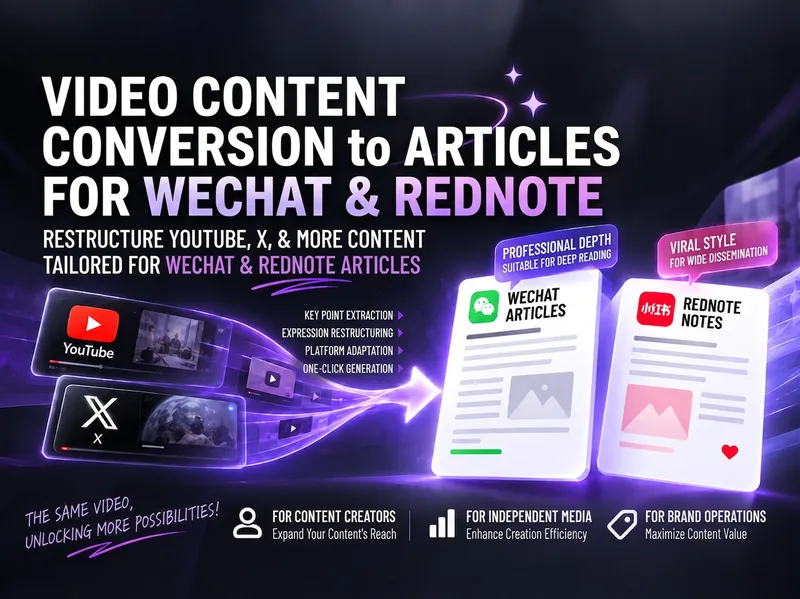
Video to Xiaohongshu/WeChat
Turn content from YouTube, X (Twitter), podcasts, and other sources into high-performing articles for Xiaohongshu and WeChat Official Accounts. You can provide video links, subtitles, timestamped transcripts, post threads, article text, screenshots, summaries, or background materials. The skill extracts viewpoints, methods, tools, prompts, examples, and practical details, then reorganizes them in natural, accessible Chinese rather than translating line by line or simply republishing the source. Each draft is developed independently based on the platform: the Xiaohongshu version focuses on the long-form reading experience, practical value, titles, and hashtags; the WeChat Official Account version provides a more complete article structure, summary, source notes, and questions for reader interaction. The articles do more than explain what the author said: they distinguish facts, opinions, and information that still needs verification; analyze what is worth referencing in a Chinese-language context; and explain how to start applying the ideas, along with boundaries such as cost, permissions, privacy, timeliness, and scope of use. When source material is incomplete or a link cannot be read reliably, the analysis scope is clearly labeled, with prompts to provide subtitles or a transcript and to verify the content before publishing—helping avoid fabricated details and unverified claims.
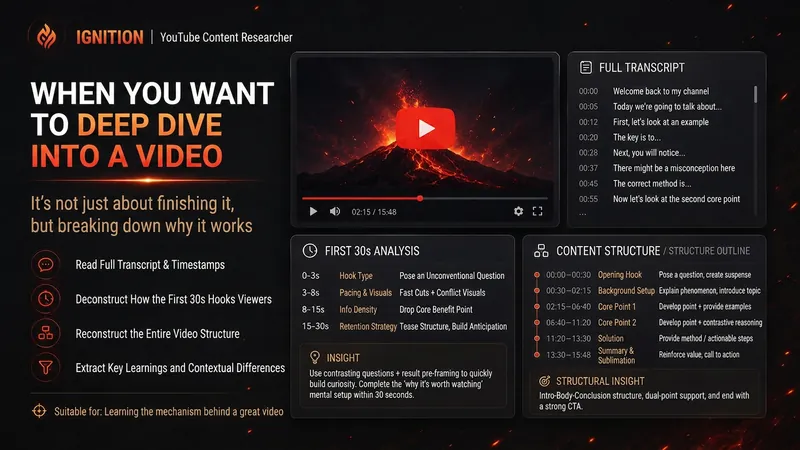 Research
Spark | YouTube Researcher
Planning a video but unsure how others have already covered the topic? “Spark | YouTube Researcher” conducts real research on YouTube: finding relevant videos, reading subtitles, breaking down titles and the first 30 seconds, reconstructing content structures, and comparing multiple samples to identify recurring approaches, clear differences, and gaps that no one has addressed well. You can use it to: Research which approaches are repeatedly used for a topic Deep-dive into how a specific video delivers its message Scan a channel’s topics, titles, and content patterns Break down the first 30-second Hook and the full video structure Find new creative angles in existing videos Research how your own finished video should be repackaged It will not declare that a title “definitely works” simply because one video has high views. When subtitles, timestamps, or performance data are unavailable, it will clearly identify what evidence is missing. What you get is not a collection of video summaries, but a YouTube research brief that can be handed directly to the next step of topic development, Hook creation, or scriptwriting. Ideal for YouTube creators, video planners, social media operators, and anyone who wants to see how far others have taken a topic before starting to film.
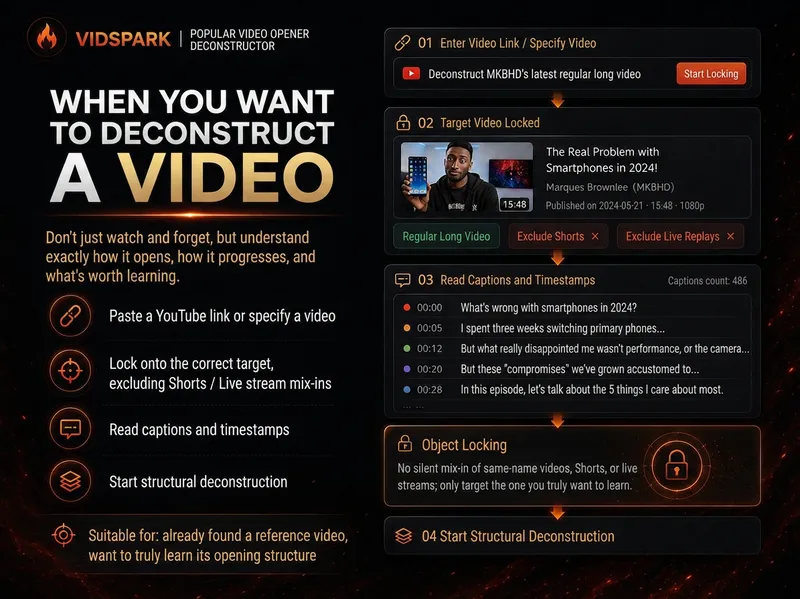 Research
Spark | Video Hook Analyzer
When preparing to make a video, we often run into the same problem: you can clearly see that a reference video “knows how to tell a story,” but when it’s your turn to create, you can only imitate it by feel. 「Spark | Video Hook Analyzer」is designed for this step. Give it a specific YouTube video. It first verifies the video and reads captions that can be checked, then separates three things that are easy to conflate: Literal 30s: What actually happens from 0:00–0:30. Intro: The entire opening before the main content begins. Hook / Re-hook: One or more structural beats that genuinely work to keep viewers watching. So it won’t force the first 30 seconds of every video to be interpreted as the Hook just because “everyone says the first 30 seconds matter most.” If the real Hook comes after the one-minute mark, it will tell you plainly. If the captions or timestamps are insufficient, it will clearly identify the evidence gap instead of filling it with an answer that merely looks professional. After breaking down the opening, it continues by using an outline to reconstruct the structure of the full video: Does it move forward through a timeline, experiment, process, comparison, story, chain of questions, or another organizing device? Finally, it abstracts these structures into [slots] templates. The templates preserve the sequence and function of the structure—not the original creator’s experiences, wording, brand, numbers, opinions, or authority. What you ultimately get is not a video summary, but a Hook Outline + full-video structure template that can be handed off to the next stage of creation. What it does not do It does not: Write the final new Hook for you; Score or rewrite your opening with BRENS; Search the entire niche or channel at scale; Generate a complete script; Generate diagrams, assets, animations, or thumbnails. Finding reference samples at scale belongs to the upstream 「Spark | YouTube Content Researcher」; refining your own Hook belongs to the corresponding follow-up Skill.
Information
Versionv63Last updatedOct 16, 2026Runtime creditsUsage-basedModelsAuto
相似文章
@iluciddreaming: Codex 上搭「视频内容工厂」,装好这几个插件就能把文本变成视频: HyperFrames — 负责「想」,创意策划 ElevenLabs Skill — 负责「说」,AI 配音 Remotion Skill — 负责「动」,程序化动画…
在Codex平台上通过HyperFrames、ElevenLabs配音、Remotion动画和Captions字幕等插件,实现从文本到视频的自动化制作流水线。
@shadouyoua: 整理了一下这几天写的几个SKILL,现在全部开源出来 1、bbshare-video 讲解视频生产流水线,从一个主题生成 HTML 幻灯片、旁白、TTS、人声字幕、背景音乐和最终视频 2、book-account-video 读书账号短视…
作者开源了多个用于内容创作的SKILL,包括视频生产流水线、读书短视频、小红书美食卡片和视频下载工具。
@GitHub_Daily: 又发现了一个好用的 Skill,一句话就能把任何内容转成播客、PPT、思维导图等格式。 支持超 15 种内容源,包括公众号、小宇宙播客、YouTube 视频、PDF、电子书等。 还能自动识别并尝试绕过付费墙,覆盖纽约时报、华尔街日报等 3…
一个开源的 Claude Code Skill,能将超过 15 种内容源(包括公众号、YouTube、付费新闻等)一键转换为播客、PPT、思维导图等格式,并自动尝试绕过付费墙。
@Easycompany333: 整理了 6 个可以直接试的视频类 Claude Skills: 1. HyperFrames 一句话生成动效视频,文章、推文、产品介绍都能变成 MP4。 适合产品宣发、教程开场、社交短视频。 https://github.com/heyg…
整理了6个可直接使用的视频类Claude Skills,涵盖自动生成动效视频、AI辅助粗剪、React组件渲染视频、多媒体生成工具箱、中文剪辑Agent和视频提示词编写等开源工具。
@GitTrend0x: Claude Code 现在也可以编辑视频了! 这个 SKILL 100% 免费且开源。 ✓ 自动创建动画 ✓ 生成不同风格的字幕 ✓ 消除静音、错误和填充词 https://github.com/browser-use/video-us…
video-use is a 100% open-source tool that lets Claude Code edit videos automatically by removing filler words, adding subtitles, color grading, and generating animations. It integrates with Claude Code via a skill and uses ElevenLabs for transcription.