@QingQ77: 通过浏览器管理 AI 编码任务,用多 Agent 协作完成从规划、编码到 QA 审查的全流程。 https://github.com/dataseeek/MagesticAI… MagesticAI 一个基于浏览器的 AI 任务管理和 A…
摘要
MagesticAI 是一个基于浏览器的 AI 任务管理和多 Agent 编排平台,支持从规划、编码到 QA 的全流程协作。
查看缓存全文
缓存时间: 2026/05/21 21:40
通过浏览器管理 AI 编码任务,用多 Agent 协作完成从规划、编码到 QA 审查的全流程。
https://github.com/dataseeek/MagesticAI…
MagesticAI 一个基于浏览器的 AI 任务管理和 Agent 编排平台,采用 SDD(规格驱动开发)模式。平台提供看板任务板、实时终端、Monaco 代码编辑器等界面,后端由 Planner、Coder、QA 三个 Agent 协作完成任务。
dataseeek/MagesticAI
Source: https://github.com/dataseeek/MagesticAI
MagesticAI
SDD (Spec-Driven Development) — a cloud and web-based AI task management and agent orchestration platform powered by LLMs




Overview
MagesticAI is a browser-based platform for managing AI-powered coding tasks through coordinated autonomous agents. It provides a modern web interface for task creation, execution monitoring, terminal access, and code review - all accessible from any browser.
Key Features
- Kanban Task Board - Visual task management with drag-and-drop
- Multi-Agent Orchestration - Planner, Coder, and QA agents work together
- Real-time Terminal - Full PTY terminal access in browser
- Monaco Code Editor - VS Code-like editing experience
- Git Worktree Isolation - Safe, isolated builds per task
- AI-Powered QA - Automated code review and validation
- Multi-Provider Support - Claude, Codex, Gemini, and any OpenAI-compatible endpoint (Ollama, LM Studio, vLLM, OpenRouter, Together, Groq, LocalAI…) with native agentic tool calling (Read, Write, Edit, Bash, Glob, Grep) — no API fallback needed
- Graphiti Memory - Cross-session learning and knowledge retention
- Multi-Project Support - Manage multiple repositories
- Internationalization - English, French, Portuguese (Brazil)
Demo Video
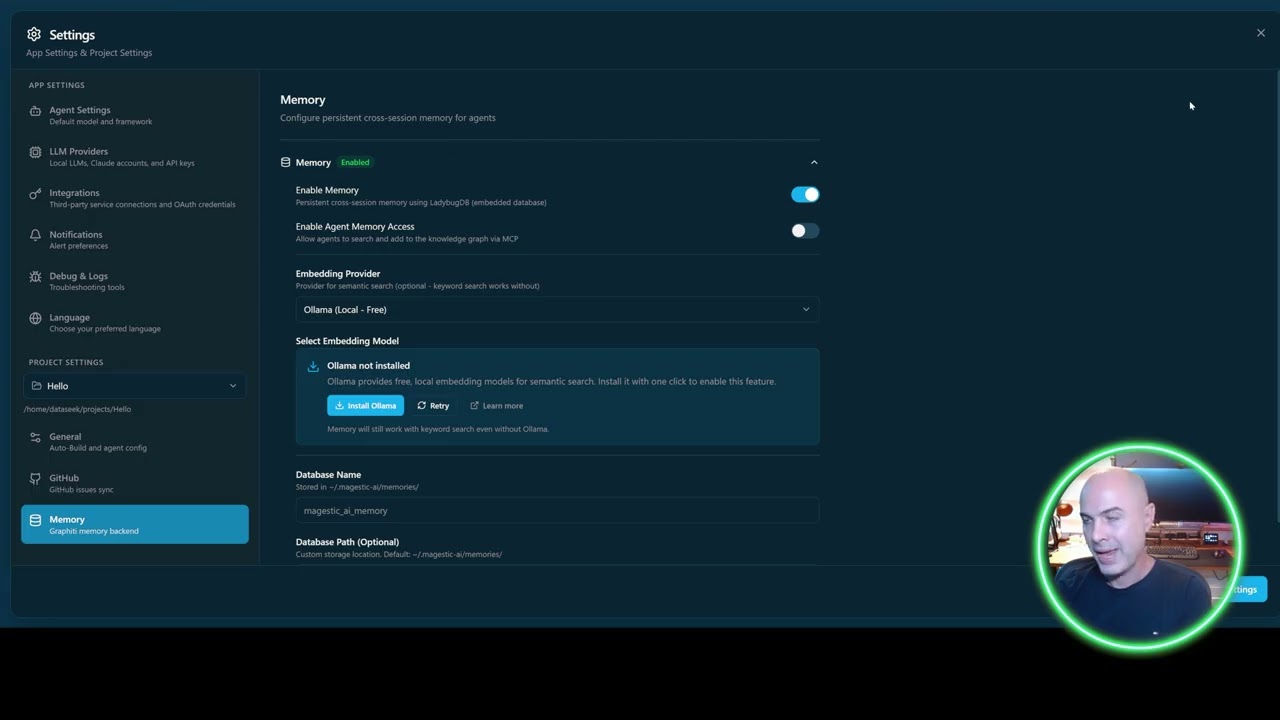
A quick walkthrough of the Kanban board, task creation flow, and agent execution.
Screenshots
| View | Preview |
|---|---|
| Kanban task board |  |
| Task creation wizard |  |
| Built-in PTY terminal |  |
| Monaco code editor |  |
| Settings & onboarding |  |
Supported Platforms
| OS / Runtime | Status | Notes |
|---|---|---|
| Ubuntu 24.04 LTS (kernel 6.8) | ✅ Tested | Primary development environment. Docker 27.x. |
| Other recent Linux distros | ✅ Should work | Same dependencies (Python 3.12+, Node 24+, optionally Docker). |
| macOS (Intel + Apple Silicon) | ⚠️ Should work, untested | Native install of the backend + frontend is straightforward. The Docker macvlan networking in docker-compose.yml is Linux-only — on macOS run the stack natively, or replace the macvlan network with a bridge + port mapping. |
| Windows (WSL2) | ⚠️ Should work, untested | Run inside an Ubuntu WSL2 distro and treat it as Linux. Native Windows is not supported. |
| Windows (native) | ❌ Not supported | Some scripts assume bash, Linux tools, and a POSIX filesystem. |
If you successfully run MagesticAI on a platform marked untested, open a PR adding your config to this table — happy to mark it ✅.
How does it compare?
MagesticAI sits next to two open-source projects with overlapping goals but very different shapes:
| Spec Kit | Compozy | MagesticAI | |
|---|---|---|---|
| Primary interface | CLI (specify) | CLI / single Go binary | Browser UI |
| Generates specs | Yes — its core purpose | Partial — workflow artifacts | Yes — multi-agent spec authoring (3–8 stages, auto-scaled by complexity) |
| Executes the spec | No — hands off to your external agent (Copilot / Claude Code / Cursor) | Orchestrates external agents via the ACP protocol | Yes — built-in Planner / Coder / QA Reviewer / QA Fixer |
| Task isolation | None | Workflow state in a daemon | Git worktree per task |
| LLM provider model | Inherited from whatever agent you hand off to | Inherited from the agent it orchestrates | Direct multi-provider: Claude, Codex CLI, Gemini, any OpenAI-compatible endpoint (Ollama, LM Studio, vLLM, OpenRouter, Together, Groq, LocalAI…) |
| License | MIT | MIT | AGPL-3.0 |
The short version: Spec Kit is great for authoring specs you’ll execute with an existing agent. Compozy is great if you want a terminal-first multi-agent runner driving external agents. MagesticAI is the one to pick if you want the full spec → plan → code → QA loop in one self-hosted browser app, with first-class support for local and OpenAI-compatible LLMs.
Quick Start
Prerequisites
- Node.js 24+ and npm 10+
- Python 3.12+
- Git
- Claude Code OAuth Token (run
claude setup-token)
Installation
# 1. Clone the repository
git clone https://github.com/dataseeek/MagesticAI.git
cd MagesticAI

# 2. Install all dependencies
npm run install:all

# 3. Configure environment
cp apps/backend/.env.example apps/backend/.env
cp apps/web-server/.env.example apps/web-server/.env
# Edit .env files with your CLAUDE_CODE_OAUTH_TOKEN
Running the Application
Terminal 1 - Backend Server:
cd apps/web-server
source .venv/bin/activate
python -m server.main
# Server runs on http://localhost:3101
# API token printed to console and saved to ~/.magestic-ai/.token
Terminal 2 - Frontend Dev Server:
cd apps/frontend-web
npm run dev
# UI available at http://localhost:3100
Docker Deployment
MagesticAI includes a Dockerfile and docker-compose.yml for containerized deployment:
# Build and start (clean)
docker compose down -v && docker compose build && docker compose up -d

# Start without rebuilding
docker compose up -d

# Retrieve the auto-generated API token
docker exec magesticai cat /home/magesticai/.magestic-ai/.token
Access the web UI at http://YOUR_HOST:3101 after the container starts.
See ContainerAPP.md for detailed Docker deployment instructions.
Architecture
┌─────────────────────────────────────────────────────────────────┐
│                   MagesticAI                        │
├─────────────────────────────────────────────────────────────────┤
│                                                                  │
│   Browser (React 19 + Vite)           Port 3100                 │
│   ├── Kanban Board                                               │
│   ├── Terminal Grid (xterm.js)                                   │
│   ├── Code Editor (Monaco)                                       │
│   ├── Task Detail Modal                                          │
│   └── Real-time WebSocket Updates                                │
│                                                                  │
├─────────────────────────────────────────────────────────────────┤
│                                                                  │
│   Web Server (FastAPI)                Port 3101                 │
│   ├── REST API (/api/*)                                          │
│   ├── WebSocket Endpoints (/ws/*)                                │
│   ├── PTY Session Management                                     │
│   ├── Agent Execution Service                                    │
│   └── File Operations                                            │
│                                                                  │
├─────────────────────────────────────────────────────────────────┤
│                                                                  │
│   Backend Agents (Python)                                        │
│   ├── Claude Agent SDK Integration                               │
│   ├── Multi-Provider Engine (Claude/Codex/Gemini/OpenAI-compat)  │
│   ├── Local LLM Tool Calling (Read/Write/Edit/Bash/Glob/Grep)    │
│   ├── Planner Agent (creates implementation plans)               │
│   ├── Coder Agent (implements subtasks)                          │
│   ├── QA Reviewer (validates code)                               │
│   ├── QA Fixer (resolves issues)                                 │
│   └── Graphiti Memory (LadybugDB)                                │
│                                                                  │
└─────────────────────────────────────────────────────────────────┘
Tech Stack
Frontend (apps/frontend-web/)
| Technology | Version | Purpose |
|---|---|---|
| React | 19.2.3 | UI Framework |
| TypeScript | 5.9.3 | Type Safety |
| Vite | 7.2.7 | Build Tool |
| Tailwind CSS | 4.1.17 | Styling |
| Zustand | 5.0.9 | State Management |
| Radix UI | Latest | Accessible Components |
| xterm.js | 6.0.0 | Terminal Emulation |
| Monaco Editor | 4.6.0 | Code Editor |
| i18next | 25.7.3 | Internationalization |
| @dnd-kit | Latest | Drag and Drop |
Backend Web Server (apps/web-server/)
| Technology | Version | Purpose |
|---|---|---|
| FastAPI | Latest | REST API Framework |
| Uvicorn | Latest | ASGI Server |
| Pydantic | v2 | Data Validation |
| ptyprocess | Latest | Terminal Management |
| websockets | Latest | Real-time Communication |
| GitPython | Latest | Git Operations |
Backend Agents (apps/backend/)
| Technology | Version | Purpose |
|---|---|---|
| Python | 3.12+ | Runtime |
| Claude Agent SDK | Latest | AI Agent Framework |
| OpenAI-compatible | Local / Hosted | Ollama, LM Studio, vLLM, LocalAI, OpenRouter, Together, Groq — with native tool calling |
| Graphiti | Latest | Knowledge Graph Memory |
| LadybugDB | Embedded | Graph Database (no Docker) |
Project Structure
MagesticAI/
├── apps/
│   ├── frontend-web/        # React web frontend (Vite)
│   │   ├── src/
│   │   │   ├── components/  # 57+ React components
│   │   │   ├── stores/      # 14 Zustand stores
│   │   │   ├── hooks/       # Custom React hooks
│   │   │   ├── lib/         # API client, WebSocket
│   │   │   └── shared/      # Types, i18n, constants
│   │   └── package.json
│   │
│   ├── web-server/          # FastAPI backend
│   │   └── server/
│   │       ├── routes/      # REST API endpoints
│   │       ├── websockets/  # WebSocket handlers
│   │       ├── services/    # Agent execution service
│   │       └── pty/         # Terminal management
│   │
│   ├── backend/             # Python agent system
│   │   ├── agents/          # Planner, Coder agents
│   │   ├── providers/       # Multi-LLM adapters (Claude, Codex, Gemini, OpenAI-compatible inc. Ollama)
│   │   ├── tools/           # Reusable tool executor (Read, Write, Edit, Bash, Glob, Grep)
│   │   ├── qa/              # QA Reviewer, Fixer
│   │   ├── spec/            # Spec creation pipeline
│   │   ├── security/        # Command validation & path boundary
│   │   ├── integrations/    # Graphiti, Linear, GitHub
│   │   └── prompts/         # Agent system prompts
│   │
├── guides/                  # Extended documentation
├── tests/                   # Test suite
├── scripts/                 # Build scripts
├── Dockerfile               # Container image definition
├── docker-compose.yml       # Container orchestration
├── CHANGELOG.md             # Version history
├── RELEASE.md               # Release process guide
├── AGENTS.md                # AI agent instructions
├── GEMINI.md                # Gemini AI instructions
├── ContainerAPP.md          # Docker deployment guide
└── package.json             # Root package
Views & Features
| View | Description |
|---|---|
| Kanban | Task board with drag-and-drop status management |
| Terminals | Multi-terminal grid with PTY support |
| Editor | Monaco code editor with file browser |
| Worktrees | Git worktree management and merge operations |
| Roadmap | AI-generated feature roadmap |
| Ideation | AI-powered feature brainstorming |
| Context | Project indexing and memory system |
| GitHub Issues | GitHub issue integration |
| GitLab Issues | GitLab issue integration |
| GitHub PRs | Pull request AI review |
| Changelog | Automatic changelog generation |
| Insights | AI analysis and project insights |
| MCP Overview | Agent tools documentation |
Task Lifecycle
1. CREATE     →  TaskCreationWizard generates spec
2. PLAN       →  Planner Agent creates subtask plan
3. CODE       →  Coder Agent implements in isolated worktree
4. QA REVIEW  →  QA Agent validates against acceptance criteria
5. FIX        →  QA Fixer resolves any issues (loops back to QA)
6. MERGE      →  Human reviews and merges to main branch
Configuration
Environment Variables
Backend (apps/backend/.env):
CLAUDE_CODE_OAUTH_TOKEN=your-oauth-token
GRAPHITI_ENABLED=true
# Optional: LINEAR_API_KEY, GITHUB_TOKEN
Web Server (apps/web-server/.env):
APP_HOST=0.0.0.0
APP_PORT=3101
APP_DEBUG=true
# APP_API_TOKEN=xxx  # Auto-generated if not set
Frontend (apps/frontend-web/.env):
VITE_API_BASE_URL=/api
VITE_WS_BASE_URL=ws://localhost:3101
OpenAI-Compatible Endpoints
MagesticAI can talk to any service that implements the OpenAI
POST /v1/chat/completions protocol: Ollama (at http://localhost:11434/v1),
LM Studio, vLLM, OpenRouter, Together AI, Groq, LocalAI, and OpenAI itself.
1. Add the endpoint in the UI Open Settings → LLM Accounts → “OpenAI-Compatible Endpoints” → “Add endpoint”. Fill in:
- Label (e.g.
LM Studio local,Ollama local) - Base URL (e.g.
http://localhost:1234for LM Studio,http://localhost:11434/v1for Ollama — Ollama needs the/v1suffix; LM Studio / vLLM do not) - API key (leave blank for local servers like LM Studio / Ollama that don’t need one)
- Default model (e.g.
qwen2.5-coder-32b-instruct,qwen2.5-coder:32bfor Ollama)
Use the “Test” button to confirm the server is reachable.
2. Select it for a task
Prefix the model name with openai: or openai-compatible::
| Model string | What happens |
|---|---|
openai: | Use the first saved endpoint + its default model |
openai:qwen/qwen3-14b | Use the first saved endpoint with this model |
openai-compatible:LM studio .11:qwen3-14b | Use the endpoint labelled “LM studio .11” |
The backend reads base_url and api_key directly from the
llm_endpoints table in ~/.magestic-ai/data.db — same row the
Settings UI writes when you click Create.
For power users without the UI, the env vars
OPENAI_COMPATIBLE_BASE_URL and OPENAI_COMPATIBLE_API_KEY (or
OPENAI_API_KEY) act as a fallback when no DB row exists.
Model size matters. Smaller local models (under ~30B parameters)
can call tools and write files, but they sometimes drift from the
exact JSON schemas MagesticAI expects (spec.md,
implementation_plan.json, qa_report.md, etc.). When that happens
the build pipeline has a built-in retry loop that feeds the
validation error back to the model and asks it to fix the file —
but small models don’t always recover, and a corrupted spec can fail
the whole task. For reliable end-to-end runs, prefer one of:
- Larger local models:
qwen2.5-coder-32b-instruct,llama-3.3-70b-instruct,deepseek-coder-v2:33b - Hosted endpoints via OpenRouter / Together / Groq: any GPT-4-class or Claude-class model
- Test small models on a throwaway task first before committing to a multi-hour build
Tool-call protocol support also varies — make sure your chosen model is one LM Studio / vLLM advertises as supporting OpenAI tool calling.
API Endpoints
REST API (/api/)
| Endpoint | Method | Description |
|---|---|---|
/api/projects | GET/POST | List/create projects |
/api/projects/{id} | GET/PUT/DELETE | Project CRUD |
/api/tasks | GET/POST | List/create tasks |
/api/tasks/{id}/start | POST | Start task execution |
/api/terminals | GET/POST | Terminal management |
/api/files/list | GET | Directory listing |
/api/files/read | GET | Read file content |
/api/settings | GET/PUT | App settings |
WebSocket Endpoints (/ws/)
| Endpoint | Purpose |
|---|---|
/ws/events | Global event broadcasting |
/ws/terminal/{id} | Terminal I/O |
/ws/tasks/{id}/progress | Task progress streaming |
/ws/tasks/{id}/logs | Task log streaming |
Documentation
- CLAUDE.md - AI assistant instructions and architecture reference
- AGENTS.md - Agent configuration for AI coding tools
- GEMINI.md - Gemini AI assistant instructions
- CHANGELOG.md - Version history and release notes
- RELEASE.md - Release process documentation
- ContainerAPP.md - Docker deployment guide
- guides/ - Extended technical documentation
Scripts
# Development
npm run dev              # Start web frontend (dev mode)

# Installation
npm run install:all      # Install all dependencies
npm run install:backend  # Backend only
npm run install:frontend # Frontend only

# Testing
npm run test             # Run frontend tests
npm run test:backend     # Run backend tests

# Production
npm run build            # Build frontend for production
Troubleshooting
| Issue | Solution |
|---|---|
| Cannot connect to backend | Ensure web-server running on port 3101 |
| Invalid token | Get token from ~/.magestic-ai/.token |
| WebSocket failed | Check token in URL, verify ports accessible |
| Task stuck | Check agent logs in Settings → Logs |
| Memory errors | Verify GRAPHITI_ENABLED=true in backend .env |
Contributing
We welcome contributions! To get started:
- Fork the repository
- Create a feature branch from
develop:git checkout -b fix/my-fix develop - Make your changes and commit with sign-off:
git commit -s -m "fix: description" - Push to your branch:
git push origin fix/my-fix - Create a PR targeting
develop:gh pr create --base develop
See RELEASE.md for the full release and versioning process.
License
This project is licensed under the GNU Affero General Public License v3.0 (AGPL-3.0).
See LICENSE for the full license text and NOTICE for copyright and upstream attribution (MagesticAI is a derivative work of Aperant by @AndyMik90 and inherits its AGPL-3.0 license).
Credits
MagesticAI is a fork of Aperant (formerly Auto Claude Desktop) by @AndyMik90. We thank the original authors for the foundational work.
Support
- Issues: GitHub Issues
- Discussions: GitHub Discussions
Made with AI by DataSeek Team
Star History
相似文章
我打造了 MagesticAI:一个真正帮助我开发自身的云端网页版代理式DevOps编排器。
MagesticAI 是一个开源的、基于浏览器的多智能体 AI 编码平台,它使用 Planner、Coder 和 QA Reviewer 智能体在隔离的 git 工作树中进行协调会话,并支持包括 OpenAI 兼容端点在内的多种大语言模型。
@justloveabit: 用这个开源工具,我让一群AI替我上班了 事情是这样的,最近一直在折腾各种AI agent。Claude Code开一堆窗口,Codex也在跑,偶尔还要用Cursor。结果呢,乱成一锅粥——哪个agent在干啥,花了多少钱,完全搞不清楚。重…
本文介绍了一款名为Paperclip的开源工具,用于统一管理和调度多个AI Agent。它通过模拟公司组织架构、任务分配与预算控制等功能,解决了多Agent协作时上下文丢失、成本不可控和调度混乱的痛点。
@AxtonLiu: https://x.com/AxtonLiu/status/2073791557547794579
本文讨论了Agent OS的概念,强调通过分工将任务拆解为多个工位(抓取、提炼、核查、确认),每个工位由独立的Agent负责,以实现可控的自动化。作者通过消化浏览器标签的例子,展示了如何通过分工隔离上下文、责任和风险,确保AI输出的准确性和可靠性。
@GitHub_Daily: 让 AI Agent 自动化操作浏览器或抓数据,经常被各种反爬机制拦截,遇到验证码、人机验证直接卡死。 最近 BrowserAct 团队开源了一个 Skill,专为 AI Agent 设计的浏览器自动化命令行工具。 提供三层反封锁机制,从…
BrowserAct 团队开源了一个专为 AI Agent 设计的浏览器自动化命令行工具,提供三层反封锁机制(指纹伪装、验证码破解、人类接管),支持多浏览器并行、账户隔离,并优化了输出格式以节省Token。
@QingQ77: 用自然语言描述需求,AI Agent 自动拆解步骤、调用工具完成开发、文件操作、浏览器操控等任务,同时提供完整的编辑器与终端功能。 https://github.com/Liuchun-oss/codelf-agent… Codelf 是…
Codelf 是一个开源的桌面 AI 助理,可用自然语言描述需求,自动拆解步骤并调用工具完成开发、文件操作、浏览器操控等任务,同时提供完整的编辑器与终端功能,支持 DeepSeek、Claude、ChatGPT 等模型,对国内网络友好,具备本地 RAG 知识库能力。