Cached at:
09/13/26, 11:36 AM
# How to Use Three.JS's new Native Gaussian Splats
Source: [https://ben3d.ca/blog/how-to-use-threejs-native-gaussian-splats](https://ben3d.ca/blog/how-to-use-threejs-native-gaussian-splats)
The newly released Three\.js r186 release adds native[3D Gaussian Splatting](https://en.wikipedia.org/wiki/Gaussian_splatting)support, and it's a big deal: splats have been usable in Three\.js for a while through community add\-ons, but now they're a first\-class citizen of the engine, with a built\-in mesh type and loaders for the major formats\.
I covered the underlying technical details in an earlier post,[Adding Native Gaussian Splatting Support to Three\.js](https://ben3d.ca/blog/gaussian-splatting-for-threejs)\. This one is the practical companion: what Gaussian Splats are good for, how to load and render one in a few lines of code, which file format to pick, and how to go from a real\-world capture to a splat you can drop into a Three\.js scene\.
## Gaussian Splats[\#](https://ben3d.ca/blog/how-to-use-threejs-native-gaussian-splats#gaussian-splats)
A Gaussian Splat is a point cloud where every point is a fuzzy, oriented, colored 3D ellipsoid \(a "splat"\) instead of a hard vertex\. Render thousands to millions of them, sorted back\-to\-front, and they blend into a photorealistic image, without any of the meshing, UV unwrapping, or material baking that traditional surface reconstruction needs\.
That makes splats a great fit for capturing real\-world objects and scenes and showing them in high fidelity, especially subjects that are hard to model by hand: foliage, fur, reflective or translucent surfaces, cluttered rooms, museum artifacts\. Because a splat is built directly from photos rather than a hand\-authored mesh, the result looks like the source material with a fraction of the traditional reconstruction work, and once it's loaded you treat it like any other object in your Three\.js scene: sorted and shaded fresh each frame\.
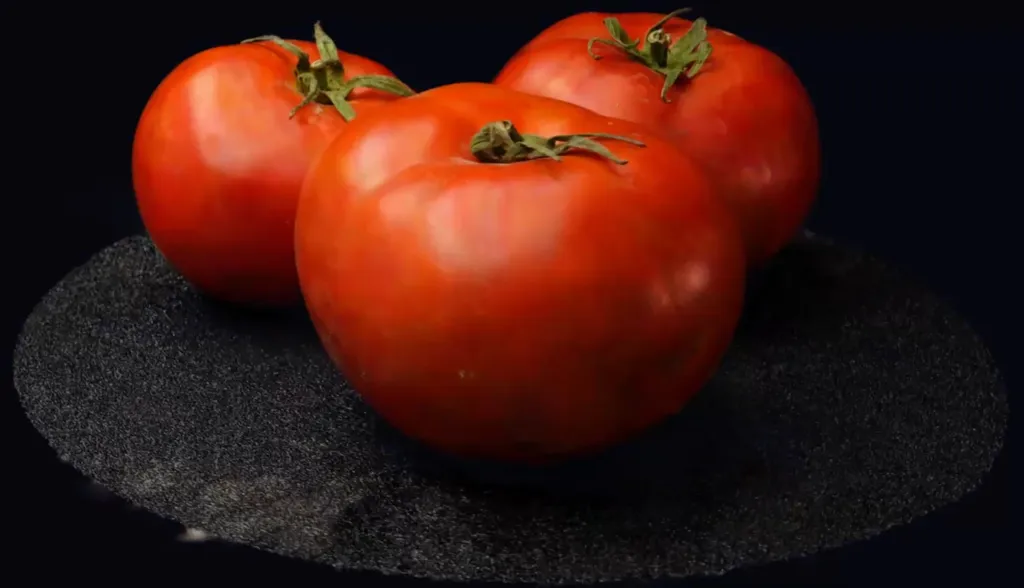
There is a scale limit worth knowing up front, though:`GaussianSplat`is built for a single captured object or a room\-scale scene, not an entire city block\. It has no level\-of\-detail \(LOD\) streaming and no spatial segmentation or culling, so a city\-scale capture or a multi\-gigabyte splat cloud needs tiling or reduction by hand before it will run smoothly\. Large\-scene tooling can sit on top of this foundation later, and I go into that groundwork in the[implementation post](https://ben3d.ca/blog/gaussian-splatting-for-threejs)\.
## Loading an SPZ file[\#](https://ben3d.ca/blog/how-to-use-threejs-native-gaussian-splats#loading-an-spz-file)
Here's the whole pipeline, start to finish: load a`\.spz`file, wrap it in a mesh, and render it\.
```
import * as THREE from 'three/webgpu';
import { SPZLoader } from 'three/addons/loaders/SPZLoader.js';
import { GaussianSplat } from 'three/addons/objects/GaussianSplat.js';
const renderer = new THREE.WebGPURenderer();
await renderer.init();
const scene = new THREE.Scene();
const camera = new THREE.PerspectiveCamera( 50, window.innerWidth / window.innerHeight, 0.01, 100 );
camera.position.set( 0, 0.3, 2 );
// 1. Load the splat data
const splatGeometry = await new SPZLoader().loadAsync( 'model.spz' );
// 2. Wrap it in a mesh and add it to the scene
const splats = new GaussianSplat( splatGeometry );
scene.add( splats );
// 3. Render as usual. The mesh sorts itself every frame by default.
renderer.setAnimationLoop( () => {
renderer.render( scene, camera );
} );
```
That's really all there is to it: one loader call, one`new GaussianSplat\( geometry \)`, and a`scene\.add\(\)`\. Because`GaussianSplat`extends`THREE\.Mesh`, it composes with the rest of the scene graph just like any other object, so transforms,`visible`, and raycasting groups all work the way you'd expect\.
One requirement to keep in mind:`GaussianSplat`needs`WebGPURenderer`\. The renderer is built from TSL nodes plus compute shaders for the depth sort, so make sure both`three/webgpu`and`three/tsl`resolve in your import map\.
## Picking a file format[\#](https://ben3d.ca/blog/how-to-use-threejs-native-gaussian-splats#picking-a-file-format)
Splats come in several file formats depending on where they were captured or exported, and Three\.js ships five loaders to cover them\. All five produce the same internal`BufferGeometry`shape \(`position`,`covariance`,`color`, and optional packed`sphericalHarmonics1\.\.3`attributes\), so whichever loader you use,`GaussianSplat`consumes the result identically:
LoaderExtensionNotes`SPZLoader``\.spz`**Recommended\.**Niantic's compact format\. v4 is zstd\-compressed and streamed section\-by\-section: smallest files and fastest to load\. Also reads legacy v1–v3 \(gzip\)\.`GaussianSplatPLYLoader``\.ply`**Most interoperable\.**Native output of the original 3D Gaussian Splatting research code and most training/cleanup tools, so this is the format you receive most often\. Uncompressed and per\-vertex text/binary, large on disk and slow to load compared to`\.spz`\.`KSPLATLoader``\.ksplat`Format used by the`GaussianSplats3D`viewer\. Useful if you already have assets from that pipeline\.`SPLATLoader``\.splat`Original fixed 32\-byte\-per\-splat format \(antimatter15/splat\)\. Uncompressed, easy to generate, large on disk\.`GLTFGaussianSplatLoaderExtension``\.gltf`/`\.glb`Implements the[`KHR\_gaussian\_splatting`](https://www.khronos.org/news/press/gltf-gaussian-splatting-press-release)glTF extension, so splats can travel inside a normal glTF asset alongside meshes, cameras, and animations\.
If you get to choose the format, use SPZ version 4 for viewers: it gives you the smallest transfer size and the fastest parse\.
### Loading PLY splats[\#](https://ben3d.ca/blog/how-to-use-threejs-native-gaussian-splats#loading-ply-splats)
Splats also often arrive as`\.ply`files, since that's the native output of the original 3D Gaussian Splatting research code and of many training and cleanup tools\.`GaussianSplatPLYLoader`handles them, following the same pattern as`SPZLoader`and`SPLATLoader`:
```
import { GaussianSplatPLYLoader } from 'three/addons/loaders/GaussianSplatPLYLoader.js';
import { GaussianSplat } from 'three/addons/objects/GaussianSplat.js';
const splatGeometry = await new GaussianSplatPLYLoader().loadAsync( 'point_cloud.ply' );
scene.add( new GaussianSplat( splatGeometry ) );
```
This is the right loader to reach for when a splat only exists as a raw`\.ply`export\.
### Loading glTF splats[\#](https://ben3d.ca/blog/how-to-use-threejs-native-gaussian-splats#loading-gltf-splats)
If your splat is embedded in a glTF file, there's one extra setup step\. Because`GaussianSplat`needs`WebGPURenderer`,`GLTFLoader`doesn't register the glTF splat plugin for you automatically, so you register it yourself:
```
import { GLTFLoader } from 'three/addons/loaders/GLTFLoader.js';
import { GLTFGaussianSplatLoaderExtension } from 'three/addons/loaders/GLTFGaussianSplatLoaderExtension.js';
const loader = new GLTFLoader();
loader.register( ( parser ) => new GLTFGaussianSplatLoaderExtension( parser ) );
const gltf = await loader.loadAsync( 'scene.gltf' );
scene.add( gltf.scene ); // splat primitives arrive as GaussianSplat instances
```
With that registered, a mesh primitive using`KHR\_gaussian\_splatting`loads as a`GaussianSplat`\(or a`Group`of them, for multi\-primitive meshes\) and lands in the returned scene graph like any other glTF node, mixed in alongside regular meshes, cameras, and animations if the file has them\.
### Loading SPLAT and KSPLAT files \(legacy formats\)[\#](https://ben3d.ca/blog/how-to-use-threejs-native-gaussian-splats#loading-splat-and-ksplat-files-legacy-formats)
`SPLATLoader`and`KSPLATLoader`exist mainly for legacy compatibility, covering assets and pipelines built around`antimatter15/splat`and the`GaussianSplats3D`viewer\.
The API matches`SPZLoader`closely, so swapping between them is just a matter of picking the right loader class and pointing it at the matching extension:
```
import { SPLATLoader } from 'three/addons/loaders/SPLATLoader.js';
import { GaussianSplat } from 'three/addons/objects/GaussianSplat.js';
const splatGeometry = await new SPLATLoader().loadAsync( 'model.splat' );
scene.add( new GaussianSplat( splatGeometry ) );
```
```
import { KSPLATLoader } from 'three/addons/loaders/KSPLATLoader.js';
import { GaussianSplat } from 'three/addons/objects/GaussianSplat.js';
const splatGeometry = await new KSPLATLoader().loadAsync( 'model.ksplat' );
scene.add( new GaussianSplat( splatGeometry ) );
```
Both loaders produce the same`BufferGeometry`shape as`SPZLoader`, so`GaussianSplat`and everything downstream of it \(sorting, rendering, glTF export\) behaves identically regardless of which loader you used to get there\.
## Capture, clean up, convert, render[\#](https://ben3d.ca/blog/how-to-use-threejs-native-gaussian-splats#capture-clean-up-convert-render)
Getting from a real\-world subject to a splat in your Three\.js scene takes four steps\.
### 1\. Capture[\#](https://ben3d.ca/blog/how-to-use-threejs-native-gaussian-splats#1-capture)
Start by walking around your subject with a mobile scanning app\. Overlapping photos or video go to the app \(or its cloud backend\), which reconstructs a splat from them\. A few apps cover this well:
- **[Polycam](https://poly.cam/):**Gaussian Splat capture in the mobile app, cloud processing\.
- **[Scaniverse](https://scaniverse.com/):**Niantic's mobile scanning app, with on\-device Gaussian Splat capture and export straight to`\.spz`\.
- **[Luma AI](https://lumalabs.ai/):**consumer splat\-capture app, cloud\-processed\.
Any of the three will reconstruct a usable splat from your capture\.
### 2\. Clean up[\#](https://ben3d.ca/blog/how-to-use-threejs-native-gaussian-splats#2-clean-up)
Raw reconstructions tend to come out with stray floater splats, background clutter, and rough edges, so it's worth trimming those before you ship\.
- **[Polycam](https://poly.cam/)**has its own cropping and cleanup tools, handy if you captured with it and want to stay in one app\.
- **[SuperSplat](https://superspl.at/)**\(PlayCanvas's free web\-based editor\) is purpose\-built for splat editing: cropping, erasing floaters, re\-exporting\. It works with splats from any source, so reach for it when you want more control than a capture app gives, or when the splat came from somewhere else\.
### 3\. Convert to SPZ[\#](https://ben3d.ca/blog/how-to-use-threejs-native-gaussian-splats#3-convert-to-spz)
Once you have a clean splat \(usually as`\.ply`or`\.splat`\), convert it to`\.spz`v4 before loading it in Three\.js:
- **[Niantic's online SPZ converter](https://scaniverse.com/spz):**upload`\.ply`/`\.splat`, download`\.spz`\.
- If you captured with**Scaniverse**, you can skip this step entirely, since it exports`\.spz`v4 directly\.
### 4\. Render[\#](https://ben3d.ca/blog/how-to-use-threejs-native-gaussian-splats#4-render)
With a`\.spz`file in hand, drop it into your project and load it with`SPZLoader`and`GaussianSplat`, exactly as in the example earlier in this post\.