@AISuperDomain: 发现一个把 AI 生成 PPT 做到「真正可编辑」的开源项目:PPT Master,GitHub 已经 4.5W+ Star。 它和普通 AI PPT 最大的区别是:生成的不是一堆扁平图片,而是真正的原生 PowerPoint。 支持: …
摘要
介绍开源项目 PPT Master,一个能把 AI 生成真正可编辑的原生 PowerPoint 的工具,支持图表、动画、旁白和多种模型,GitHub 已获 4.5 万+ Star。
查看缓存全文
缓存时间: 2026/08/13 15:31
发现一个把 AI 生成 PPT 做到「真正可编辑」的开源项目:PPT Master,GitHub 已经 4.5W+ Star。
它和普通 AI PPT 最大的区别是:生成的不是一堆扁平图片,而是真正的原生 PowerPoint。
支持:
原生形状、图表、表格,可继续编辑 自动生成转场、动画 Speaker Notes 转语音旁白,甚至导出视频 PDF / DOCX / 网页直接生成 PPT 支持套用自己的 .pptx 模板 数据主要在本地处理,不绑定特定模型或平台 Claude、GPT、Gemini、Kimi 等 Agent 都能驱动
如果你经常要做汇报、方案、课程 PPT,这个项目非常值得试试。
GitHub:
hugohe3/ppt-master
Source: https://github.com/hugohe3/ppt-master
PPT Master — AI generates native PowerPoint from any document



English | 中文
This project is kept free and open source with the support of Kimi, PackyCode, APIKEY.FUN, RunAPI, YouYun ZhiSuan and other sponsors.

Thanks to Kimi for sponsoring this project! Kimi K3 is the world’s first open 3T-class model, featuring native vision and a 1-million-token context window. With PPT Master, K3 can understand source materials such as PDFs, DOCX files, and web pages, identify key points, structure the narrative, and generate a natively editable PPTX that you can continue refining in PowerPoint.
Try Kimi Code, or access the API through the Kimi Open Platform (中文站 | Global).
 |
Thanks to PackyCode for sponsoring this project! PackyCode is a reliable and efficient API relay service provider, offering relay services for Claude Code, Codex, Gemini, and more. PackyCode provides special discounts for our project users: register using this link and enter the promo code ppt-master during recharge to get 10% off. |
 |
Thanks to APIKEY.FUN for sponsoring this project! APIKEY.FUN is a professional enterprise-grade AI relay service committed to stable, efficient, and low-cost AI access for businesses and developers. The platform supports mainstream models including Claude, OpenAI, and Gemini, with prices as low as 7% of official rates. Register through our dedicated link for an exclusive perk: up to 5% off on top-ups, permanently. |
 |
Thanks to RunAPI for sponsoring this project! RunAPI is an efficient and stable API platform — a single API Key gives you access to 150+ leading models, including OpenAI, Claude, Gemini, DeepSeek, and Grok, at prices as low as 10% of official rates, with exceptional stability and seamless compatibility with tools like Claude Code. RunAPI offers an exclusive perk for PPT Master users: register and contact an administrator via our dedicated link to claim ¥7 in free credit. |
 |
Thanks to YouYun ZhiSuan for sponsoring this project! YouYun ZhiSuan is UCloud's AI cloud platform, providing one-stop API services for mainstream domestic and international models, all accessible with a single key. The platform features cost-effective CodingPlan packages for domestic models (including GLM5.2, Deepseek-v4, and more), along with official channels for stable access to overseas models, meeting diverse development needs. It's compatible with mainstream AI coding tools like Claude Code and Codex, as well as general API calls. The platform supports enterprise-level high concurrency, 24/7 technical support, and self-service invoicing. Register through this link to receive up to ¥10 in free credits. This project has been built into an Agent — PPT Master — ready to use without local deployment. |
Editable is already table stakes — what sets PPT Master apart is native depth. It hands you a real PowerPoint: slide masters, native shapes, data-backed charts and tables — not flat text boxes, and not a filled-in template. It also does more than lay slides out nicely — it reasons the argument into shape first, then designs; and that native depth keeps converging with PowerPoint itself, adding more of its native capabilities release after release. In form, it’s a workflow that runs inside any agent-capable AI tool: hand the AI your topic or material, and it generates on your machine — your data stays local, no platform or model lock-in. How it works and where the limits are → Product Positioning.
Live Demo · Examples · FAQ · Roadmap
The narrated deck and gallery below were generated in May 2026 with Claude Opus 4.7 + gpt-image-2 — one pass each, no manual polish.
Download the narrated Attention Is All You Need deck — play it in PowerPoint and every slide reads itself out loud. That's just the tip of what PPT Master can do.
 Editorial Magazine — architecture photography, calm typographic grid Flip online · Download .pptx |
 Data Journalism — Bloomberg-style dark dashboard, chart-driven Flip online · Download .pptx |
 Swiss Grid — strict modular grid, restrained type, red-accent Flip online · Download .pptx |
 Glassmorphism SaaS — translucent layers, gradient depth, product UI Flip online · Download .pptx |
 Memphis Pop — bold primaries, geometric patterns, playful energy Flip online · Download .pptx |
 Risograph Zine — duotone print, hand-made bookstore-culture feel Flip online · Download .pptx |
Downloading any .pptx and opening it in PowerPoint is the fastest way to see what it can really do.
Flip through all examples online → · examples/ directory · Why PPT Master?
Drop in your source material, and what you get back isn’t a static layout you can edit — it’s a complete deck with real PowerPoint behavior: native slide transitions, opt-in entrance / emphasis / motion-path / exit animations (off by default), speaker notes that can become audio narration and even video, charts and tables that can ship as real data-backed PowerPoint objects, and it can follow your own PPT template — present it as-is, and keep refining. How to use each capability → Getting Started.
Product Positioning
Editable is now table stakes — the real question is how much of PowerPoint you actually get. PPT Master delivers PowerPoint’s native object model itself, and in depth: native shapes and connectors with working adjustment handles, data-backed charts and tables on demand, and the full text / picture / fill / effect model — click any element and keep editing it as a native PowerPoint object; and through the template / structured route, it can hand you a deck with real slide masters and layouts (p:sldMaster / p:sldLayout inheritance).
And that depth is a direction of travel, not a fixed checklist. PPT Master’s north star is to keep converging with PowerPoint itself: an ongoing effort to build and integrate more of PowerPoint’s native capabilities, release after release, closing the gap between what an AI can generate for you and what you could build by hand in PowerPoint. The PowerPoint ↔ SVG Mapping Guide is the honest, feature-by-feature record of how far that reaches today — and SmartArt is a deliberate omission, not a gap.
In form, it’s a workflow (a “skill”) that runs inside any agent-capable AI tool: tell it in chat — “make a deck from this PDF” — and it runs the workflow on your machine and exports a natively editable .pptx. No coding on your side; you do exactly three things — install Python, install an AI tool, drop in your material.
Generating a new deck from source documents is the main pipeline, but not the only route. PPT Master can also distill reusable brand / style / layout / deck templates from your references, fill an existing .pptx with new content while preserving its design, and add native transitions, animations, and narration to a finished deck — each route with an explicit contract for what gets preserved.
On top of that native depth, this form comes with three promises:
- Transparent, predictable cost — free and open source; the only cost is your AI model usage, with no PPT subscription on top
- Data stays local — apart from AI model communication, the entire pipeline runs on your machine
- No platform lock-in — any agent-capable AI IDE can drive it; Claude, GPT, Gemini, Kimi, and other models all work
Why you’d choose it, and where it isn’t the right fit → Why PPT Master; the long-term capability boundaries behind these promises → Project Positioning.
This is a tool, not a wishing well
harness + model = agent— PPT Master only owns the workflow; the model sets the ceiling. Recommended: Kimi K3 (or Claude) with a large context window (~1M tokens) + AI image generation (gpt-image-2or Googlegemini-3.1-flash-image); other models can run the pipeline, with a quality gap.And don’t expect a finished, perfect deck in one shot. The tool’s value is taking most of the tedious work off your plate; the polishing that’s left is yours — a natively editable deck exists precisely so you can keep working on it, not a flat image you can’t touch. The cheaper the model, the more there is to do; if results disappoint, upgrade the model first, then check your usage against Getting Started and the example projects.
Built by Hugo He
I’m a finance professional (CPA · CPV · Consulting Engineer (Investment)) who regularly reviews and edits presentation decks. I wanted AI-generated slides to remain editable in PowerPoint, not flattened into images — so I built this.
Knowing how to use Python and AI agents will matter more and more, and this project is also meant to show how far you can go with just those two things. There’s a learning curve if you’re starting cold, but it’s the curve worth climbing — making a deck is just the excuse; what I’m really pushing is Python and agents.
You Might Also Like
ResearchStudio-
A Microsoft open-source project I recently joined — from paper to talk video, poster, and blog, automating the last mile of research dissemination.
📦 Repo: microsoft/ResearchStudio · 📄 Paper: arXiv:2607.04438
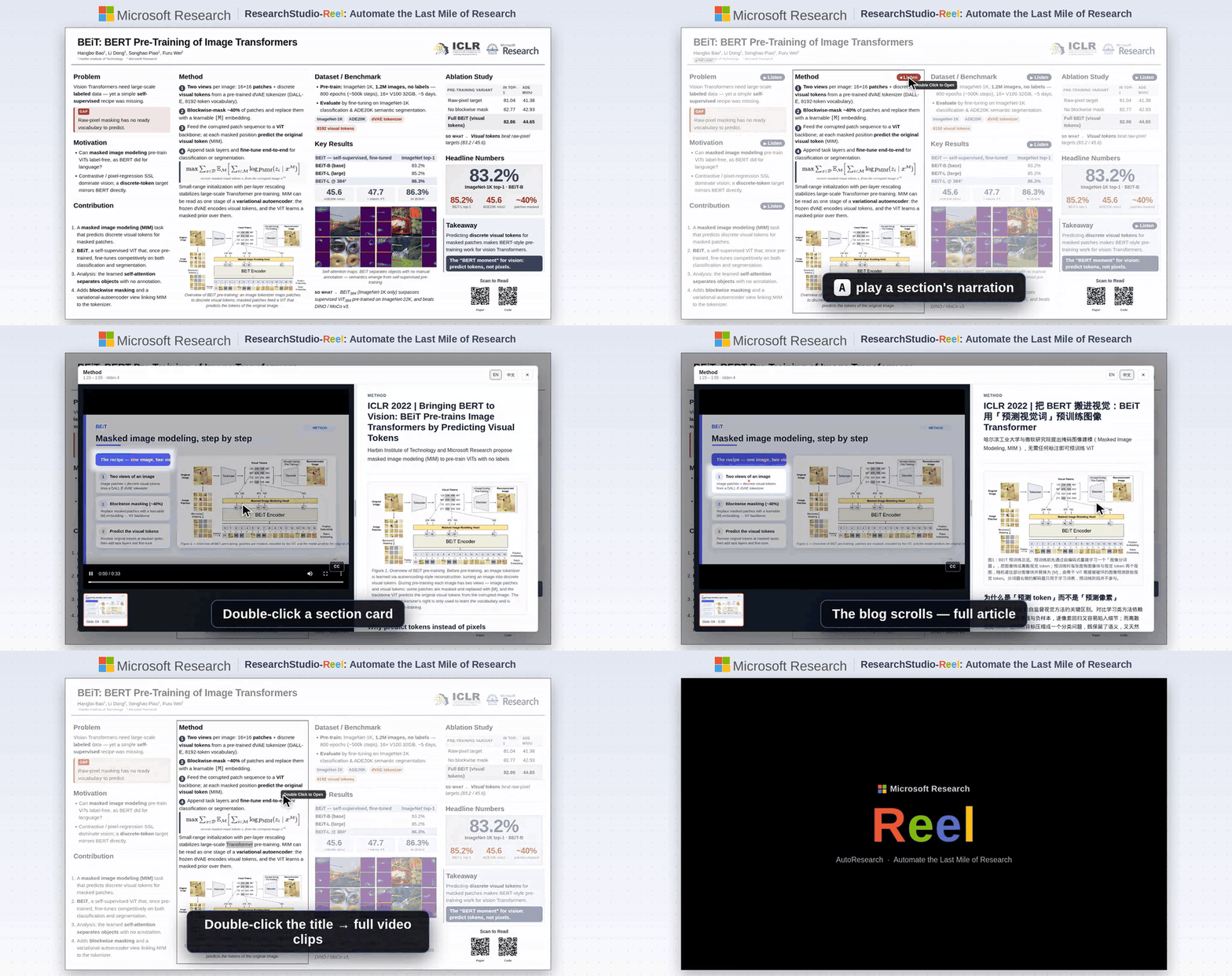
|
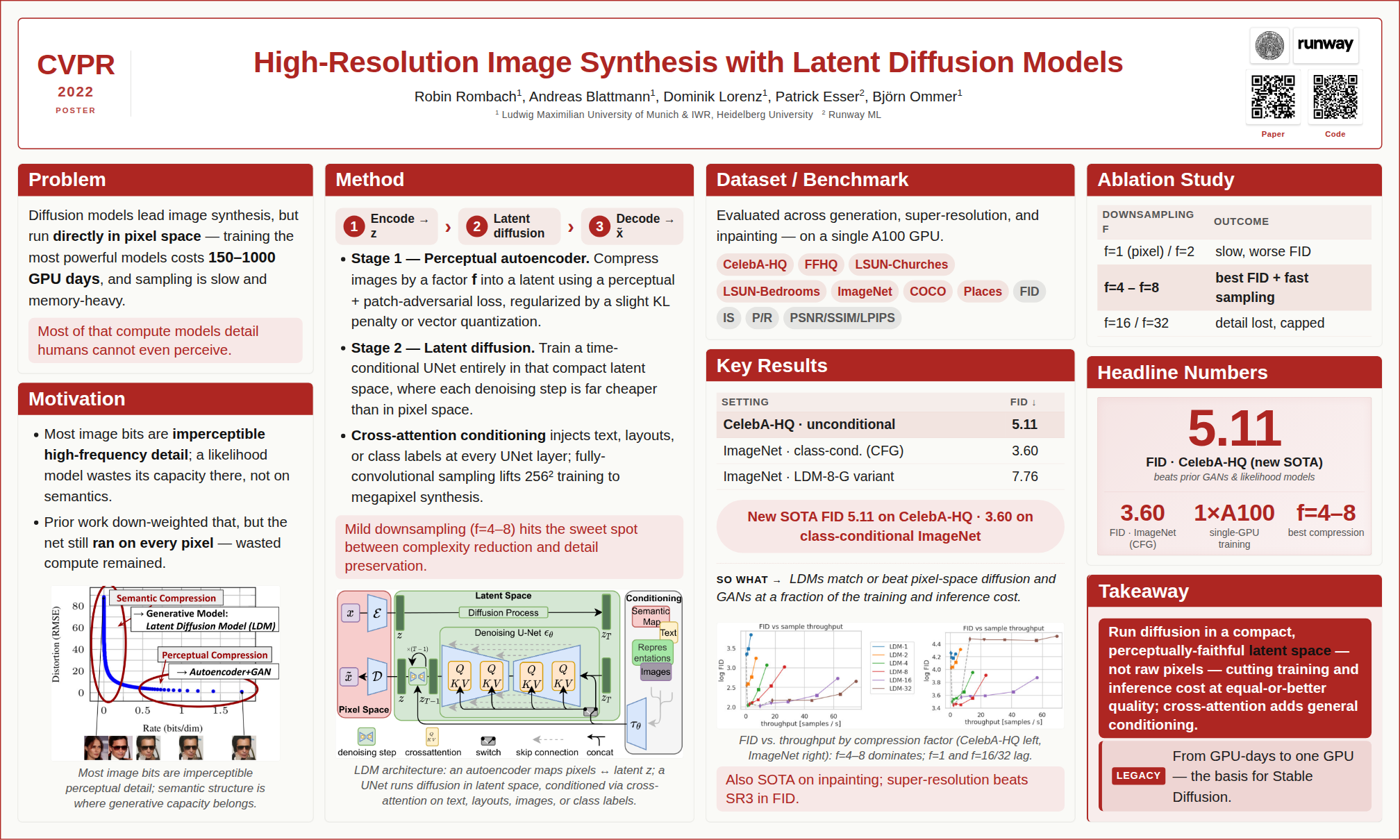
|
BibTeX — if you use ResearchStudio-Reel in your research
@article{xiao2026researchstudioreel,
  title   = {ResearchStudio-Reel: Automate the Last Mile of Research from Paper to Poster, Video, and Blog},
  author  = {Lingao Xiao and Yalun Dai and Yangyu Huang and Qihao Zhao and Wenshan Wu and Hugo He and Ruishuo Chen and Jin Jiang and Qianli Ma and Jiahuan Zhang and Xin Zhang and Ying Xin and Yang Ou and Yan Xia and Scarlett Li and Longbo Huang and Zhipeng Zhang and Yang He and Yap Kim Hui and Yan Lu},
  journal = {arXiv preprint arXiv:2607.04438},
  year    = {2026},
  url     = {https://arxiv.org/abs/2607.04438}
}
Quick Start
1. Prerequisites
All you need to install is Python 3.10+. Everything else comes with one line — pip install -r requirements.txt — after you download the project in Step 3.
Windows — see the dedicated step-by-step guide ⚠️
Windows requires a few extra steps (PATH setup, execution policy, etc.). We wrote a step-by-step guide specifically for Windows users:
📖 Windows Installation Guide — from zero to a working presentation in 10 minutes.
Quick version: download Python from python.org → check “Add to PATH” during install → done; dependencies are installed in Step 3.
macOS / Linux — install and go
# macOS
brew install python

# Ubuntu / Debian
sudo apt install python3 python3-pip
Edge-case fallback — 99% of users don't need this
Pandoc — only needed for legacy document formats: .doc, .odt, .rtf, .tex, .rst, .org, or .typ. .docx, .html, .epub, .ipynb are handled natively by Python — no pandoc required.
# macOS
brew install pandoc

# Ubuntu / Debian
sudo apt install pandoc
2. Pick an Agent
PPT Master runs in any tool with agent capability — read/write files, execute commands, and sustain multi-turn conversation.
Never used one of these? Don’t worry — in this project they play exactly one role: an AI chat window that can read and write files. Pick any tool from the table, install it, and you’ll only ever use its chat panel. No coding involved.
Author’s pick: Claude Code — the environment this project is developed and tested on most thoroughly, as the CLI or the VS Code / JetBrains extension.
| Type | Examples | Notes |
|---|---|---|
| IDE-native agent | • VS Code architecture (VS Code itself, plus forks & derivatives): Cursor, Trae, Codebuddy IDE, Windsurf, etc. • Other architectures: Zed, etc. | Editor with a built-in agent |
| IDE plugin / extension | Claude Code (VS Code / JetBrains extension), GitHub Copilot, Cline, etc. | Installed inside hosts like VS Code or JetBrains |
| CLI agent | Claude Code CLI, Codex CLI, Gemini CLI, etc. | Runs in the terminal; suits scripting, remote, or server use |
Model recommendation: for the best results, use Kimi K3 (or Claude) to drive the pipeline, paired with AI image generation —
gpt-image-2(OpenAI) orgemini-3.1-flash-image(Google). Kimi Code, the project sponsor, is a great pick for pay-as-you-go access.
🔑 Want to use Claude / GPT / Gemini but don’t have access yet? Project sponsors PackyCode, APIKEY.FUN and RunAPI offer pay-as-you-go access to Claude, GPT, Gemini and more — no subscription required, with exclusive discounts for our users (details at the top of this page).
🔀 Juggling several providers? Once you hold keys from more than one of them, cc-switch — a cross-platform desktop app — lets you one-click switch API providers for Claude Code, Codex, Gemini CLI and more, no manual config editing.
3. Set Up
Option A — Git clone (recommended; requires Git installed): the preferred path, since a clone can pull the latest version at any time.
git clone https://github.com/hugohe3/ppt-master.git
cd ppt-master
Then install dependencies:
pip install -r requirements.txt
Option B — Download ZIP (no Git required; best for a quick trial): click Code → Download ZIP on the GitHub page, then unzip, and install dependencies with pip install -r requirements.txt. A ZIP has no Git history, so it can’t git pull — see Updating Later. If that download is too large or fails, grab the skill-only package ppt-master-skill-*.zip (~56 MB, fully functional but without the bundled example decks) from the Releases page instead.
Updating Later
Git clone installs:
python3 skills/ppt-master/scripts/update_repo.py
The script pulls the latest version and syncs Python dependencies when requirements.txt changes.
Download ZIP installs:
ZIP folders do not include Git history, so they cannot run git pull. To update, download the latest ZIP, unzip it into a new folder, copy your old .env and projects/ folder into the new folder, then run:
pip install -r requirements.txt
Option C — Skill marketplace: the repo ships
.claude-plugin/marketplace.json, so it can be installed through the Claude Code plugin marketplace ecosystem:# Cross-agent CLI (Claude Code, Cursor, Codex, etc.) npx skills add hugohe3/ppt-master # Or inside Claude Code /plugin marketplace add hugohe3/ppt-master /plugin install ppt-master@ppt-masterBoth install paths above only fetch the skill files (not the full repo); you still need to
pip install -r requirements.txtfrom the installed location for the post-processing scripts to run.
4. Create
First, open the project folder in your agent: the goal is to point the AI at the ppt-master directory you unzipped / cloned in the previous step. In an IDE-type tool, use File → Open Folder — the AI chat panel is usually in the sidebar; in a CLI agent, cd ppt-master first, then launch it. Everything from here on happens in the chat.
Provide source materials (recommended): Place your PDF, DOCX, images, or other files in the projects/ directory, then tell the AI chat panel which files to use. The quickest way to get the path: right-click the file in your file manager or IDE sidebar → Copy Path (or Copy Relative Path) and paste it directly into the chat.
You: Please create a PPT from projects/q3-report/sources/report.pdf
Paste content directly: You can also paste text content straight into the chat window and the AI will generate a PPT from it.
You: Please turn the following into a PPT: [paste your content here...]
By default—unless you explicitly request quick generation—the AI first confirms the design spec:
AI:  Sure. Let's confirm the design spec:
     [Template] B) Free design
     [Format]   PPT 16:9
     [Pages]    8-10 pages
     ...
The AI handles everything — content analysis, visual design, SVG generation, and PPTX export.
Quick generation (skip the confirmation round trip): say so explicitly and the AI goes straight to authoring and export.
You: Quickly generate a 5-page deck from projects/q3-report/sources/report.pdf — no need to confirm with me
Whatever you state explicitly is followed; whatever you leave unspecified the agent decides on its own instead of asking. It still converts sources, fills factual gaps, applies the shared visual baseline, and uses images/icons/native shapes/charts/tables/PowerPoint-native inline or block formulas as needed — it drops interaction and durable planning, not presentation capability. It is one-pass and non-resumable, and there is no svg_final/ preview. Full guide → Quick mode.
Output: The SVG pipeline has one PPTX converter: it reads
svg_output/and writes a directly editable native DrawingML deck toexports/<name>_<timestamp>.pptx. The default Generate flow runsfinalize_svg.pyand produces self-contained previews insvg_final/; PowerPoint’s manual Convert to Shape command is outside the supported contract. Explicit quick generation skips Strategist, confirmation,design_spec.md,spec_lock.md, andfinalize_svg.py: whatever you state explicitly is followed, and whatever you leave unspecified the agent decides directly in one active context. It still converts sources, researches factual gaps, applies shared mode/style/aesthetic guidance, prepares required images/icons, authors formulas as native inline or block markers, considers native shapes and data visualizations, hand-authors SVG, passes the lockless Quick final quality check, and exports the final PPTX. It writes no substitute plan and cannot resume after context loss. Formula markers compile their LaTeX payload to editable OMML for PowerPoint 2010+; block groups and inline<tspan>runs keep ordinary SVG previews that are replaced during export. Formula rendering and editability in Keynote, WPS, LibreOffice, and other non-PowerPoint clients are not part of this contract. Ordinary export capabilities remain available as needed, including native chart/table replacement, notes, motion, narration, and diagnostics; notes, custom object animation, and narration start off, and the agent may enable them when the request or deck needs them. A default-path Quick export writes the normal postflight report and snapshotssvg_output/tobackup/<timestamp>/svg_output/; an explicit output path keeps the ordinary no-backup behavior. By default charts and tables export as individually editable SVG-derived DrawingML shapes, which prioritize cross-app visual consistency. Pass--native-charts-and-tablesto replace eligible groups with PowerPoint-native Chart/Table objects backed by data, which provide Edit Data and object-specific controls but may render differently across apps; this variant is saved asexports/<name>_<timestamp>_native_charts_tables.pptx. Both chart/table export variants are editable—the distinction is the PowerPoint object model, not editability itself.
Already have a
.pptxyou want to reuse? Hand the AI that deck plus your material and ask it to “fill this deck with the new content” — it fills text, table, and chart data into your existing design and exports only the pages you pick, staying natively editable. See the FAQ and template-fill workflow.
Something went wrong? If the AI loses context, ask it to read
skills/ppt-master/SKILL.md; for everything else, check the FAQ — it covers model selection, layout issues, export problems, and more. Continuously updated from real user reports.
5. Image Acquisition (Optional)
Two paths for non-user images, mixable per image in the same deck:
A) AI generation — image_gen.py. Set IMAGE_BACKEND plus the provider’s *_API_KEY (OPENAI_API_KEY, GEMINI_API_KEY, etc.), and the pipeline calls it automatically. Run python3 skills/ppt-master/scripts/image_gen.py --list-backends for the full backend list. gpt-image-2 is currently the best default.
B) Web image search — image_search.py. Zero-config works; configure PEXELS_API_KEY / PIXABAY_API_KEY (both free) for consistently higher-quality results:
- Without keys, search uses Openverse / Wikimedia Commons only — useful as a fallback, but image quality can be uneven because many results are ordinary user uploads
- With keys, the default provider chain also appends Pexels / Pixabay, which materially improves modern stock photography, people, workplace, lifestyle, and illustration coverage
- Licensing is handled automatically: CC0, Public Domain, Pexels / Pixabay no-attribution licenses, CC BY, and CC BY-SA are all considered together, and Executor adds a small inline credit whenever the selected image requires attribution. Use
--strict-no-attributiononly when a slide cannot tolerate any credit line - For high-impact covers, product shots, portraits, and branded scenes, prefer this order: user-provided high-resolution assets / AI generation > web search with Pexels / Pixabay keys > zero-config web search
The API keys above all live in .env. Clone installs can use cp .env.example .env; skill marketplace installs should use a persistent user config:
mkdir -p ~/.ppt-master
cp /path/to/installed/ppt-master/.env.example ~/.ppt-master/.env
PPT Master reads the current process environment first, then the first .env found in this order: current working directory, skill directory (e.g. ~/.agents/skills/ppt-master/.env), clone repo root, ~/.ppt-master/.env.
Full reference:
image-generator.md(AI) ·image-searcher.md(web).
Documentation
| Document | Description | |
|---|---|---|
| 📘 | Getting Started | First deck in 3 steps, plus how to use templates, live preview, animations, narration, voice cloning (new users start here) |
| 🆚 | Why PPT Master | Why choose it, and where it’s not the right fit |
| 🧭 | Project Positioning | Long-term positioning, product promises, and capability boundaries |
| 🪟 | Windows Installation | Step-by-step setup guide for Windows users |
| 📖 | SKILL.md | Core workflow and rules |
| 📐 | Canvas Formats | PPT 16:9, Xiaohongshu, WeChat, and 10+ formats |
| 🛠️ | Scripts & Tools | All scripts and commands |
| 💼 | Examples | All example projects |
| 🏗️ | Technical Design | Architecture, design philosophy, why SVG |
| ❓ | FAQ | Model selection, cost, layout troubleshooting, custom templates |
Full documentation index → docs/
Contributing
See CONTRIBUTING.md for how to get involved.
License
Acknowledgments
SVG Repo · Tabler Icons · Simple Icons · Phosphor Icons · Robin Williams (CRAP principles)
See third-party icon notices for pinned versions, licenses, attribution, compatibility overlays, and trademark boundaries.
Related Tools
cc-switch — one-click switching of API providers across Claude Code / Codex / Gemini CLI and more.
Contact & Collaboration
Looking to collaborate, integrate PPT Master into your workflow, or just have questions?
- 💬 Questions & sharing — GitHub Discussions
- 🐛 Bug reports & feature requests — GitHub Issues
Sponsors & Support
PPT Master is currently built and maintained primarily by me. Every new template, bug fix, and documentation update takes ongoing resources — currently shared by the sponsors and individual supporters below.
Corporate sponsors


Individual support
If PPT Master has been helpful to you, individual support of any amount helps keep the project moving and free.


Made with ❤️ by Hugo He — if this project helps you, please give it a ⭐ and consider sponsoring.
Official distribution: GitHub (primary) · AtomGit (mirror). Redistributions on other platforms are unofficial. MIT licensed — attribution required.
相似文章
@BTCqzy1: 别再用 AI 生成那些只能看不能改的 PPT 图片了! 以前试过各种 AI 做 PPT,全是图片拼接,改个字就要崩溃重做。 直到刷到这个 GitHub 的硬核神器 ppt-master(23k) 主要有以下亮点: · 输出的是原生 .pp…
介绍了一个名为 ppt-master 的开源工具,可以从 PDF、Word、网页链接等生成原生可编辑的 .pptx 文件,支持动画、语音旁白,本地运行保护数据安全。
@vintcessun: 今晚发现一个思路清奇的项目:用GPT生成豪华图片格式PPT,再把它“反编译”回可编辑的PPTX。以前AI出PPT要么是模板堆砌要么只能导出图片,这个直接走“生图→解析→拼装”的路径。核心是把PPT图片分解成背景、框架、图标、文本四层,按坐…
一个名为 GordenSuperPPTSkills 的开源项目,利用 GPT 生成豪华图片格式的 PPT,再将其“反编译”为完全可编辑的 PPTX 文件,解决了 AI 生成内容不可编辑的痛点。项目拆分为三个独立技能,支持仅图片生成或仅图片转可编辑,适用于 Codex 环境。
@yaohui12138: 最近 guizang 、zarazhangrui 花叔等大佬纷纷开源 PPT Skill,我花了一天测试完了7个ppt skill项目,直接把结论分享给大家: AI 生成 PPT 丑的核心原因,不是 AI 能力不行,是你没给它正确的审美约…
作者评测了7个开源PPT Skill项目,指出AI生成PPT丑的核心原因是缺乏正确的审美约束系统,这些项目通过编译审美规则来提升AI生成PPT的设计质量,并分别介绍了各自的特点和适用场景。
@KyrieCheungYep: 推荐一个 PPT 制作 Skill:ultimate-ppt-master-skill,它比较贴近真实工作时候需要做 PPT 的场景,功能和亮点如下: 1、先问清楚需求 很多 AI PPT 工具上来就做页,结果做出来全是空话。 PPT M…
推荐一个开源PPT制作工具ultimate-ppt-master-skill,它通过先明确需求、整理资料结构、生成可编辑PPTX或Web Deck、配图生成和成稿审阅等流程,贴近真实办公场景,解决AI PPT生成中常见的空话和不可编辑问题。
@aiwarts: https://x.com/aiwarts/status/2070137056144019720
开源了Humanize PPT,一个为演讲设计的HTML PPT技能。它通过AST(Audience, State, Transfer)逻辑重新编排大纲,配合下游渲染技能生成真正可用于演讲的PPT,解决信息分配不均、内容空洞等问题。