@denziideng: 绝对好使!35.6k星开源免费,PDF翻译格式老乱?这款完美保留排版! 科研论文翻译后公式图表全乱?排版崩坏看不下去? 科学 PDF 文档翻译及双语对照工具 PDFMathTranslate 的核心就狠在这 完整保留排版:公式、图表、目录…
摘要
PDFMathTranslate是一款开源免费的科学PDF文档翻译工具,能够完美保留排版、公式、图表等,支持多语言和AI翻译,提供CLI/GUI/Docker方式使用。
查看缓存全文
缓存时间: 2026/08/23 09:37
绝对好使!35.6k星开源免费,PDF翻译格式老乱?这款完美保留排版!
科研论文翻译后公式图表全乱?排版崩坏看不下去?
科学 PDF 文档翻译及双语对照工具 PDFMathTranslate 的核心就狠在这
完整保留排版:公式、图表、目录、注释原样保留
AI精准翻译:支持多引擎,双语对照超清晰
本地一键跑:CLI/GUI/Docker全支持,隐私安全
科研友好:数学公式不翻坏,批量处理超省心
GitHub: https://github.com/Byaidu/PDFMathTranslate…
科研党、PDF 阅读者赶紧收,翻译论文再也不崩了!
#开源工具 #PDF翻译 #效率神器
PDFMathTranslate/PDFMathTranslate
Source: https://github.com/PDFMathTranslate/PDFMathTranslate











1. What does this do?
Scientific PDF document translation preserving layouts.
- 📊 Preserve formulas, charts, table of contents, and annotations.
- 🌐 Support multiple languages, and diverse translation services.
- 🤖 Provides commandline tool, interactive user interface, and Docker

2. Recent Updates
-
[March 23, 2026] Experimental support for v2.0 translation kernel using isolated environment (
--mode precise). (by @reycn) -
[March 22, 2026] Supporting MiniMax (PR by @octo-patch)
-
[March 22, 2026] Fixing OpenAI-related issues (PR by @samqin123)
-
[March 22, 2026] Fixing HTTP-related issues (PR by @soukouki)
-
[March 22, 2026] Faster model loading on mac and OONX platforms, GUI starting-up, version printing, and continuous integration.(by @reycn)
-
[May 9, 2025] pdf2zh 2.0 Preview Version #586: The Windows ZIP file and Docker image are now available.
2.0 Moved to a new repository under the organization: PDFMathTranslate/PDFMathTranslate-next
Version 2.0 official release has been published.
3. Use 🌟
3.1 Online Service 🌟
You can try our application out using either of the following demos:
- Public free service online without installation (recommended).
- Immersive Translate - BabelDOC Free usage quota is available; please refer to the FAQ section on the page for details. (recommended)
- Demo hosted on HuggingFace
- Demo hosted on ModelScope without installation.
Note that the computing resources of the demo are limited, so please avoid abusing them.
3.2 Local Installation
For different use cases, we provide distinct methods to use our program:
3.2.1 Python: Install using uv
-
Python installed (3.11 <= version <= 3.12)
-
Install our package:
pip install uv uv tool install --python 3.12 pdf2zh -
Execute translation, files generated in current working directory:
pdf2zh document.pdf
3.2.2 Python: Install using pip
-
Python installed (3.11 <= version <= 3.12)
-
Install our package:
pip install pdf2zh -
Execute translation, files generated in current working directory:
pdf2zh document.pdf
3.3.3 Python: Graphic user interface
-
Python installed (3.11 <= version <= 3.12)
-
Install our package:
pip install pdf2zh
-
Start using in browser:
pdf2zh -i -
If your browser has not been started automatically, goto
http://localhost:7860/
See documentation for GUI for more details.
3.2.4 Application: On Windows
-
Download pdf2zh-version-win64.zip from release page
-
Unzip and double-click
pdf2zh.exeto run.
- If you’re using Windows and cannot open the file after downloading, please install vc_redist.x64.exe and try again.
3.2.5 Reference manager: Zotero Plugin
See Zotero PDF2zh for more details.
3.2.6 Docker: Containerized Deployment
-
Pull and run:
docker pull byaidu/pdf2zh docker run -d -p 7860:7860 byaidu/pdf2zh -
Open in browser:
http://localhost:7860/
For docker deployment on cloud service:





- If you cannot access Docker Hub, please try the image on GitHub Container Registry.
docker pull ghcr.io/byaidu/pdfmathtranslate
docker run -d -p 7860:7860 ghcr.io/byaidu/pdfmathtranslate
3.2.* Solutions for network issues in installation
Users in specific regions may encounter network difficulties when loading the AI model. The current program relies on the AI model (wybxc/DocLayout-YOLO-DocStructBench-onnx), and some users are unable to download it due to these network issues.
To address issues with downloading this model, use the following environment variable as a workaround:
set HF_ENDPOINT=https://hf-mirror.com
For PowerShell user:
$env:HF_ENDPOINT = https://hf-mirror.com
If the solution does not work to you / you encountered other issues, please refer to Frequently Asked Questions.
4. Technical Details
4.1 Advanced options
Execute the translation command in the command line to generate the translated document example-mono.pdf and the bilingual document example-dual.pdf in the current working directory. Use Google as the default translation service. More support translation services can find HERE.

In the following table, we list all advanced options for reference:
| Option | Function | Example |
|---|---|---|
| files | Local files | pdf2zh ~/local.pdf |
| links | Online files | pdf2zh http://arxiv.org/paper.pdf |
-i | Enter GUI | pdf2zh -i |
-p | Partial document translation | pdf2zh example.pdf -p 1 |
-li | Source language | pdf2zh example.pdf -li en |
-lo | Target language | pdf2zh example.pdf -lo zh |
-s | Translation service | pdf2zh example.pdf -s deepl |
-t | Multi-threads | pdf2zh example.pdf -t 1 |
-o | Output dir | pdf2zh example.pdf -o output |
-f, -c | Exceptions | pdf2zh example.pdf -f "(MS.*)" |
-cp | Compatibility Mode | pdf2zh example.pdf --compatible |
--skip-subset-fonts | Skip font subset | pdf2zh example.pdf --skip-subset-fonts |
--ignore-cache | Ignore translate cache | pdf2zh example.pdf --ignore-cache |
--share | Public link | pdf2zh -i --share |
--authorized | Authorization | pdf2zh -i --authorized users.txt [auth.html] |
--prompt | Custom Prompt | pdf2zh --prompt [prompt.txt] |
--onnx | [Use Custom DocLayout-YOLO ONNX model] | pdf2zh --onnx [onnx/model/path] |
--serverport | [Use Custom WebUI port] | pdf2zh --serverport 7860 |
--dir | [batch translate] | pdf2zh --dir /path/to/translate/ |
--config | configuration file | pdf2zh --config /path/to/config/config.json |
--serverport | [custom gradio server port] | pdf2zh --serverport 7860 |
--mode | Translation mode: fast (default, v1) or precise (v2, experimental, requires pdf2zh_next submodule) | pdf2zh --mode precise example.pdf |
--babeldoc | Use Experimental backend BabelDOC to translate | pdf2zh --babeldoc -s openai example.pdf |
--mcp | Enable MCP STDIO mode | pdf2zh --mcp |
--sse | Enable MCP SSE mode | pdf2zh --mcp --sse |
For detailed explanations, please refer to our document about Advanced Usage for a full list of each option.
4.2 Downstream Development
For downstream applications, please refer to our document about [API Details](./docs/APIS.md) for further information about:- Python API, how to use the program in other Python programs
- HTTP API, how to communicate with a server with the program installed
4.3 Differences between two major forks
-
Byaidu/PDFMathTranslate: The present and the original project for stable release.
-
PDFMathTranslate/PDFMathTranslate-next: A fork with web-ui and additional features. This fork handles a large number of marginal cases, improves PDF compatibility, and optimizes cross-column and cross-page semantic consistency, dynamic scaling, and dynamic scaling consistency, among many other translation quality improvements. However, this fork is intended solely for development and does not address compatibility issues and is not designed for community-contributions.
5. Project Information
5.1 Citation
This work has been accepted by the Proceedings of the 2025 Conference on Empirical Methods in Natural Language Processing: System Demonstrations (EMNLP 2025).
Citation:
@inproceedings{ouyang-etal-2025-pdfmathtranslate,
	    title = "{PDFM}ath{T}ranslate: Scientific Document Translation Preserving Layouts",
	    author = "Ouyang, Rongxin  and
	      Chu, Chang  and
	      Xin, Zhikuang  and
	      Ma, Xiangyao",
	    editor = {Habernal, Ivan  and
	      Schulam, Peter  and
	      Tiedemann, J{\"o}rg},
	    booktitle = "Proceedings of the 2025 Conference on Empirical Methods in Natural Language Processing: System Demonstrations",
	    month = nov,
	    year = "2025",
	    address = "Suzhou, China",
	    publisher = "Association for Computational Linguistics",
	    url = "https://aclanthology.org/2025.emnlp-demos.71/",
	    pages = "918--924",
	    ISBN = "979-8-89176-334-0",
	    abstract = "Language barriers in scientific documents hinder the diffusion and development of science and technologies. However, prior efforts in translating such documents largely overlooked the information in layouts. To bridge the gap, we introduce PDFMathTranslate, the world{'}s first open-source software for translating scientific documents while preserving layouts. Leveraging the most recent advances in large language models and precise layout detection, we contribute to the community with key improvements in precision, flexibility, and efficiency. The work is open-sourced at https://github.com/byaidu/pdfmathtranslate with more than 222k downloads."
	}
5.2 Acknowledgement
-
Immersive Translation sponsors monthly Pro membership redemption codes for active contributors to this project, see details at: CONTRIBUTOR_REWARD.md
-
New backend: BabelDOC
-
Document merging: PyMuPDF
-
Document parsing: Pdfminer.six
-
Document extraction: MinerU
-
Document Preview: Gradio PDF
-
Multi-threaded translation: MathTranslate
-
Layout parsing: DocLayout-YOLO
-
Document standard: PDF Explained, PDF Cheat Sheets
-
Multilingual Font: Go Noto Universal
5.3 Contributors

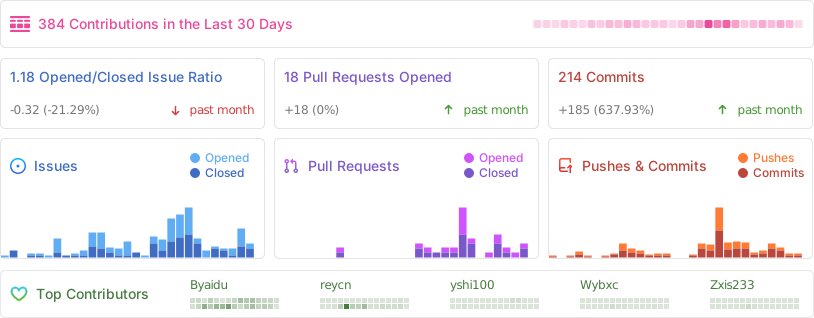
For details on how to contribute, please consult the Contribution Guide.
5.4 Star History

Denzii 🕊️ (@denziideng): 我的妈呀!用完这家伙,再也回不去PPT动画了!免费开源还丝滑!🤙
PPT动画生硬卡顿?想做精准数学/知识讲解动画还得AE?👀
这款数学动画神器 Manim 就狠在这⬇
✅ 代码驱动精准:数学公式、图形变换精确到像素,丝滑流畅
✅ 完全免费开源:Python写动画,批量生成超高效
✅
相似文章
@Ryrenz: PDF 直接丢给大模型,表格乱码、公式崩溃、扫描件还认不出字。 这 5 个工具帮你把文档转成 AI 能读的干净格式。 1、Stirling-PDF — 本地 PDF 全能工具箱,85k star 合并、拆分、压缩、加水印、转格式,几十种操…
本文介绍了5个将文档转换为AI可读格式的开源工具:Stirling-PDF、MinerU、docling、marker和OCRmyPDF,分别针对PDF编辑、复杂文档转Markdown、文档结构化输出、高精度PDF转Markdown以及扫描件OCR处理。
PDFMathTranslate: 保留版式的科学文档翻译工具
本文介绍PDFMathTranslate,一款基于大语言模型和精准版式检测技术的开源科学文档翻译工具,可在翻译过程中保留原文档的版式。
@amiaoapp: 天天啃外文文献、看国外技术博客,每次想翻译 PDF 段落,复制粘贴到网页翻译里全是一堆莫名其妙的断句和乱码换行?还得自己一行行手动删空格、删换行,效率低到让人原地抓狂?赶紧把这种折寿又折腾的“古法复制粘贴”连夜送进碎纸机! 推荐一款Git…
推荐一款开源的实时翻译工具CopyTranslator,支持跨平台,能自动处理PDF复制时的断行乱码,实现复制即翻译,提升外文文献阅读效率。
@heynavtoor: Rongxin Ouyang 解决了每个非英语世界的研究人员一直在默默忍受的那个问题…
PDFMathTranslate 是一个开源工具,用于翻译科学PDF文件,同时保留数学公式、图表、表格和布局,已被EMNLP 2025接收,并在MIT许可下免费提供。
@Ryrenz: 论文、合同、PDF——这几个开源工具把所有文档工作打通了: 1、opendatalab/MinerU(68.9k)——上海 AI Lab 出品,PDF/文档一键转 markdown,学术论文排版还原度极高 https://github.c…
这篇推文汇总了6个开源工具,涵盖PDF转markdown、文档理解、OCR、论文翻译和自动文献综述,旨在打通文档工作流。